
2.4Ghz 20Mhz channel selection
2.4Ghz 20Mhz channel selection

I still have problems with this.
There are threads going back 3 or more years, for example, https://community.tp-link.com/en/home/forum/topic/525212
Why is this feature not implemented!? My performance on 2.4Ghz still absolutely sucks with any newly released firmware, and it's confirmed by support that this is the issue. Only using some 1.5 year old modded beta do I get reasonable 2.4ghz performance.
Can we expect any of these 'beta' fixes to make it into mainstream anytime in the future? Multiple firrmwares released since, and this forum is full of people who have to use the old beta to get stable performance on 2.4ghz, missing other stability and security fixes. It's just not right!
I do hope something is in the works to address this.
- Copy Link
- Subscribe
- Bookmark
- Report Inappropriate Content


Hi, nice to see you again.
It is planned to add Channel/Channel Bandwidth Selection on different models, but it is unclear when the firmware will be released for a certain model.
If you're interested, there is also a beta firmware, which is based on the 1.3.0 firmware and supports the 2.4GHz network optimization. You can find it in the private message.
Thank you very much.
Best regards.
- Copy Link
- Report Inappropriate Content
@pjs_gsy What's your firmware?
- Copy Link
- Report Inappropriate Content
@ARGamingPK1 the latest available to me is 1.3.1 build 20251023 47884, but this still has the problems. Multuiple decos and plenty iot devices kills 2.4ghz.
I have to run a beta that was issued maybe a year and a half ago. I know a LOT of pople on the forums are doing the same. I think it's a simple hack in that it just makes sure some decos use different 2.4ghz channels. This makes the 2.4ghz network much more stable, so the link is'nt dropping out every few minutes.
- Copy Link
- Report Inappropriate Content
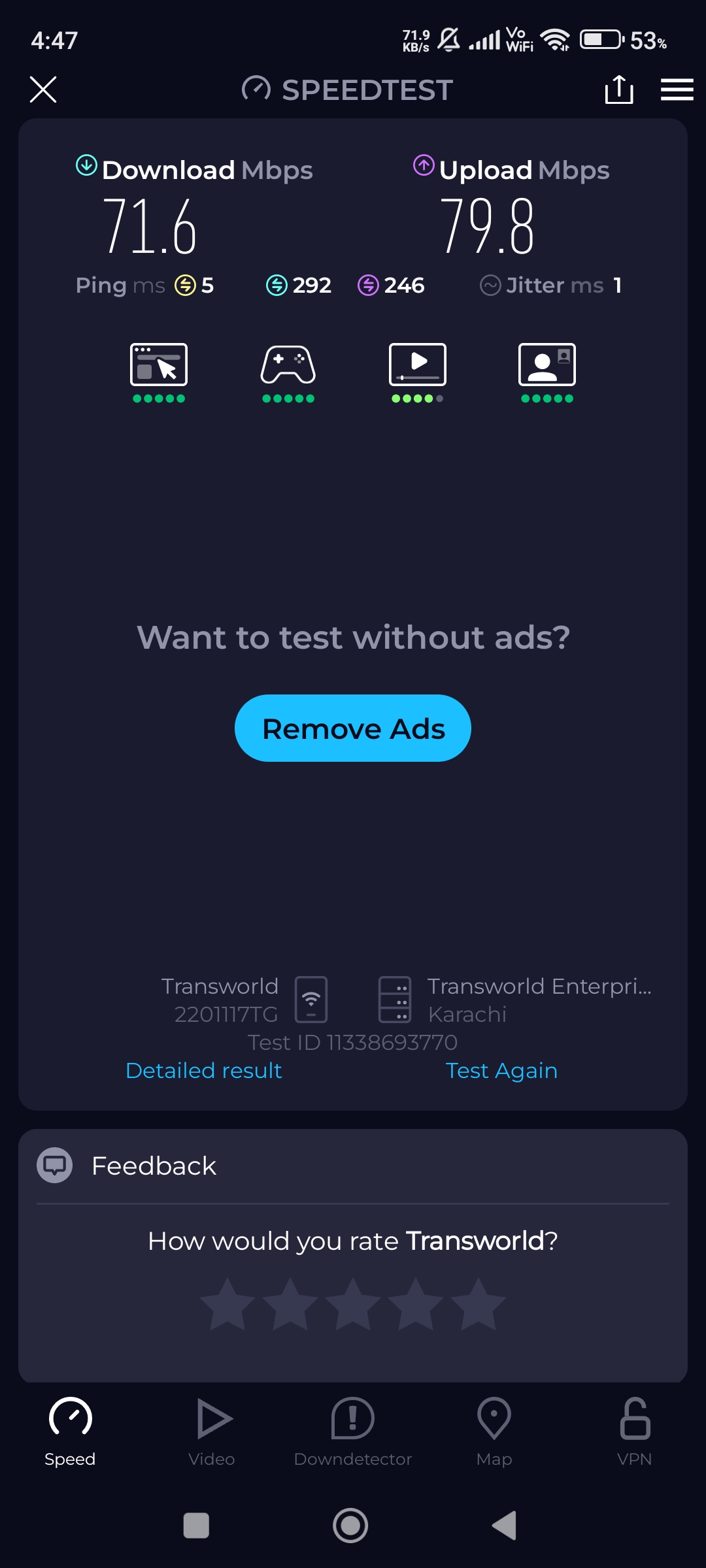
- Copy Link
- Report Inappropriate Content
@ARGamingPK1 Yes, and I suspect that is entirely why TP-link leave it as it is. It works well for reviews (if nothing else). However, use it in a real environment. The one mesh is designed for. Get 4/5 units, half a dozen 2.4ghz cameras |(I use TP-Link ones!). A bunch of IoT Wi-Fi plugs (mostly tplink, again), sensors etc (I have around 45 devices total), and you will find that 2.4Ghz stability deterioates massively. Ping times from 30-800ms. Then dropouts. And, it's like that all the time. Probably due to the large bandwidth, all units on 2.4ghz using the same channel, and likely a bit of interference from elsewhere (compounded as the channel width is so wide it uses 70% of the spectrum, meaning lots of overlapping!)
So, yes - single DECO to router, clean air - Out of the box good.
Real use in an environment it is supposed to excel in. Well, the reality is very different. Many people have shared posts here on the forum with the same exact story. Doorbells not working. Cameras dropping out. etc. It's all down to the 2.4ghz setup. I can fully appreciate TP-Link what the devices to review well, but, give us the flexibility to downgrade them to prefer stability over out-of-the-box review use, and many of us will thank TP-Link!
Thanks for sharing your data, though.
- Copy Link
- Report Inappropriate Content
@pjs_gsy and, fwiw, the BETA (fixed old firmware), built 100% to address this issue, for the most part, resolves it. So, they know the issue and they have a fix for it, yet that firmware is old and out of date. The fixes have not been put into the mainstream firmwares, and we are sacrificing stability, security, and new features, for 2.4ghz network stability.
- Copy Link
- Report Inappropriate Content
@pjs_gsy A quick example, in case anyone from TPLink is reviwing
Here are some pings across the network over the DECO. The
The first one is actually over 2 decos! But, it uses the 5ghz and to the router. The second, is to a 2ghz camera, 1 deco away. You can see the iffy ping stability even there.
C:\Users\Paulhome>ping 192.168.2.239
Pinging 192.168.2.239 with 32 bytes of data:
Reply from 192.168.2.239: bytes=32 time=3ms TTL=64
Reply from 192.168.2.239: bytes=32 time=3ms TTL=64
Reply from 192.168.2.239: bytes=32 time=3ms TTL=64
Reply from 192.168.2.239: bytes=32 time=3ms TTL=64
Ping statistics for 192.168.2.239:
Packets: Sent = 4, Received = 4, Lost = 0 (0% loss),
Approximate round trip times in milli-seconds:
Minimum = 3ms, Maximum = 3ms, Average = 3ms
C:\Users\Paulhome>ping 192.168.2.32
Pinging 192.168.2.32 with 32 bytes of data:
Reply from 192.168.2.32: bytes=32 time=140ms TTL=64
Reply from 192.168.2.32: bytes=32 time=34ms TTL=64
Reply from 192.168.2.32: bytes=32 time=522ms TTL=64
Reply from 192.168.2.32: bytes=32 time=163ms TTL=64
Ping statistics for 192.168.2.32:
Packets: Sent = 4, Received = 4, Lost = 0 (0% loss),
Approximate round trip times in milli-seconds:
Minimum = 34ms, Maximum = 522ms, Average = 214ms
- Copy Link
- Report Inappropriate Content
@pjs_gsy I'm using 5 Deco M4 nodes at home and using around 8-10 IoT devices with 40 MHz on Deco and all are working fine when i changed the security to WPA/WPA2 mixed.
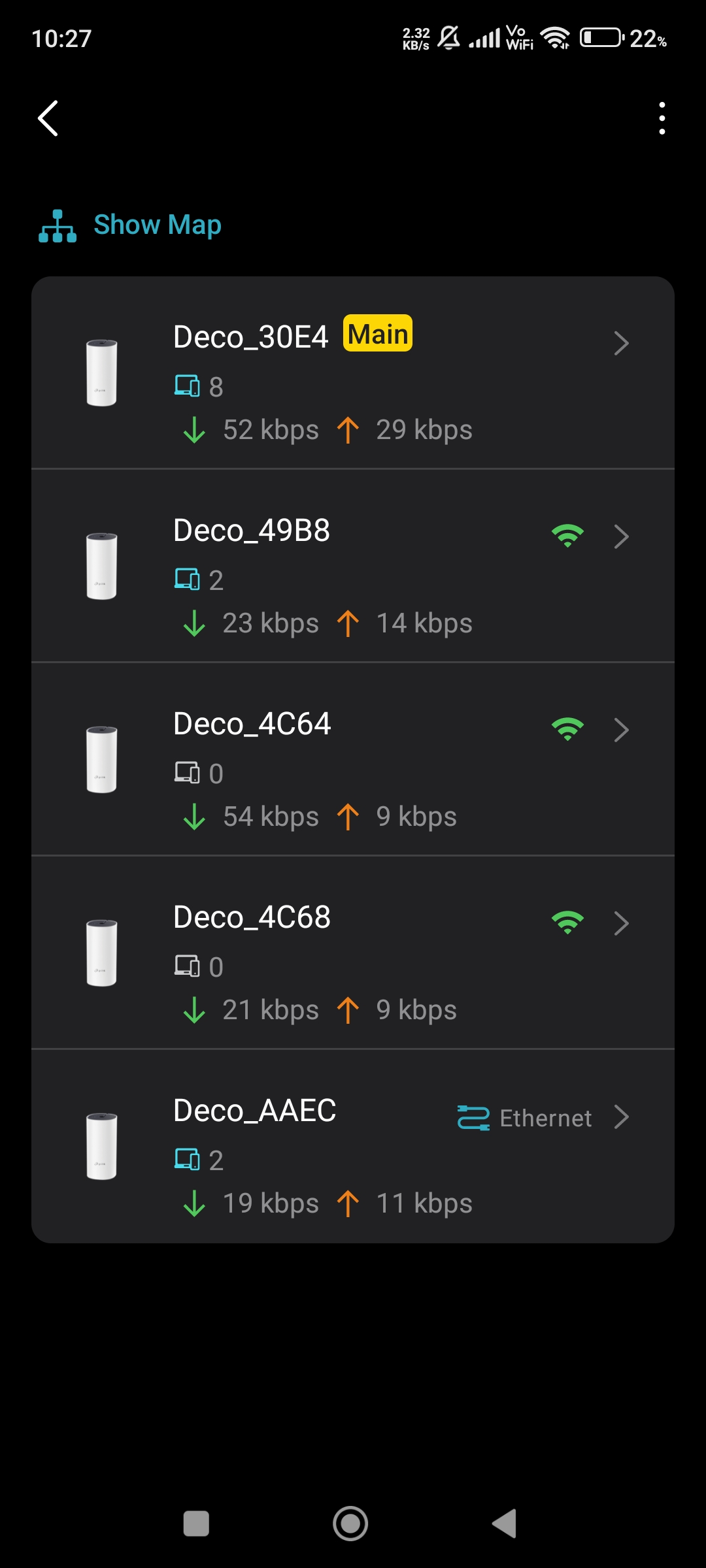
- Copy Link
- Report Inappropriate Content
@ARGamingPK1 Interesting.Not sure I would want to do that given the security risk, but I will try it temporarily and see if it helps. Thanks.
ah, nope. Still the same!
inging 192.168.2.32 with 32 bytes of data:
Reply from 192.168.2.32: bytes=32 time=76ms TTL=64
Reply from 192.168.2.32: bytes=32 time=41ms TTL=64
Reply from 192.168.2.32: bytes=32 time=87ms TTL=64
Reply from 192.168.2.32: bytes=32 time=343ms TTL=64
Reply from 192.168.2.32: bytes=32 time=186ms TTL=64
Reply from 192.168.2.32: bytes=32 time=10ms TTL=64
Reply from 192.168.2.32: bytes=32 time=14ms TTL=64
Reply from 192.168.2.32: bytes=32 time=819ms TTL=64
Reply from 192.168.2.32: bytes=32 time=44ms TTL=64
Request timed out.
Reply from 192.168.2.32: bytes=32 time=16ms TTL=64
Reply from 192.168.2.32: bytes=32 time=326ms TTL=64
Reply from 192.168.2.32: bytes=32 time=25ms TTL=64
Reply from 192.168.2.32: bytes=32 time=18ms TTL=64
Reply from 192.168.2.32: bytes=32 time=31ms TTL=64
Reply from 192.168.2.32: bytes=32 time=160ms TTL=64
- Copy Link
- Report Inappropriate Content
@pjs_gsy That's normal if you ping any wireless device from PC by using wired you will get ping fluctuations even 5 GHz connected devices.
- Copy Link
- Report Inappropriate Content
@ARGamingPK1 Some ping jitter is normal, but this is excessive, and you get complete dropouts, constantly. The issue is 100% the units firmware/design (and perhaps a litle environment), because if you run the very old BETA software that has slightly different 2.4ghz configuration, that jitter is hugely reduced, very few droppouts, and the difference is night and day. You cannot even view the cameras here for more than 10-20 seconds before they drop out, and it does not happen on the old out-of-date beta. Also, all the routers AP's etc. I replaced the decos with never had these issues in the same environment before. It's also confirmed by Tp-link as in issue, and they have that fix. It's just not publicly available.
So, it's definitely NOT normal. TP-Link knows about it. There is a fix available that works, it's just going on 2 years old! Sadly there is no way for us to make these channel changes ourselves via the interface, and none of the new firmwares provides the option or the fix. That's the point of this post.
- Copy Link
- Report Inappropriate Content
Information
Helpful: 2
Views: 1681
Replies: 18
Voters 1
