
Tapo P100 1.20 on 1.2.10 firmware won't offer updates

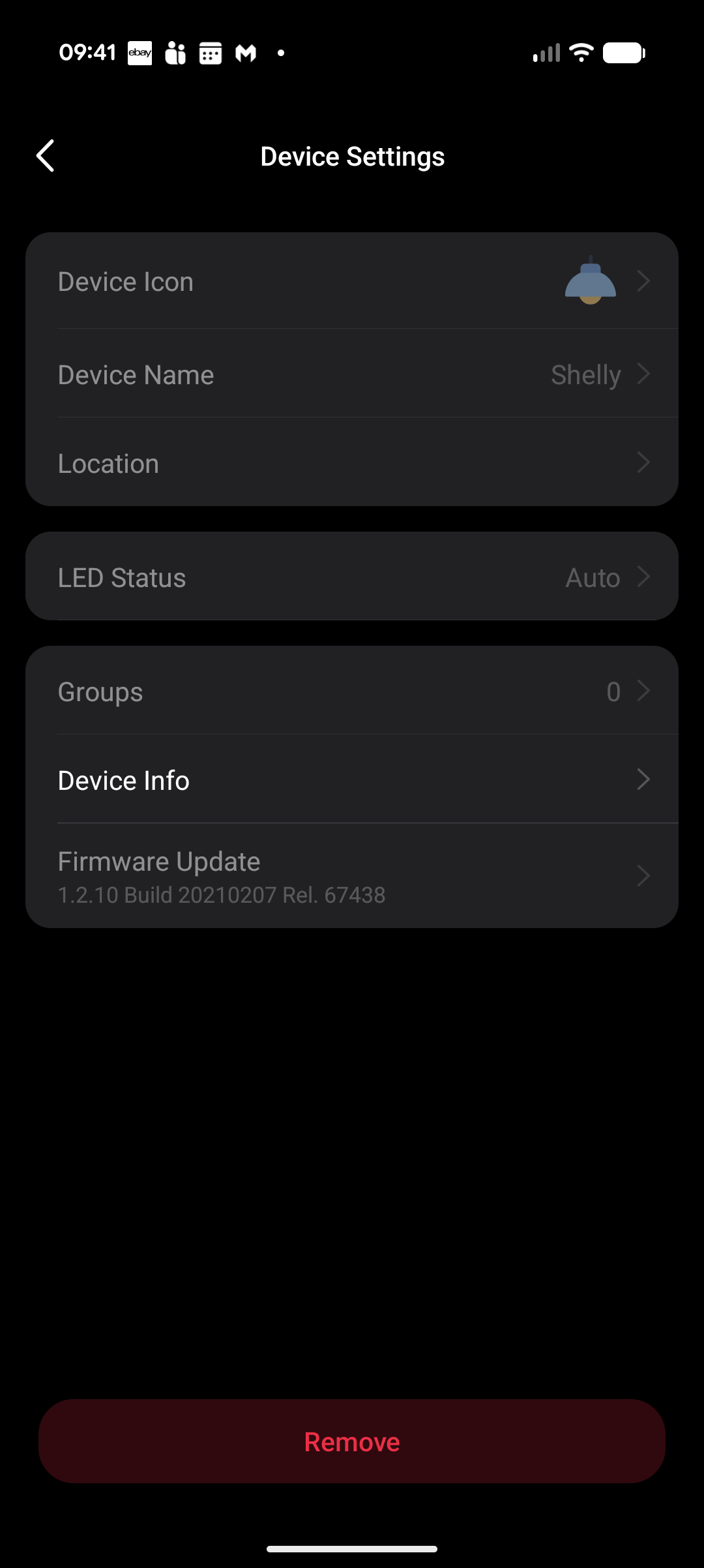
I can't get my socket to even try and update firmware, the button in the UI isn't active.
I have 4 from the same box, one has been active, 3 have been in storage so are on very old firmware. The active one is on fire 1.5.5, the others are on 1.2.10.
I've tried resetting all three and other devices on the network upgraded successfully.
Any ideas? I can't even use them in smart actions at the moment.
- Copy Link
- Subscribe
- Bookmark
- Report Inappropriate Content


Jamstah wrote
I can't get my socket to even try and update firmware, the button in the UI isn't active.
I have 4 from the same box, one has been active, 3 have been in storage so are on very old firmware. The active one is on fire 1.5.5, the others are on 1.2.10.
I've tried resetting all three and other devices on the network upgraded successfully.
Any ideas? I can't even use them in smart actions at the moment.
It seems like your current account is not the owner of this smart plug, which explains why most feature options aren't accessible. How to share Tapo Smart Devices with family
If it is your device, you may factory reset it and reconfigure it under your account, then try to do the update again.
- How to factory reset the Tapo smart plug
- How to set up Tapo smart plug
- How to update the firmware of the Tapo devices on the Tapo App
Refer to the suggestions here if you encounter any issues updating the firmware. What can I do if Tapo Smart Devices fail to update the firmware?
By the way, to protect your personal privacy, please do not post information such as your personal email address or device MAC address on public platforms like the community. You can edit your comment to remove the photo, or re‑upload an image with the MAC address blurred out.
- Copy Link
- Report Inappropriate Content
Jamstah wrote
I can't get my socket to even try and update firmware, the button in the UI isn't active.
I have 4 from the same box, one has been active, 3 have been in storage so are on very old firmware. The active one is on fire 1.5.5, the others are on 1.2.10.
I've tried resetting all three and other devices on the network upgraded successfully.
Any ideas? I can't even use them in smart actions at the moment.
It seems like your current account is not the owner of this smart plug, which explains why most feature options aren't accessible. How to share Tapo Smart Devices with family
If it is your device, you may factory reset it and reconfigure it under your account, then try to do the update again.
- How to factory reset the Tapo smart plug
- How to set up Tapo smart plug
- How to update the firmware of the Tapo devices on the Tapo App
Refer to the suggestions here if you encounter any issues updating the firmware. What can I do if Tapo Smart Devices fail to update the firmware?
By the way, to protect your personal privacy, please do not post information such as your personal email address or device MAC address on public platforms like the community. You can edit your comment to remove the photo, or re‑upload an image with the MAC address blurred out.
- Copy Link
- Report Inappropriate Content
Thanks, good suggestion. I don't know what other account would have had them, but its worth a try.
> By the way, to protect your personal privacy, please do not post information such as your personal email address or device MAC address on public platforms like the community. You can edit your comment to remove the photo, or re‑upload an image with the MAC address blurred out.
Good catch, have removed the image, although I'm not sure how personally identifying a MAC is :)
- Copy Link
- Report Inappropriate Content
@Wayne-TP Tried that and no luck :(
I'm wondering if there's an expired cert somewhere causing problems.
- Copy Link
- Report Inappropriate Content
Jamstah wrote
@Wayne-TP Tried that and no luck :(
I'm wondering if there's an expired cert somewhere causing problems.
@Jamstah For further assistance, please contact technical support team.
- Copy Link
- Report Inappropriate Content
Information
Helpful: 0
Views: 549
Replies: 4
Voters 0
No one has voted for it yet.