
Pan Tilt correction not lining up with fixed view lense
Pan Tilt correction not lining up with fixed view lense

I am having this problem where I tilt the fixed camera downward and use Pan Tilt correction on the PT lense but it not lined up in the vertical axis, the camera still assumes the fixed camera is in the original position when it's not tilted down. Can anyone help me with this issue?
- Copy Link
- Subscribe
- Bookmark
- Report Inappropriate Content

@Wayne-TP I am having the same issue, this definitely needs an update on PTZ camera calibration when the fixed camera is tilted down. The PTZ will follow the detected activity but only on horizontal axis.
- Copy Link
- Report Inappropriate Content


Please ignore my previous reply; I didn't fully understand the situation.
Adjusting the fixed lens angle is a physical operation and does not involve software control, so the PT lens cannot determine its current vertical position for alignment. As for horizontal alignment being possible, it’s because the two lenses are structurally integrated: wherever the fixed lens is rotated to becomes the PT lens’s default (center) position. After calibration, the PT lens returns to its default position, which is also aligned horizontally with the fixed lens.
- Copy Link
- Report Inappropriate Content

Hi @Wayne-TP,
I suggest you review the issue raised by @NinjaWiggle, as both @Einclad and I are experiencing the same problem.
Let me explain in more details.
On the Tapo C545D, when the "Smart Dual Tracking" setting is turned on, we expect the PT lens to automatically track the target detected by the fixed lens and continue tracking until the target leaves the field of view.
However, in practice, when the fixed lens is tilted slightly downward (which I believe most users would do when the camera is installed at a higher position), the PT lens does not track the objects correctly. The tracking becomes particularly inaccurate when the moving object (such as a person or vehicle) is closer to the fixed lens.
In your previous response, you mentioned that "Adjusting the fixed lens angle is a physical operation and does not involve software control, so the PT lens cannot determine its current vertical position for alignment." This explanation is not very convincing, because the PT lens should still be responsible for tracking the object based on its own image analysis.
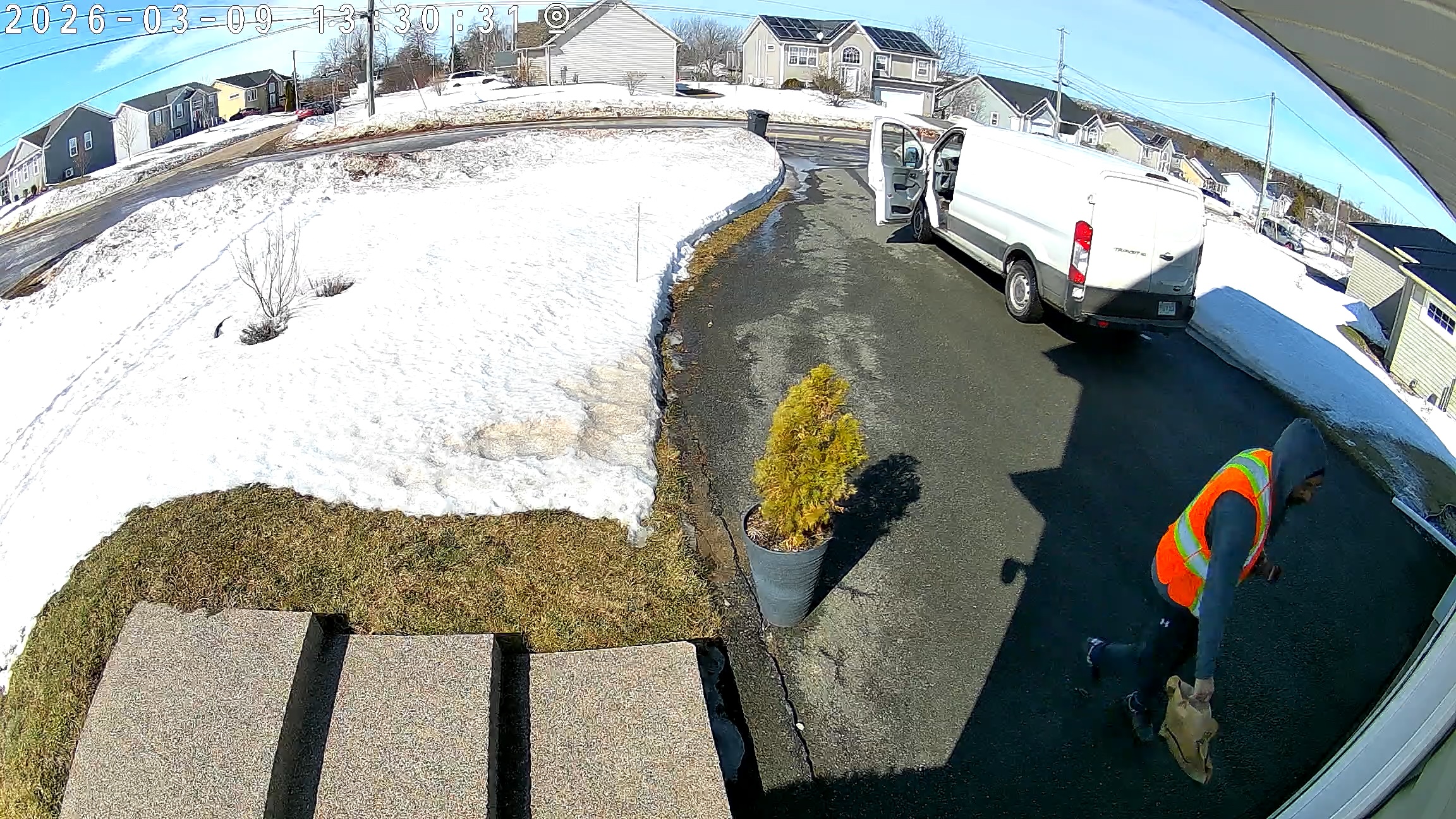
As shown in the example screenshots, the PT lens should be able to tilt downward to track the moving person, but it does not actually perform the tracking.
According to the animation shown in the "Synchronized Smart Tracking" section on the TP-Link Tapo C545D product page ( https://www.tp-link.com/ca/home-networking/cloud-camera/tapo-c545d/ ), the camera should continue tracking as the person walks closer. However, in actual use, the camera does not behave this way.
I believe this is something that could potentially be resolved through a firmware update. Otherwise, the purpose of "Smart Dual Tracking" would be significantly undermined.
For reference, the "Pan & Tilt Correction" has already been executed to ensure the camera is properly calibrated.
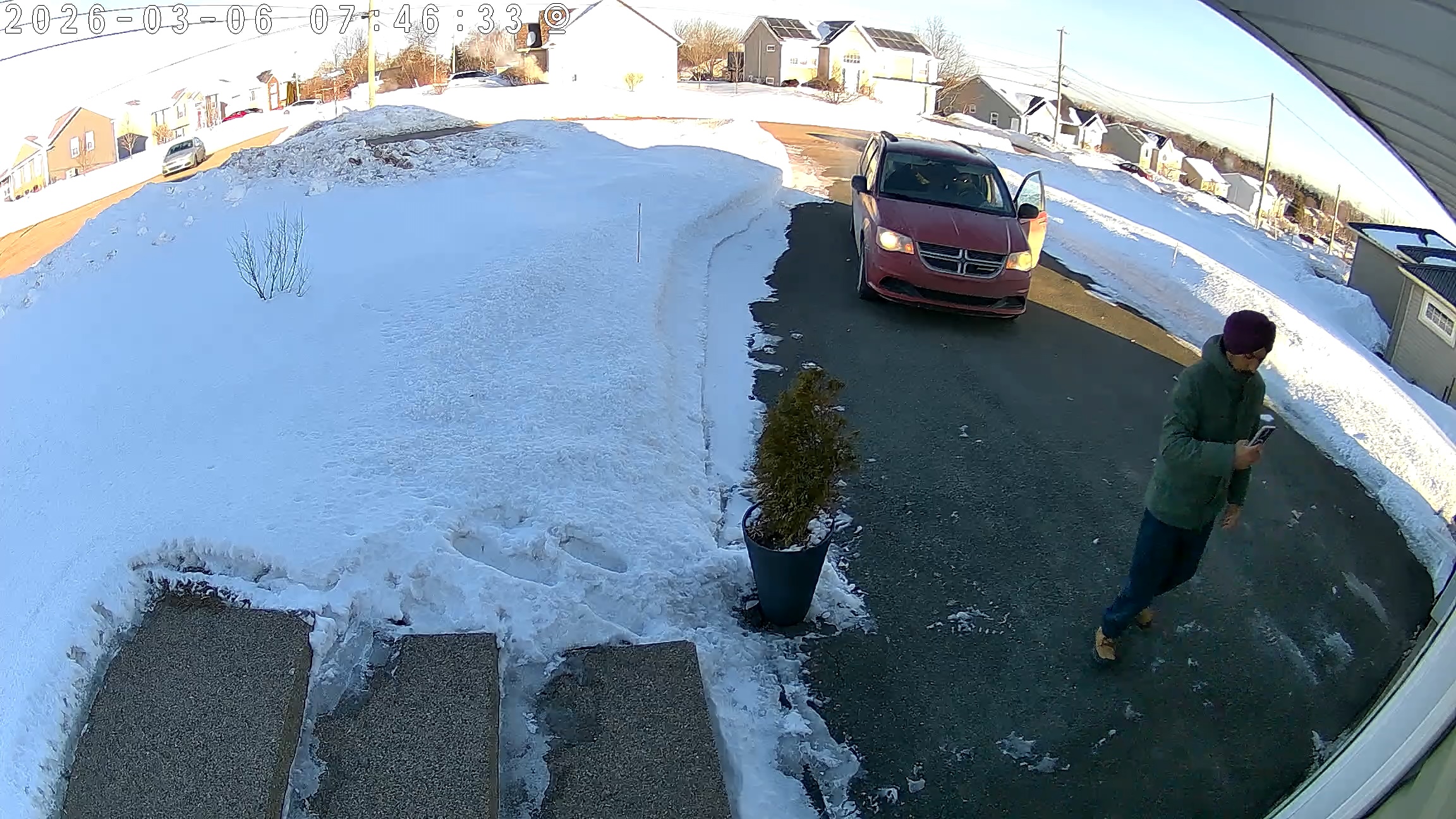
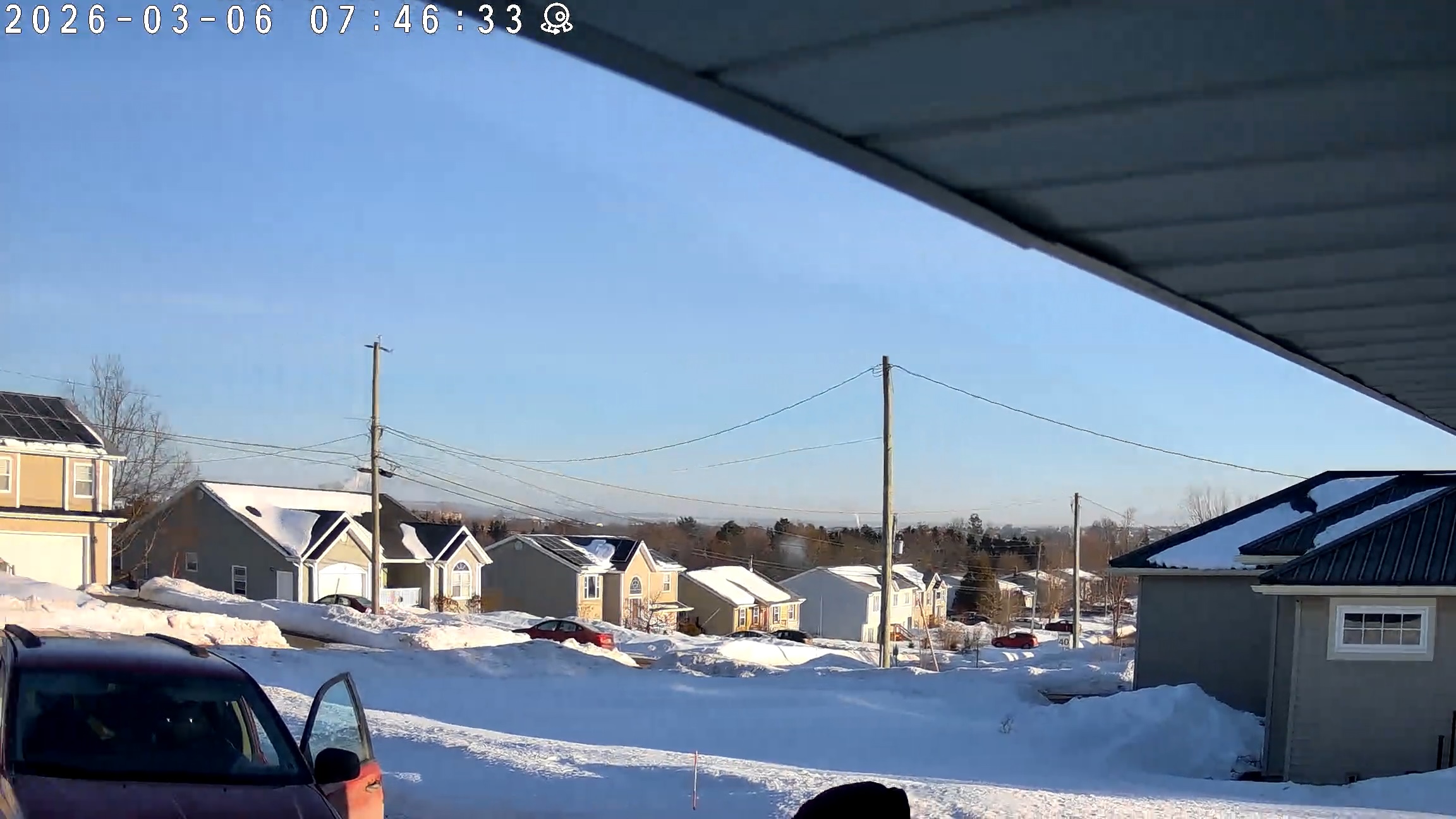
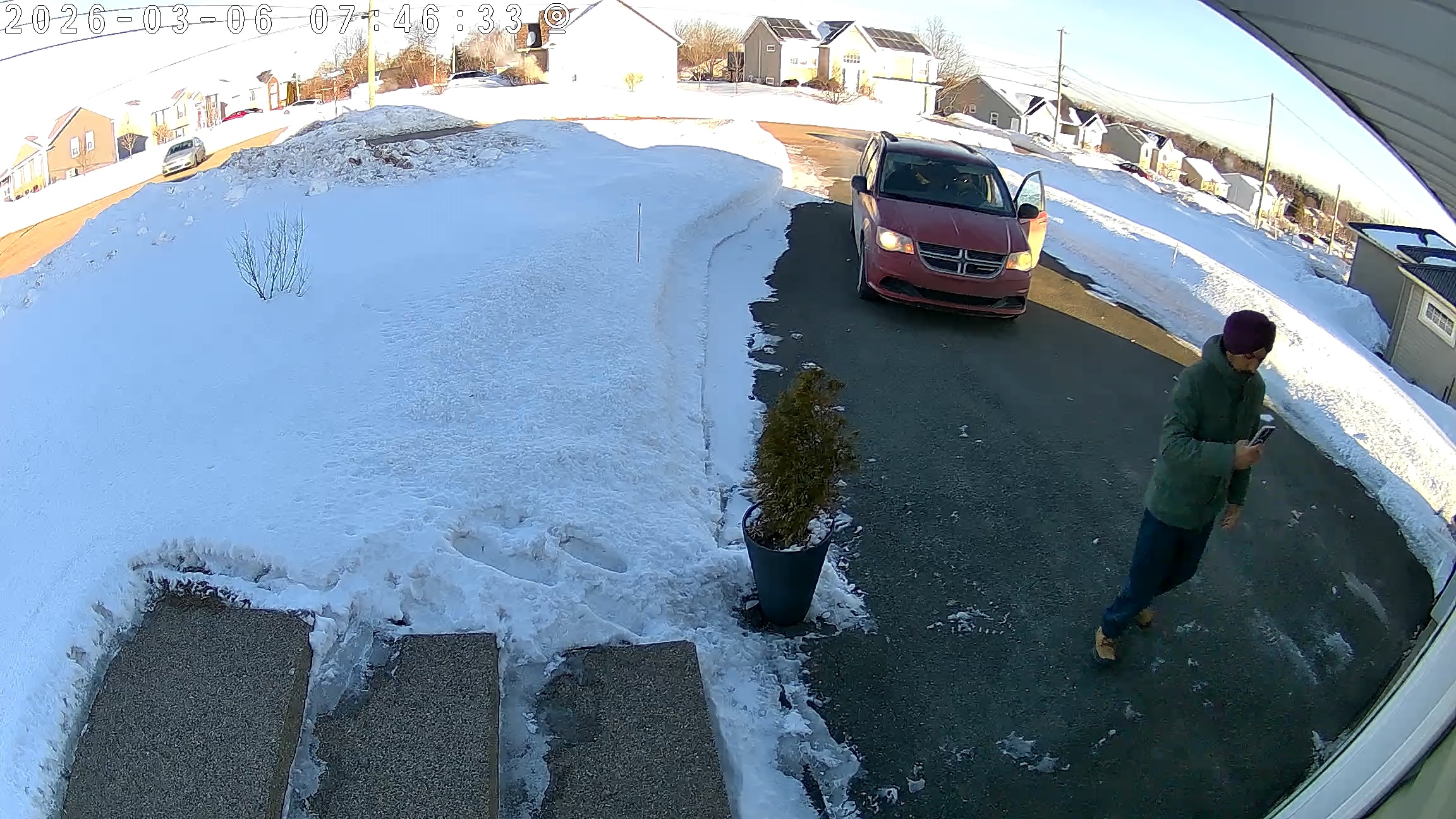
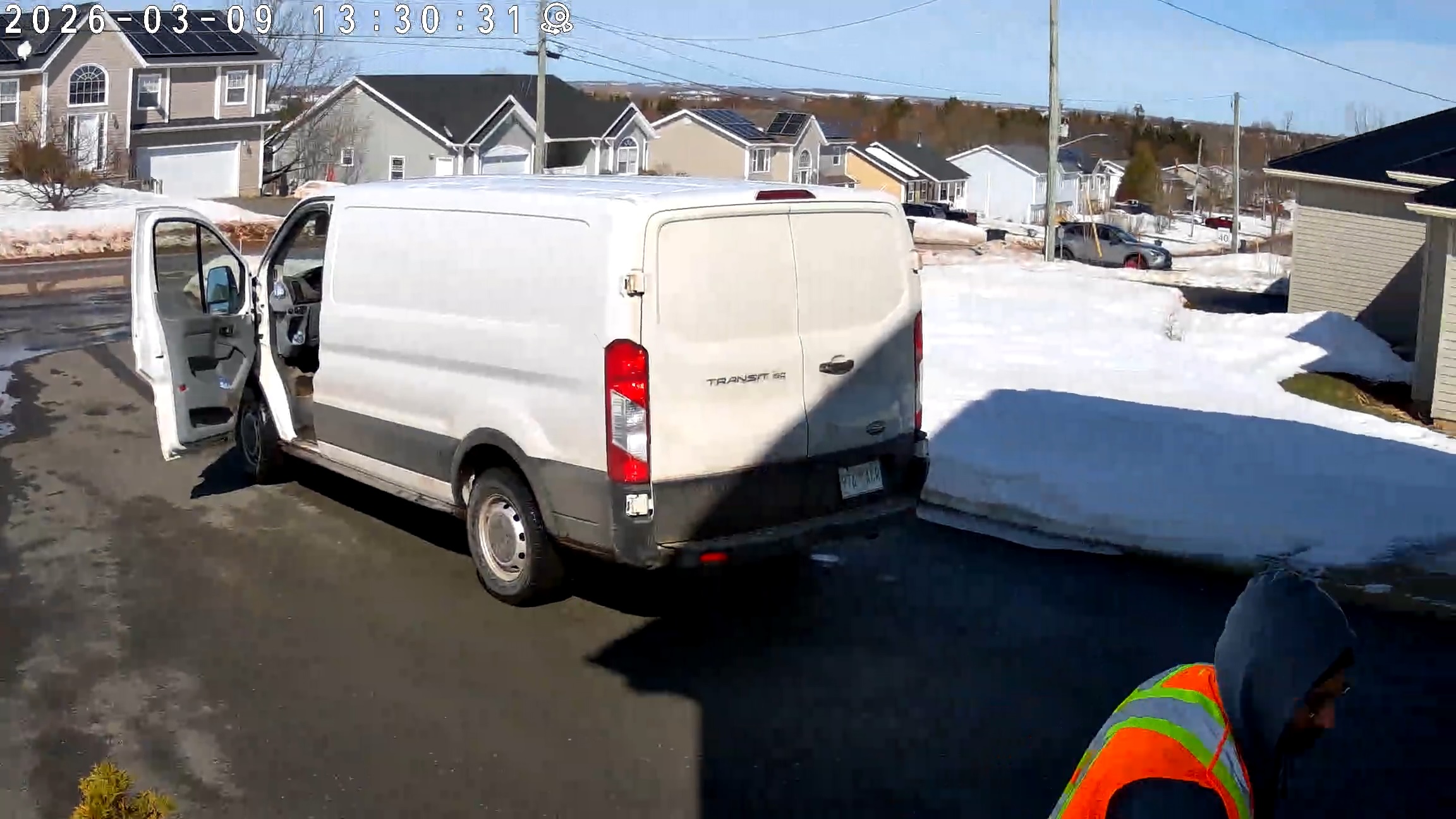
- Copy Link
- Report Inappropriate Content
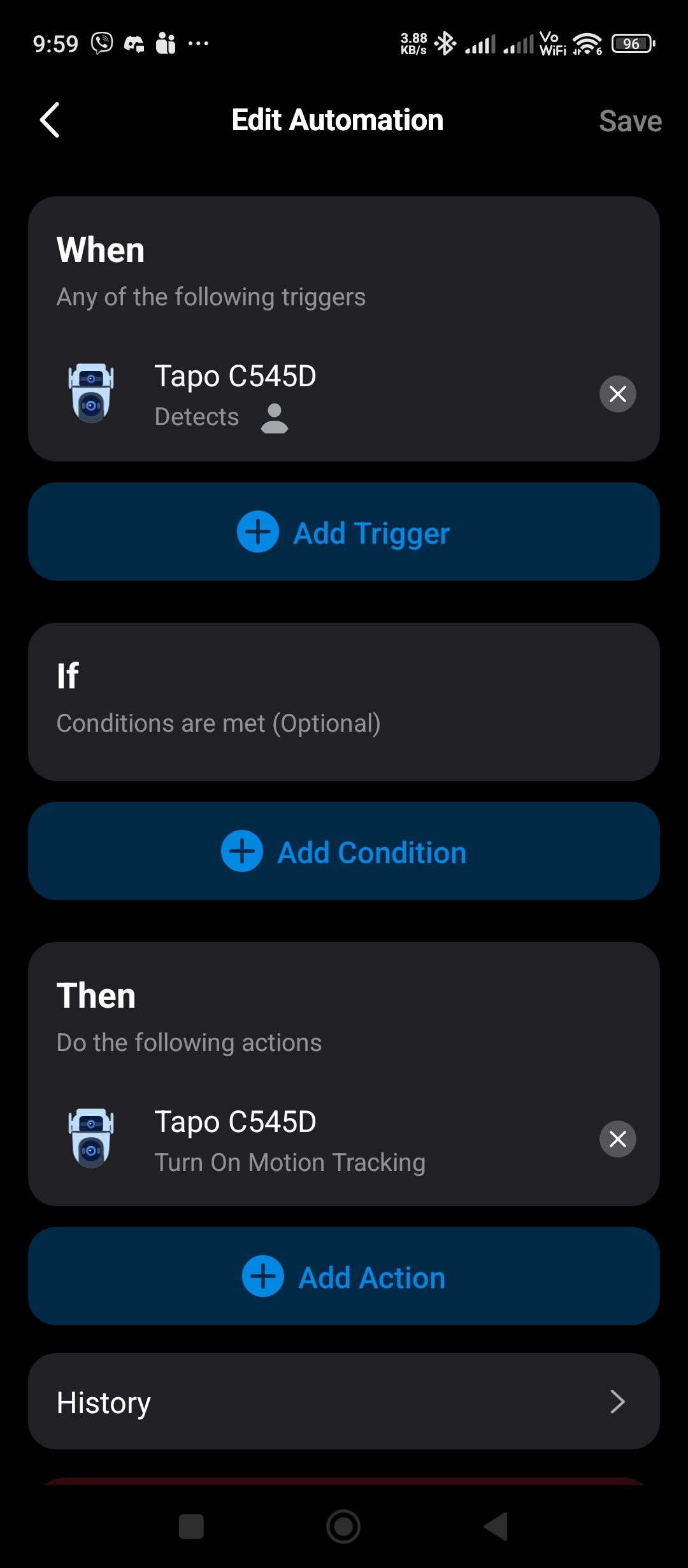
@wayneljw I have set a workaround this, I created an automation scene where if the camera finds something i set it to turn on camera tracking. Downside in doing this is its now tracking pets.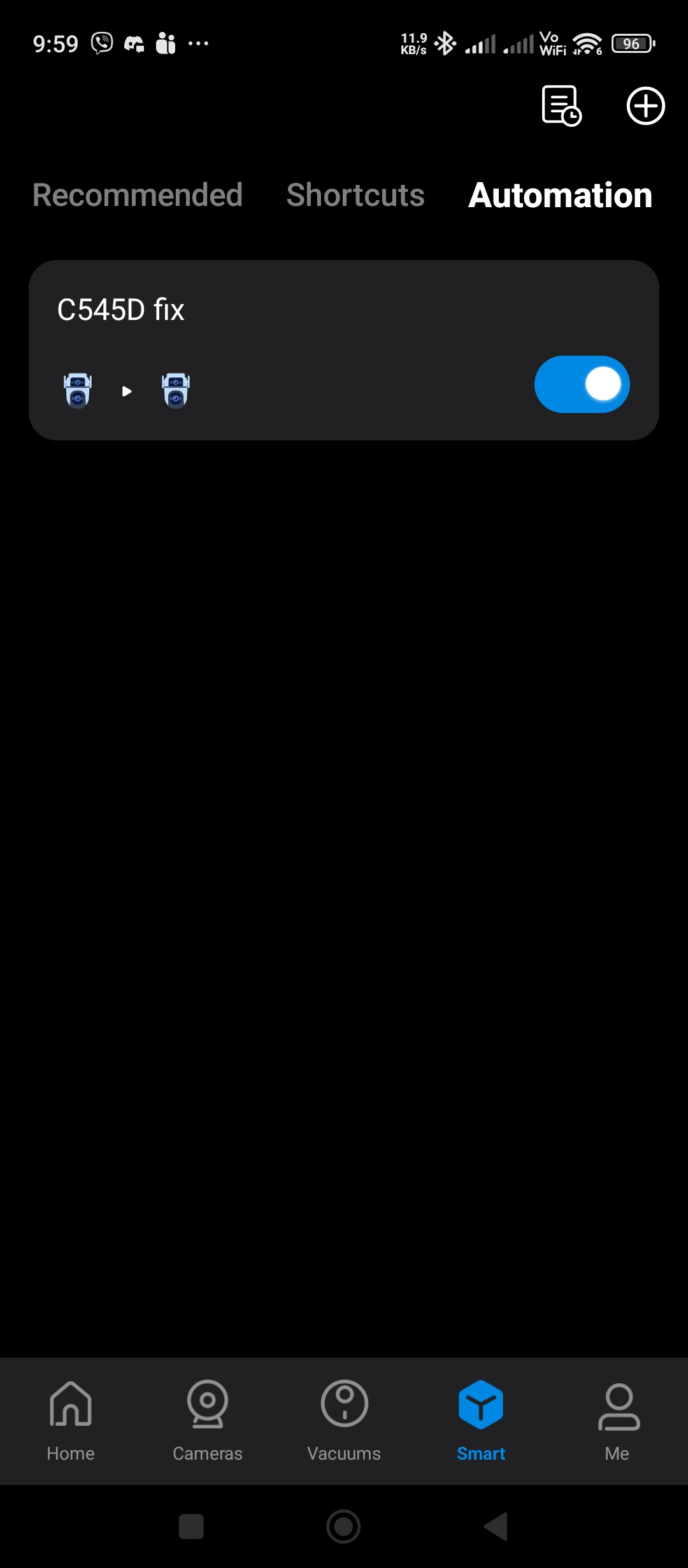
- Copy Link
- Report Inappropriate Content
@wayneljw Hi yes, this is the exact same issue I am facing. What I would suggest is that they can add a manual calibration of the centre point of the pantilt lens.
- Copy Link
- Report Inappropriate Content
@NinjaWiggle I thought you were asking about the Pan & Tilt Correction feature? Why the PT lens and the fixed lens are aligned horizontally but not vertically after a Pan & Tilt Correction, for example, if the fixed lens is positioned downward, then PT lens remains centered rather then downward like the fixed lens after a calibration.
@wayneljw About the tracking feature, what you describe doesn't match the expected performance of the tracking feature, unless you're missing something. To ensure the dual tracking feature works properly, it's important to understand each setting and setup correctly. Check here for more details. Introduction to Smart Dual Tracking on Tapo Outdoor Dual-Lens Camera
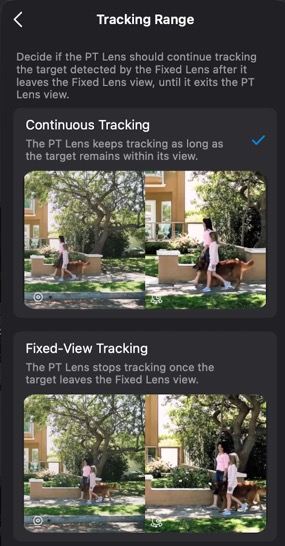
For example, if you choose Fixed-View Tracking as the detection range, the PT lens will stop tracking once the target leaves the fixed lens's view.
- Copy Link
- Report Inappropriate Content
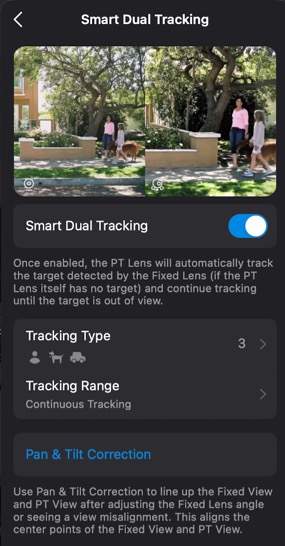
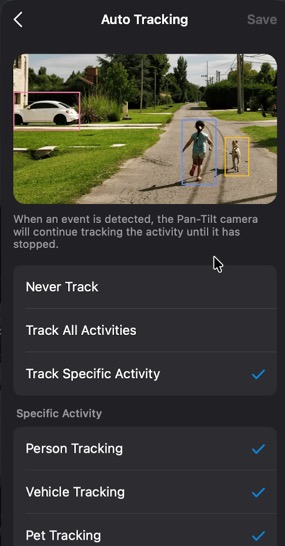
The Smart Dual Tracking is currently configured as "Continuous Tracking", and "Auto Tracking" is enabled As shown in the images attached.
Both tracking modes are set to detect and track people, vehicles, and pets.
For troubleshooting purposes, I have also tested multiple configurations, including enabling "Fixed-View Tracking" and disabling "Auto Tracking". I have tried different combinations of these settings, but the issue remains the same: when the detected object moves closer to the camera, it cannot be tracked correctly.
In other words, the behaviour is consistent with what I described in my previous post:
According to the animation shown in the "Synchronized Smart Tracking" section on the TP-Link Tapo C545D product page ( https://www.tp-link.com/ca/home-networking/cloud-camera/tapo-c545d/ ), the camera should continue tracking as the person walks closer. However, in actual use, the camera does not behave this way.
Based on the testing I have done (and I believe @NinjaWiggle and @Einclad have observed similar results), we are fairly confident that the issue is not related to incorrect configuration but may be related to the current software or firmware behaviour.
The scenario should be relatively easy to reproduce in a real environment, so it may be worthwhile for the engineering team to do the same testing in the lab.
As users, we are spending our own time testing different configurations and documenting the behaviour we observe in real-world usage, with the intention of helping improve the product. However, the responses so far seem to repeatedly assume that the issue must be caused by incorrect settings or user misunderstanding. We are simply trying to provide constructive feedbacks from actual usage. Hopefully this can be evaluated more seriously, as addressing this issue would significantly improve the reliability and value of the Smart Dual Tracking feature for all users.
Thanks.
- Copy Link
- Report Inappropriate Content
@Wayne-TP The PT lens need to be aware that fixed lens is tilted and track accordingly! the calibration is not helping at all and it's not aligned vertically
- Copy Link
- Report Inappropriate Content
@Wayne-TP Yes, the issue is when I tilt the fixed lens downward and after doing the pan-tilt correction the PT lens still assumes the fixed lens is not pointing downward and the PT lens will aim higher than the target detected by the fixed lens. This issue is also present when i use the tap to focus when I tap and hold a point on the fixed lens and the PT lens will aim to the point above when I tapped.
- Copy Link
- Report Inappropriate Content
@NinjaWiggle @wayneljw @Einclad
From my point of view, the tracking problem is likely an independent issue, not connected to the lens alignment phenomenon post-calibration. But i'll certainly check with support to confirm since you’ve raised the possibility.
To move forward efficiently, let’s concentrate on the tracking failure. Have you already reached out to support about it? Determining the exact cause requires dedicated investigation. If not, I’m happy to assist you in creating a support ticket for further help.
- Copy Link
- Report Inappropriate Content
Information
Helpful: 0
Views: 1009
Replies: 13
Voters 0
No one has voted for it yet.