
Wireguard VPN Client stuck at Connecting

Wireguard VPN Client stuck at Connecting

Wireguard VPN Client stuck at Connecting
2026-02-17 21:49:29 - last edited Yesterday
Model: Archer BE230  
Hardware Version: V2
Firmware Version: 1.3.1 Build 20260106 rei.39388

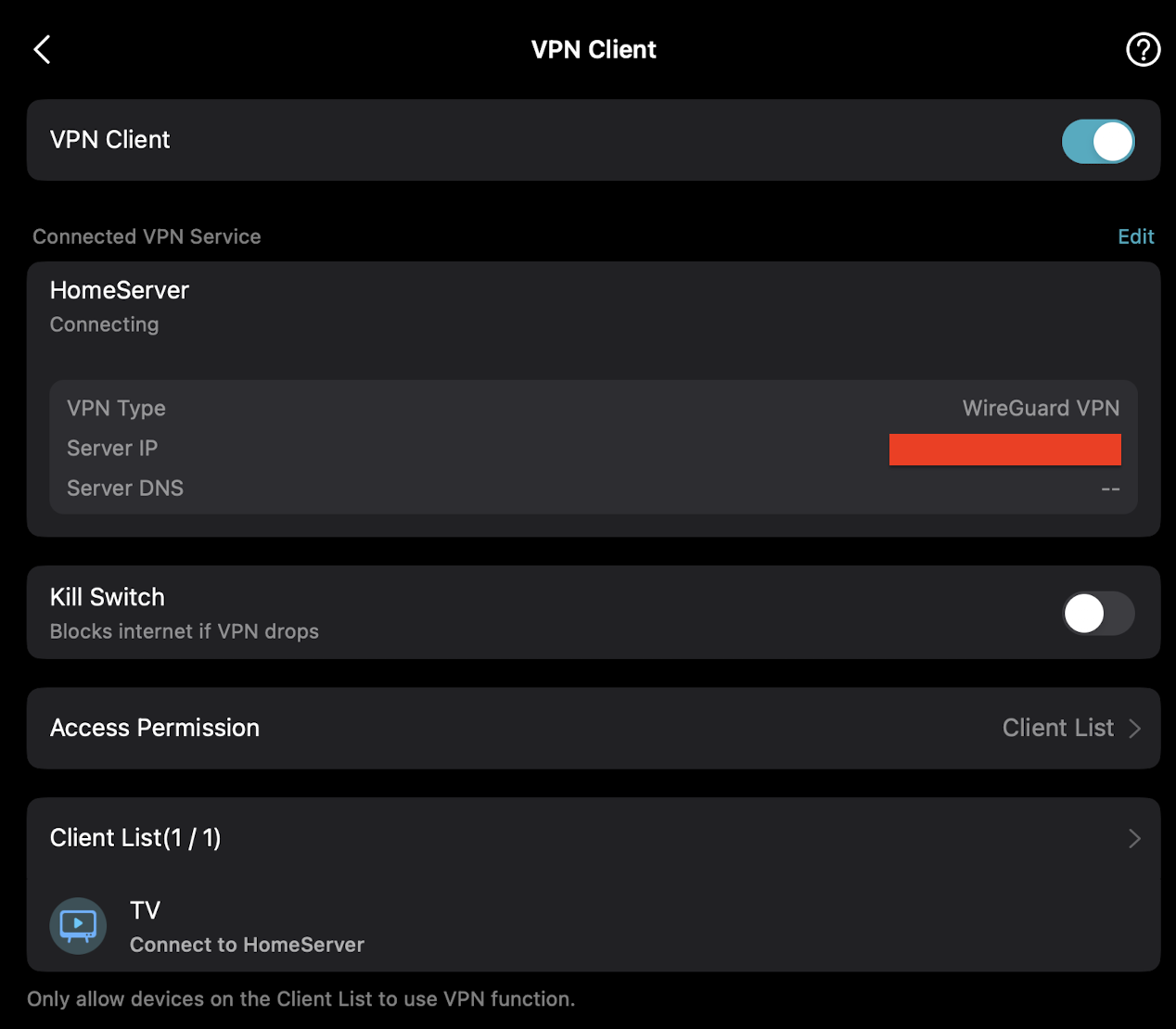
I have followed the guide on how to setup WireGuard VPN Client on my Archer BE230 using the Tether app, however, it seems to be stuck at "Connecting". I have tried using the config that I've provided to Tether from the WireGuard client on my laptop and it does seem to work (meaning the config is not the issue). I have tried accessing the IPs behind the VPN with an iPhone connected to the WiFi of the Archer but it doesn't seem to load them (meaning that this "Connecting" is real and it has not established connection). The iPhone did continue having regular stable connection to the web though (google.com was still accessible, even though VPN was stuck at "Connecting"). Now I have left only the TV as a whitelisted client.


Any suggestions on what might be the issue?
  0      
  0      
#1
Options
1 Accepted Solution
Re:Wireguard VPN Client stuck at Connecting-Solution
2026-02-24 11:48:09 - last edited Yesterday

Hi  @kalot ,

Have you changed any settings recently?

It is recommended that you refer to the suggestions of the VPN Client on Wi-Fi Router Is Not Working.


Recommended Solution
  0  
  0  
#2
Options
1 Reply
Re:Wireguard VPN Client stuck at Connecting-Solution
2026-02-24 11:48:09 - last edited Yesterday

Hi  @kalot ,

Have you changed any settings recently?

It is recommended that you refer to the suggestions of the VPN Client on Wi-Fi Router Is Not Working.


Recommended Solution
  0  
  0  
#2
Options
