
Rv30 keeps showing as no response in homekit

I bought the TP link RV30 with the explicit reason it supported matter so would be exposed in HomeKit.
it constantly shows as no response - even after a reset it will drop to no response mode in Apple homekit
- Copy Link
- Subscribe
- Bookmark
- Report Inappropriate Content
- Copy Link
- Report Inappropriate Content


Could you share more details of your case? For example:
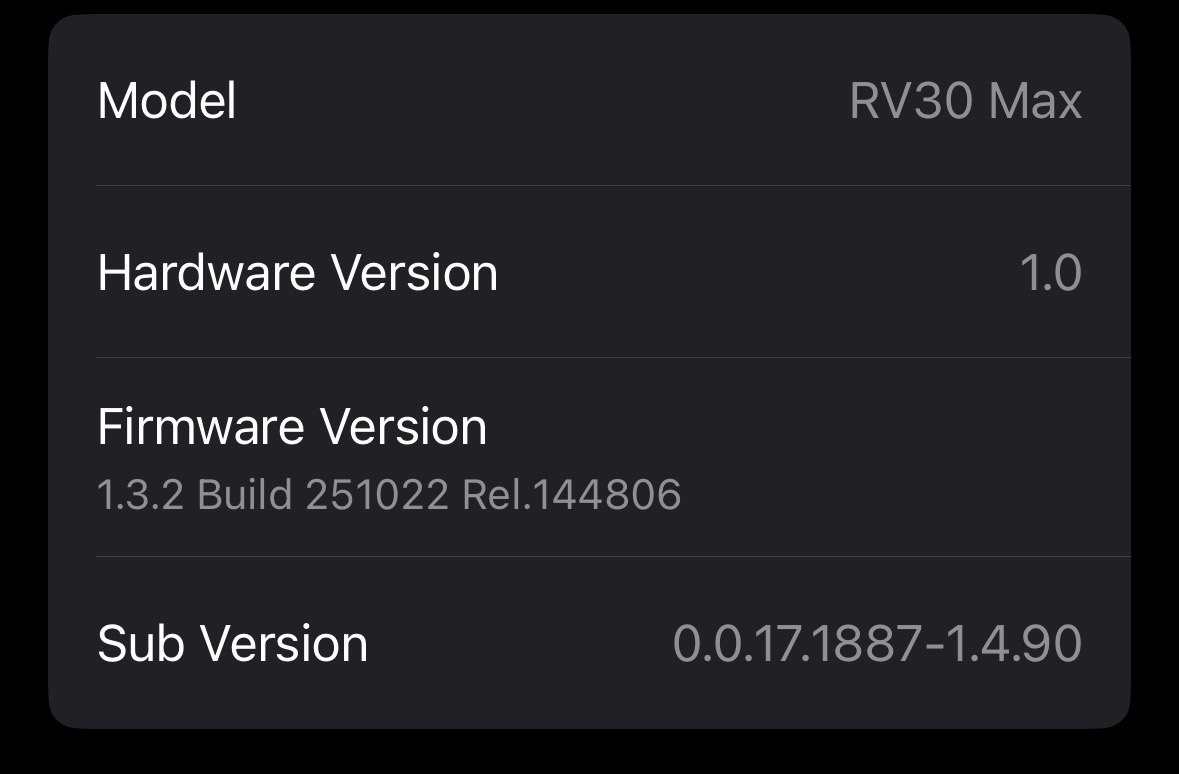
- Which model do you have -- the RV30 Max or RV30 Max Plus?
- Is the firmware up to date?
- When it doesn’t respond in Apple Home, what does its status show in the Tapo app? Can you control it with Tapo?
- Copy Link
- Report Inappropriate Content
@Wayne-TP Hi and thank you for the response.
when it drops from HomeKit, I can still control it via the tapo app and it still shows as online in that.
it seems to be behaving itself at the minute however, the no response message is so random on my iPhone.
the HomeKit hub is configured to be one device, my Apple TV 4K and it's in the same room as the vacuum.
there is also a mesh network hub (tplink be75) also in the same room and both devices are locked to the same mesh hub.
thanks
- Copy Link
- Report Inappropriate Content
Which model do you have exactly? The RV30 Max or RV30 Max Plus? What's its firmware version?
- Copy Link
- Report Inappropriate Content
- Copy Link
- Report Inappropriate Content
To manage Matter devices via the Apple Home app, you need a Matter‑enabled controller. If using an Apple TV, it must be one of the following supported models:
- Apple TV 4K Wi-Fi (2022 version, Wi-Fi only)
- Apple TV 4K Wi-Fi + Ethernet (2022 version)
- Apple TV 4K (2021 version)
If your iPhone is running iOS 18 or later, you can add and manage Matter devices in the Home app without a Matter Hub. However, please note that without a Matter Hub, you will only be able to control your Matter devices locally — remote access will not be available. More details on: How to set up Matter device with Alexa, Google, Apple or SmartThings
Please confirm whether your Apple TV supports Matter. If it does not, it is normal for your Matter devices to appear as Offline or Not Responding when your iPhone is outside your local network.
- Copy Link
- Report Inappropriate Content
- Copy Link
- Report Inappropriate Content
Information
Helpful: 0
Views: 375
Replies: 6
Voters 0
No one has voted for it yet.