VR2100 - Internet Disconnection - Strange Time Entries in LOG File.

VR2100 - Internet Disconnection - Strange Time Entries in LOG File.

VR2100 - Internet Disconnection - Strange Time Entries in LOG File.
a week ago
Model: Archer VR2100  
Hardware Version: V1
Firmware Version: 1.9.0.0.9.1 v009e 0 Build 240903 13195n

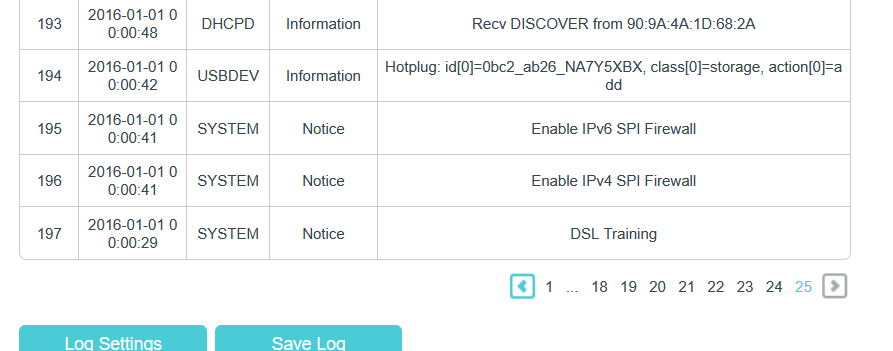
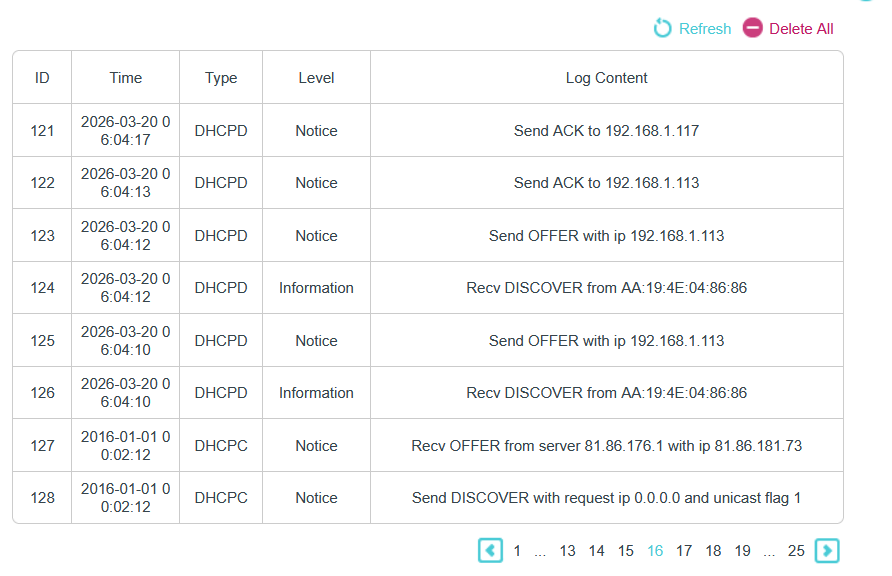
The VR2100 would appear to drop the internet connection at least once every 24 hours (usually during the night).  I only discover this in the morning.  All of the LEDs on the front of the VR2100 are on and green, yet any device connected to my home network whether wired directly to the router or connected wireless, reports no internet.  I have ruled out issues with the ISP on account that the LEDs are, as I have said, green and I ask them to run a test and they report no issues.  A power down and up gets things going again (partially) on my wired connections but my range extenders do not pick up the router and need rebooting as well.   However it is the log file that I find strange.  Today, I rebooted the VR2100 at 6.04am.   The LOG file shows this but if you look closely you can see that prior to this the LOG file time stamp is 01-01-2016 and this is the case right back to page 25 of the LOG file where it records the start time as 0:00:29.   Every time this drop out occurs, the log file reports the same date sequence, reboot time and prior to that 01-01-2016.     I kind of convinced it is the VR2100 issue and that it coincides with the recent firmware update (a few weeks back) but any other insight would be welcome.  Thanks in advance.
 

  0      
  0      
#1
Options
1 Reply
Re:VR2100 - Internet Disconnection - Strange Time Entries in LOG File.
Yesterday

Hello @vfrgpz ,
Welcome to our community.


Thanks for reaching out and providing such detailed information about your VR2100. Based on your description, here are some troubleshooting steps that should help:

For the Internet Connection Drops (with LEDs steady on):
1. Configure Google Public DNS for improved reliability. (Guide: How to change DNS servers)
2. Restart your front device (e.g., NBN box, modem) along with the router.

For the Potential Reset/Reboot (indicated by the log file anomaly):
1. Ensure you're using the original power adapter that came with the VR2100, and verify that the adapter's output specifications match the router's requirements.
2. Try plugging the router into a different electrical socket, or use a surge protector to safeguard it against power surges or electrical fluctuations that might occur during the night.
3. Verify that your router's firmware is up to date.
4. Perform a factory reset by using a pin to press and hold the reset hole on the router for about 10 seconds until all the lights turn on momentarily. After this, you'll need to reconfigure your router settings.


If the problem persists after trying these steps, please contact local support for further assistance.

  0  
  0  
#2
Options