Improvements for displaying/filtering Motion and Person Detection Events

This isn't a camera feature request: these are two suggestions which would make the mobile app more usable for all TAPO model cameras.
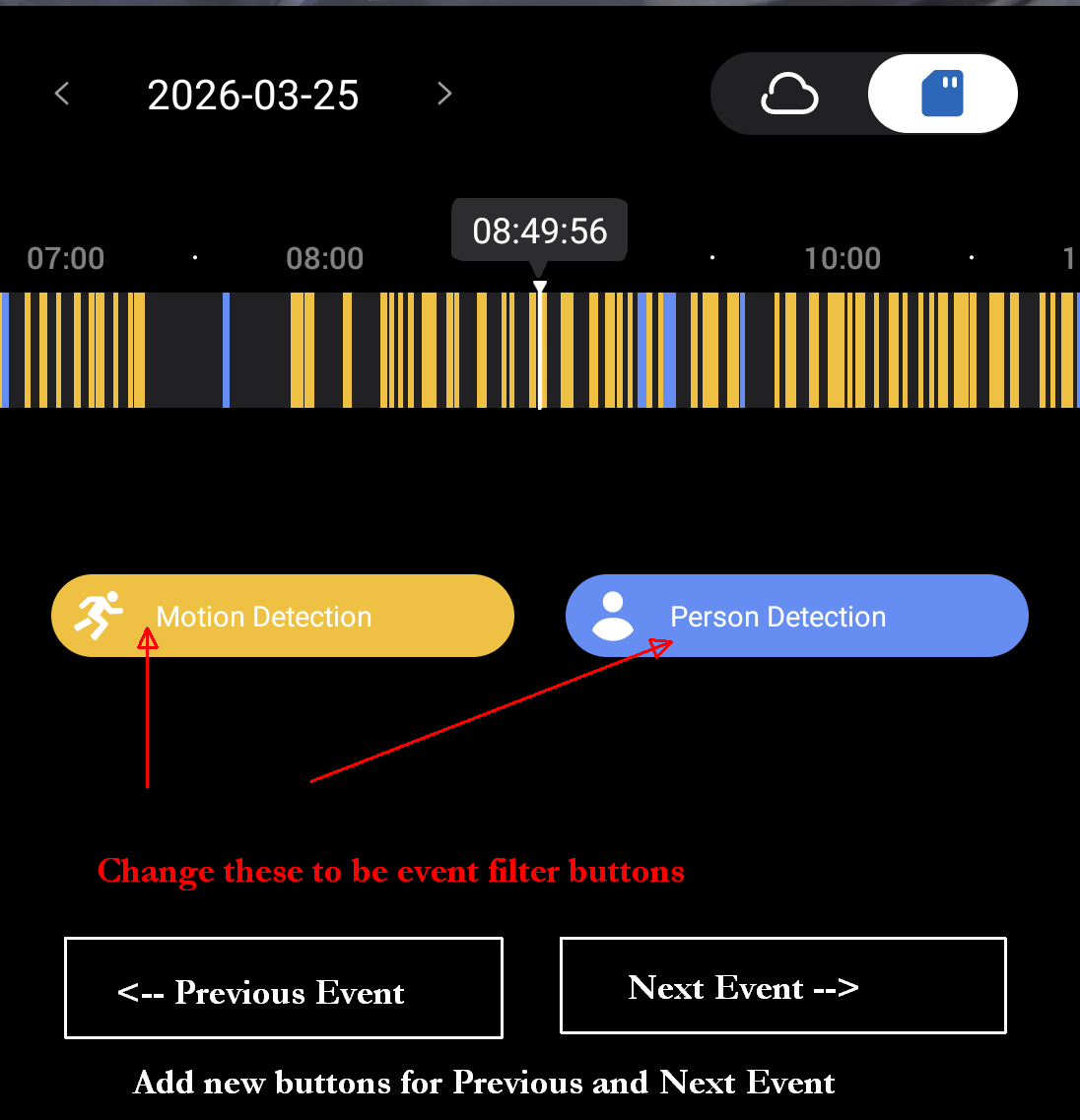
The mobile app displays motion and person detection events as orange and blue markers on a daily timeline within the mobile app.
If there is a lot of movement in front of a camera, this timeline can be extremely cluttered. On a windy day, there might be a solid block of orange markers caused by the movements of shrubs and trees. And in amongst all that mass of orange, there may also be a few blue Person detections.
Picking out the Person Detection events from all the Motion events is not easy. The app is not very user friendly as there is no way to filter out the blue Person Detections from the orange Motion Detections.
What I suggest is that the the existing "Motion Detection" and "Person Detection" legend icons should be made into functional buttons.
Both would be enabled by default, as per the existing behavior, but deselecting either would cause the associated events to be hidden from the displayed timeline.
In other words, de-select "Motion Detection" and you would just see the "Person Detection" events - and vice versa.
Also, the make it easier to review these events, two new buttons ("Next Event" and "Previous Event") should be added to the screen.
I've attached an edited screenshot which should make things clearer if I have somehow failed to explain this well enough:
(Consideration will need to be given to the full screen/landscape timeline view - but there is sufficient space next to the current "photo" and "video" capture buttons to accomodate additional buttons/icons)