
LED Strips keep returning to default

Hi,
I am losing my mind.
i have loads of Tapo products that all behave perfectly, vacuums, plugs, light bulbs etc.
BUT I recently thought I was upgrading my old LED strips for the Tapo ones but they are infuriating!
I have them set to "last on state" but they come on as the default bright white.
i have also gone in and created a custom setting of orange at 35% but they are still coming on as white 100%
is there something I'm missing? The cheap ones I had before managed to remembered the last setting without issue.
instead of entering my bedroom to a calm warm space it's light a bright white hell.
- Copy Link
- Subscribe
- Bookmark
- Report Inappropriate Content


Factory reset the device and reconfigure it. If the Default State setting still doesn't work, then you may want to contact support team for further investigation. How to Reset Tapo Light Strip
- Copy Link
- Report Inappropriate Content
Which light strip do you have? How do you turn it on, through Tapo app, or by restoring its power?
Based on your description, i guess you're using the automation feature, correct?
- Copy Link
- Report Inappropriate Content
Hi, I have the L900 strips and am using the app and Alexa to turn off, it doesn’t matter which I use, they still come on as bright white.
they are automated to come on at sunset.
- Copy Link
- Report Inappropriate Content
MissNobody wrote
Hi, I have the L900 strips and am using the app and Alexa to turn off, it doesn’t matter which I use, they still come on as bright white.
they are automated to come on at sunset.
Can you share some screenshots of your automation and the 'last on state' settings?
- Copy Link
- Report Inappropriate Content
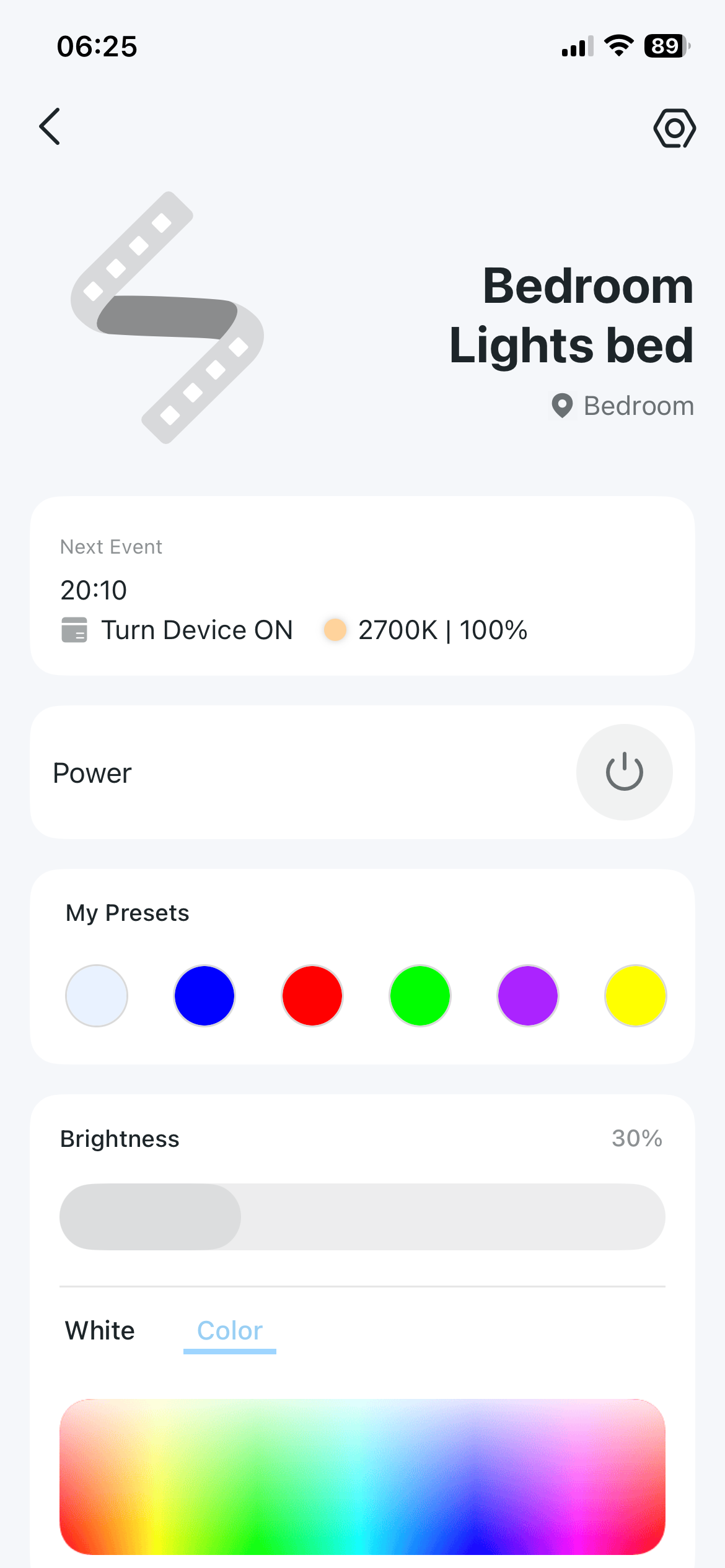
- Copy Link
- Report Inappropriate Content
@MissNobody Go to Device Settings page, check Default State.
- Copy Link
- Report Inappropriate Content
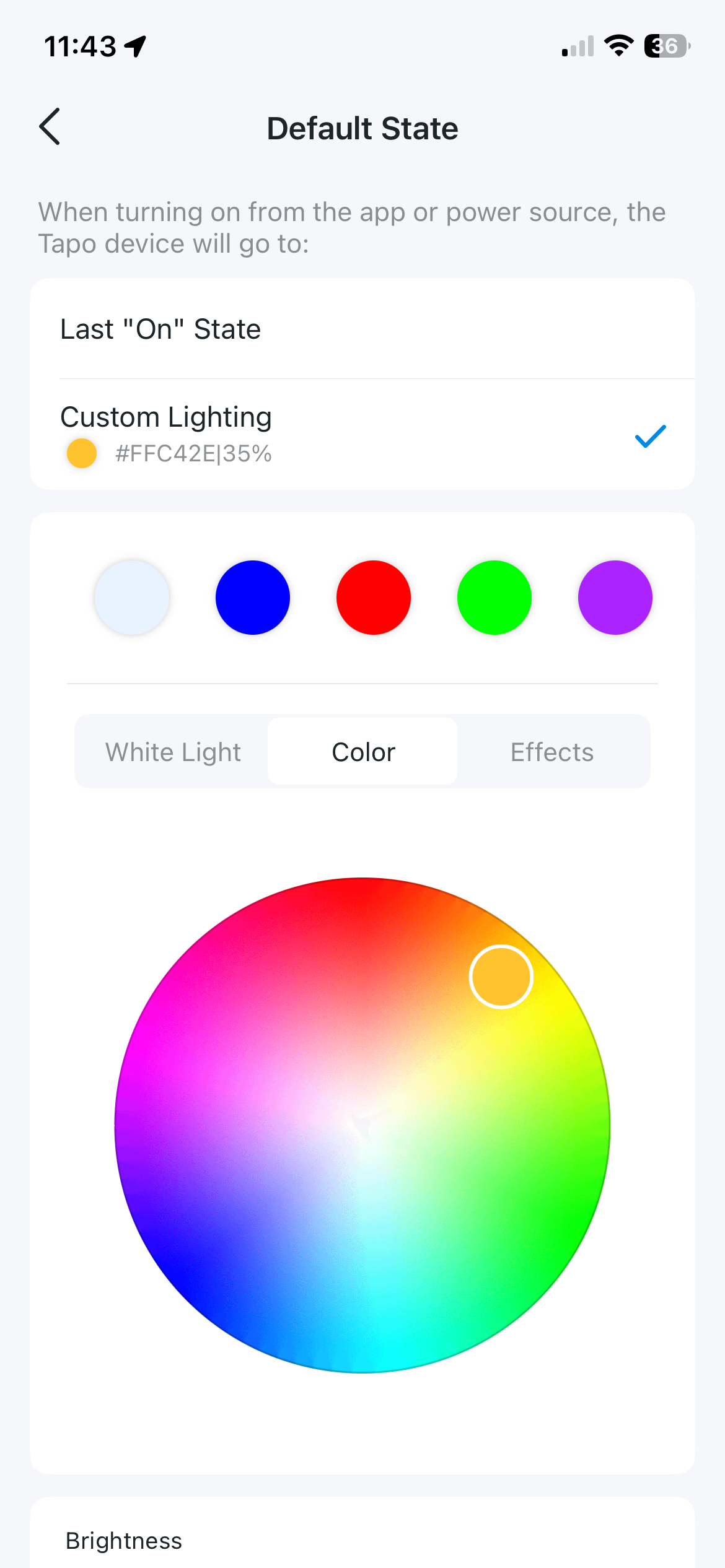
- Copy Link
- Report Inappropriate Content
Factory reset the device and reconfigure it. If the Default State setting still doesn't work, then you may want to contact support team for further investigation. How to Reset Tapo Light Strip
- Copy Link
- Report Inappropriate Content
@Wayne-TP thanks so much, will give this a go today
- Copy Link
- Report Inappropriate Content
Information
Helpful: 0
Views: 326
Replies: 8
Voters 0
No one has voted for it yet.