Tapo C425 Motion Detection Sensitivity vs Arlo Pro3

Tapo C425 Motion Detection Sensitivity vs Arlo Pro3

Tapo C425 Motion Detection Sensitivity vs Arlo Pro3
a week ago
Model: Tapo C425 KIT  
Hardware Version: V2
Firmware Version: 1.2.0

I recently bought and installed 3 x C425 Solar kits and a H500 hub. These were to replace 3 x Arlo Pro3 cameras that have suffered from repeated offline incidents and have become less than useful as security cameras. I have cancelled my Arlo subscription and redeployed them as "trail cams" in my garden with local USB storage.


I really like the Tapo solution, especially as I can use a mix of my home Wi FI mesh and the H500 AP functionality as a failover. This is so much more reliable than the centralised Arlo hub. Person detection is great as is vehicle detection. Battery life seems good currently with the solar panels. App has great functionality. I have not tried the cloud yet as I have installed and old SSD into the H500.


I have two issues I would like to highlight that I suppose are nice to have but I am sure could be improved with a bit of software.


1. The C425 video quality is not as good as the Arlo Pro3 in low light/night time. Both are battery cameras (Tapo much bigger batter). Arlo are quite old now. Tapo has more motion artefacts and blur than Arlo.


2. The C425 detects people and vehicles well. It does not detect smaller moving objects in lowlight/night time very well at all. Last night the Arlo recorded Deer, Foxes, Badger crossing my garden. I could see the IR light on the C425 blink on occasionally but not a single recording. This is a bit disapointing. I am not talking about the AI (which seems OK for people/vehicle), I think just doesnt detect or decide to record.


My settings are here (just in case support want to recommend any changes).

Wi FI signal strength: RSSI -48dB (which is excellent)

Battery: 100%

Working Mode: High Performance

Auto Power Saving: Off

Wake Up Sensitivity:10

Motion Detection: On and set to 10

People Detection: On and set to 6

Pet Detection: On and set to 10

Vehicle Detection On and set to 6

Activity Zones set individually for areas I know to have movement (from Arlo)

Recording to H500 (No local SD cards)

Video set to Auto and 20fps. No Privacy zones configured or enabled.


Cameras horizontaly mounted between 2m and 3m above ground. Angled down at 15 to 20 degrees.

Areas covered do exceed 8m distance but patio and driveway are easily within 5m with nothing detected.


What have a I missed?

Why do they not detect motion like the old Arlos?

Is the AI making decisions about what to record and the criteria are not being met?

Should I switch AI (and People/Pet/Vehicle) off and just use motion detection set to 10?


Any thoughts are welocome.

Spine

  0      
0
#1
Options
4 Reply
Re:Tapo C425 Motion Detection Sensitivity vs Arlo Pro3
a week ago

  @Spinalize 


I have a few questions to clarify the situation:

  • Were the animals fully visible in the frame, or mostly obscured by plants/trees?
  • How would you describe their speed: slow and steady, or quick?


If a moving object isn’t very obvious to the camera, for example, if it’s small, moves subtly, or blends into the background, it might not trigger detection, or might not wake up the camera at all. Common motions like bushes swaying in the wind are often filtered out by AI to reduce false alerts.


You might find this article helpful, it explains how Tapo battery-powered camera's detection feature works and offers tips to improve performance: How to Install and Configure Battery-Powered Cameras for Optimal Detection Performance


Troubleshooting suggestions can be found here: What should I do if my battery-powered camera can't detect the motion?


Are both cameras currently monitoring the same field of view? If not, differences in the visible area could be a factor in why their detection performance differs. If you’d like to confirm whether the Tapo camera is functioning correctly, I recommend reaching out to our support team for a deeper analysis. You can provide the following information to contact for efficient follow-up:

  • Camera settings. *You can share this post with them.
  • A screenshot from your Tapo camera taken at the specific time when the Arlo recorded the animal (so they can compare the same moment).
  • The corresponding video from the Arlo camera that did capture the animal.


CES 2026 Meet TP-Link AI Assistant and More New Products!
  0  
0
#2
Options
Re:Tapo C425 Motion Detection Sensitivity vs Arlo Pro3
a week ago

@Wayne-TP 

Hi Wayne thanks for your reply. I have been doing further troubleshooting but not really got a full resolution yet. As the sun is setting much later at this time of year (in the UK) Animal activity can be spotted on the C425 until about Sunset time. After that Nothing, the cameras are on 24/7.

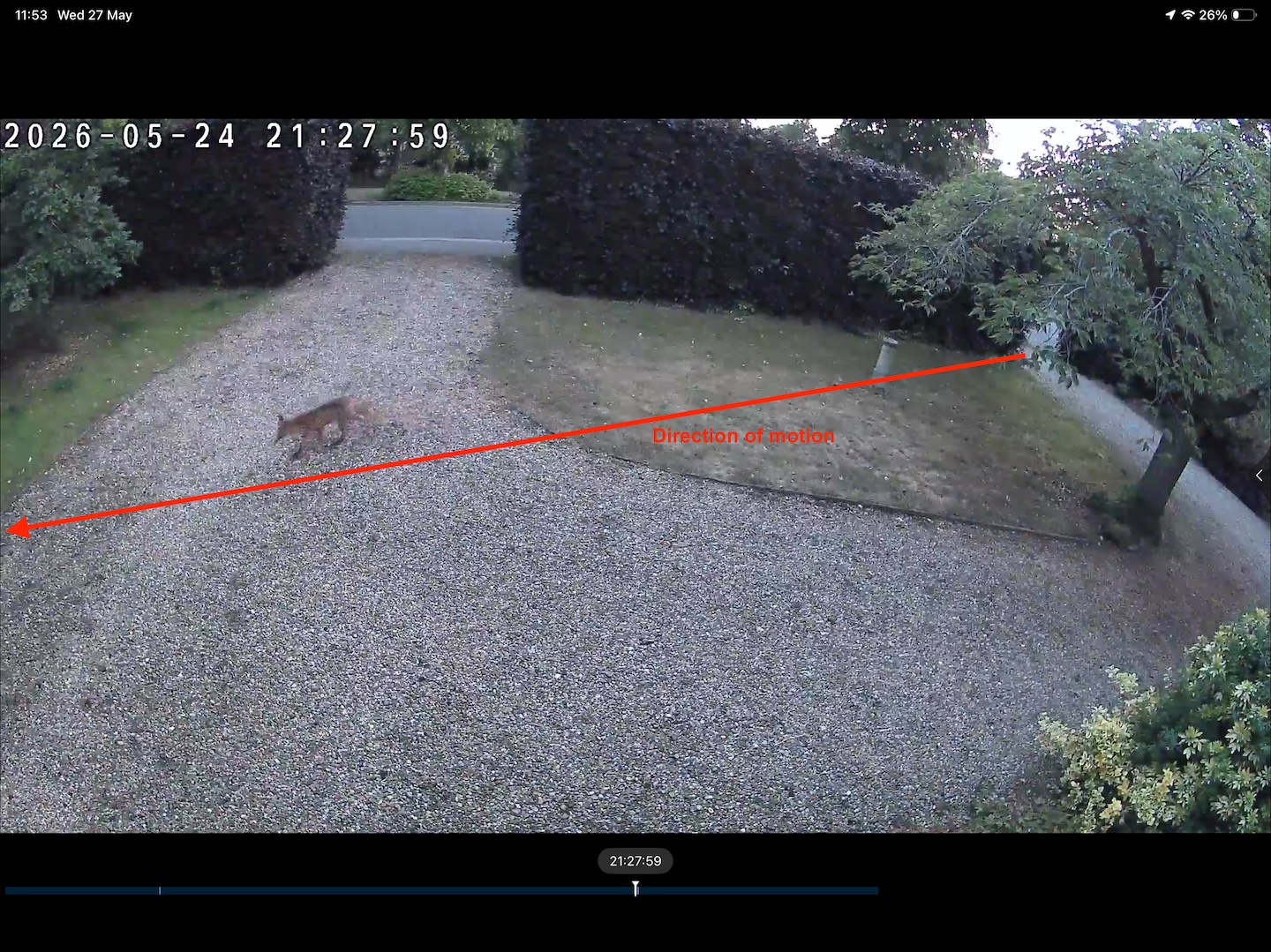
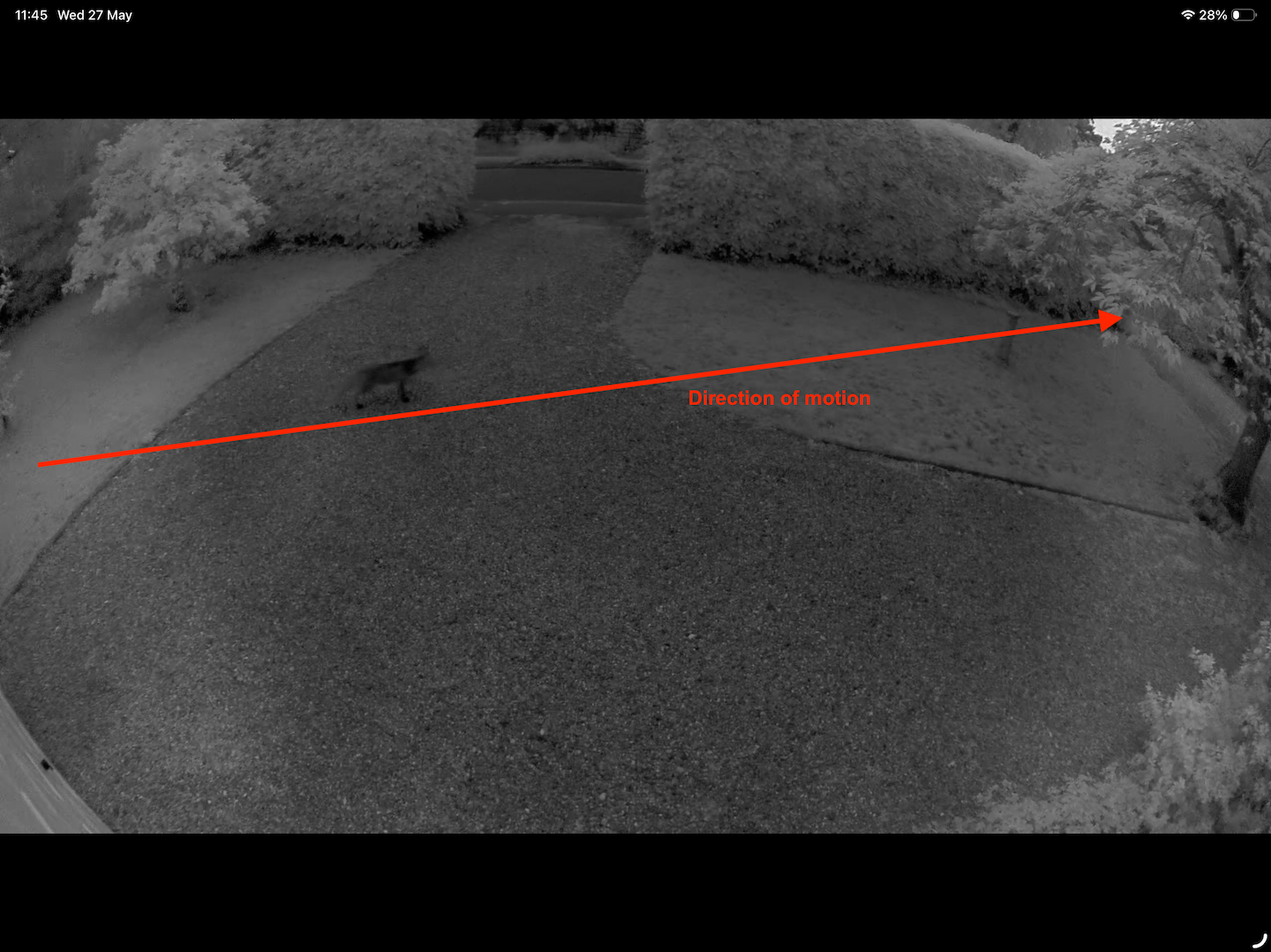
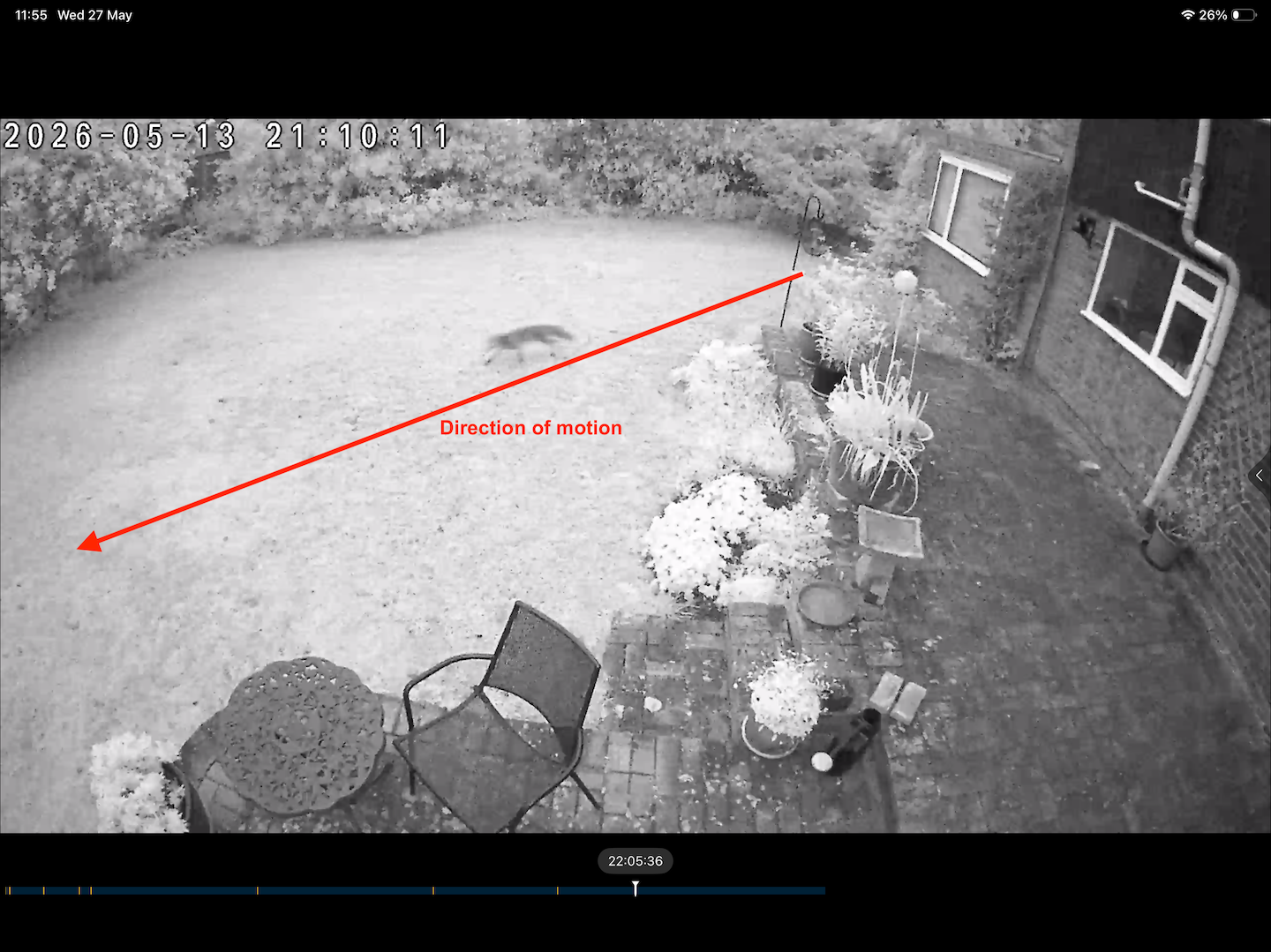
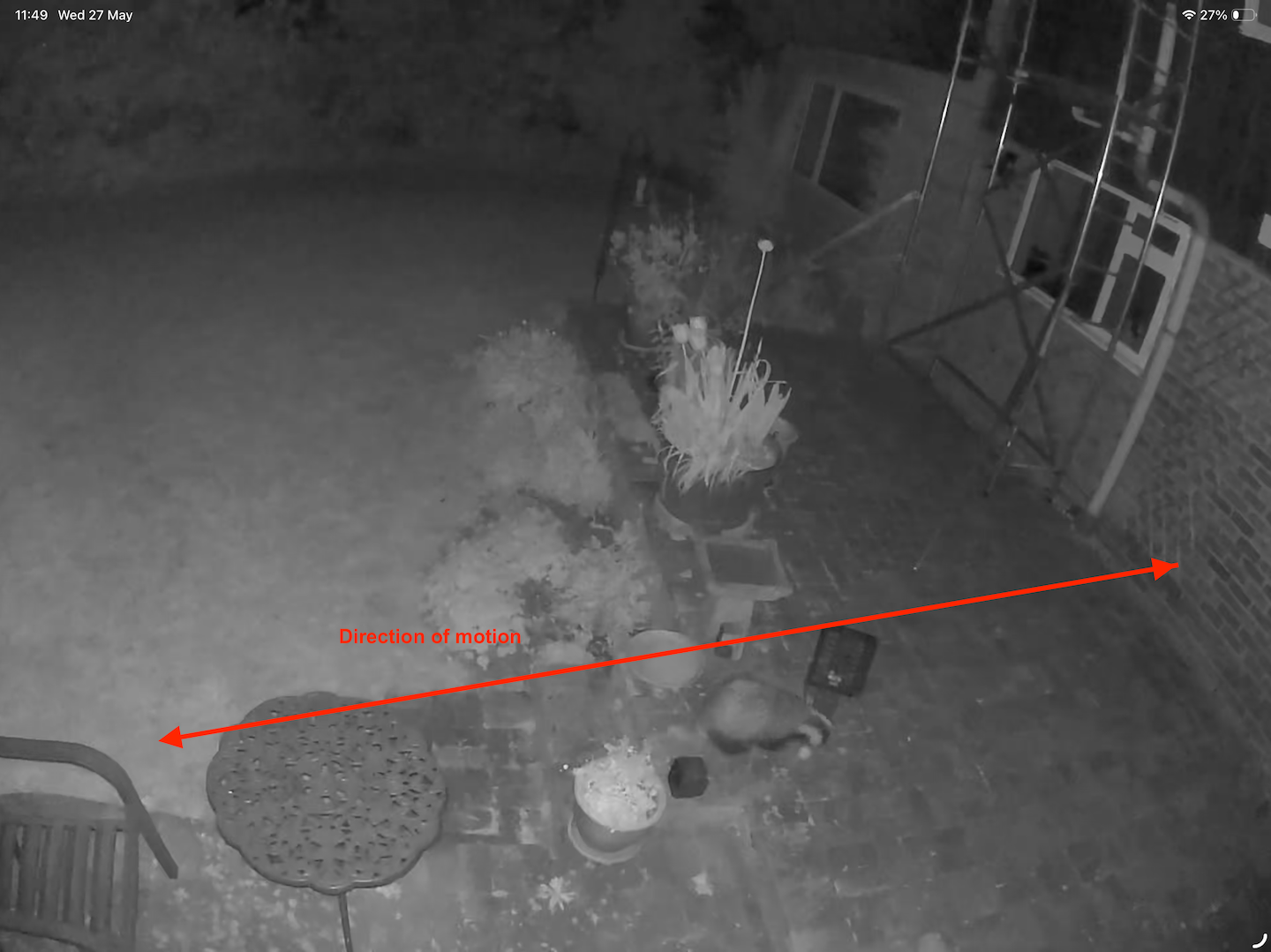
Here are some examples

Front C425 just after sunset


The Arlo is detecting in darkness unlike the C425

Here is a C425 screen grab just after sunset

Here is what the Arlo caught the next day that the Tapo completely missed

This Badger was in view for 5 minutes or so. Moving quite slowly some of the time.

All of ther grabs show aninals moving at walking to running speeds. It does vary.


So the issue is that the Tapo C425 does record humans and vehilces in darkness. But ti does not record pets/Animals in darkness. I am not a PIR expert but I would have thought the animal heat signature was more pronounced in the (somewhat) cooler hours of night?


I have moved the back camera now so typical movements are much more of a horizontal traversal of the back camera. This has not made any difference so far.

Spinalize.

  1  
1
#3
Options
Re:Tapo C425 Motion Detection Sensitivity vs Arlo Pro3
Friday

  @Spinalize 


Which viewing distance you’ve selected for the infrared night mode? If it’s currently set to ‘Near’ or ‘Medium’, please try switching it to ‘Far’ to see if that improves the detection.


Additionally, you could test using the Color Mode at night to monitor whether detection performs better in that setting.


Another step to try: since your camera is linked to the Tapo H500 hub, consider enabling the AI Empowerment feature for it. 


>> FAQs about the AI Empowerment of Tapo Smart CentralHub (Tapo H500) - Q5: How to manage and change the AI-empowered detections?
 

CES 2026 Meet TP-Link AI Assistant and More New Products!
  0  
0
#4
Options
Re:Tapo C425 Motion Detection Sensitivity vs Arlo Pro3
Friday
Thanks Wayne. I have now set the cameras to Far, they were on medium. I will try colour mode, a few days from now after testing with IR Far. AI empowerment is enabled on the H500 and cameras. Spinalize.
  1  
1
#5
Options