
Troubleshooting Unable to Set the Range Extender as EasyMesh Satellite Node for 5G/4G Router? Guide here


This Article Applies to:
All EasyMesh 5G/4G Routers and Range Extenders
Preparations:
First, please ensure that both your router and range extender support EasyMesh. You can refer to the EasyMesh Compatibility List: TP-Link EasyMesh Devices for Home
Or the release notes for the latest firmware of your devices.
When configuring an EasyMesh network, please refer to the following guide: How to add an extender to an EasyMesh network as a satellite device
Phenomenon:
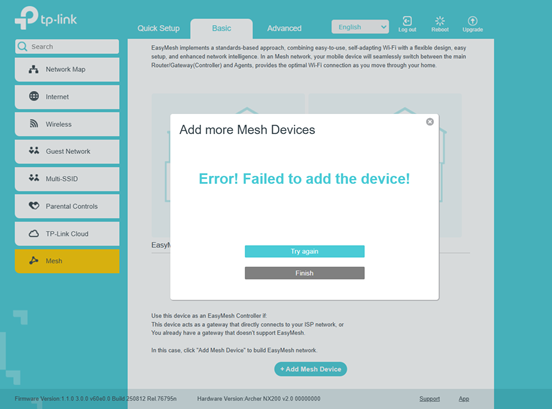
When configuring the 5G/4G router with the range extender, you may encounter the error message shown in the screenshot below, indicating the configuration failed.
Troubleshooting Suggestions:
In reality, receiving this error prompt does not necessarily mean the configuration has failed; it may simply be a false display. Please check the Basic or Network Map page. If the relevant topology is displayed, it proves that the feature has been successfully configured.
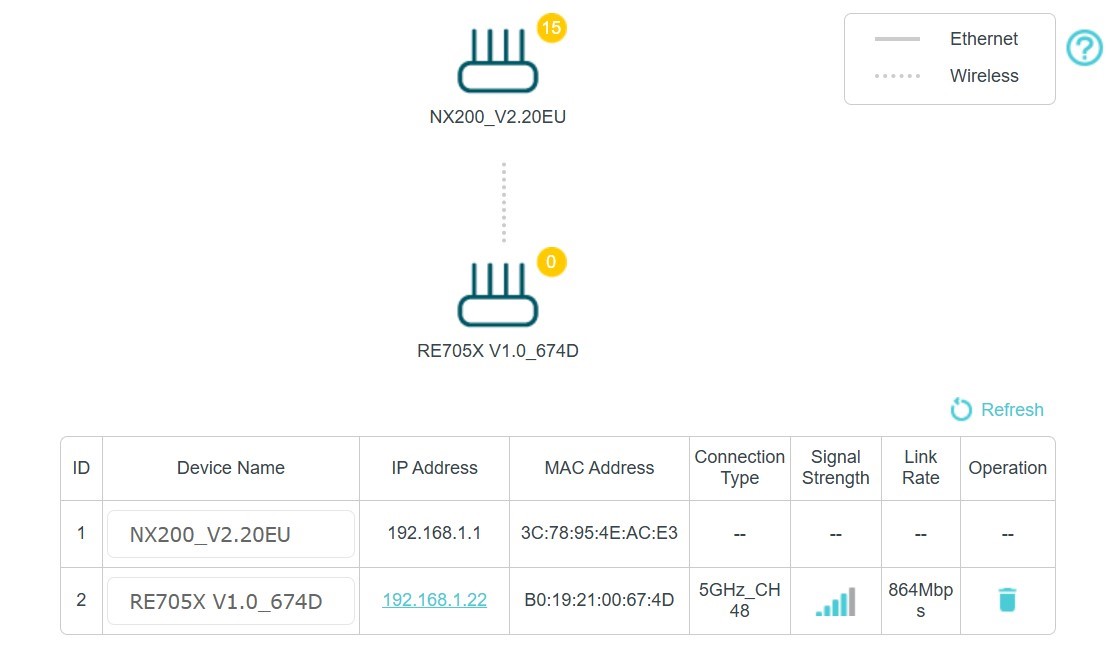
If the topology still does not appear after checking the Network Map, then the configuration has indeed failed. In this case, we recommend resetting both the 5G/4G Router and the Range Extender.
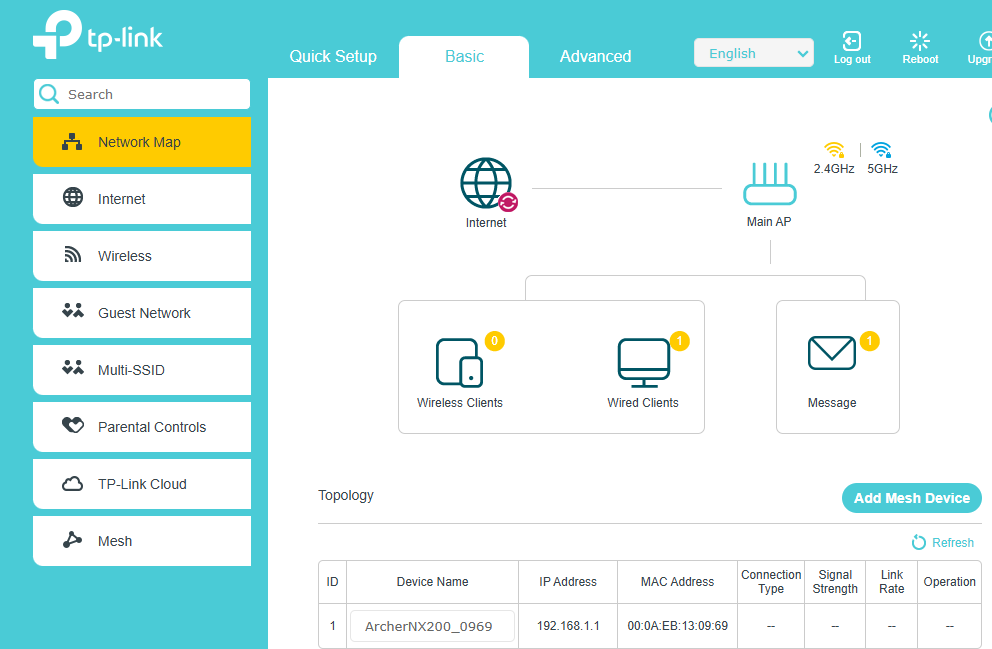
After that, navigate to the Basic -> Network Map page, click "Add Mesh Device", and select WPS (then press the WPS button on the Range Extenders). The mesh connection will be established normally without any error messages.
Note: Some Range Extenders do not support Ethernet Backhaul. Therefore, it is recommended that you select wireless backhaul instead.