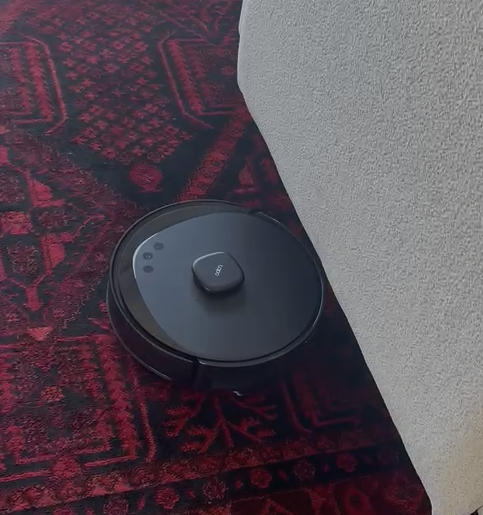
Do not buy the TP-Link Tapo RV30 Max Plus if you have carpets

Do not buy the TP-Link Tapo RV30 Max if you have carpets. A robot vacuum that cannot clean carpets fails at its main purpose. My black and red carpet constantly triggers false "high surface" and "cliff sensor blocked" errors, causing the robot to stop and get stuck. I have to rescue it every time. Very disappointing performance and clearly not suitable for dark or patterned carpets.
I have tried every possible workaround: marking the carpet area as carpet, removing all carpet markings, and even marking the entire room as carpet. The result is always the same — as soon as the TP-Link Tapo RV30 Max reaches my black and red carpet, it gets stuck with a "cliff sensor obstructed" error and requires manual rescue.
A robot vacuum that cannot clean a normal carpet defeats its own purpose. A simple option in the settings to disable the cliff sensors would solve this issue for users who understand the risks and do not have stairs or dangerous drops.
If TP-Link is unable to implement this simple feature, then give users access to the source code or an advanced developer mode so we can implement the fix ourselves. This is a software limitation, not a hardware limitation, and it should be solvable.