
Omada Client Solutions 03 - Vigilance Medical Group
 NeilR_M

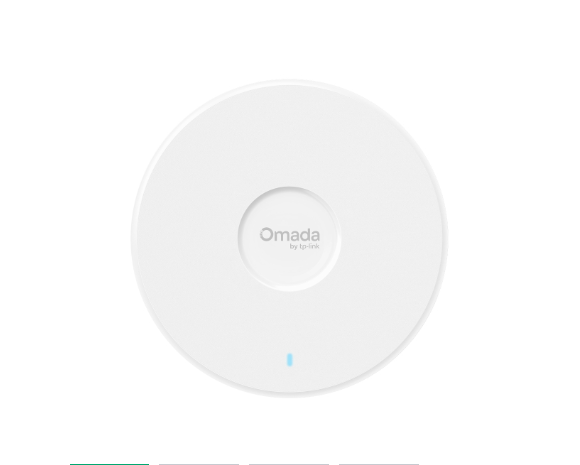
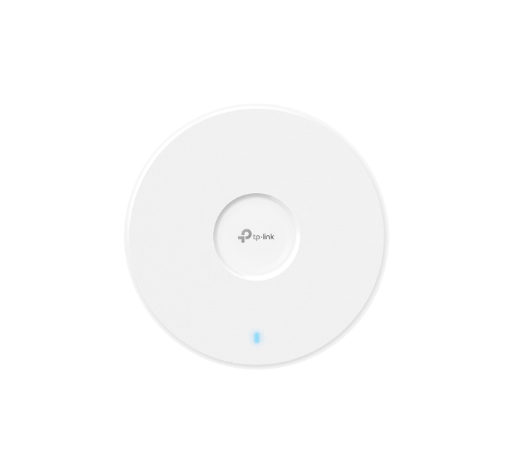

Omada Client Solutions 03: Vigilance Medical Group

This article series simulates real-world examples of network configurations completed with Omada equipment for home lab and/or business environments. Any similarities to real persons or organizations are purely coincidental.
Challenge
A new potential client has reached out to Omar for assistance with their network. Vigilance Medical Group is opening a new clinic and wants to ensure the staff's network needs are met. This is the first in a three-part series covering the Wi-Fi coverage and project quotation aspects of this project.
Vigilance Medical Group has many employees, but 10-15 employees will be in the building at any given time. They have security compliance requirements that must be met, which require specific network and VLAN configurations. Additionally, they require constant uptime, as the facility operates 24 hours a day.
Project Requirements
- Strong Wi-Fi Coverage. Every room needs to have sufficient wireless coverage and security.
- The connection needs to be reliable in every room and have some fault tolerance.
- Guests should have a separate, isolated network to use from the lobby that does not detract from the bandwidth of the Staff Network in any meaningful way.
- The hardware budget is not yet known at this time, but any sort of project quote will be given to the board members for review. Prioritize connectivity first and foremost.
Planning Wi-Fi Coverage
Omar collects the requirements and a floor plan from the new building manager, Joy.
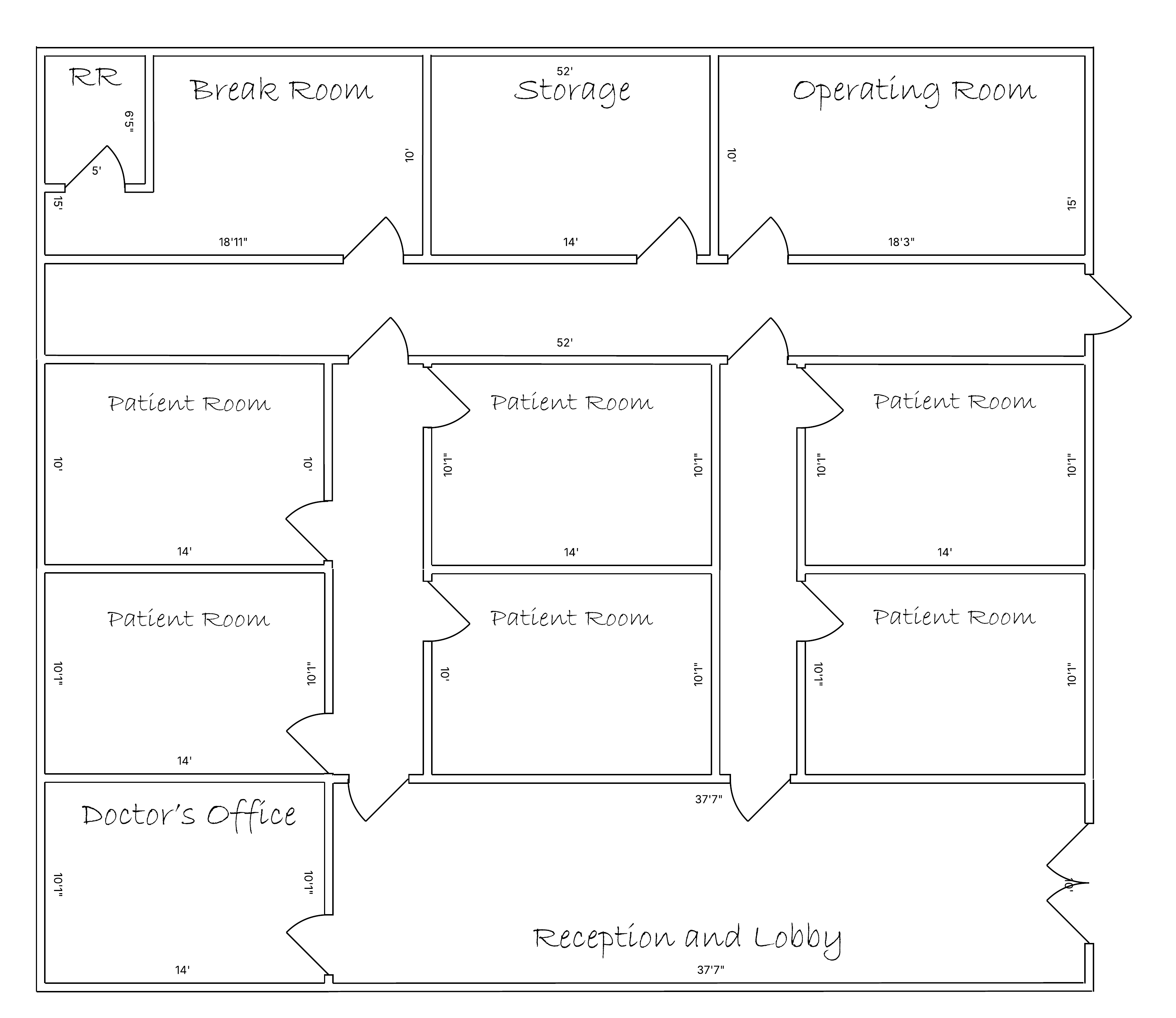
He puts that floor plan into the Omada Design Hub to see what equipment he will need.
First, he sets the scale of the floor plan he was able to upload. To save some time, he uses the AI Wall feature to start the process off.
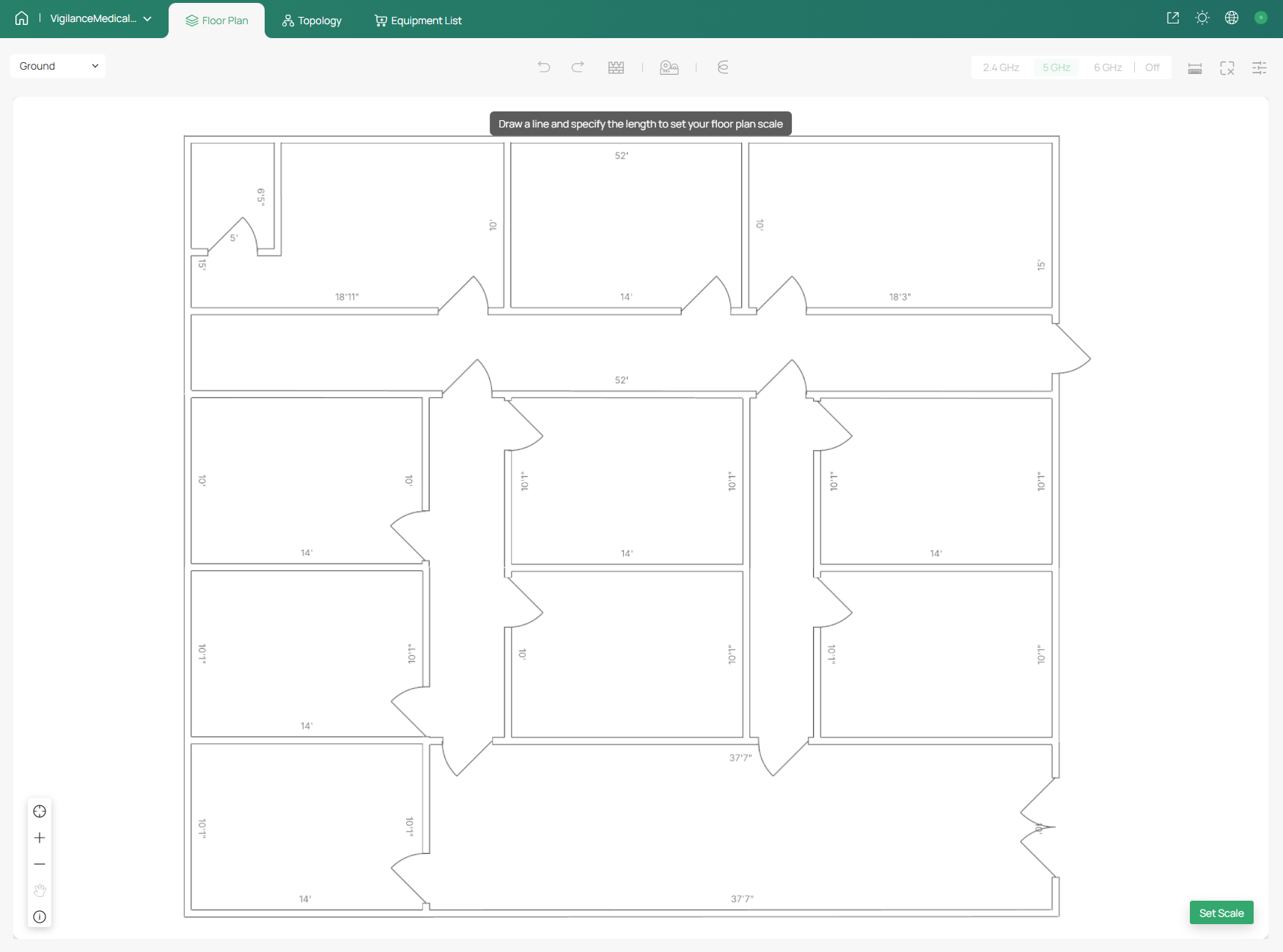
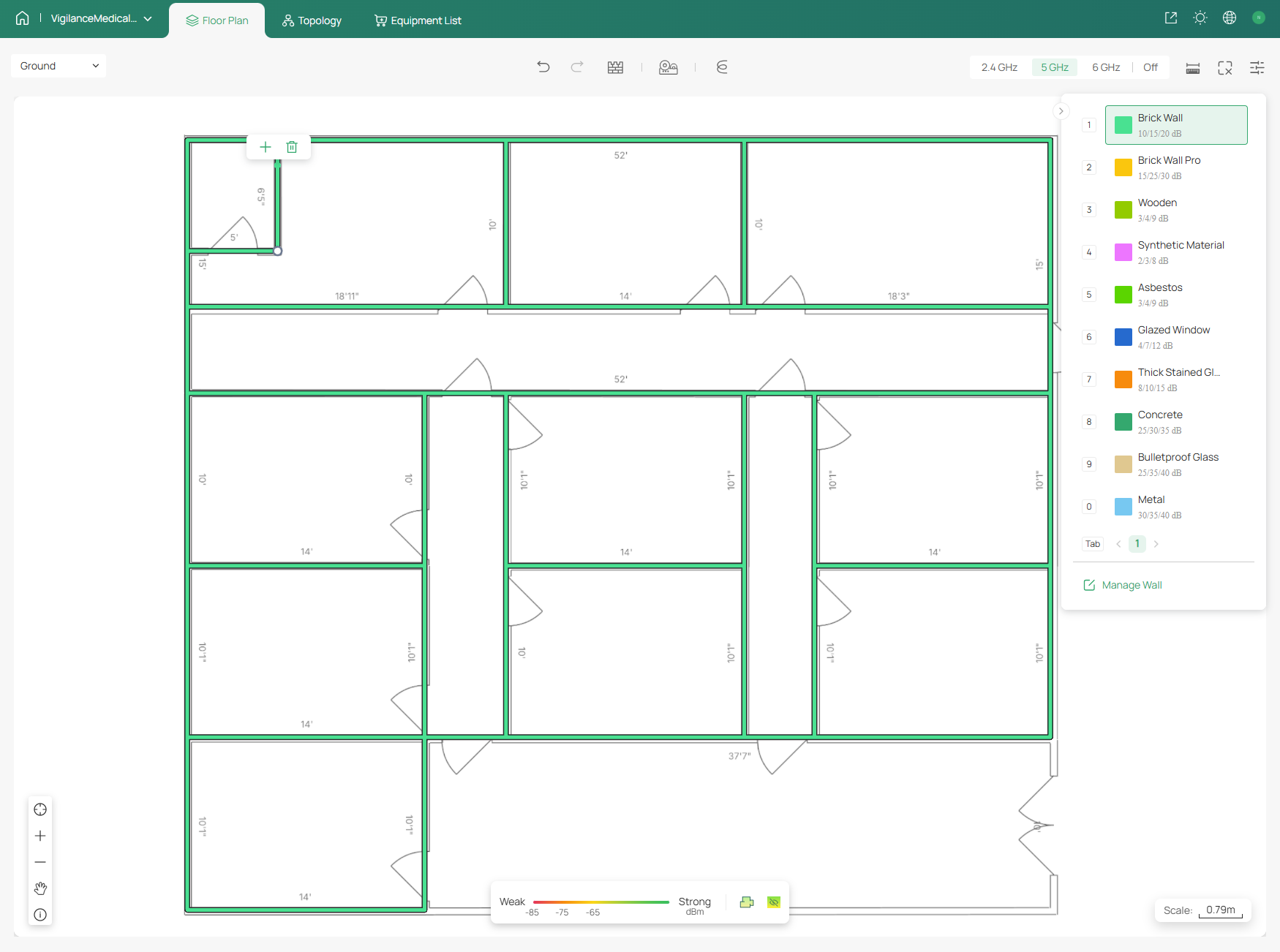
He adjusts the materials of the walls to match the materials used in the building.
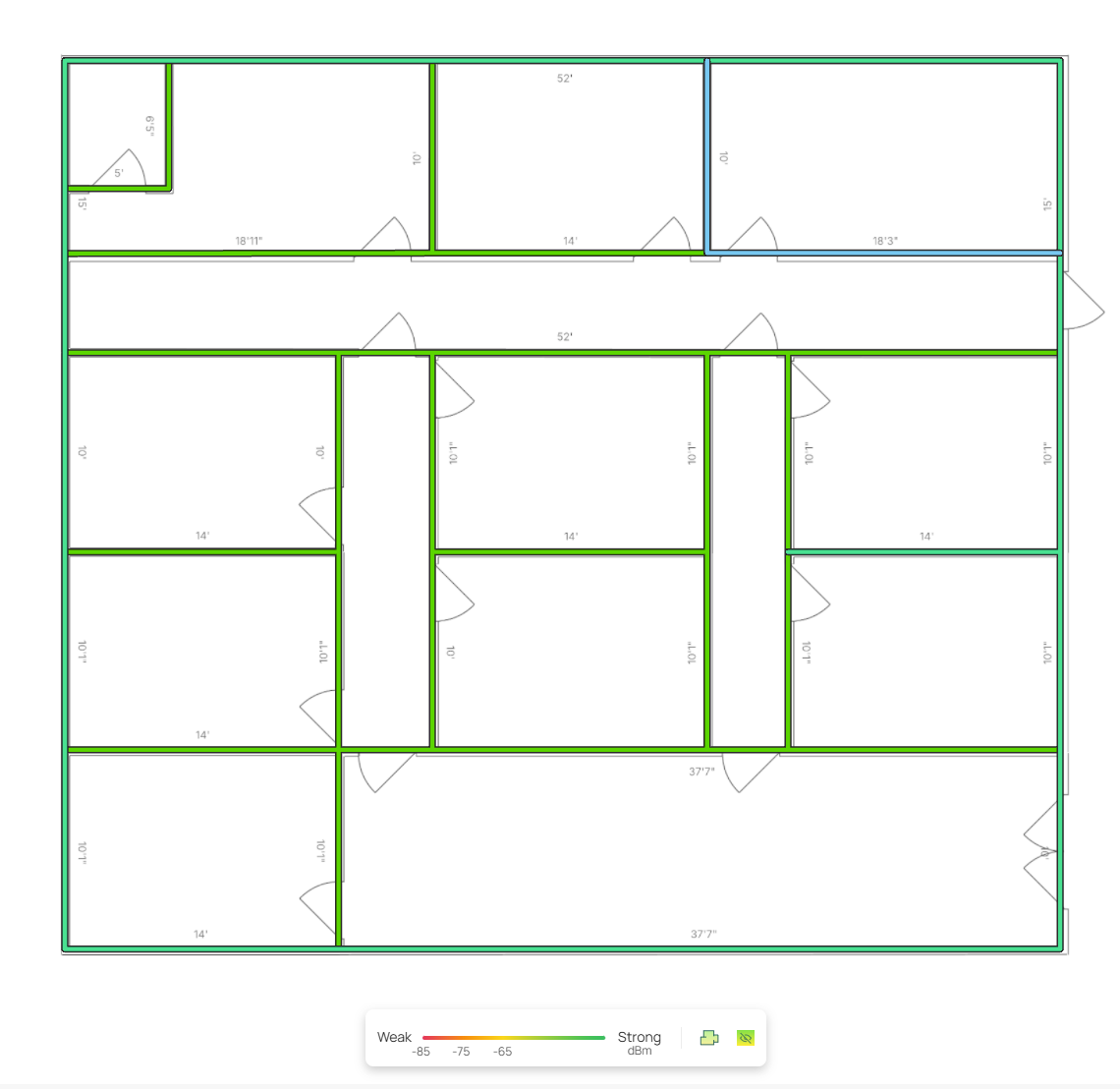
Most rooms have drywall dividing, but the building is surrounded by brick walls. In this case, the brick walls' high attenuation helps dull the signal escaping the building, limiting the range at which a potential attack can occur. However, another factor to consider is the stainless steel walls of the operating room (shown in blue).
He starts by measuring Wi-Fi strength of potential APs using the Design Hub's heatmap feature. First, he checks the coverage of a single EAP787.
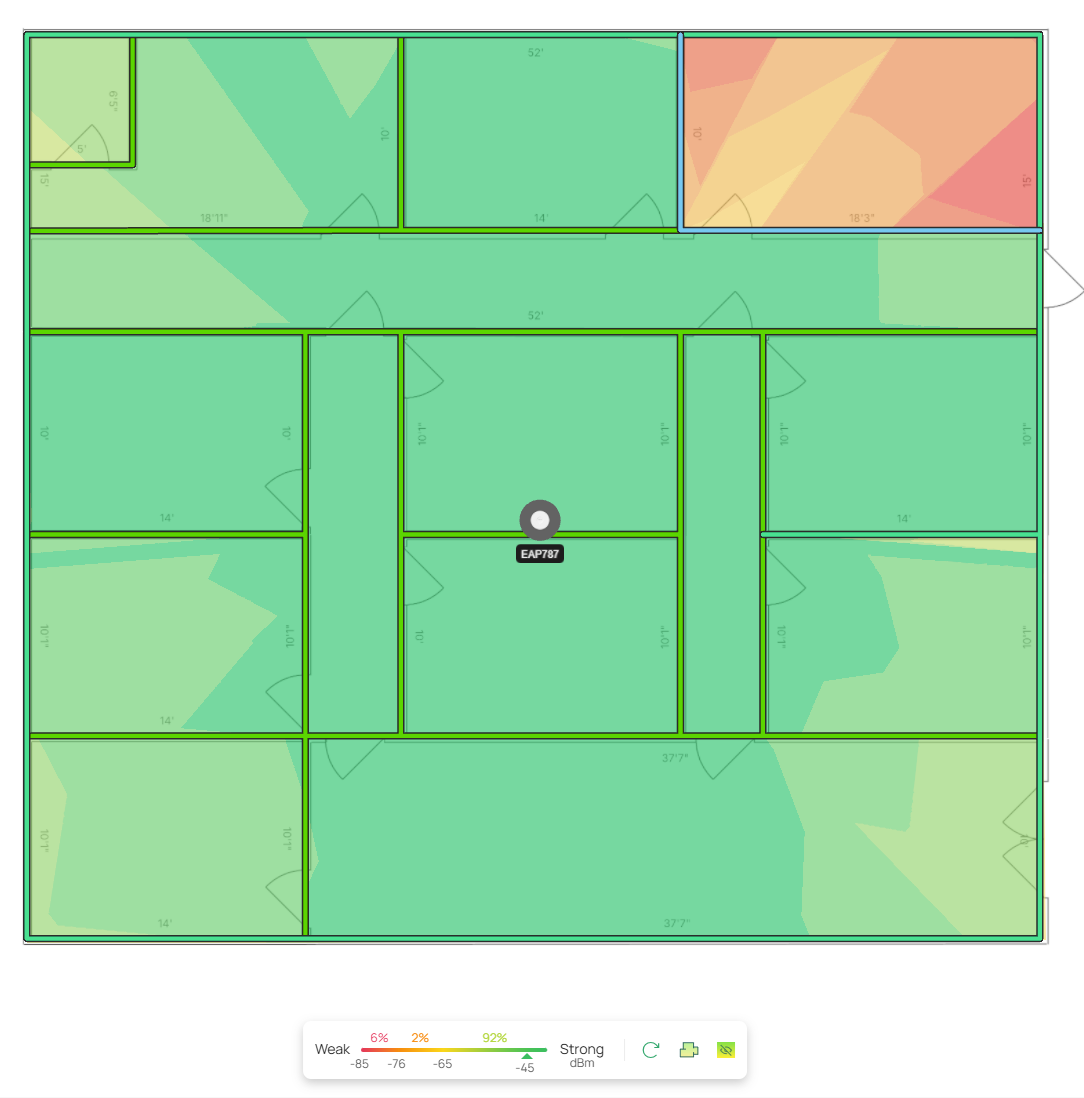
Fairly strong signal, with the exception of the operating room in the corner. Any EAP not placed directly inside that room will have a tough time penetrating the steel walls, so Omar decides to cover the main area first, and add a separate AP afterward just for that room.
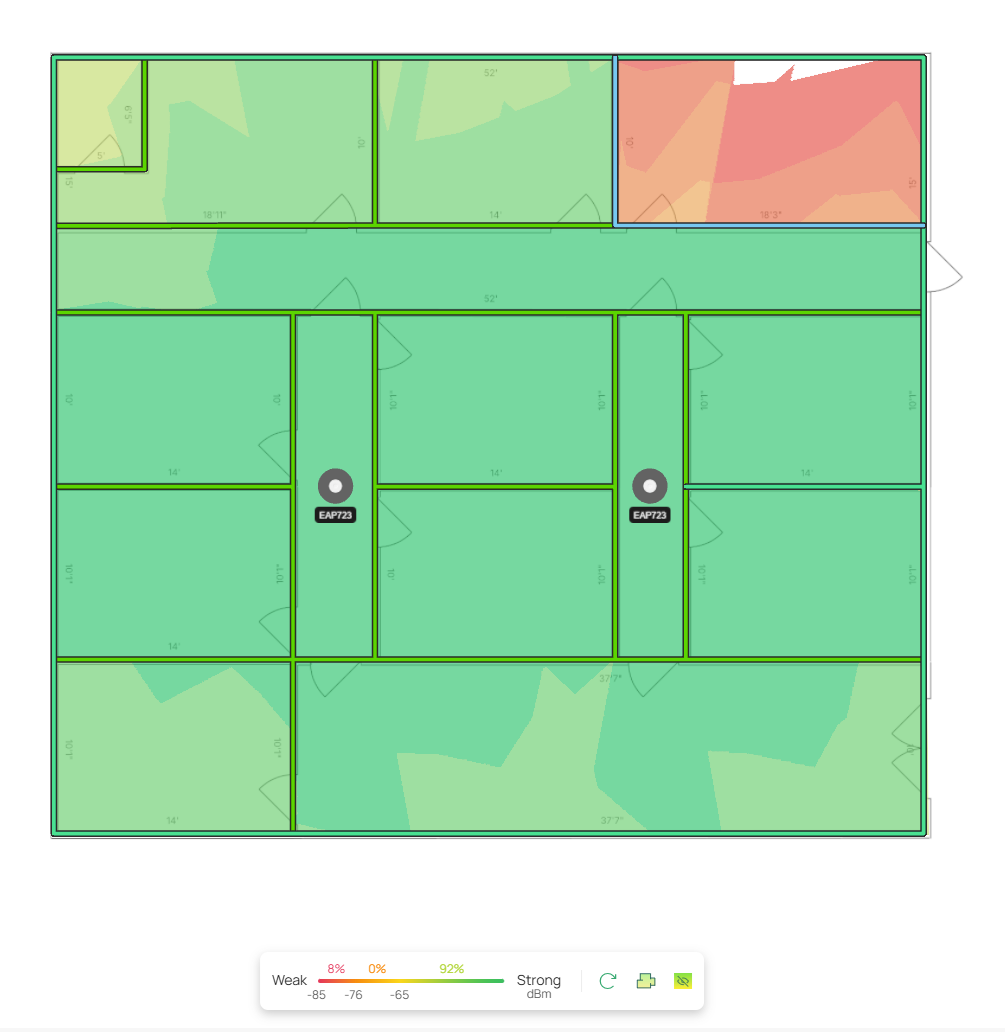
He then compares this heatmap to two EAP723s used in tandem. Having two EAPs provides redundancy for coverage — if one EAP goes down, the other can still provide some signal, preventing a complete outage.
Omar finds that the Omada Design Hub can help him quote the prices; he decides to follow the FAQ provided on the TP-Link Website.
Omada Design Hub Project Quotes
He notices that all the equipment he currently has on the Floor Plan tab already appears on the Equipment List. Omar sets the prices according to the MSRP from the Omada Store.

Under Additional Fees, he adds in his cost for installation labor, then clicks the Export button in the top right.
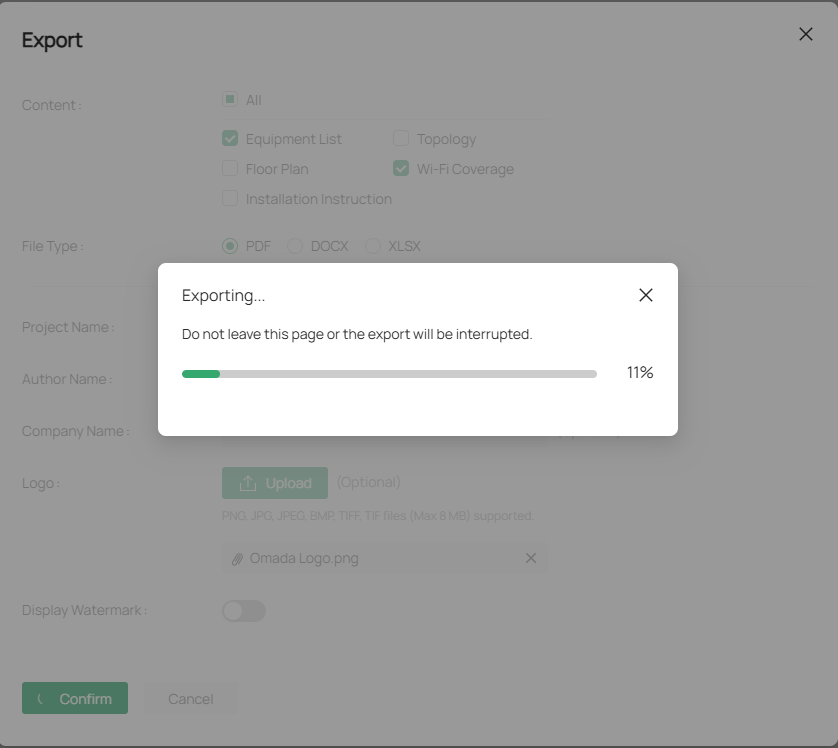
Success! A plan is given to him in PDF form.
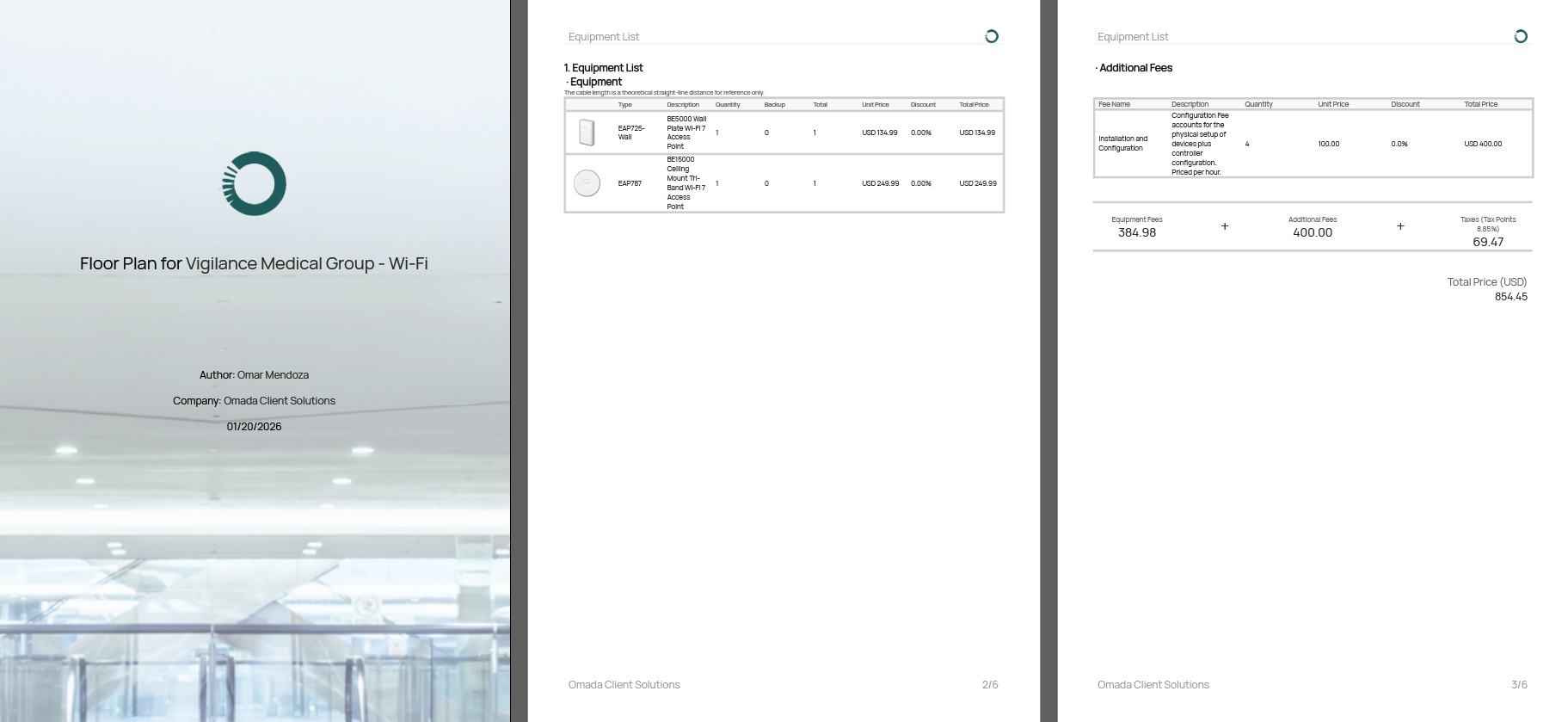
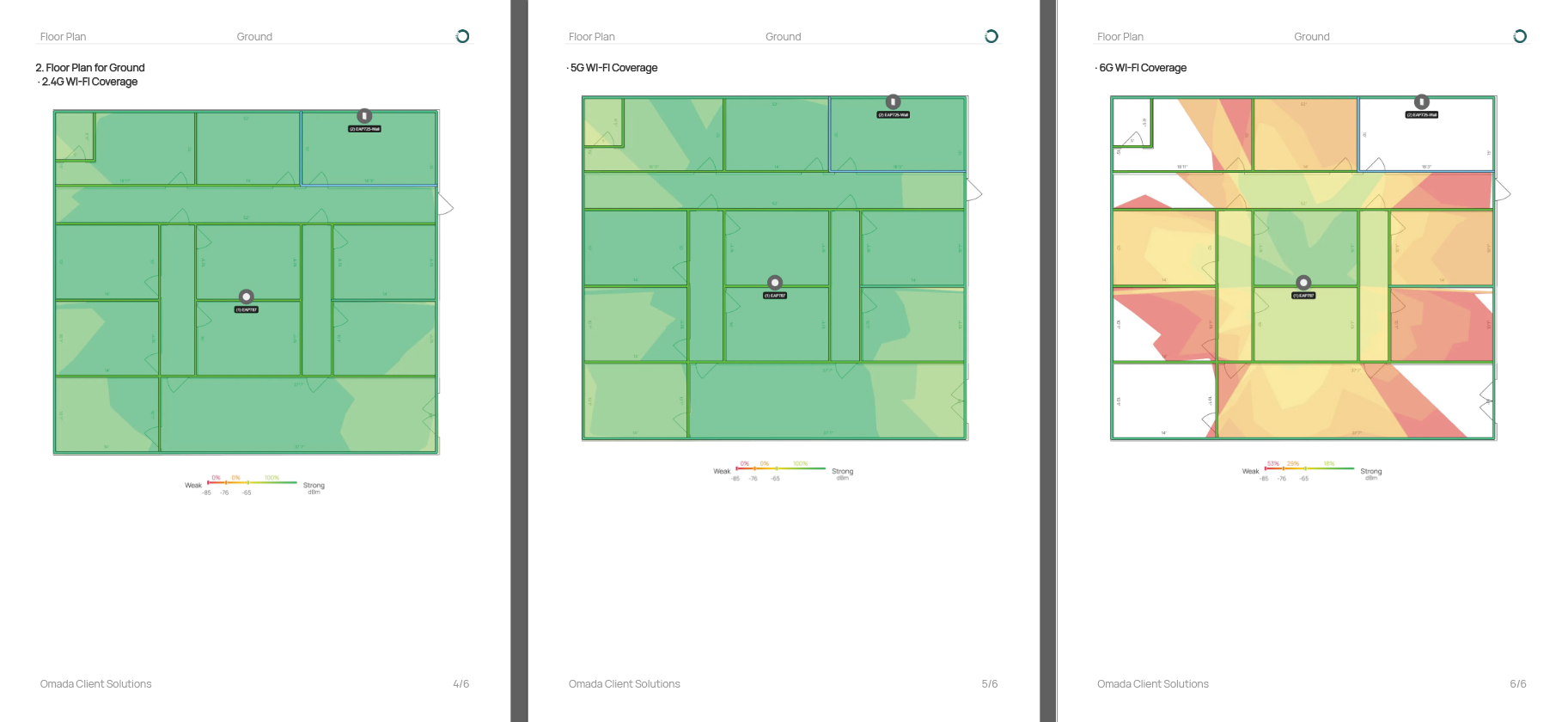
Checking the prices on the Omada Store once again, he finds that two EAP723s cost more than a single EAP787. He decides to build out the plan using the second option, letting the client decide whether the added cost is worth the increased redundancy.
Disclaimer: Prices on the Omada Store may change and will not always be accurately reflected in Omada Client Solutions or similar articles.
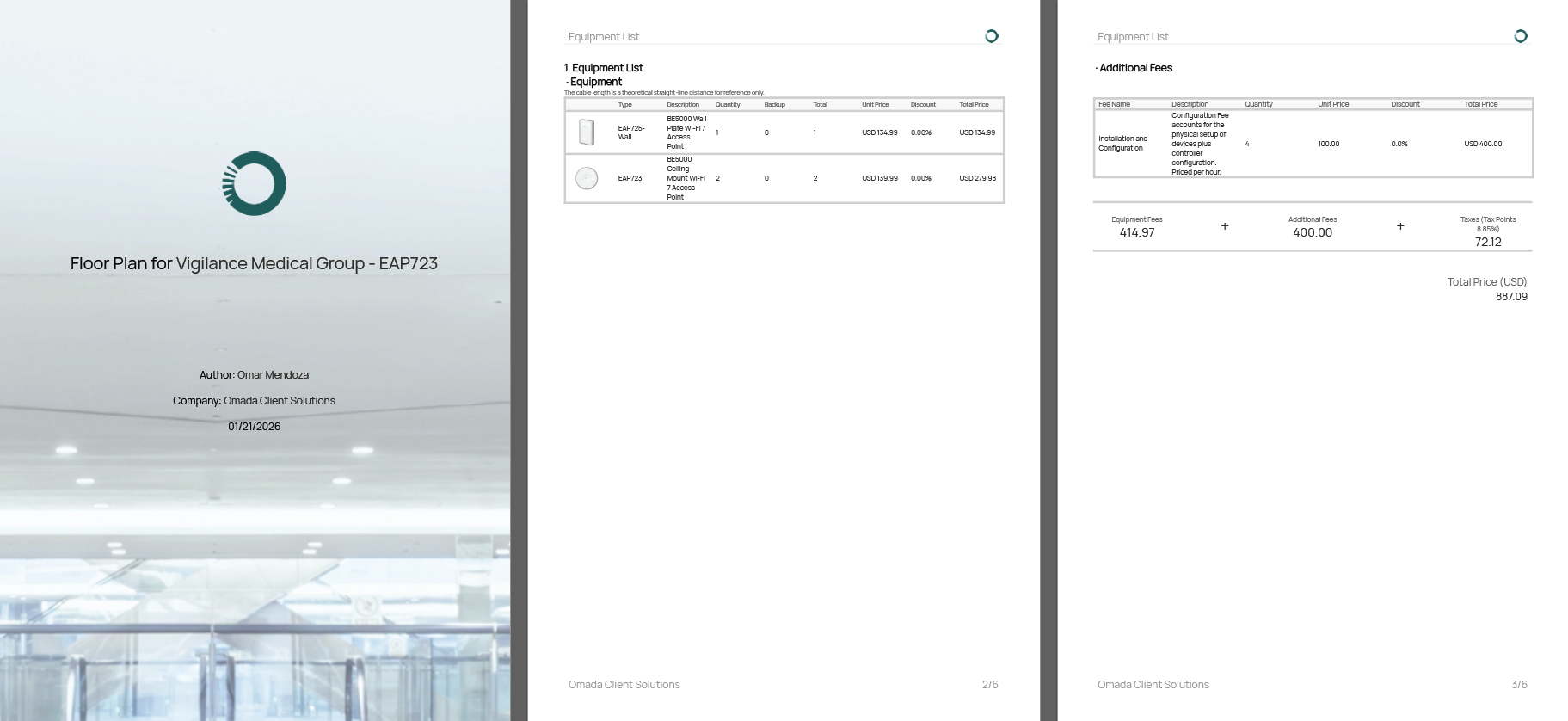
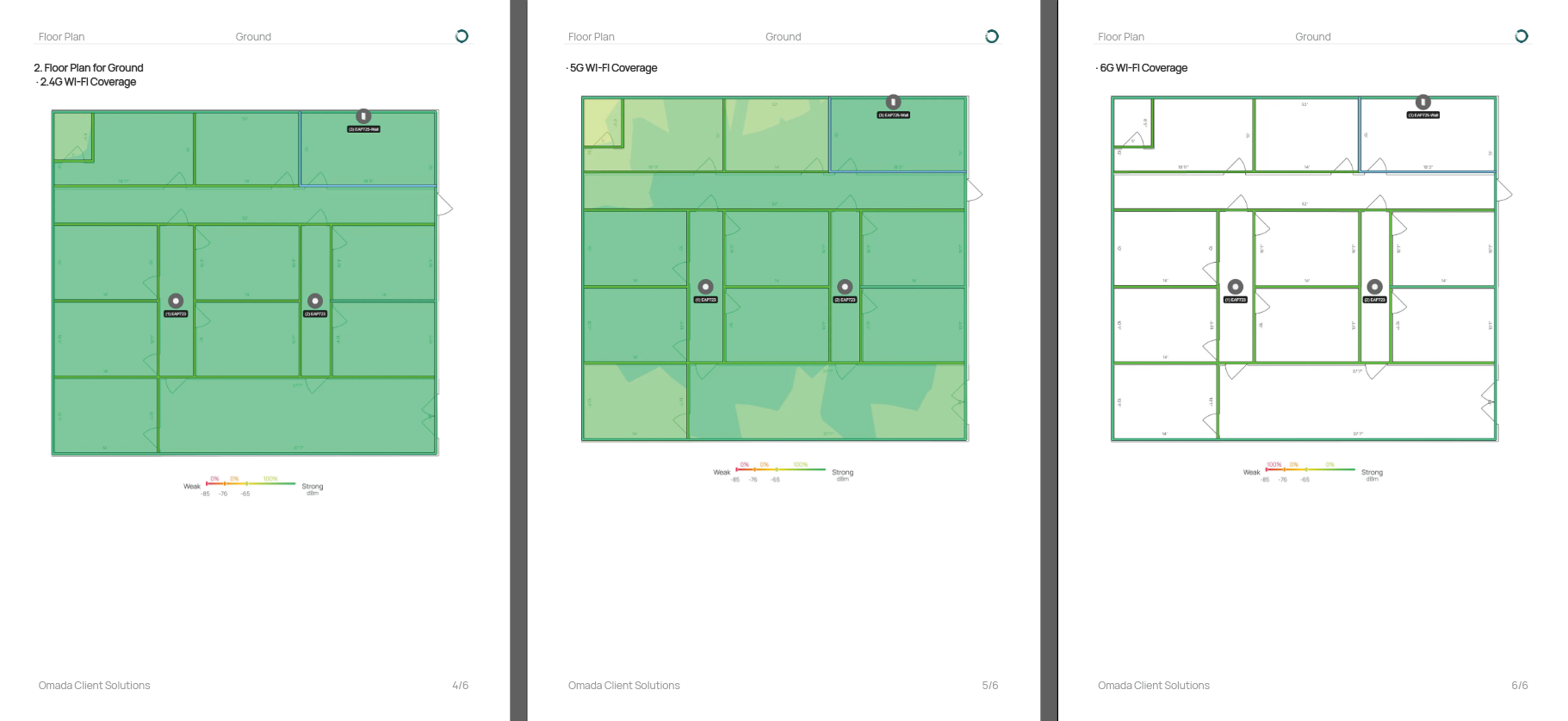
Notably, the EAP723s and the EAP725-Wall lack 6GHz support. Omar is quick to note this across both floor plans and decides to come up with one more option that offers the most features in the event that the budget supports a more robust network.
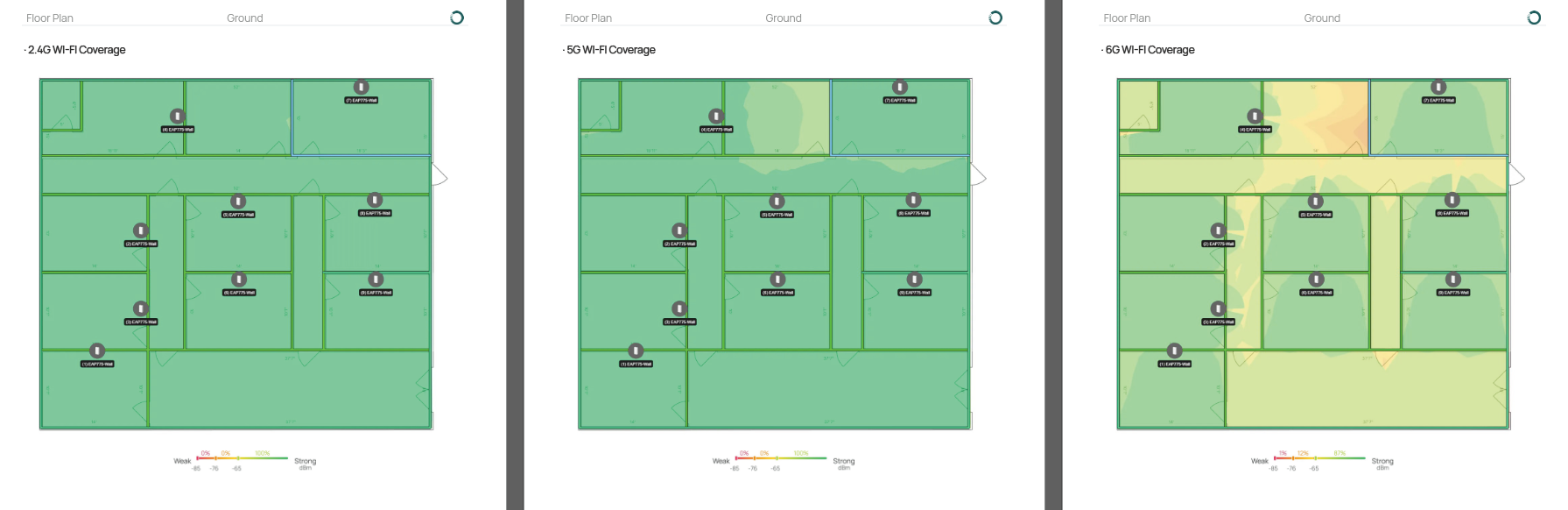
All patient rooms now have coverage on the 6GHz band, and in the event that any one EAP goes down, another EAP can provide signal to the devices in that room.
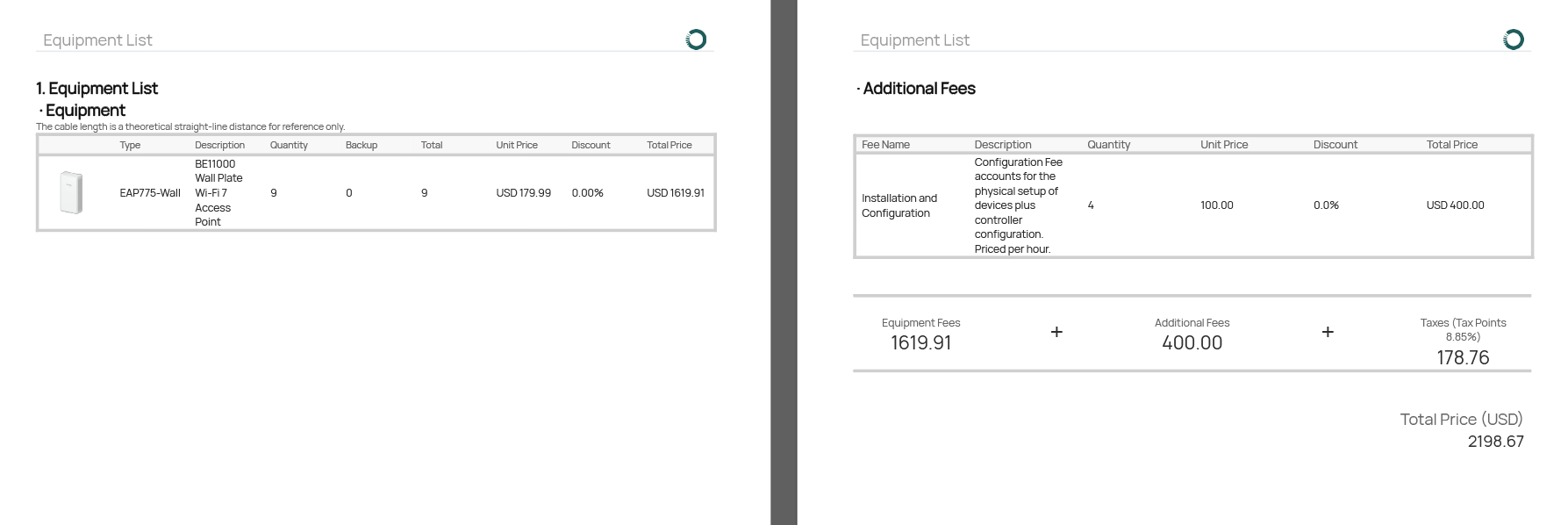
However, this comes at a much higher cost than the other two setups. Regardless, Omar collects these plans and provides them to the customer for approval.
Client Review
Joy reviews the pricing for all three options and, understandably, questions Omar about why the third option is so much more expensive than the others.
Omar lists the reasons for Joy to pass on to the board.
- Better redundancy. With this level of redundancy, operations will not go down short of a complete building or internet power failure.
- Optimal coverage. The heatmaps show excellent coverage across all bands, ensuring staff can operate at peak performance at all hours.
- Better throughput. With the load divided across all EAPs, every staff member can ensure they achieve maximum throughput in the most crucial moments.
The board ultimately decides that, while robust, this new plan is more than they are willing to spend on networking equipment alone. However, the heatmap for the EAP723s provides just the right balance of redundancy and cost for their purposes, and they approve the plan. The board would also like Omar to set up their VLANs and Site-to-Site VPN for this new building once the equipment arrives.
What do you think? What options would you have presented to the Board for their Wireless Network Coverage? If you haven't already, check out the Omada Design Hub and try this exercise out for yourself!
| Omada Design Hub | Previous Article |
