Need help configuring Wake-on-WLAN (WoWLAN) on TP-Link C80 router
 This thread has been locked for further replies. You can start a new thread to share your ideas or ask questions.
Need help configuring Wake-on-WLAN (WoWLAN) on TP-Link C80 router
Model:
Archer C80 Archer TX3000E
Hardware Version: V2
Firmware Version: 1.13.15 Build 240812 Rel.53972n (5255)
Hello everyone!
I need assistance setting up Wake-on-WLAN (wireless Wake-on-LAN). Since I'm not very familiar with advanced networking terminology, I’d appreciate a simple, step-by-step explanation if a solution is found. I’ll attach screenshots of my current setup for reference.
Important note: I cannot test or implement Wake-on-LAN (WoL) via a wired connection, so Wi-Fi-based wake-up is required.
Setup details:
- PC1 (target device to wake remotely):
- Cnnected to my home Wi-Fi (via TP-Link Archer C80 router, which doesn’t natively support WoL, but some users have made it work).
- Uses a TP-Link TX3000E PCI-E Wi-Fi card (latest drivers installed).
- PC2 (the device sending the wake signal):
- On a different netwrk (different Wi-Fi).
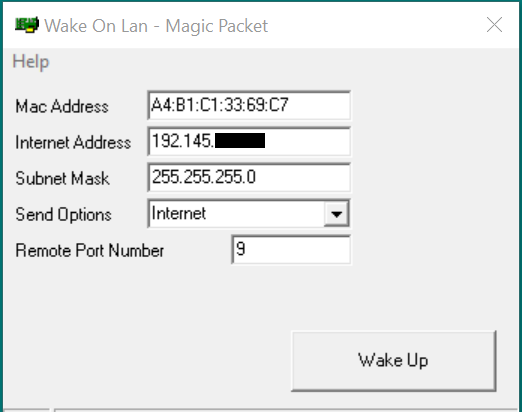
- Attempting t wake PC1 using Depicus Wake-on-LAN tool (see Figure 0).
Network info:
- Public (white) IP assigned by my ISP:
192.145.XX.XXX(matches the router’s WAN IP and external sites like 2ip.io). - RDP works fine, (if that’s relevant) so I can connect to my PC1 when it’s turned on or blocked, but when it’s in sleep mode I can’t ping it, and WoL also fails.
What I’ve done so far:
- BIOS settings (Gigabyte Aorus Elite v2 motherboard):
- Wake-on-LAN: Enabled
- ErP (Energy-related Prducts): Disabled (as recommended).
- Power settings (Windows):
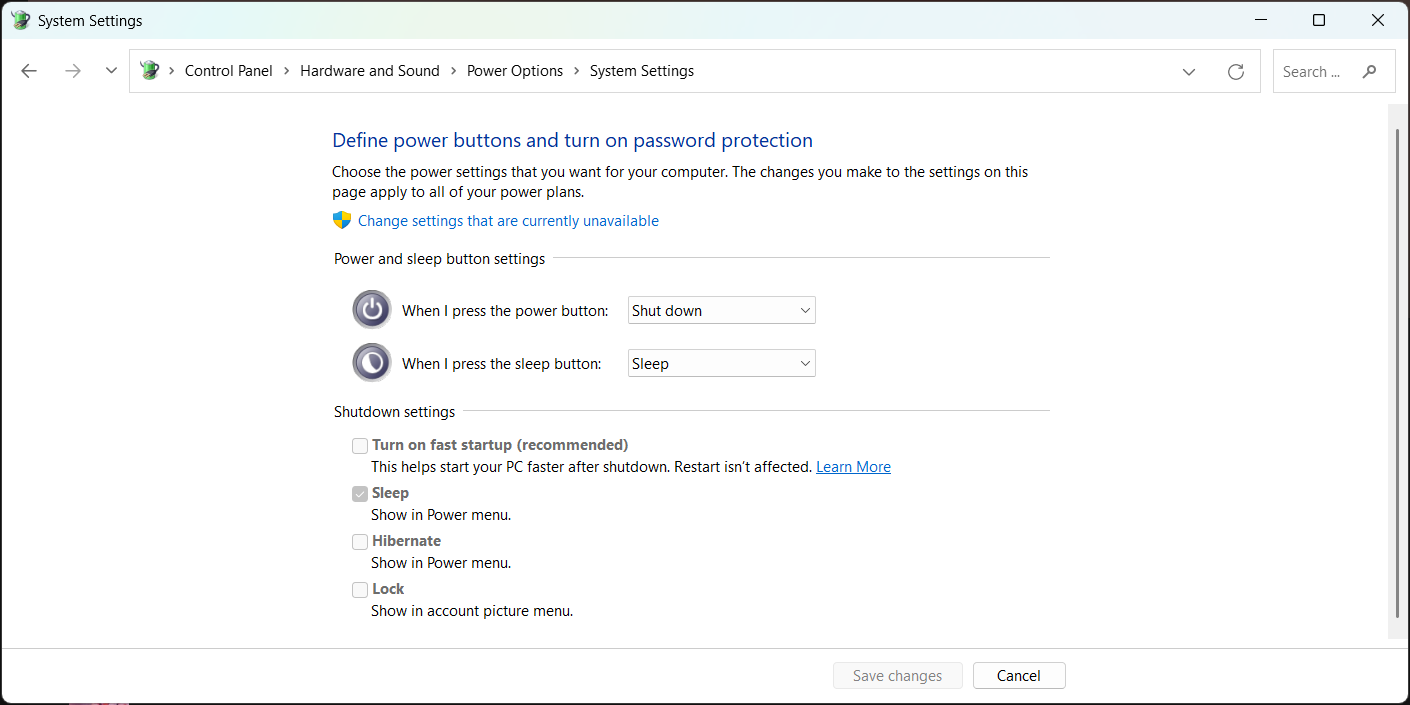
- Fast Startup: Disabled (Figure 1)
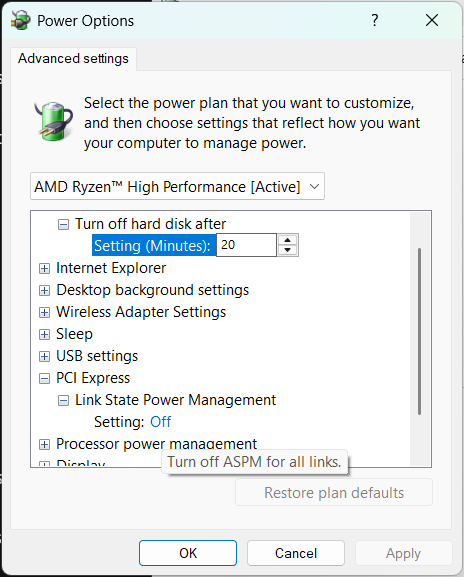
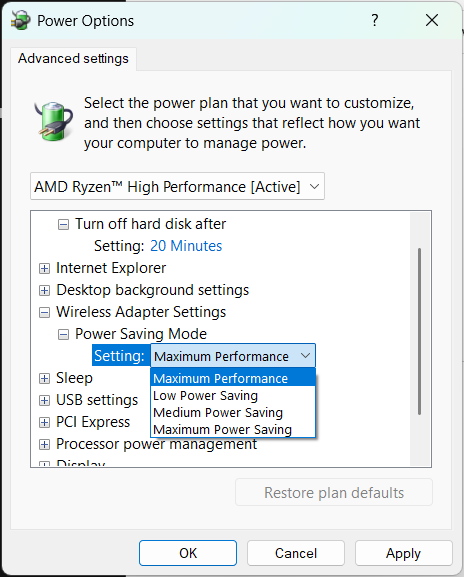
- PCI Express and wireless adapter power management: Disabled (Figures 2-3).
- Network adapter settings (TP-Link TX3000E):
- Enabled:
- Wake on ARP/Packet
- Wake on Magic Packet
- Wake on Pattern Match
- MIMO Power Save Mode: Auto SMPS (idk what is this)
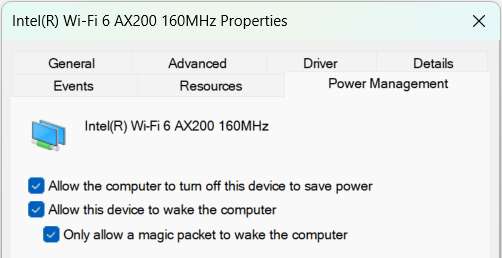
- And Fig. 9 Power Management setting
- (Same settings applied to the motherboard’s onboard NIC, just in case.)
- Enabled:
- Router (TP-Link C80) configurations:
- 4.0 Cloned the router’s MAC address to match the Wi-Fi card’s MAC (A4-B1-C1-33-69-C7)
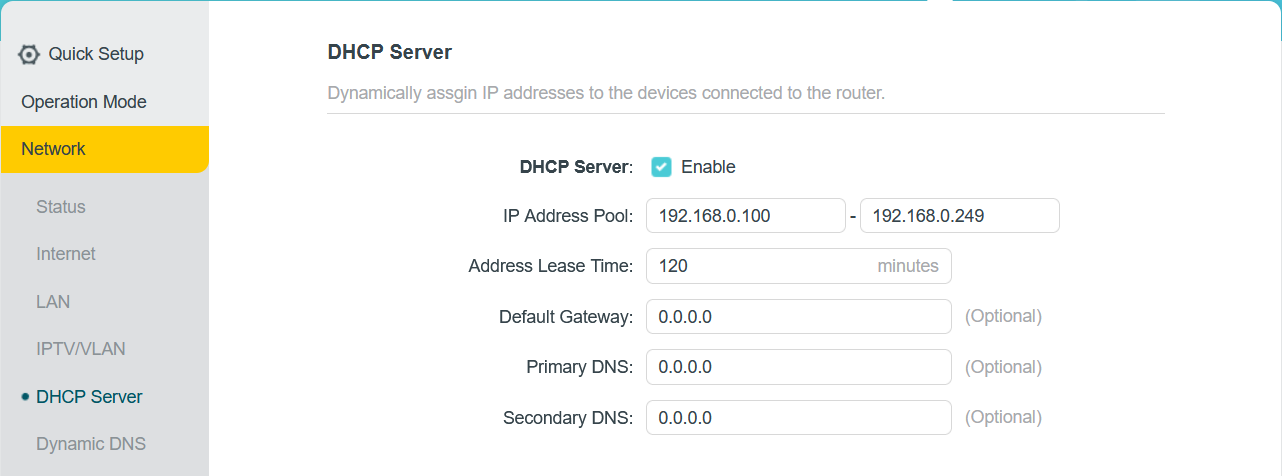
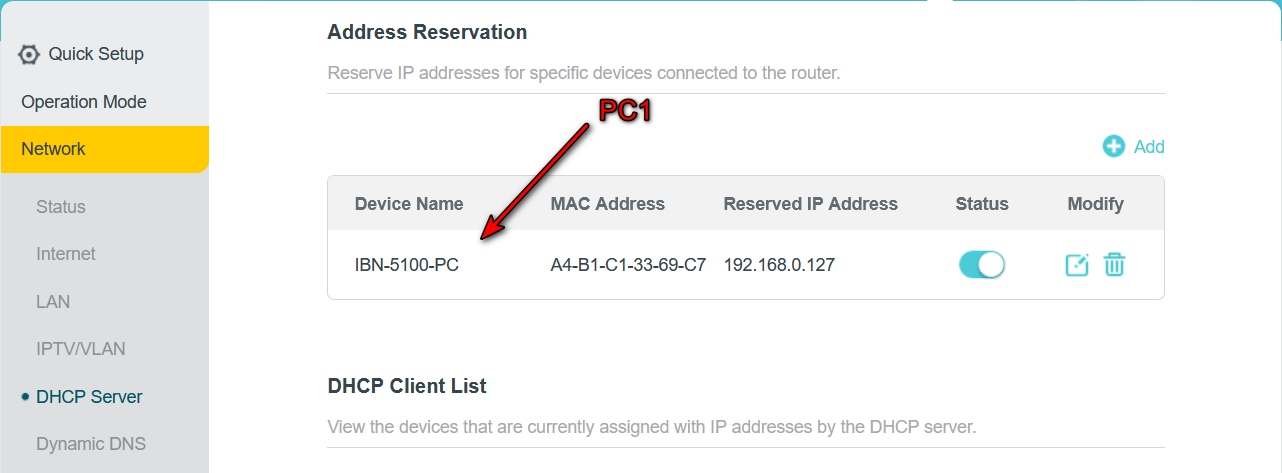
- 4.1 DHCP Server Enabled, but it's all stock settings, reserved iP for PC1 (192.168.0.127 = PC1’s IPv4 in wireless adapter properties, figure 4-5)
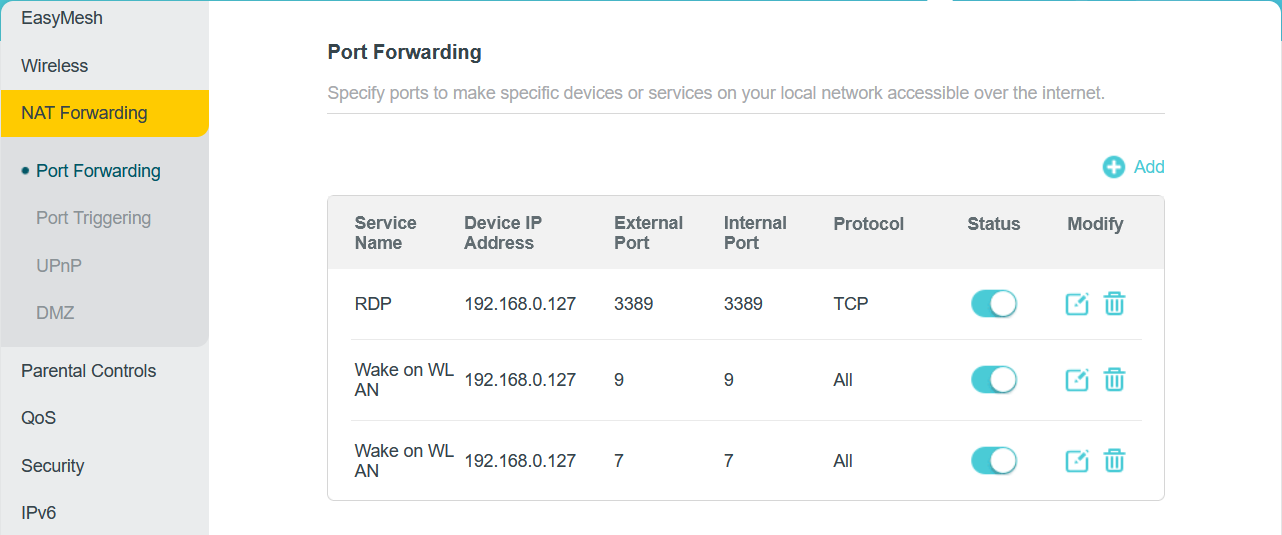
- 4.2 Port forwarding rule for UDP and TCP port 9 and 7, left Port Triggering untouched (Figure 6)
- 4.3 Some Firewall settings (Figure 7)
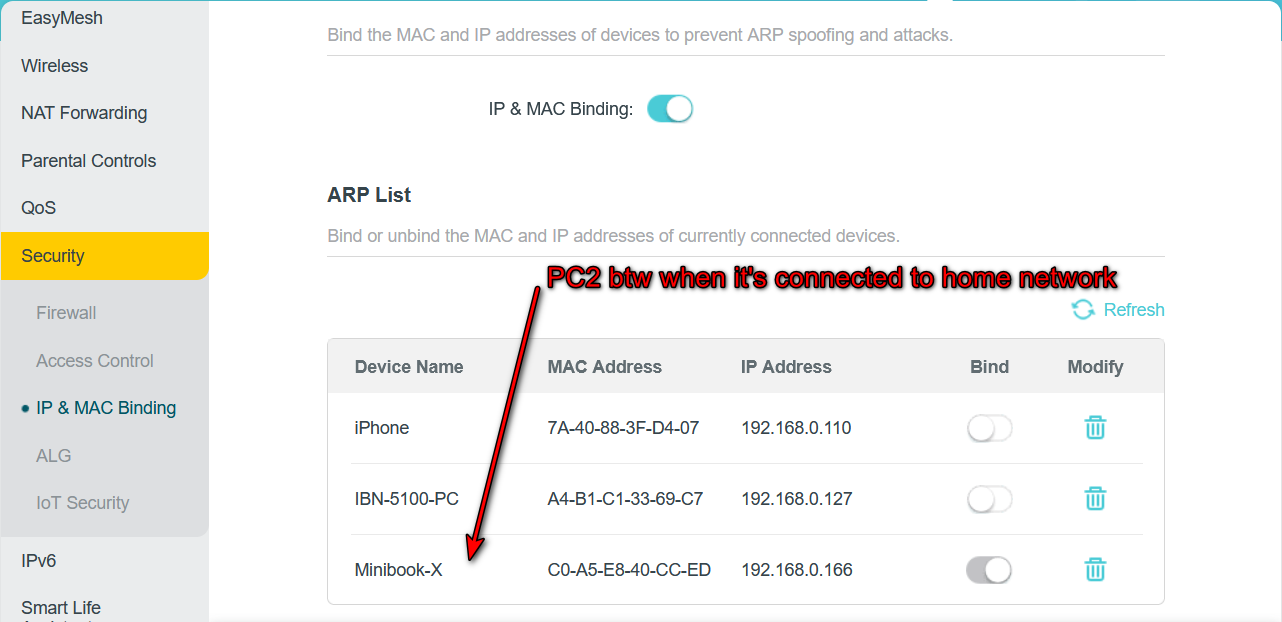
- 4.4 IP&MAC Binding and ARP List (Figure 8), i've heard that it should be some corrections in ARP List , but actually idk what should i do
I followed this guide, but its interface is outdated, and it seems tailored for WoL within a local network (not WAN/Wi-Fi).
Any advice is welcome! I’d really love to get this working. If more details are needed, I’ll provide them as best I can.
P.S. I’m so sorry if some phrases are incorrect, English is not my mother language, so I can confuse terminology words in my OS with generally accepted in English. Correct me, if I made a mistake.