
Deco App Settings for IPv6 with Spectrum Internet

Has anyone, with Spectrum as their ISP, successfully set a Deco x20 Mesh system up for Dual Stack IPv4/IPv6? If so what IPv6 settings should be selected?
My Deco default settings are for IPv4 only.
I looked into setting up IPv6 and couldn't get any assistance from Spectrum tech support. They refuse to give you any IPv6 settings for use on 3rd party routers.
I asked google what settings to use for IPv6 on Spectrum and this is what was suggested:
Connection Type: Dyanmic
Get IPv6 Address: Auto
Prefix Delegation: Enabled
DNS Address: Auto
Assigned Type: DHCPv6 first or SLAAC+ Stateless DHCP second choice.
Then, for the settings to take effect, both the Deco router and Spectrum Modem need a reboot.
There was also mention of Spectrum using prefix sizes of /64 or /60 or /56; preferably /60 or /56, but I have no idea where in the Deco app those are.
I have been misled by google in the past, so I'm hoping to find out what works for anyone that has actually done it.
My network works to my satisfaction as currently configured to IPv4, should I leave well enough alone, or is there something to be gained with IPv6?
Thanks for any advice.
- Copy Link
- Subscribe
- Bookmark
- Report Inappropriate Content

- Copy Link
- Report Inappropriate Content


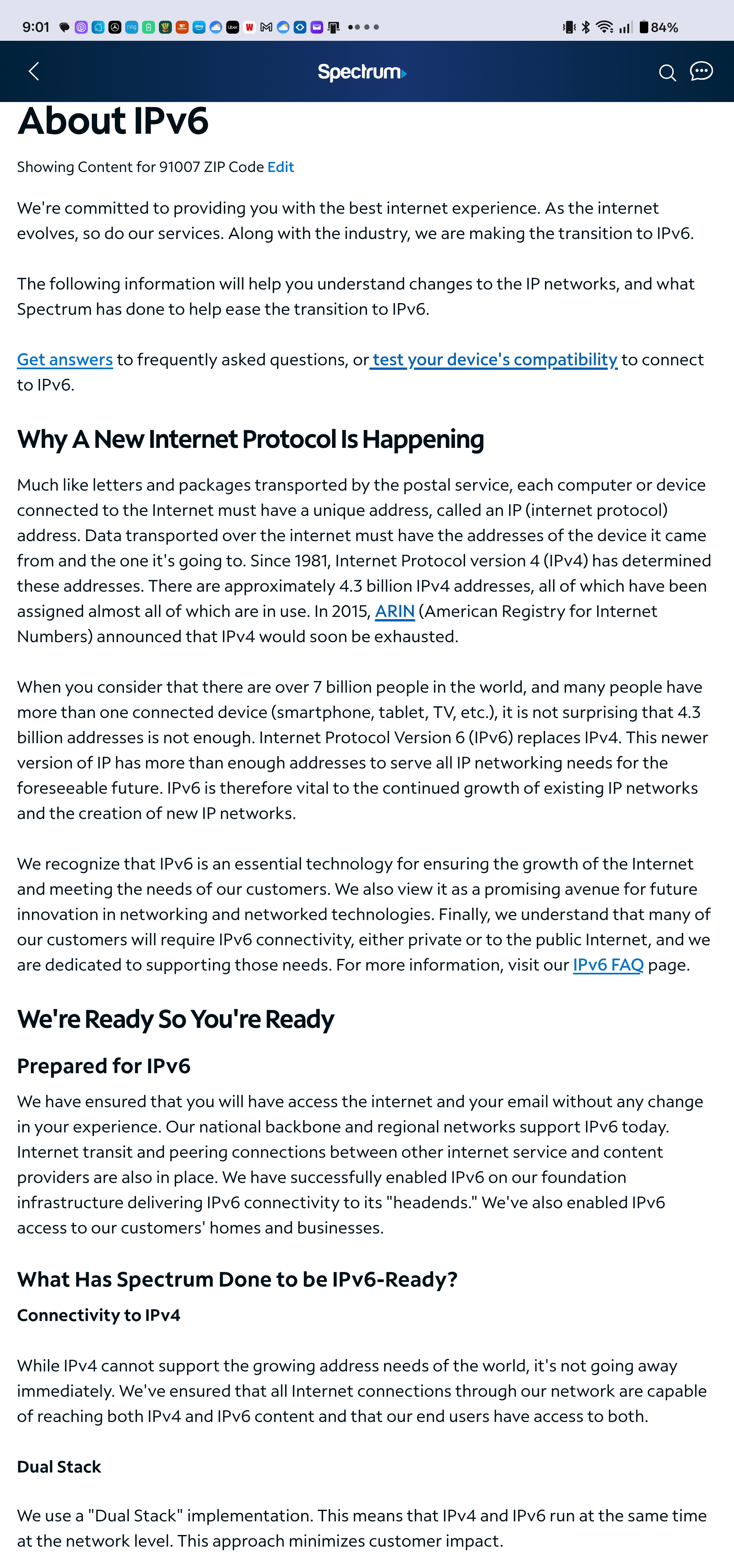
Yeah, I've seen that... but it doesn't tell you what 'settings' to use...
It did direct me to the test site on another 'support' page:
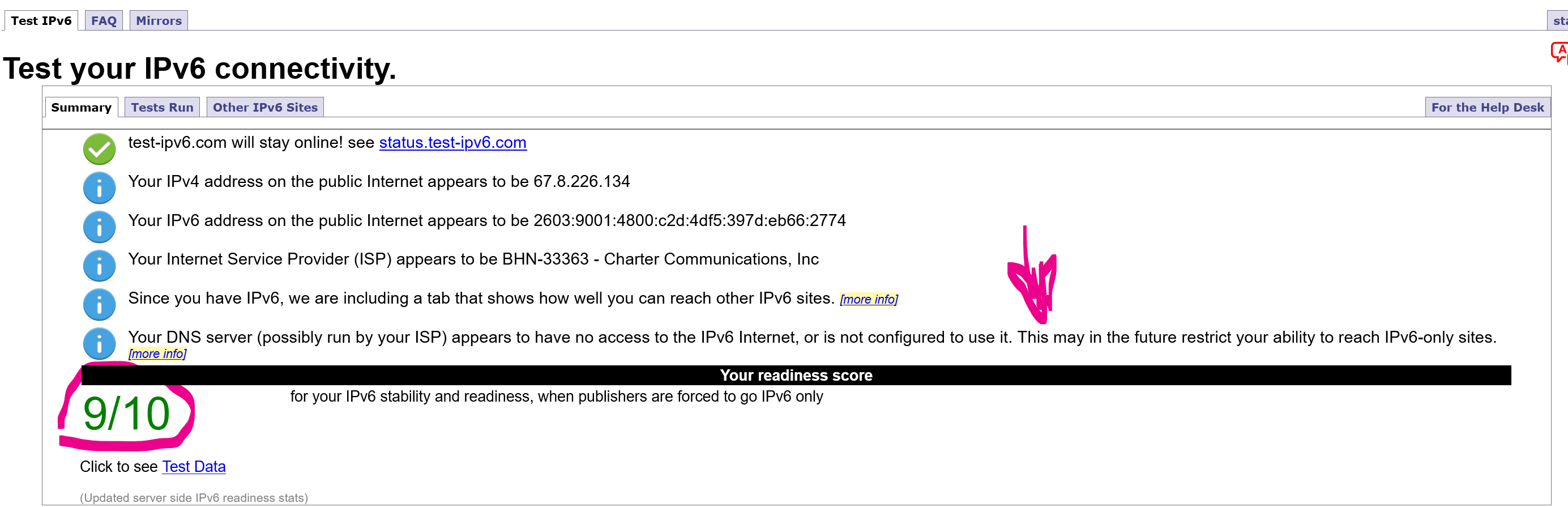
Can't really tell why I missed one score, think it was the last one, due to how the DNS operates maybe?
More info on the Data:
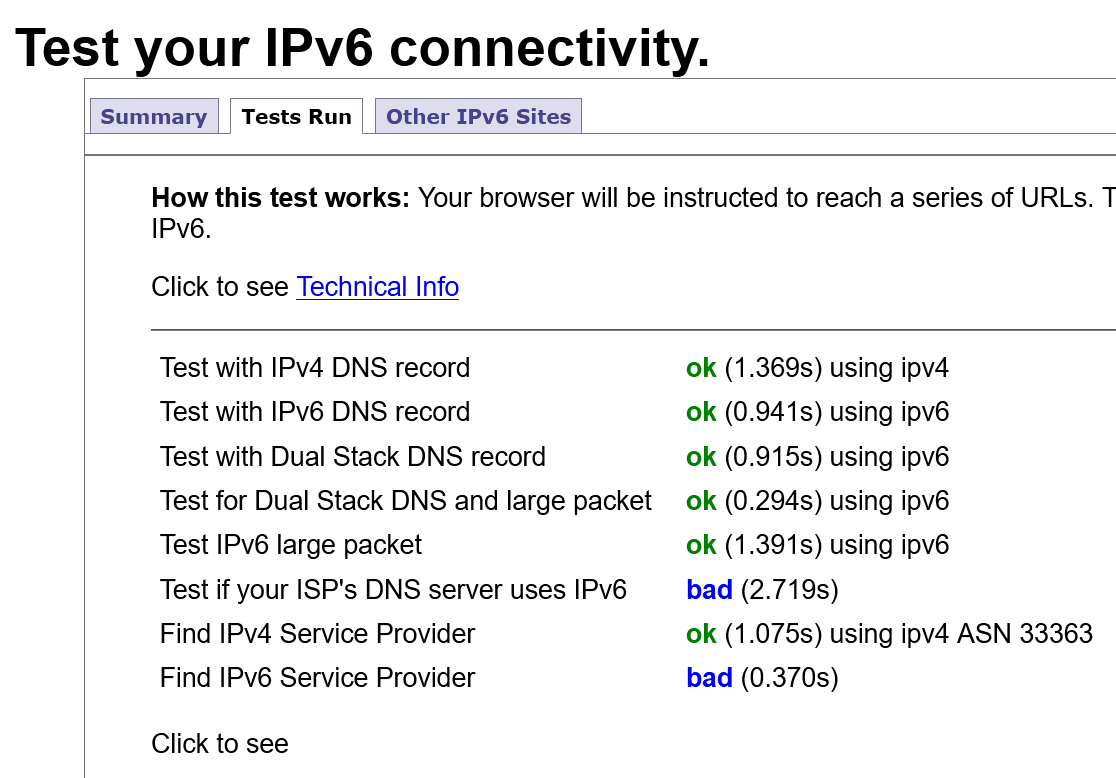
Which has some odd reasons. Obviously Spectrum's DNS does use IPv6 and it is also an IPv6 provider, or they'd not be able to pass any IPv6 tests before it? It even tests for Dual Stack.
I really think the site's coding is wrong? On other sites I do get 10/10?
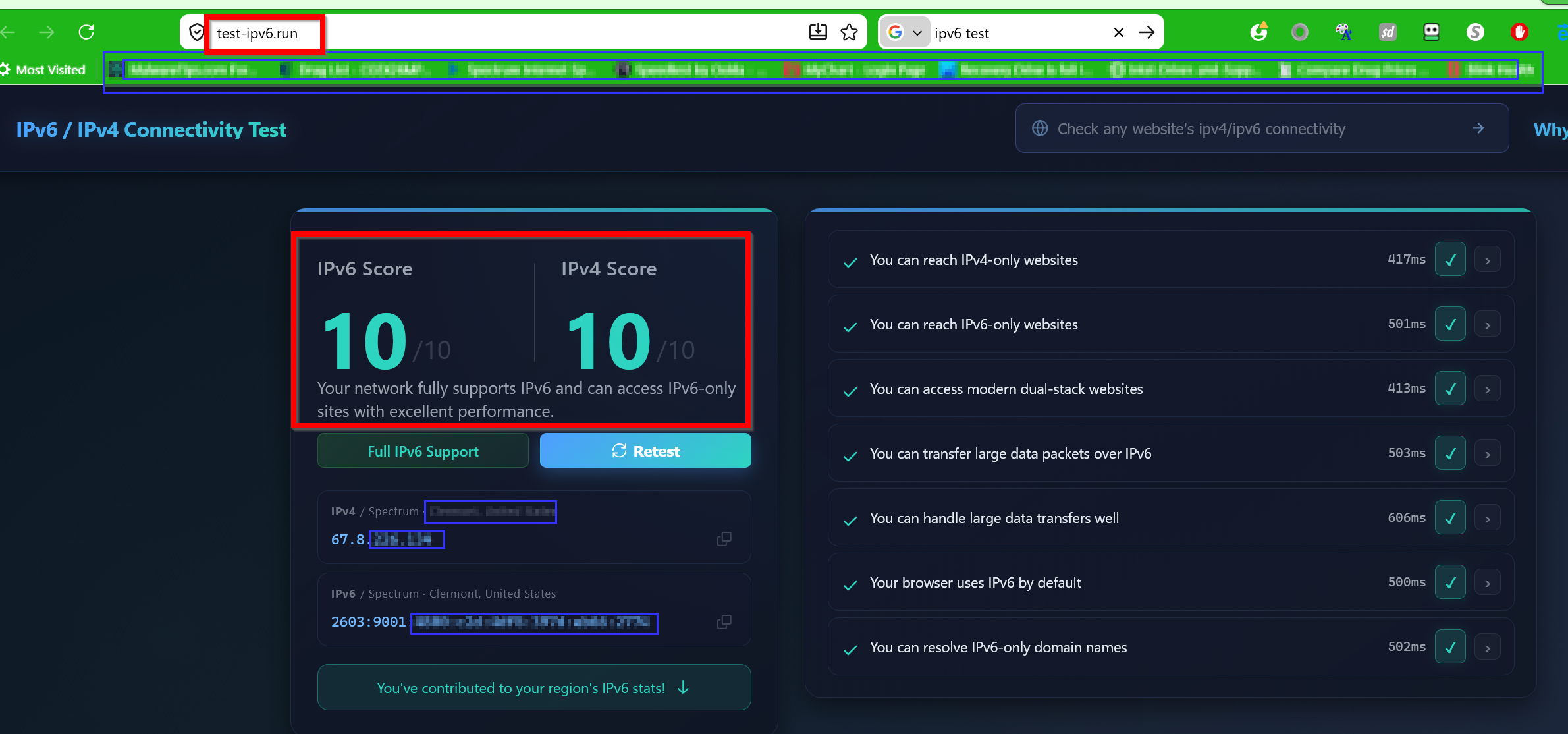
Can't tell why I get different scores? Assume it is due to site coding and handling of Dual Stacked DNS's?
- Copy Link
- Report Inappropriate Content
@IrvSp Mine used to say the exact same thing 9/10. I have not touched anything IPv6, but I may have changed my IPv4 DNS. I have a comparator that ranks IPv4 DNSes in order of ping. I used to use 8.8.8.8 and 8.8.4.4 because they topped the list. Then all of a sudden AT&T's DNS Primary topped it and Google was second. My new custom DNS
Primary 68.94.156.8
Secondary 8.8.8.8
So the Primary and IPv6 DNS is the same, preferred by my ISP.
All of a sudden my score is always 10/10.
So maybe try changing your IPv4 primary DNS to Charter/Spectrum's. I believe that army site has the DNS addresses....
- Copy Link
- Report Inappropriate Content
- Copy Link
- Report Inappropriate Content
jzchen wrote
@IrvSp Mine used to say the exact same thing 9/10. I have not touched anything IPv6, but I may have changed my IPv4 DNS. I have a comparator that ranks IPv4 DNSes in order of ping. I used to use 8.8.8.8 and 8.8.4.4 because they topped the list. Then all of a sudden AT&T's DNS Primary topped it and Google was second. My new custom DNS
Primary 68.94.156.8
Secondary 8.8.8.8
So the Primary and IPv6 DNS is the same, preferred by my ISP.
All of a sudden my score is always 10/10.
So maybe try changing your IPv4 primary DNS to Charter/Spectrum's. I believe that army site has the DNS addresses....
I've got DNS Bench and I ran it. Results:
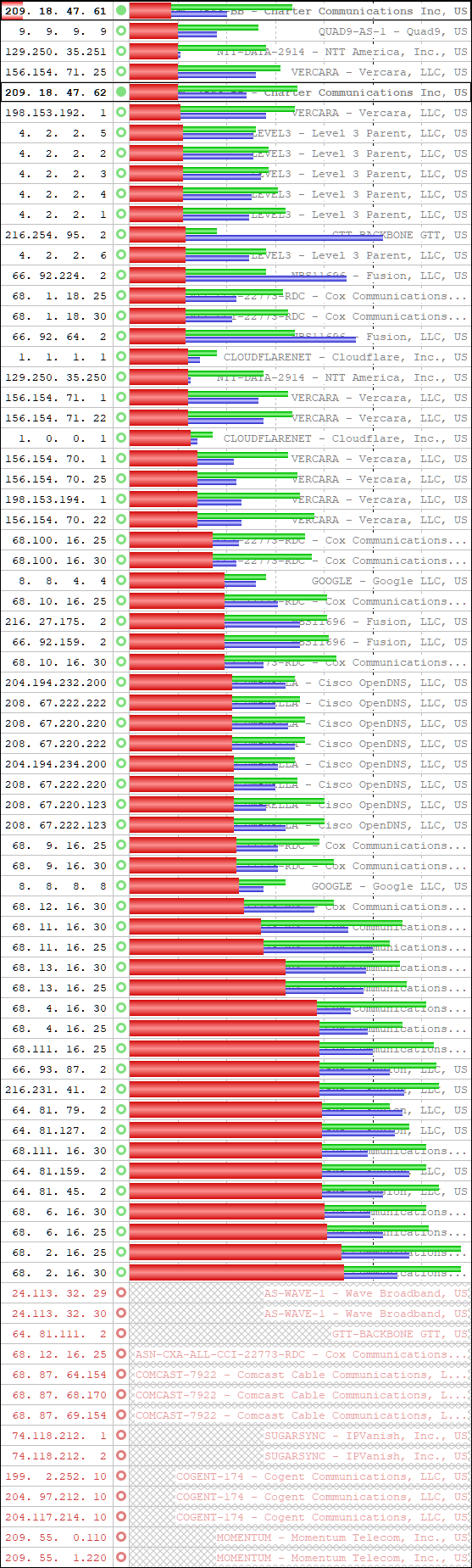
See the 209'a in the box, what I'm using, they are Spectrum's.
In addition, Conclusion data:
DNS Benchmark Conclusions & Recommendations
What the results you have just obtained mean to YOU
The results summary, conclusions, and recommendations from your most recent run of this DNS benchmark are provided below. Please carefully consider the implications of making any changes to your system's current configuration before doing so.
ý Only the built-in default resolvers were benchmarked.
Please consider taking the time to create a custom resolver list.
This is a reminder about the tremendous benefits to be gained from benchmarking the "Top 50" resolvers that are found for you by the Benchmark's custom resolver list builder. When you have time, don't forget to give that a try. The results will astound you! You can find the option to do this on either the application's System Menu (Alt-Spacebar) or on the Add/Remove nameservers dialog on the Nameservers page.
þ System has multiple redundant nameservers configured.
This system is currently configured to use 2 separate nameservers for DNS name resolution. This is in keeping with recommended best practice (of having at least two different nameservers) so that the temporary failure of any single nameserver will not prevent all DNS name resolution.
þ All system nameservers are alive & replying to queries.
All of this system's 2 nameservers are working and replying to queries. This is terrific because if the system's primary nameserver were to become overloaded or unavailable, even briefly, one or more backup nameservers are standing by ready to supply DNS lookup services.
þ System's nameservers are probably optimally ordered.
Windows uses DNS servers in the order they are listed under the network adapter's properties, or when obtained automatically from an ISP, in the order provided by the ISP. Windows will fall back to using the second, third, and other nameservers only when the first listed nameserver fails to respond. So if the first nameserver happened to be very slow, but working, everything would be slowed down. Consequently, the order of nameserver listing should match their order of decreasing performance . . . which is probably how this system is currently configured:
Usage Order Nameserver IP Speed Rank
----------- --------------- ----------
1 209. 18. 47. 61 1 unreliable
2 209. 18. 47. 62 2
Why only "probably" ?
Only "probably" because there wasn't enough of a statistically significant difference between their timings to be able to make any claims with at least 95% confidence. Here are the details:
When this benchmark is allowed to finish, it will have collected approximately one hundred and fifty (150) DNS performance samples from each nameserver being tested. Although this is sufficient to generate a good average performance estimate, if the collection of sampled values are too widely spread apart (in other words, not a lot of agreement among samples), it is impossible to know with "statistical certainty" (to be 95% sure) how individual nameservers compare to each other.
Therefore, even if the ranking shown above appears to be out of order, the differences are not statistically significant, and you should not be concerned. If you were to re-run the benchmark you might get a different outcome. This benchmark conclusion page will inform you when a problem exists that is statistically significant, and will then advise you that your DNS nameserver settings should be changed. But that is not the case with the benchmark results that were just obtained.
þ System nameservers are faster than ALL public alternatives.
All of the DNS resolvers your system is using are responding faster than any of the 100% reliable publicly available alternative DNS nameservers this benchmark utility just tested. Therefore, there would be no performance benefit from replacing any of this system's current nameservers with any of those publicly available alternatives. However, this best performance appraisal assumes that this system's nameservers are 100% reliable. See the next item below for an appraisal of your nameservers' reliability.
Note: If there appeared to be one or more faster public alternative nameservers, there was enough uncertainty created by the spread of benchmark timing results that it was not possible to be at least 95% confident that any of those faster-seeming nameservers really were reliably faster than the nameservers this system is currently using. So it made no sense to alarm you about the need to change things when there was insufficient evidence.
ý One or more system nameservers is NOT 100% reliable!
DNS reliability is extremely important, since lookup requests that are dropped and ignored by nameservers cause significant delays in Internet access while the querying system waits for a reply. The system is then finally forced to reissue the query to the same or to backup nameservers. While your system is patiently waiting for a reply, you are impatiently waiting to get on with your Internet access.
During this benchmark test, the nameservers being tested did not reply to some of the DNS queries they were sent.
So the question now is: Did the benchmark discover alternative nameservers having superior performance and reliability to which you could switch in order to obtain more performance and reliability?
Important Note:
Incorrect warnings of low reliability nameservers can arise if (1) DNS benchmarking is being performed while the local network is busy performing other work such as file downloading, or (2) the benchmark is running over a wireless (WiFi) link with low signal strength or high interference. Please try to minimize any other local network activity while the benchmark is running, and use a wired (not wireless) LAN connection if possible.
Recommended Actions:
Before you make any changes, you should probably run the benchmark a few more times at differing times of day to make sure that the troubling reliability is an ongoing problem and not just a brief occurrence.
You may also wish to consult the "Tabular Data" page which summarizes all benchmark results in numeric tables. The numbers make it easier to see exactly how unreliable your system's nameservers are compared with the available alternatives. (And also how the alternatives' performance compares.)
þ All of this system nameservers return errors.
This is a GOOD thing! Some DNS providers, such as OpenDNS and even the Earthlink, Roadrunner and Comcast ISPs, redirect incorrectly entered URLs to their own advertising-laden marketing-driven interception page instead of simply returning an error to the web browser. But this system's nameservers are returning errors when asked to lookup non-existent domain names.
þ System nameservers are replying to all query types.
During the development of this DNS Benchmark we discovered that the routers used by some pre-release testers were not returning results for the benchmark's Uncached and/or Dotcom testing queries. Even though these queries are admittedly unusual, they are completely valid. So the only conclusion was that those few routers were inherently defective. The good news here is that your nameservers are replying to these unusual but valid queries.
____________________________________________________________________
REMEMBER TO CHECK SPOOFABILITY !!
Whether you make any changes to your nameservers or not, but
especially if you do, be sure to verify the security of your final DNS
resolver set by using GRC's free "DNS Spoofability" testing service!
http://www.GRC.com/dns/dns.htm
_______________________________________________________________________________________________________________________
If you require assistance . . .
If you require assistance with the implementation any of the suggested changes to your system's DNS configuration, several sources of help are available:
For help with the operation and use of this DNS Benchmark program, please reference the extensive DNS Benchmark pages at the GRC website:
http://www.GRC.com/dns/benchmark.htm
For help with any of the specific conclusions or recommendations above, please see the DNS Benchmark FAQ (Frequently Asked Questions) page:
http://www.GRC.com/dns/benchmark-faq.htm
Knowledge of the DNS domain name system is widespread among those in public technical Internet forums. You will very likely be able to obtain answers to any specific questions you may have by asking knowledgeable inhabitants of online communities.
GRC maintains and operates a comprehensive online "newsgroup" community and has a specific newsgroup - grc.dns - dedicated to the discussion of DNS issues including this DNS benchmark program (where it was developed) and GRC's online DNS Spoofability testing service. Please see the following web page for help with joining and participating in GRC's terrific newsgroups:
http://www.GRC.com/discussions.htm
GRC's technical support services are limited to the support of licensees of our commercial software products and do not extend to the support of our freely available software or online services. Please do not write to us (GRC / Gibson Research Corporation) for assistance in connection with this freeware utility.
You will find that ample help is freely available
within the Internet community. Thank you!
- Steve Gibson
Please Note: This program is Copyright (c) 2010 by Gibson Research Corporation -- ALL RIGHTS RESERVED. This program is FREEWARE. Although it may not be altered in any way, it MAY BE FREELY COPIED AND DISTRIBUTED onto and through any and all computer media in ANY form or fashion. You are hereby granted the right to do so.
• • •
Bottom line here, I think I have the fastest DNS's I can get.
- Copy Link
- Report Inappropriate Content
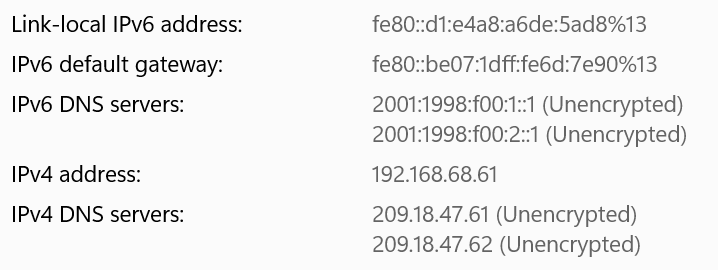
@IrvSp Is there not a place to choose the DNS on the Deco app. Is that where you have both primary IPv4 and Primary IPv6 DNS Charter/Spectrum? That looks like a PC app.
I got my comparator from an ASUS GT-BE19000AI router, (something they sent me to test and review, which I confess I failed to do I offered to buy/pay for it). I can write but technical testing is a different beast. The ExpertWiFi series, of which I was using an EBG15 as router, also has a comparator. I wasn't aware of the one you have...
I only change IPv4 DNS... The DNS I set the router to get it Automatically. In the ASUS the IPv6 global adress gets assigned as DNS to my PC (ends :1). I noticed the same thing for Deco...
I can simply change the IPv4 Primary back to 8.8.8.8 and see if that drops me from 10/10 to 9/10. I'm not afraid to do that....
- Copy Link
- Report Inappropriate Content
@IrvSp Add the (EDIT: Deco) IPv6 LAN address as your primary IPv6 DNS (I'm assuming that's a Windows snip)? and see if the 9 changes to 10.
- Copy Link
- Report Inappropriate Content
jzchen wrote
@IrvSp Is there not a place to choose the DNS on the Deco app. t drops me from 10/10 to 9/10. I'm not afraid to do that....
Yes, it CAN be done. Change from DNS Address from AUTO to MANUAL.
However, look at the DNS speeds above. The Google DNS's are way down in the list.
Generally speaking, your ISP's will be the fastest overall. You have a direct connection to them, Others need to get through some servers to get to.
So a DNS may need less time to 'figure out' where you want to go, but overall time for you to get the data back is slower.
I'm not going to worry about a test site, at least until I have an IPv6 problem. Doesn't seem to have one now.
I'm NOT afraid to make the change, it is just I don't see the need to do it?
- Copy Link
- Report Inappropriate Content
Information
Helpful: 0
Views: 3471
Replies: 38
Voters 0
No one has voted for it yet.