
Tapo Smart Lock Overview - DLW10, DL100, DL105, DL110, DL130


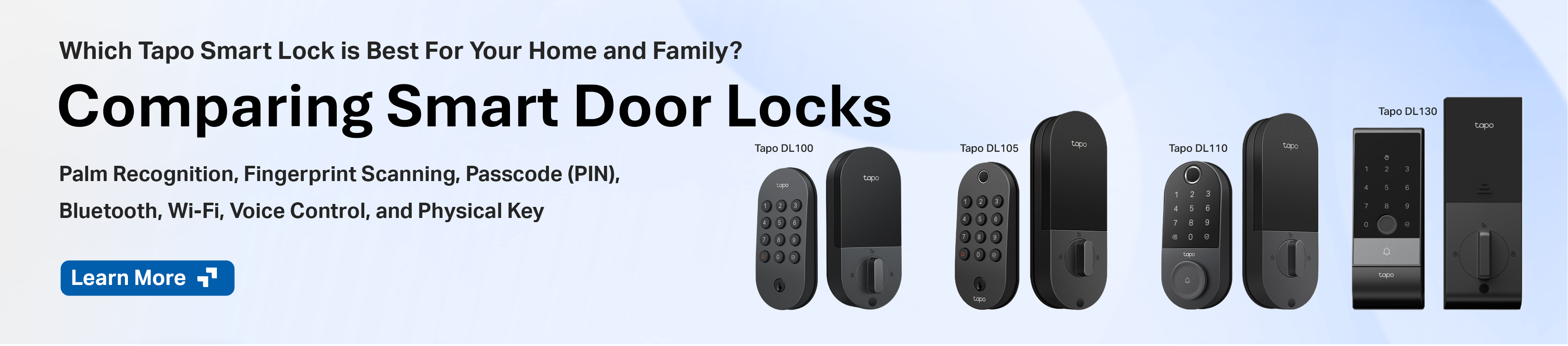
Choosing the Best Model for Your Home and Family
DLW10 and DL100
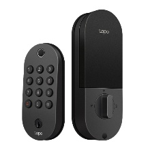
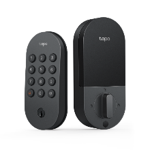
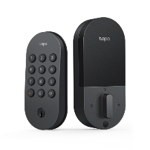
The DLW10 and DL100 are Tapo’s two ‘entry’ models, each focusing on PIN and Tapo app-based entry , along with being powered by AA batteries. If you are looking for simple monitoring or app functionality, or to add a second smart lock to your home.
Ideal for those looking for: Passcode Entry, Tactile Buttons, Easy Access Physical Keyhole, AA Batteries
Tapo DL100 and DLW10 - Smart Wi-Fi Deadbolt Door Locks
DL105
The Tapo DL105 offers a very similar experience to the DLW10 and DL100; however, it uses a rechargeable battery pack and adds fingerprint recognition.
Ideal for those looking for: Fingerprint Recognition; Tactile Buttons; Easy Access Physical Keyhole
Tapo DL105 | Smart Wi-Fi Door Lock | TP-Link
Tapo DL110
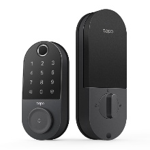
The Tapo DL110 was the very first door model released by Tapo, offering one of the most balanced and versatile experiences with a rechargeable battery, fingerprint recognition, and an onboard doorbell.
Ideal for those looking for: Fingerprint Recognition, Premium Look; Improved Weather Resistance
Tapo DL110 – Smart Wi-Fi Door Lock | Deadbolt
Tapo DL130
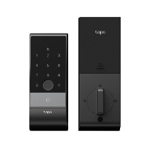
The Tapo DL130 is our flagship door lock, first seen at CES, offering a variety of unique features such as Palm Vein Recognition, Integrated Door Sensors, and a Backup Battery that keeps your device functioning even while charging.
Ideal for those looking for: Fingerprint Recognition, Palm Vein Recognition, Open/Close Door Automation, Backup Battery
Tapo DL130 | Palm Access Smart Lock | Wi-Fi Deadbolt with Fingerprint
| FLAGSHIP | ADVANCED | BASIC | |||
| DL130 | Tapo DL110v2 | DL105 | Tapo DL100 | DLW10 | |
 |
 |
 |
 |
 |
|
| Unlock Methods | |||||
| Palm Vein | ✓ | ||||
| Fingerprint | ✓ | ✓ | ✓ | ||
| Keypad (PIN) | ✓ | ✓ | ✓ | ✓ | ✓ |
| App (Wi-Fi/Bluetooth) | ✓ | ✓ | ✓ | ✓ | ✓ |
| Physical Key | ✓ | ✓ | ✓ | ✓ | ✓ |
| Third-Party Control | ✓ | ✓ | ✓ | ✓ | ✓ |
| Battery Life | up to 1 year | up to 1 year | up to 1 year | up to 7 months | up to 7 months |
| Battery Type | Rechargeable w/Built in Backup | Rechargeable | Rechargeable | 4xAA Batteries | 4xAA Batteries |
| BHMA Grade | Grade 2 | Grade 2 | Grade 3 | Grade 3 | Grade 3 |
| Weatherproof Rating (Exterior Only) | IP65 | IP65 | IP54 | IP54 | IP54 |
| Auto Lock | Door Sensor | Timer | Timer | Timer | Timer |
| PIN Button Type | Touch Panel | Touch Panel | Tactile (Raised) | Tactile | Tactile |
| (Flat) | (Flat) | (Raised) | (Raised) | ||
| Integrated Doorbell | Yes | Yes | No | No | No |
| Power | |||||
| Typical Power Consumption | 1.28mW | 1.65mW | 1mW | 1mW | 1mW |
| Maximum Power Consumption | 1872mW | 3.54W | 412mW | 412mW | 412mW |
| Emergency Power Supply | ✓ | ✓ | ✓ | ✓ | ✓ |
| Operating Temperature (Exterior Only) | -22°F - 158°F (-30°C - 70°C) | ||||
| Third-Party | Amazon, Google Assistant, SmartThings | ||||
Door Lock-specific Features (Compatibility Varies by Model)
Local Bluetooth Access and Control
Having internet access or power should NEVER be a requirement for entering your home. Door Locks that support Bluetooth (currently all models) can communicate directly with your smartphone for local control while in range - especially useful if you are looking to use the Wi-Fi Scheduling feature.
Physical Backup Keys
All Tapo Door Locks come with a set number of physical backup keys (typically two). While it may be possible to rekey some of the models, it is not recommended due to the potential damage that could be done to the lock.
Auto Lock Functionality
Never forget to lock your door again, whether arriving or leaving home.
- Without a Door Sensor: Your Smart Lock will automatically lock your door after a set period
- With a Door Sensor (DL130 Only): Your Smart Lock will automatically lock your door after your door is closed AND after a set period.
Wi-Fi Scheduling for Power Saving
Wi-Fi Scheduling allows you to set a schedule for your door lock to disable its Wi-Fi connection. During this time, you can still unlock the device normally and control it locally via a direct Bluetooth connection. In general, I recommend setting this to occur overnight while you are asleep to extend your battery life.
Detailed Log Entries (Know Who Unlocked Your Door)
Get notified immediately when someone unlocks your front door, or review who unlocked it later that day with member-based logging.
Trace Protection, Scrambled PINs, Attempt Limiter, and One-Time Use Codes
Protect Your Passcode with Trace Protection, Scrambled PINs, and One-Time Use Codes
Smart Actions and Automations
- Triggers: Unlocked, Unlocked by ‘Person’, Locked, Door Opened, Door Closed, Doorbell Pressed, Alarm Triggered
- Conditions: Locked, Unlocked, Door Open, Door Closed
- Actions: Turn On/Off Locking Notifications, Turn On/Off Unlocking Notifications, Lock (Model Dependent)
Lock Your Smart Door Lock with Smart Actions
Integration with Tapo Doorbell and Chime
Integrate and Pair Your Tapo Doorbell and Door Lock
Additional Notes:
- Tapo Door Locks do NOT include a dedicated chime. An existing chime, hub, or indoor speaker of the lock can be used as a designated alerting device.
- Tapo Door Locks currently only support ‘Lock’ smart actions, and support for the action is currently being rolled out to models; automations to unlock your door automatically must be done through another supporting platform.
Related Articles:
Protect Your Passcode with Trace Protection, Scrambled PINs, and One-Time Use Codes
Contact Support or Join our Official Subreddits: r/tapo, r/tplink, r/omada_networks