
New Arrival Introducing the H110 - Smart IR (Infrared) and IoT Hub


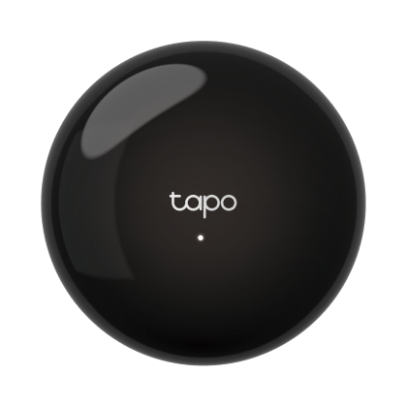 Introducing the Tapo H110 Smart IR and IoT Hub!
All-in-One Infrared Remote Control (Now Available in the United States)
Matter-Certified Connection Center for Tapo Sensors: T100, T110, T300, T310, T315
Superior Compatibility - Supports 18 device types and over 8,000 brands to cover all your needs, even your older appliances.
Pairing Home Appliances Made Easy – Pairing is as easy as pressing any button on the original remote, checking the results through a few quick tests
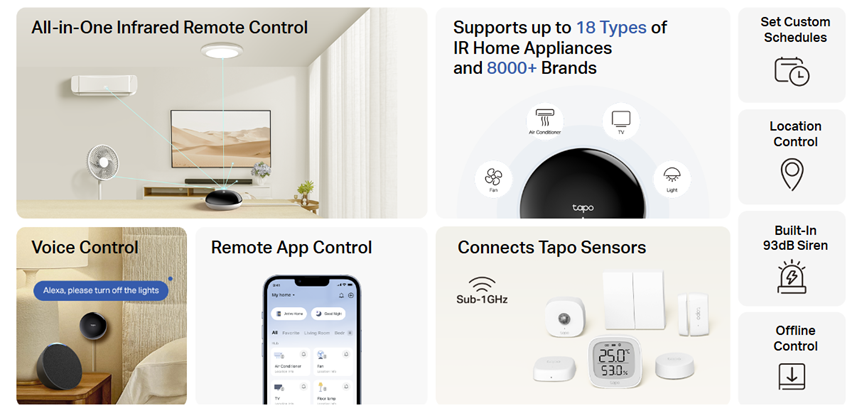
Control the Devices and Appliances You Thought You Never Could
8000+ Supported Brands Across 18 Types of Supported Appliances
The H110 builds on the sub-g features of the H100 smart hub by supporting a variety of devices via Infrared control – from ACs, air purifiers, wax melters, to even window coverings – the possibilities are limitless.
Don’t Know which Tapo Hub to Purchase? Check out our Comparison:
Choosing a Tapo Smart Hub for Your Home (H100, H200, H500)
Unlock the True Power of Your Hub with Scenes and Smart Actions!
Beyond creating a digital remote in your pocket for your devices, adding IR devices to your H110 also opens new ways to automate and interact with your devices, such as via a voice assistant or a scene.
Between losing remotes to pets or to the depths of your couch, it's become painfully obvious that the more ways you have to control a device… the better.
Helpful Hint! Consider sending ‘Turn Off’ commands twice for each device!
If your IR Appliance has a Screen or Display (even something as simple as a countdown), you may need to send the ‘turn off’ command twice. Once to wake the appliance, and a second time to send a command to the appliance.
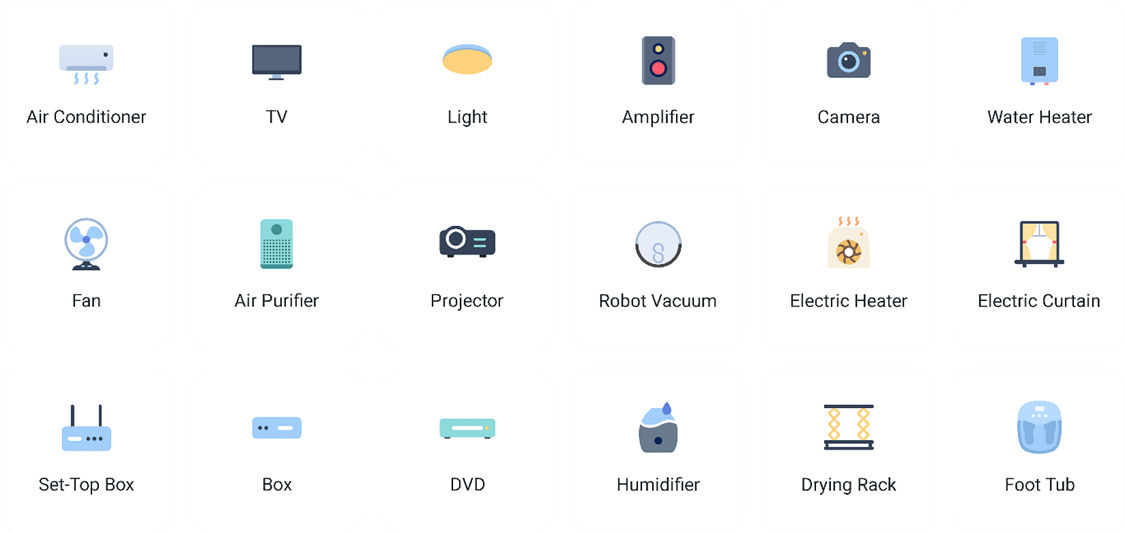
Don’t See Your Device Type in the Categories Above?
You can always add your devices manually to the Tapo App by copying the IR commands from the original remote!
Control Your Temperature and Environment
 Devices: Temperature, Fans, Air Conditioner, Heaters, Dehumidifiers, and Air Purifiers
When the temperature in your home goes above 82°F, the air conditioning will automatically switch on to keep things comfortable.
- Automatically Turn ON Fans/AC when exceeding the set temperature
- Automatically Turn ON Heater when Below Set Temperature
- Automatically turn ON/OFF the fan when opening/closing the window
- Automatically turn ON/OFF the Air Conditioner depending on the window opening/closing
Expanded Automatic Lighting Options
 Control nearly any Infrared (IR)-Controlled Device or Lights, from LED Rope Lights to Spotlights – the possibilities are now endless.
When it gets dark, a T100 motion sensor can activate the lights if it senses movement, making your way well-lit and safer at night.
Start Your Day, Automatically
Whether you keep missing kickoff after work or require assistance waking up early, the Tapo H110 introduces new functionality. Use a Smart Action to automatically turn on your lights each morning, start your coffee maker, turn on your TV, or change the channel as needed.
With Tapo App's Geofencing, these actions happen automatically when you arrive or leave home or work.
-
- When leaving the ‘Work Location’ Turn on the AC and Set to 70°
- When arriving at ‘Work Location’, Turn OFF AC
Geofencing Tip! Use a Combination of Both Departure and Arrival Triggers
When Arriving Home > When Leaving Workplace
When Leaving Work > When Arriving Home
Improve Visibility of Your Camera’s Blind Spots
 When the Tapo motion sensor detects movement, the Tapo camera activates patrol mode to scan the area, making it easier to monitor your pets or help to keep an eye on your camera’s blind spots.
Control Your IR Devices from a Third-Party Matter Controller
After Adding Your IR Devices to the H110, you then have the option of adding the H110 to a third-party platform via ‘Matter Bridging’. Learn more about Matter Bridging in our Community Series:
Getting Started with Matter Bridging and Sub-G Devices
When you add an H110 to another Platform, there are a few unique benefits compared to other Tapo Hubs.
- The Tapo H110 is the First Hub Updated to Support Matter Bridging for the T300 Smart Water Leak Sensor
- IR Devices Connected to the H110 will Have Baseline Toggle (Power On/Off) Controls Added to Third Party Platforms
Commonly Asked Questions:
What Types of Remotes Can the Tapo H110 Replace?
The Tapo H110 supports Infrared Remotes and Devices; it will not be able to control RF Devices
IR (Infrared) is a more open technology that requires line of sight between the remote and the device.
RF (Radio Frequency) is a more advanced technology that does not require line of sight between devices. RF is also widely used in more secure applications, such as Garage Doors and Security Gates.
How Can I Add My IR Device to the Tapo App without the Original Remote?
While it is recommended to keep the original remote nearby, you may not need it to add your IR device to the Tapo App!
Try finding your device's brand in Tapo App’s list of known remote codes. If your brand is in the list, you may be able to add your device using one of the brand's other devices.
Take a look online! IR Codes are limited, and it is very possible that another brand will use the same remote codes for their devices.
Learn More About the Tapo H110 on our Official Overview Page
Contact Support or Join our Official Subreddits: r/tapo, r/tplink, r/omada_networks
