
How do I change the language from Chinese to English on TL-WR802N
 This thread has been locked for further replies. You can start a new thread to share your ideas or ask questions.
Hi, i purchased a CO2 laser, which came originaly from China 4 years ago, that has a TL-WR802N fitted in, what i believe, should be Client mode to enable me to connect the laser controller board to my laptop via the home network.
My problem is the TL-WR802N only shows its' configuration page in Chinese and i am sure a firmware update could cure this. Can anyone help please and also what firmware verion i need to update to ?
ANy help would be greatly appreciated 👍
- Copy Link
- Subscribe
- Bookmark
- Report Inappropriate Content


Hi@Subsea,
Thank you for your reply.
Please note that the router you are inquiring about is sold in mainland China.
It is recommended that you can contact the support directly.
Best Regards~
- Copy Link
- Report Inappropriate Content
Hi@Subsea,
Thank you for contacting our community.
Could you confirm again what is the model number of your device? Please refer to
How to find the model number of your TP-Link device
You may go to web interface > Advanced > System > Time & Language to change the language you want. TP-Link routers typically support 25 different languages.
For more details, please refer to this FAQ: How to change language when managing the router via web browser
- Copy Link
- Report Inappropriate Content
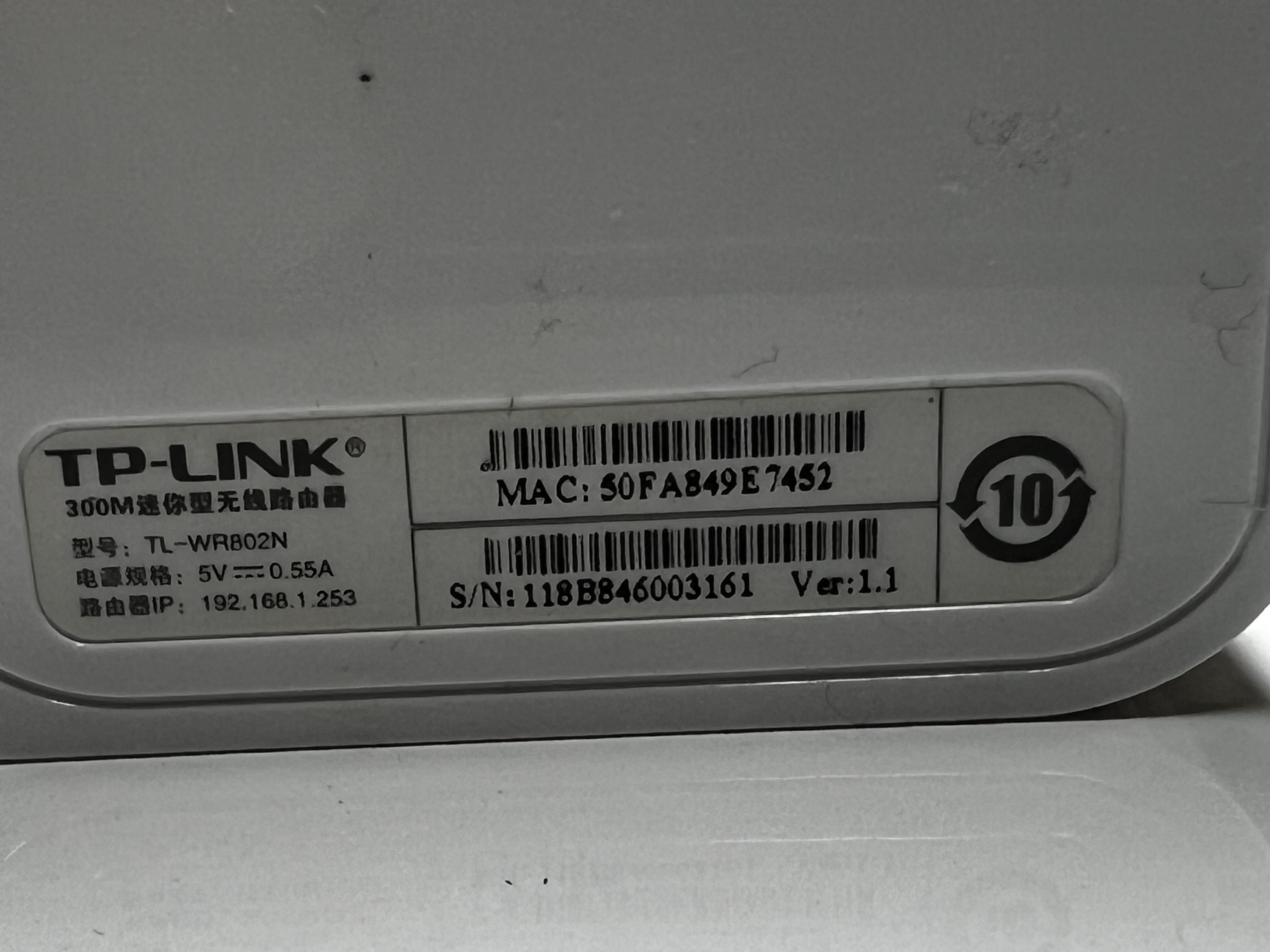
@Joseph-TP Hi Joeseph. The model number as far as i am aware is TL-WR802N as shown on the base of the unit. As far as your advice on where to go, the webpage is totally in Chinese so i cannot compare that with your sugestions. I have managed to translate a litte of the title/index page and cannot see any refference to Advanced or System or Time & Language so not much help there i am afraid. I have reached out to the support in China but have not had any response as yet!!! Cheers Kev
- Copy Link
- Report Inappropriate Content
 Caption
@Joseph-TP As you can see Joeseph this is all there is on the device. Thanks
- Copy Link
- Report Inappropriate Content
Hi@Subsea,
Thank you for your reply.
Please note that the router you are inquiring about is sold in mainland China.
It is recommended that you can contact the support directly.
Best Regards~
- Copy Link
- Report Inappropriate Content

Subsea wrote
Hi, i purchased a CO2 laser, which came originaly from China 4 years ago, that has a TL-WR802N fitted in, what i believe, should be Client mode to enable me to connect the laser controller board to my laptop via the home network.
My problem is the TL-WR802N only shows its' configuration page in Chinese and i am sure a firmware update could cure this. Can anyone help please and also what firmware verion i need to update to ?ANy help would be greatly appreciated 👍
Hi,
In most cases it is not possible to replace the Chinese firmware of TP-Link routers made for the Chinese market with a firmware that supports other languages.
- Copy Link
- Report Inappropriate Content
Information
Helpful: 0
Views: 2855
Replies: 5
Voters 0
No one has voted for it yet.