
When enabling qos the loaded latency increase

I’m using the TP-Link Archer AX53 Indian Version (Hardware V1.8) and noticed that the WebUI does not include any QoS settings, even though QoS is available in the TP-Link Tether app. When I enable QoS through the app, the connection becomes unstable — my loaded latency jumps from the usual 40 to 60 ms but when i enable qos the loaded latency goesto 120–225 ms, making it unusable for gaming and other real-time tasks. Without QoS, the router performs normally. Since QoS is an important feature for managing bandwidth and ensuring stable latency, please add full QoS controls directly to the WebUI and improve its stability on the AX53 Indian variant. This would greatly enhance usability and performance for many users. I have a archer c6 that have better loaded latencyof 5ms
i am sharing the results too in link
https://drive.google.com/drive/folders/1dRKABRvPSo46ISY1eZPJnb2bnNksIT7D
https://drive.google.com/file/d/1NHfNZqD2gB6dUmfZnR7RQ3kr4QknGrgR/view?usp=drivesdk
https://drive.google.com/file/d/19-6gRzzMU7DK0G9WDWD2t9oEtWuQTNBS/view?usp=drivesdk
- Copy Link
- Subscribe
- Bookmark
- Report Inappropriate Content


Hi @Pankajuuuuu & @Harutolist
We have released the Beta firmware for Archer AX53-v1:Archer AX53_V1_1.5.4 Build 20251230(Beta Firmware)
Please try installing it and let us know if it can help. For more details, you can refer to What Can I Do If QoS Enabled Causes BufferBloat and High Latency on My Router After Firmware Update?
- Copy Link
- Report Inappropriate Content
Hello @Pankajuuuuu ,
Welcome to our community.
I don't have permission to access your screenshots via the links. Could you provide the screenshots directly?
For QoS options on the web, we recommend enabling or disabling them directly in the App.
Is QoS enabled to prioritize certain clients? Would there be a noticeable difference if it were disabled?
- Copy Link
- Report Inappropriate Content
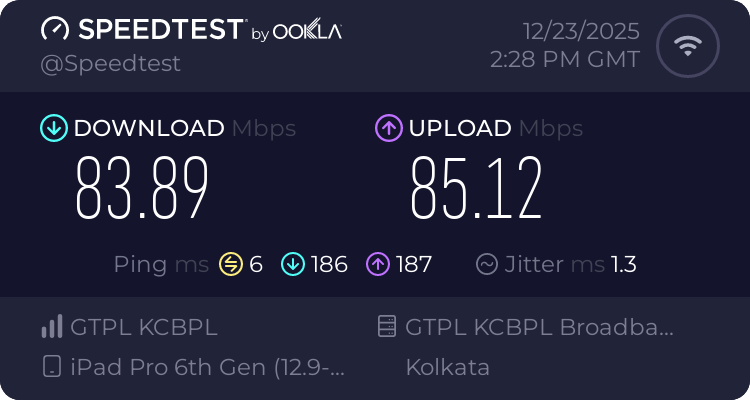
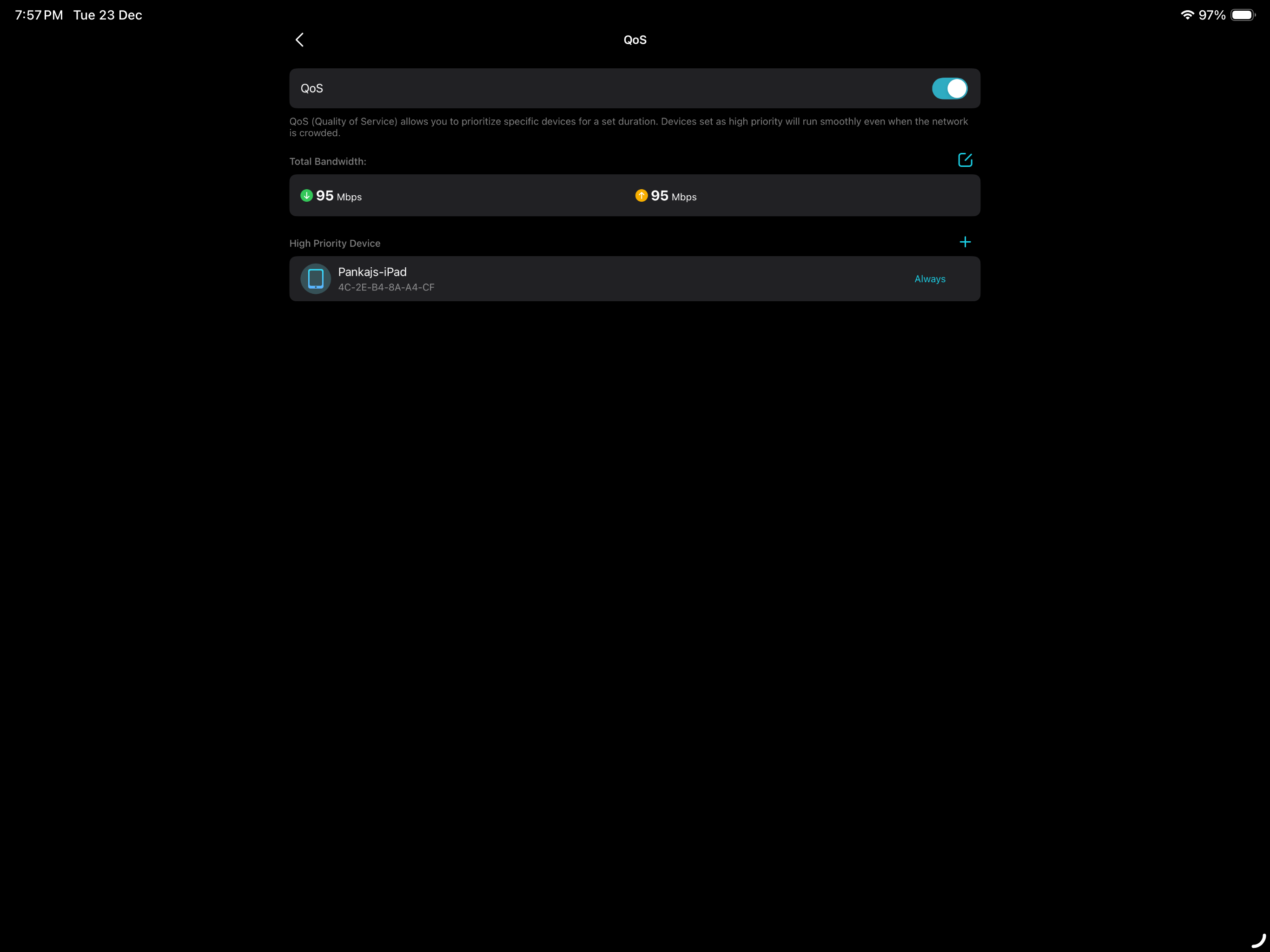 Qos enabled

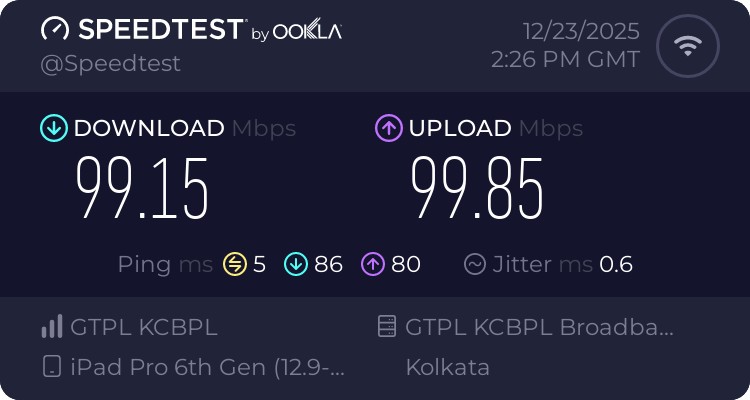
@Joseph-TP Qos disable
- Copy Link
- Report Inappropriate Content
@Joseph-TP I am using 100mbps fiber optic broadband connection
- Copy Link
- Report Inappropriate Content

@Pankajuuuuu I have the same problem, except that i use EU version of the router, still v1 firmware hardware version tho, but yeah
- Copy Link
- Report Inappropriate Content
- Copy Link
- Report Inappropriate Content
- Copy Link
- Report Inappropriate Content
@Joseph-TP please solve this issue bro
- Copy Link
- Report Inappropriate Content
Hi @Pankajuuuuu ,
Thanks for getting back to me.
May I know if your network topology diagram is as follows:
ISP modem—router )))((( client devices
(Note: — stands for wired connection,)))((( stands for wireless connection )
Based on the screenshots you provided, the speed difference between enabling and disabling QoS is approximately 10Mbps.
Could you please tell me what network activity you primarily use for enabling QoS?
Before this, did enabling QoS not result in a significant increase in latency?
- Copy Link
- Report Inappropriate Content
Hey @Harutolist ,
Welcome to our community.
May I know the model, firmware and hardware version of your router? Please refer to
How to find the model number of your TP-Link device
How to find the hardware and firmware version of my TP-Link device
Have you enable QoS feature on your router? If it also cause the instability and latency, plesae send the screenshots with test results here.
Also, could you please tell me what network activity you're primarily using QoS for? Before this, did enabling QoS not result in a significant increase in latency?
- Copy Link
- Report Inappropriate Content
@Joseph-TP Syrotech SY-GPON-1000R-DONT is a 1-port Gigabit GPON ONT/ONU designed for FTTH/FTTO applications, featuring 2.488Gbps downlink, 1.244Gbps uplink speeds, and ITU-T G.984 compliance. This non-Wi-Fi, bridge-mode device is compatible with GPON OLTs and includes a 12V/0.5A power adapter.
I am in a ftth connection that onu is in bridge mode
the one i have mentioned and the power the onu is receiving is
- 16.34 and its a very clean connection this onu is connected to the routers wan port
by the ethernet cable that i have recieved in the routers box
Its. A cat 5e cable and the cable is in brand new condition thats it the Topology
- Copy Link
- Report Inappropriate Content
Information
Helpful: 2
Views: 4443
Replies: 42
Voters 1