
Slow Speed while using AX 1800 TX20U Nano wi-fi adaptor

I am really facing tough times with the TP-Link router and now with the TP-Link Archer TX20U Nano wireless adapter, as I am hardly getting any speed on a 5G network. When I am doing a speed test using my laptop's Wi-Fi 6E card, I am getting speeds up to 300 Mbps over a 1 Gbps plan, whereas when I switch to the TP Link Adapter, the speeds decline to 100 Mbps on the same 5G connection.
- Copy Link
- Subscribe
- Bookmark
- Report Inappropriate Content

Hi,
It's difficult to judge the situation without knowing how far the Wi-Fi router and Wi-Fi adapter are apart from each other and whether any objects are located between them.
To verify the Archer TX20U Nano is fundamentally working, it's speed should be tested with the laptop being placed right next to the Wi-Fi router, like 1 or 2 meters apart.
AlokJain wrote
... When I am doing a speed test using my laptop's Wi-Fi 6E card, I am getting speeds up to 300 Mbps over a 1 Gbps plan, whereas when I switch to the TP Link Adapter, the speeds decline to 100 Mbps on the same 5G connection.
That's not really a fair comparison. The antennas of Wi-Fi cards built into laptop computers are commonly installed near the edges of the lid (i.e. in the bezel of the screen). Such antennas are something like 10x to 20x larger in physical size than the super-tiny antennas used inside "Nano" USB adapters.
- Copy Link
- Report Inappropriate Content
Hi,
It's difficult to judge the situation without knowing how far the Wi-Fi router and Wi-Fi adapter are apart from each other and whether any objects are located between them.
To verify the Archer TX20U Nano is fundamentally working, it's speed should be tested with the laptop being placed right next to the Wi-Fi router, like 1 or 2 meters apart.
AlokJain wrote
... When I am doing a speed test using my laptop's Wi-Fi 6E card, I am getting speeds up to 300 Mbps over a 1 Gbps plan, whereas when I switch to the TP Link Adapter, the speeds decline to 100 Mbps on the same 5G connection.
That's not really a fair comparison. The antennas of Wi-Fi cards built into laptop computers are commonly installed near the edges of the lid (i.e. in the bezel of the screen). Such antennas are something like 10x to 20x larger in physical size than the super-tiny antennas used inside "Nano" USB adapters.
- Copy Link
- Report Inappropriate Content
@woozle I have tried even keeping just besides the router which is 0 meters from the router
- Copy Link
- Report Inappropriate Content
If you are next to the router, then even the 300 Mbps of the laptop's Wi-Fi 6E card seems really low for a 5 GHz network. There must be something that's not right.
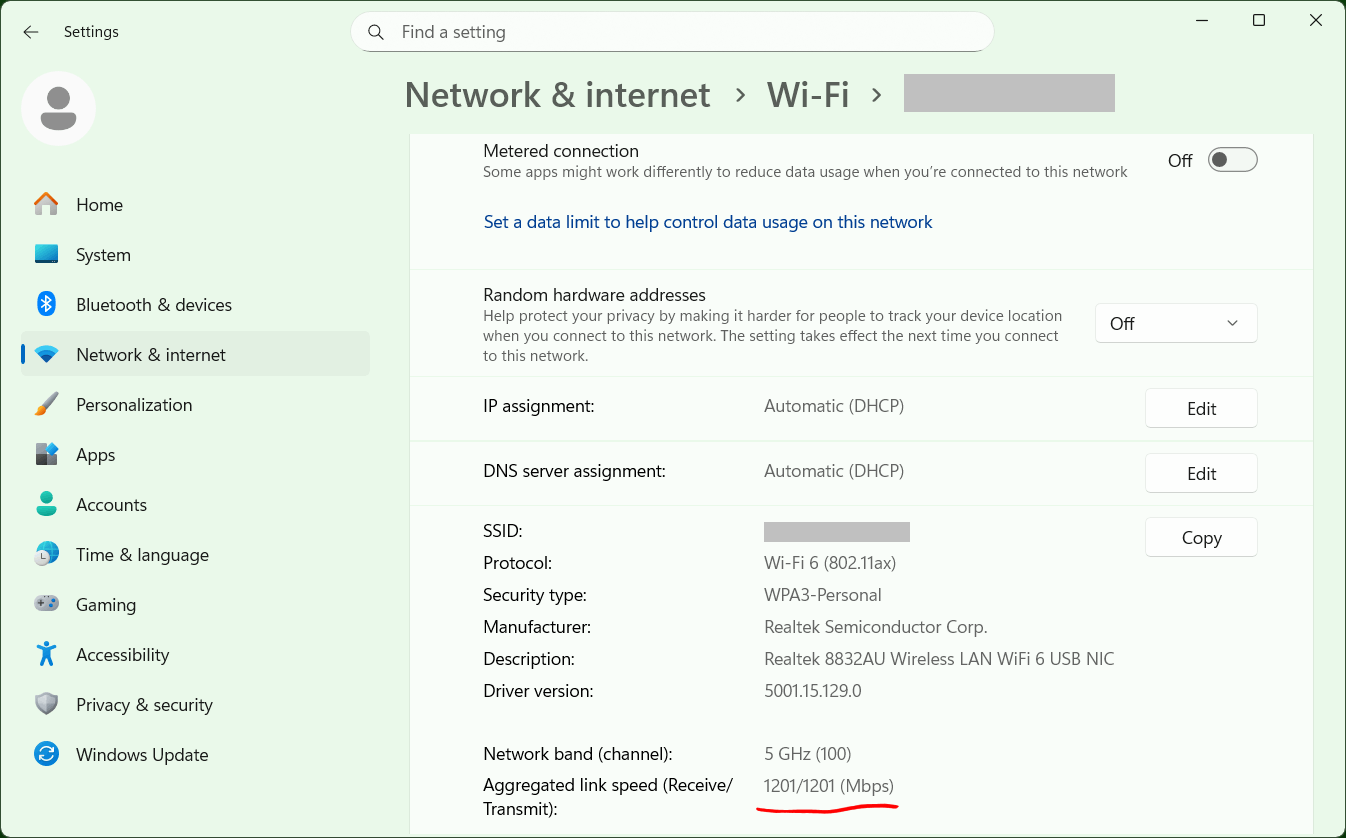
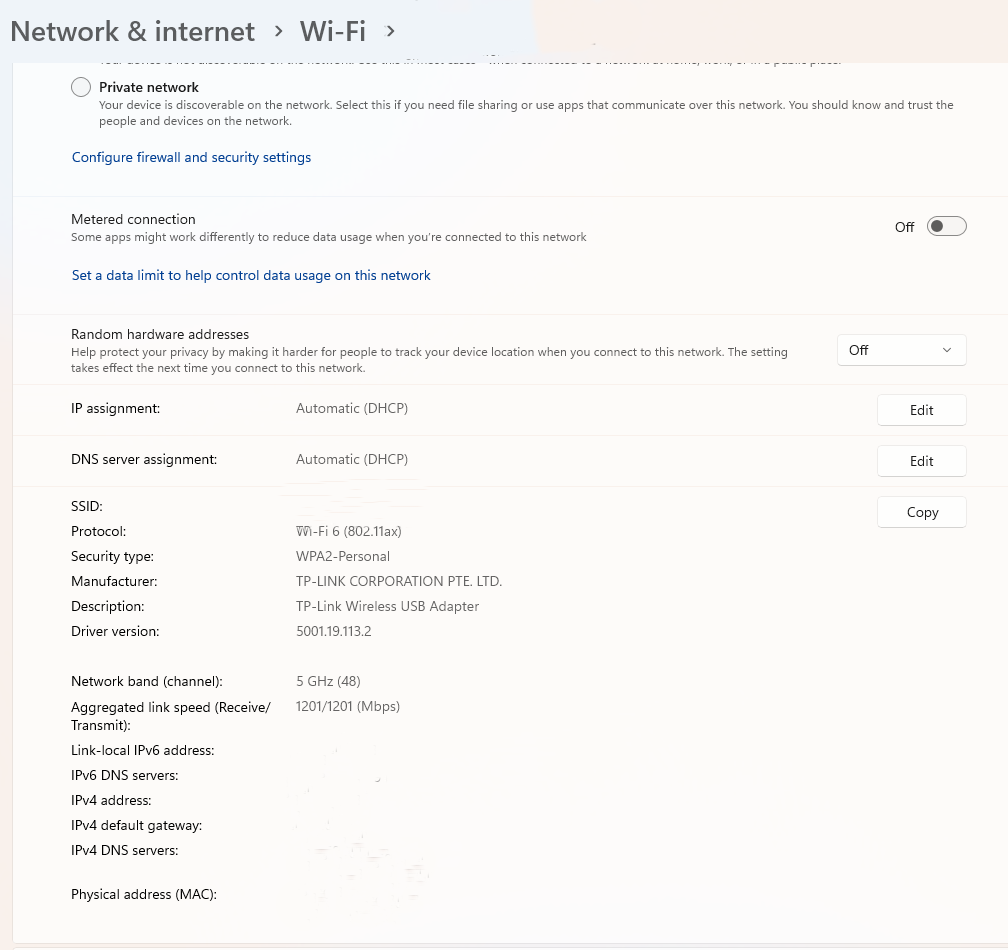
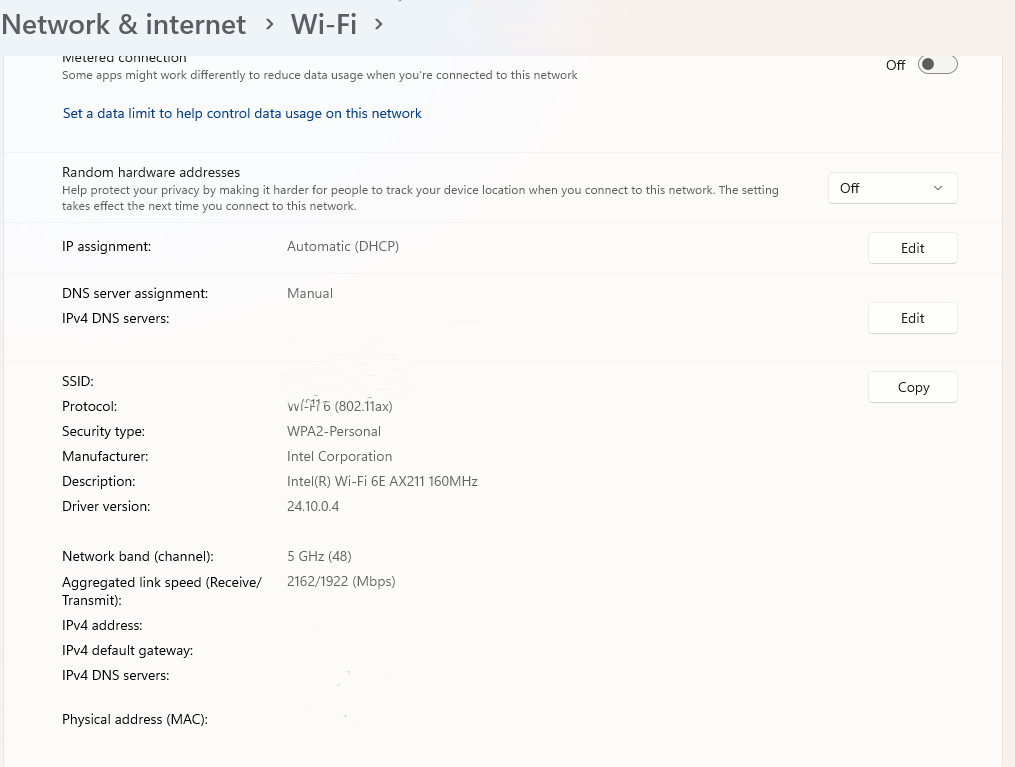
Can you please look up the "link speeds" of both, the TX20U Nano and the laptop's Wi-Fi 6E card within the "Properties" screen of the Wi-Fi connections?
- Copy Link
- Report Inappropriate Content
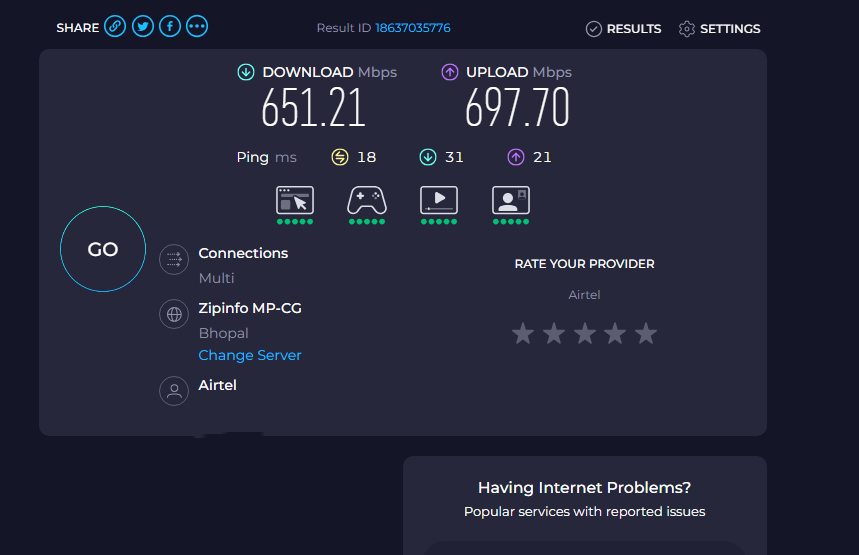
@woozle I opened a separate thread on the overall slowness of the TP Link AX300 XX530V Router. I am not getting sufficient speeds on LAN or Wi-Fi, either on the ISP-provided OLT or when I have converted the TP-Link AX3000 router to the primary OLT. Link to the thread is Slow Speed on TP Link XX530v main router over Airtel 1 Gbps Plan. Please help me on both the things if possible or redirect me to the correct person or forum where I can provide substantial evidence to the ISP that the slowness is on their backend part and what they have to rectify to resolve the issue.
Laptop Wi-Fi Adapter
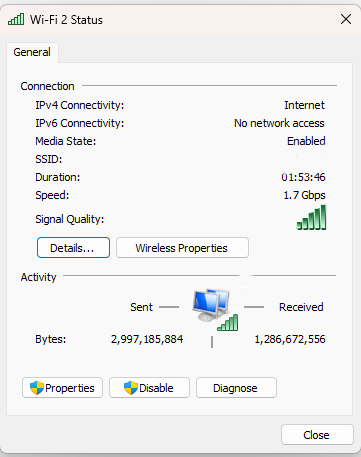
Speed Test Result on TP Link Adapter
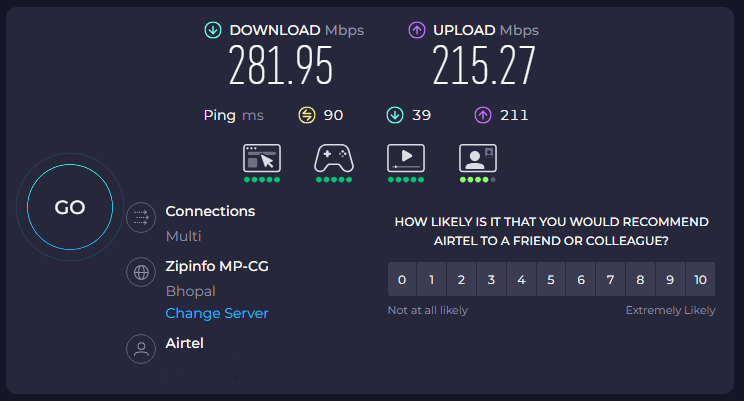
TP Link Wifi Adapter
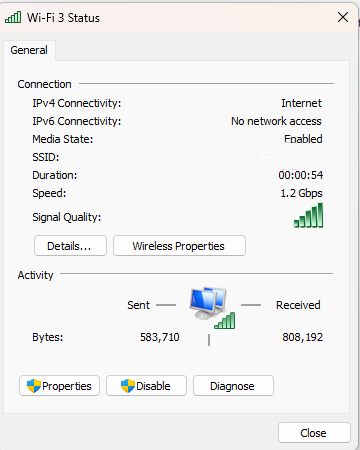
TP Link Adapter Settings
Laptop in built Adapter Settings
Speed test results on Laptop Wi-Fi
- Copy Link
- Report Inappropriate Content
The Intel AX211 is actually a very good Wi-Fi card. Given that it is rated at 2402 Mbps and the TX20U Nano is rated at 1201 Mbps, it's not too unusual that the AX211 is twice as fast in the Speedtest results.
But it's indeed weird that both the AX211 and the TX20U Nano are performing so poorly.
Would it be possible for you to test with another Wi-Fi router at your place, for comparison?
By the way, if you notice that the speedtest.net website shows lower speeds than the Speedtest.net Desktop app, like you mentioned in the other thread, then you should definitely use the app. The website uses quite a lot of CPU performance and gives wrong results if the computer is not fast enough to handle it.
- Copy Link
- Report Inappropriate Content

@AlokJain Did you find a solution as I'm having the same issues with speeds?
- Copy Link
- Report Inappropriate Content
Information
Helpful: 0
Views: 4565
Replies: 6
Voters 0
No one has voted for it yet.