
Solution Reported Issue and Workaround: Unable to Export OpenVPN Configuration File on Deco
Solution Reported Issue and Workaround: Unable to Export OpenVPN Configuration File on Deco


This Article Applies to:
Deco models that support OpenVPN Server
Phenomenon Description:
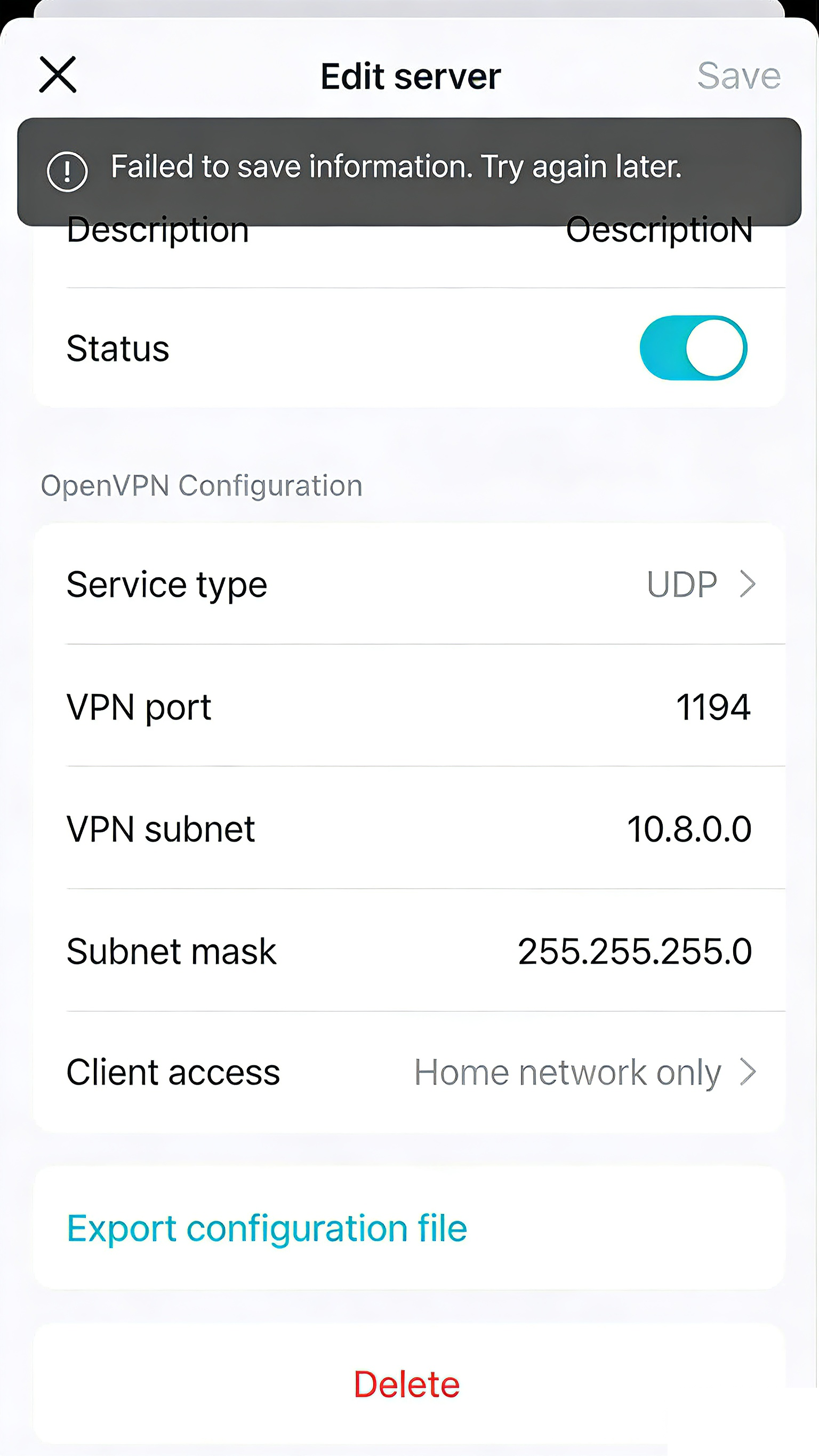
When configuring a VPN Server with OpenVPN on the Deco, users reported that whenever trying to export the config file, an error message popped up: "Failed to save the information. Please try again later".
It typically occurs in mixed-model Deco mesh networks where the Main Deco unit and one or more Satellite Deco units have differing support for the VPN Client Kill Switch feature.
A similar feedback can be found in #847706 and #846504.
Possible Solution:
- A new firmware will be released in the future to ensure smooth configuration export in all network setups. We will provide updates as the firmware becomes available.
- Currently, it is recommended to temporarily power off all Satellite Deco units first. Once the file is saved/exported, power back on the Satellite Deco units to restore the mesh network.
- Copy Link
- Subscribe
- Bookmark
- Report Inappropriate Content

What is the planning / roadmap for the new firmware for the issue "Reported Issue and Workaround: Unable to Export OpenVPN Configuration File on Deco"?
A similar feedback can be found in #847706 and #846504 and #854128
the latest is 1.3.1 Build 20251023 rel. 47884 for XE75 Pro device
because I need VPN to my home
- Copy Link
- Report Inappropriate Content
Hi, welcome to the community.
Apart from Deco XE75 Pro, do you have any other Deco models in the Mesh network?
Could you please refer to this link to help me submit the Deco App log:
Wait for your reply.
Best regards.
- Copy Link
- Report Inappropriate Content
Yes indeed,
0) modem Internet Provider (Bridge mode) wired
1) main Deco XE75 Pro wired
2) Deco XE75 Pro (office 2 floor) wired
3) Deco M4R (office first floor wired
4) Deco M5 (garden home) by air
Regards, Carlo
- Copy Link
- Report Inappropriate Content
Hi, thanks for the update.
If you temporarily power off the satellite Deco M5 and Deco M4, can you export the VPN configuration file properly?
A new 1.4.0 firmware for Deco XE75 Pro is ready for testing. It is also recommended to test this new firmware to see whether it helped:
Firmware 1.4.0 for Deco XE75/XE5300/XE75 Pro_V2/V3 Added Wi-Fi Access Control, WireGuard VPN & More
Wait for your reply.
Best regards.
- Copy Link
- Report Inappropriate Content
unfortunately it almost worked, I first turned off the other type of decos and then I could create (download) the openvpn file. Then I installed the beta A new 1.4. 0 firmware for Deco XE75 Pro. And switch the other Deco's models on. But now the network is very unstable and slow. I had tested the OPENVPN (there was a connection). So I want to downgrade ASAP . Please can you help me again. Regarding Carlo
- Copy Link
- Report Inappropriate Content
Hi, the firmware downgrade needs to be implemented via firmware recovery:
How to use firmware recovery if the Deco become brick
But as the 1.4.0 firmware has just been released, the engineers are very concerned about the feedback. If you could add more details about the "slow and unstable" connection, they would be glad to help us find a workaround.
- Have you seen any Deco turn red/flashing red when the network is unstable?
- Can I have the model numbers of the mobile clients that randomly dropped out?
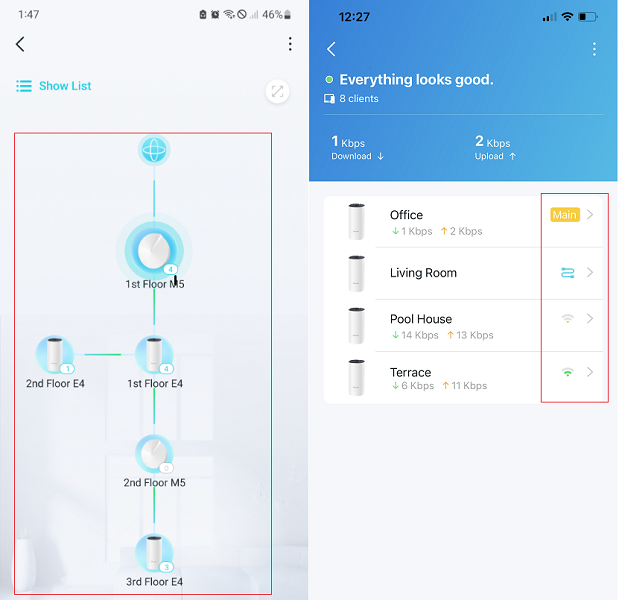
- Can I have some screenshots of the network maps on the Deco App, such as:
Wait for your reply.
Best regards.
- Copy Link
- Report Inappropriate Content
Hi David,
- Have you seen any Deco turn red/flashing red when the network is unstable?, sorry not seen
- Can I have the model numbers of the mobile clients that randomly dropped out?, on my smartphone, Samsung S25 FE the speed is very , very slow ........ (also my daughters smartphone, it's same model)
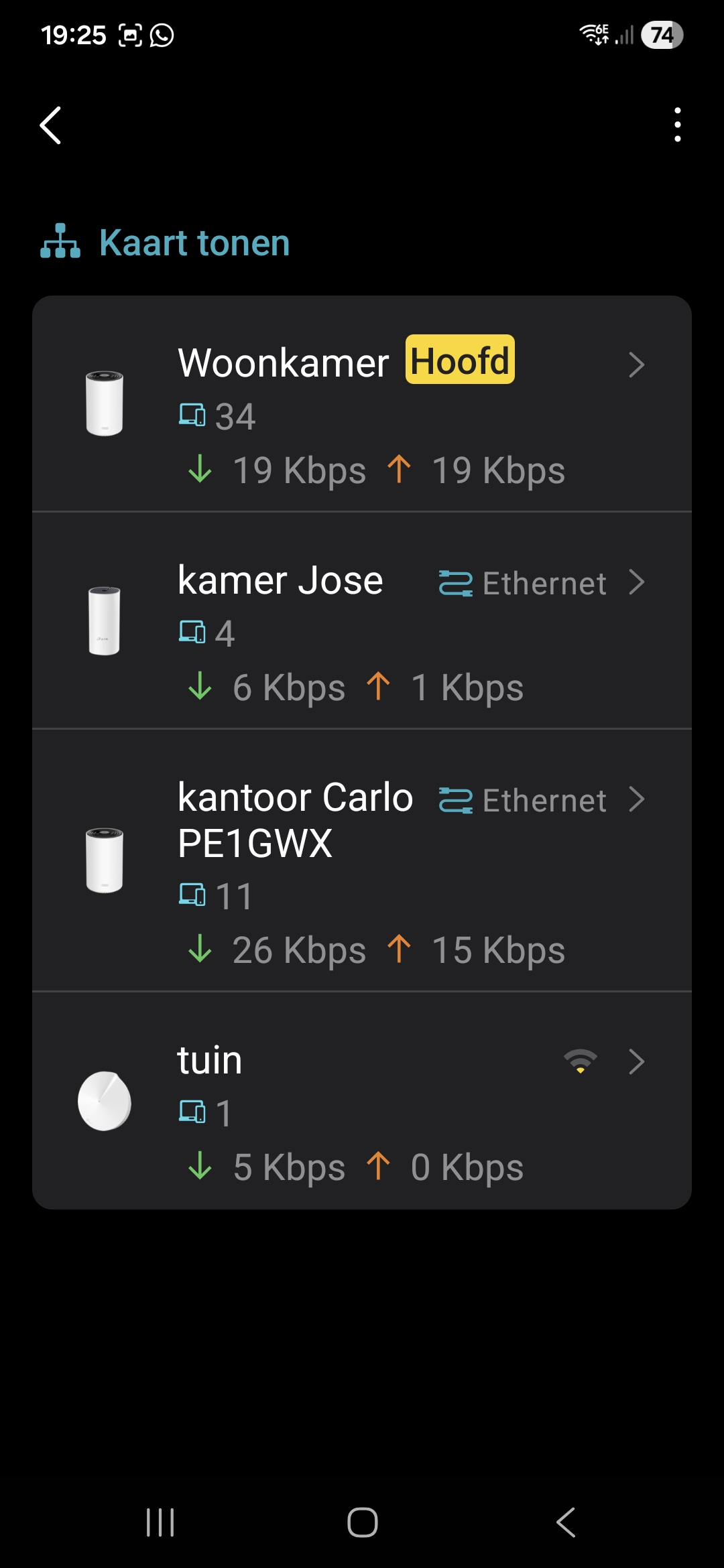
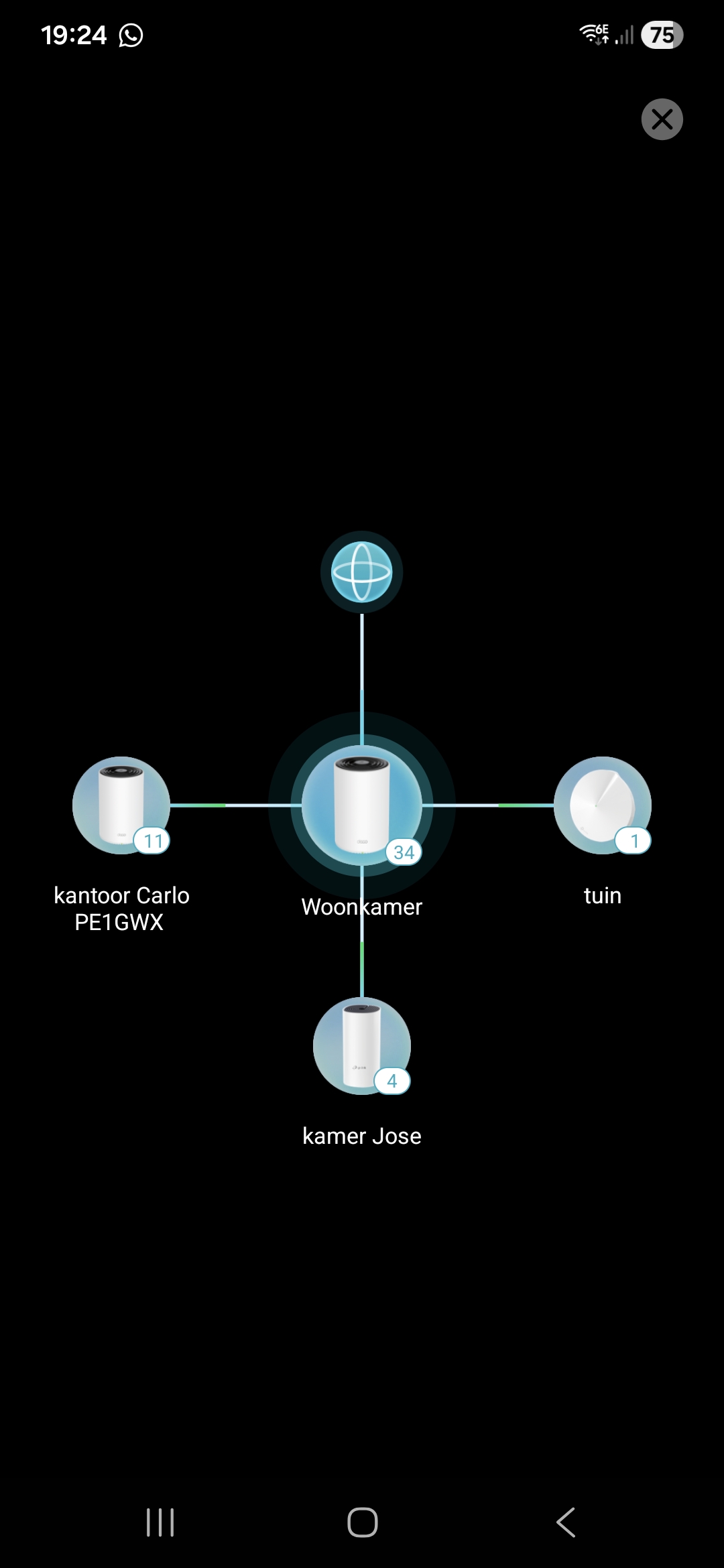
Even on PC (wired normal almost 1 GB and now les than 100 MB secs.
- Copy Link
- Report Inappropriate Content
Hi, thanks for the update.
I also noticed that you had submitted an APP feedback.
It seems like the main Deco XE75 Pro is still on the official 1.3.1. Did you already have it downgraded to 1.3.1? Or is this a spare new Deco XE75 Pro that hasn't been updated to the 1.4.999 beta?
"on my smartphone, Samsung S25 FE the speed is very , very slow ........ (also my daughters smartphone, it's same model)"
-How about the speed test results on the Samsung mobile phones?
-Have you checked the PHY rate on the mobile phone, such as:
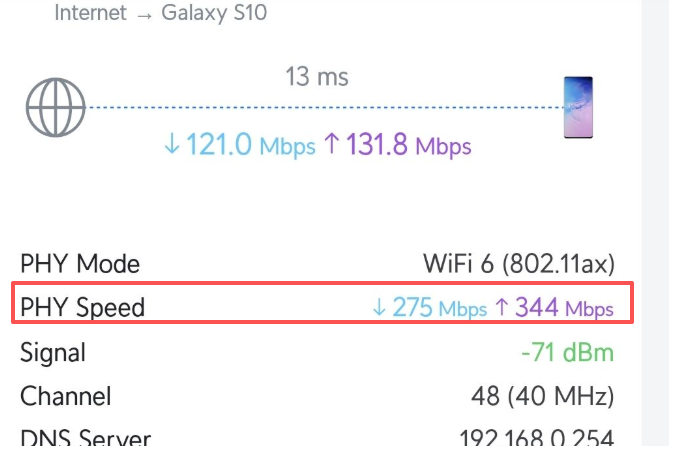
-Samsung Galaxy S25 FE seems capable of 6GHz. Do you connect it to the 5GHz or 6GHz on the Deco?
For the wired speed on the PC, is it connected directly to the main Deco( or one of the satellite Ethernet Backhaul Deco XE75 Pro) via an Ethernet cable?
-Have you tried unplugging/plugging the Ethernet cable, then restarting the PC once?
Wait for your reply.
Best regards.
- Copy Link
- Report Inappropriate Content
Hi David,
-Samsung Galaxy S25 FE seems capable of 6GHz. Do you connect it to the 5GHz or 6GHz on the Deco?,
On the display of the Samsung S25 , it's trying 6GHz, it's strange because in theneighbor of the main Deco (old Firmware) , it working fine
But in the neighborsr of the 2 other Deco's (with new Beta firmware, tried on 6GHz Wifi is very unstable
For the wired speed on the PC, is it connected directly to the main Deco( or one of the satellite Ethernet Backhaul Deco XE75 Pro) via an Ethernet cable? YES
All Deco;s are wired connect
-Have you tried unplugging/plugging the Ethernet cable, then restarting the PC once?, of course :)
- Copy Link
- Report Inappropriate Content
Hi David,
Please I am still waiting for the downgrade file & process !
Who can help ?
Regards Carlo
- Copy Link
- Report Inappropriate Content
Information
Helpful: 0
Views: 2148
Replies: 14
Voters 0
No one has voted for it yet.