
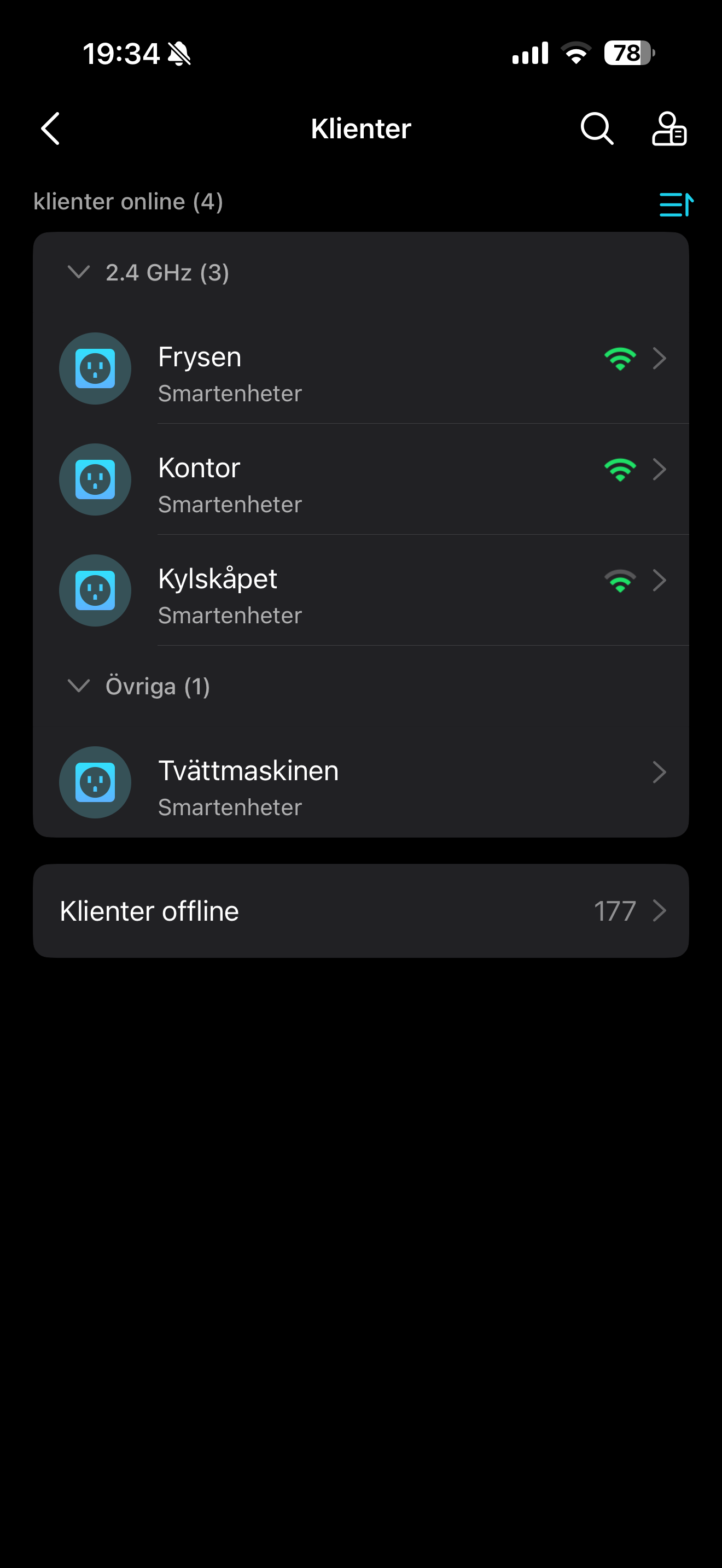
All clients (Except my TAPO-devices) show as offline

All clients (Except my TAPO-devices) show as offline

All clients (Except my TAPO-devices) show as offline
2 weeks ago - last edited a week ago
Model: Deco M9 Plus  
Hardware Version: V20
Firmware Version: 1.9.1 Build 20250612 Rel. 45690

Hi,


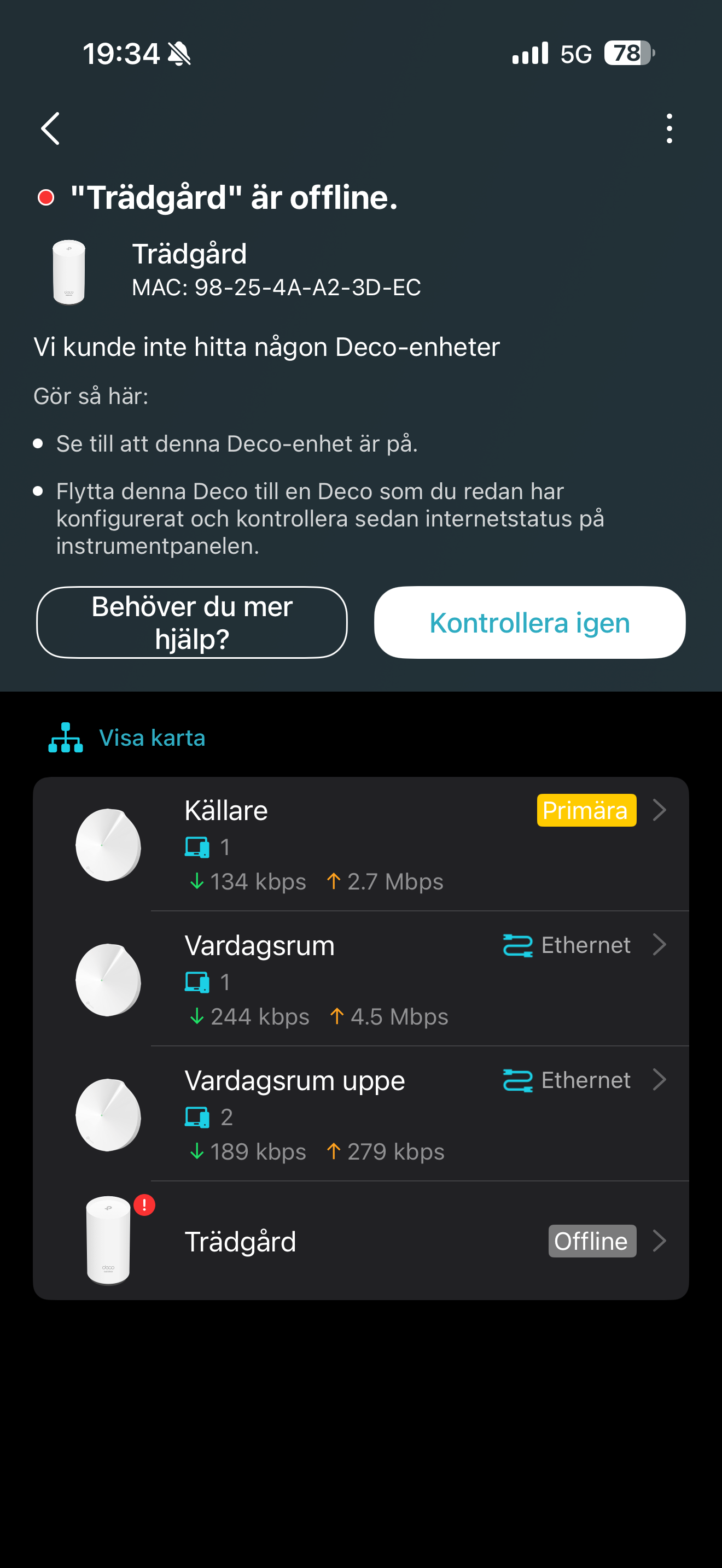
So I've had a constant problem since the beginning of december. All clients (both wired and wireless) show as offline in the DECO-app, except my 4 TP-Link TAPO smart plugs. I have about 10 devices connected through ethernet and about 40 or 50 connected through wifi, and everything shows as offline. My entire DECO-network is running on an ethernet backhaul and I have my guest network activated. I have three M9 Plus and one X50-Outdoor (that is not currently connected).


What could be wrong? I need to get this fixed as soon as possible. This was for about a year until the beginning of december.


bd78d80aa9154af785a67be09d6b97c6

  1      
  1      
#1
Options
1 Accepted Solution
Re:All clients (Except my TAPO-devices) show as offline-Solution
a week ago - last edited a week ago

Hi David, Thanks for getting back to me and sorry for keeping you waiting! I have now sent my logs through the app like in the article you described. I also entered the message "replyId=1655944 from the EN forum" in the email body so maybe you can search for that in your CRM-system. :)


Restarting the whole mesh network has done absolutely nothing. I've read other topics where people have gotten their offline clients showing again by just rebooting the whole network, but it does absolutely nothing for me. Resetting the network would be A LOT of work as I use quite a lot of different wifi-plugs offline (through home assistant OS) that have reserved adresses because otherwise the connection to HAOS breaks. And I guess resetting the network actually removes all settings and goes back to factory defaults?


Edit: Do you want to know something funny??! Nothing I've tried doing since the beginning of december has helped... But somehow sending the logs to you made the network refresh and got all my clients back! This HAS to be some kind of bug somewhere. But at least now I know how to get them back. Let me know if you need something more from me and I'll gladly try helping you pinpoint the problem in the application. At least now we've got a clue as to what is happenin.

Recommended Solution
  1  
  1  
#3
Options
2 Reply
Re:All clients (Except my TAPO-devices) show as offline
2 weeks ago - last edited 2 weeks ago

  @Giddorah 

Hi, thank you very much for the feedback.

Could you please refer to this link to help me submit the Deco App log:

How to submit Deco APP log


Did restarting the whole Mesh network help?

Have you tried resetting the Mesh network once before?


Wait for your reply.

Best regards.


  0  
  0  
#2
Options
Re:All clients (Except my TAPO-devices) show as offline-Solution
a week ago - last edited a week ago

Hi David, Thanks for getting back to me and sorry for keeping you waiting! I have now sent my logs through the app like in the article you described. I also entered the message "replyId=1655944 from the EN forum" in the email body so maybe you can search for that in your CRM-system. :)


Restarting the whole mesh network has done absolutely nothing. I've read other topics where people have gotten their offline clients showing again by just rebooting the whole network, but it does absolutely nothing for me. Resetting the network would be A LOT of work as I use quite a lot of different wifi-plugs offline (through home assistant OS) that have reserved adresses because otherwise the connection to HAOS breaks. And I guess resetting the network actually removes all settings and goes back to factory defaults?


Edit: Do you want to know something funny??! Nothing I've tried doing since the beginning of december has helped... But somehow sending the logs to you made the network refresh and got all my clients back! This HAS to be some kind of bug somewhere. But at least now I know how to get them back. Let me know if you need something more from me and I'll gladly try helping you pinpoint the problem in the application. At least now we've got a clue as to what is happenin.

Recommended Solution
  1  
  1  
#3
Options