Device Isolation vs. UDP Broadcasts on Ethernet Backhaul

Hi everyone,
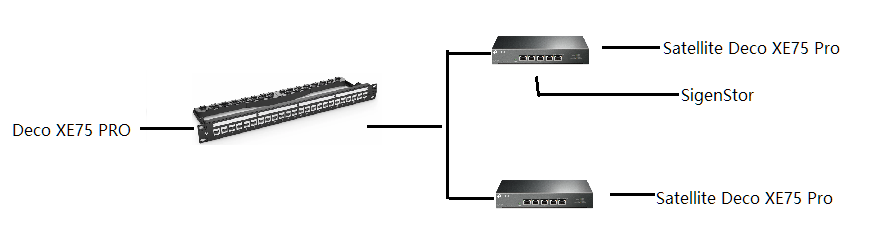
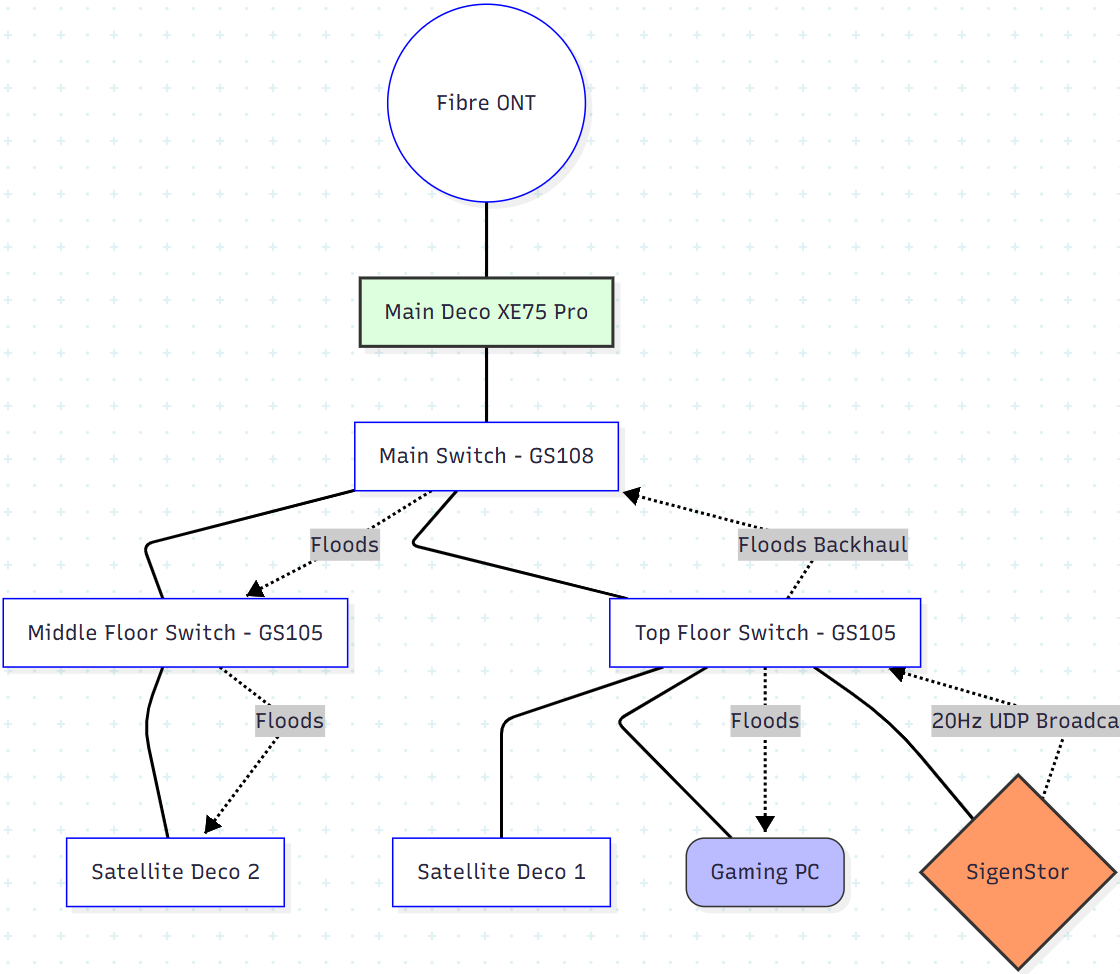
I’ve just upgraded my home network from an old Google Nest Mesh to a Deco XE75 Pro (3-pack). My setup is a wired "star" topology across three floors:
-
Main Deco -> Main Switch -> Individual runs to each floor.
-
Satellite Decos -> Plugged into "dumb" switches on their respective floors.
-
Backhaul: All units show as "Ethernet" in the app.
-
The Problem: I have a very chatty battery storage system (SigenStor) wired into one of the remote switches. It emits a constant UDP broadcast on Port 21320 at roughly 20Hz. This "heartbeat" is flooding my entire wired backbone and is even visible to wireless clients on both my Main and IoT networks.
Device Isolation Issue: I applied the "Device Isolation" feature in the Deco app to this specific device. While I expected this to "mute" the device, the 20Hz broadcast is still hitting every client on the network.
My Questions:
-
How exactly does Device Isolation work? It seems to block unicast (device-to-device) traffic but completely ignores Layer 2 broadcasts. Is this intended behavior, or is there a way to make it drop broadcast packets at the source node?
-
Managed Switches & VLANs: Since my switches are currently "dumb," they are blindly repeating this noise. If I upgrade to managed switches (e.g., TL-SG105E) to use Port-Based VLANs or Storm Control, will the Deco system play nice?
-
I don't see any advanced VLAN/Tagging options in the Deco app for the Main/IoT networks other than for IPTV. How should I best architect this to kill the broadcast noise without breaking the Ethernet Backhaul?
Any advice from someone who has successfully "silenced" a chatty wired device on a Deco mesh would be greatly appreciated!
JM