
Slow upload speed be65 6Ghz

After upgrading my home internet speed to 1000/500, I noticed that upload speed, on Access Point mode, goes up to ~300 mbps. I've tried all bands and channels with no luck.
On Router Mode when enabling QoS at 1100/550, everything is OK.
Tests performed with my iPhone 15 pro and Samsung Galaxy s20.
After resetting device nothing changed.
Using it on Router mode is not an option for me.
Any thoughts/suggestions?
- Copy Link
- Subscribe
- Bookmark
- Report Inappropriate Content


Hi, thank you very much for the update.
I'll follow up on your case via email and ask the senior engineer for further assistance.
The 1.3.0 and 1.2.0/1.2.10 are crossing different firmware platforms. 1.3.0 can't be downgraded to 1.2.x directly via web UI.
How many Deco units do you have?
-Can you provide a simple layout of how the Deco units are connected to the Network?
-Would there be any network switches?
Wait for your reply.
Best regards.
- Copy Link
- Report Inappropriate Content
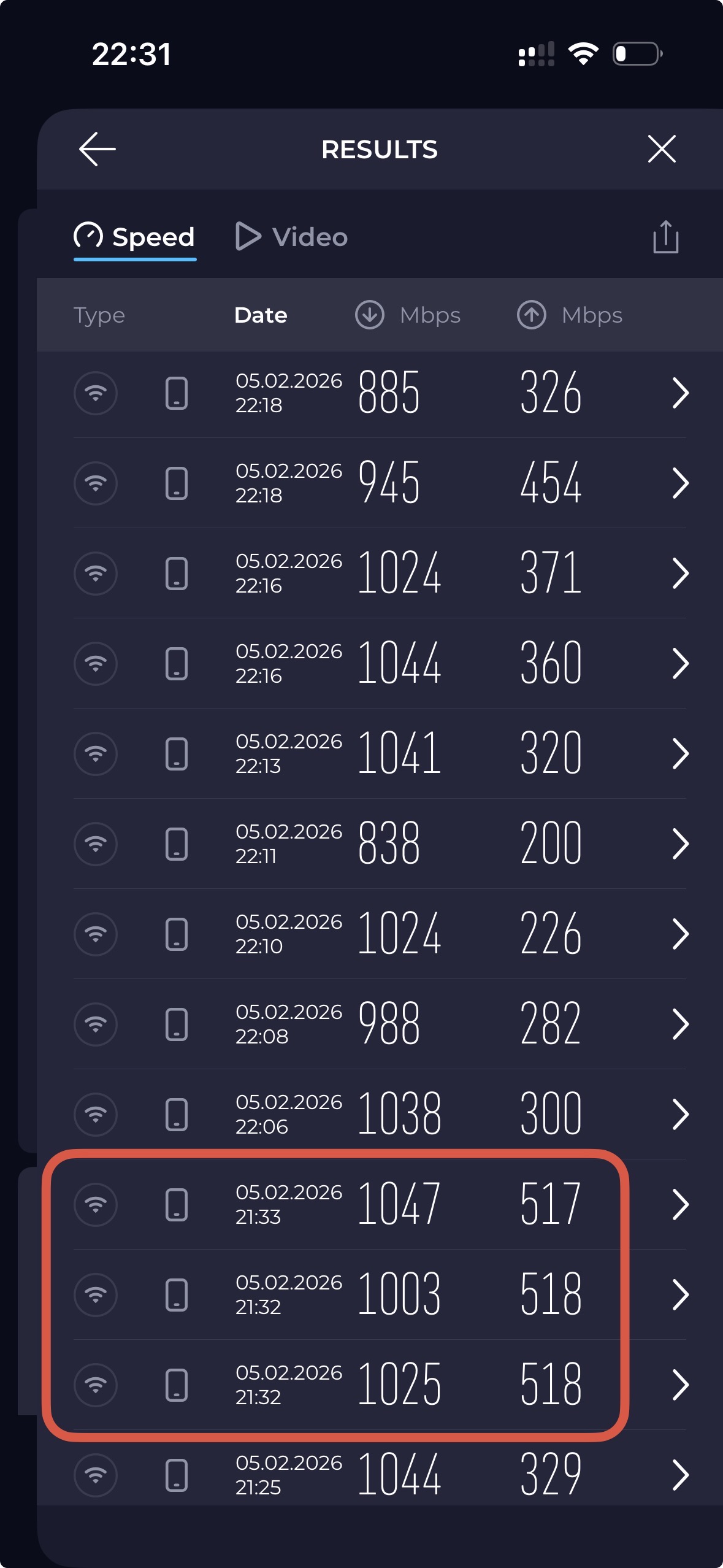
Those 3 are on Router mode.
- Copy Link
- Report Inappropriate Content
HI, it is recommended to test the 1.3.0 firmware here to see whether it helped:
Deco BE65/BE63/BE11000_V2_1.3.0 Added DoH & DoT, Speed Limit and Internet Backup
Wait for your reply.
Best regards.
- Copy Link
- Report Inappropriate Content
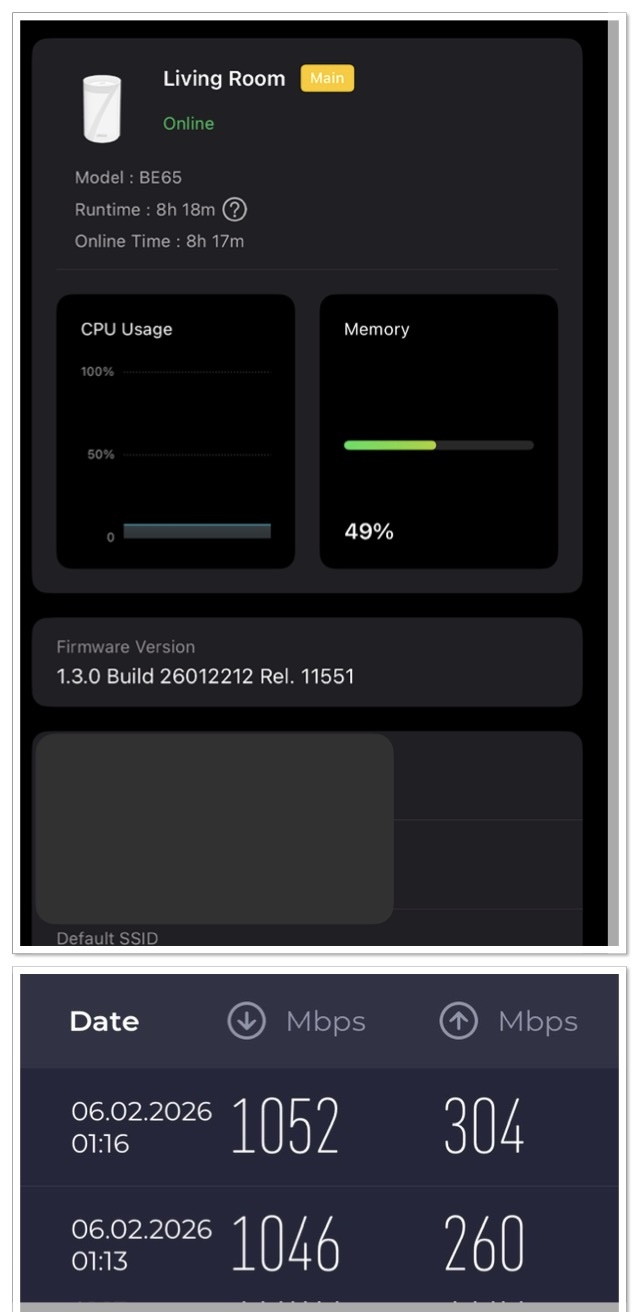 @David-TP
- Copy Link
- Report Inappropriate Content
I never tried 1.2.10 btw.
Is there any chance 1.2.10 to have this issue resolved?
I tried to downgrade to 1.2.10 from 1.3.0 via web but I got an error, is there any other way to downgrade?
- Copy Link
- Report Inappropriate Content
- Copy Link
- Report Inappropriate Content
Hi, thank you very much for the update.
I'll follow up on your case via email and ask the senior engineer for further assistance.
The 1.3.0 and 1.2.0/1.2.10 are crossing different firmware platforms. 1.3.0 can't be downgraded to 1.2.x directly via web UI.
How many Deco units do you have?
-Can you provide a simple layout of how the Deco units are connected to the Network?
-Would there be any network switches?
Wait for your reply.
Best regards.
- Copy Link
- Report Inappropriate Content

Any update to this? I'm having the exact same problem with low and inconsistent upload speeds ranging from 150-300 mbps that started at some point after february this year. I've factory reset both my BE65 and the problem persists. I've tested my clients with iperf3 and they're all within acceptable ranges around 950+/950+ both wired and wifi. It's not an ISP problem because if I remove the main deco and connect my PC directly to WAN I get my 1000/1000 speeds.
Edit: I use my BE65 in router mode and not AP mode as OP, but the symptoms are the same.
- Copy Link
- Report Inappropriate Content
If you are on Router mode, try enabling QoS to much your internet download/upload speed.
I had no issue when on Router mode with QoS enabled.
My issue described on 1st post, had nothing to do with Deco, but it had to do with the gpon sfp installed on my mikrotik router.
- Copy Link
- Report Inappropriate Content
Hi, thanks for the response.
I have tried your suggestion but it did not help, I'm starting to lean into that it might be an ISP issue after all, if I use a different speedtest website commonly used in my country, the speed is 500/1000, while speedtest.net has been showing 1000/300 for weeks.
I also noticed a lot of packet loss when running iperf3 over WAN, with speeds around 50 mbps. Tested on a 800 mbit 5g connection. My ISP will send a technician to check it out in the near future so hopefully that resolves my problem as well.
- Copy Link
- Report Inappropriate Content
Information
Helpful: 1
Views: 449
Replies: 9
Voters 1