ARCHER GE800 V1 BIG BUG (GIVE PRIORITY TO FIX)

ARCHER GE800 V1 BIG BUG (GIVE PRIORITY TO FIX)

ARCHER GE800 V1 BIG BUG (GIVE PRIORITY TO FIX)
Yesterday
Model: Archer GE800  
Hardware Version: V1
Firmware Version: 1.3.3 Build 20260210 rel.43232(4555)

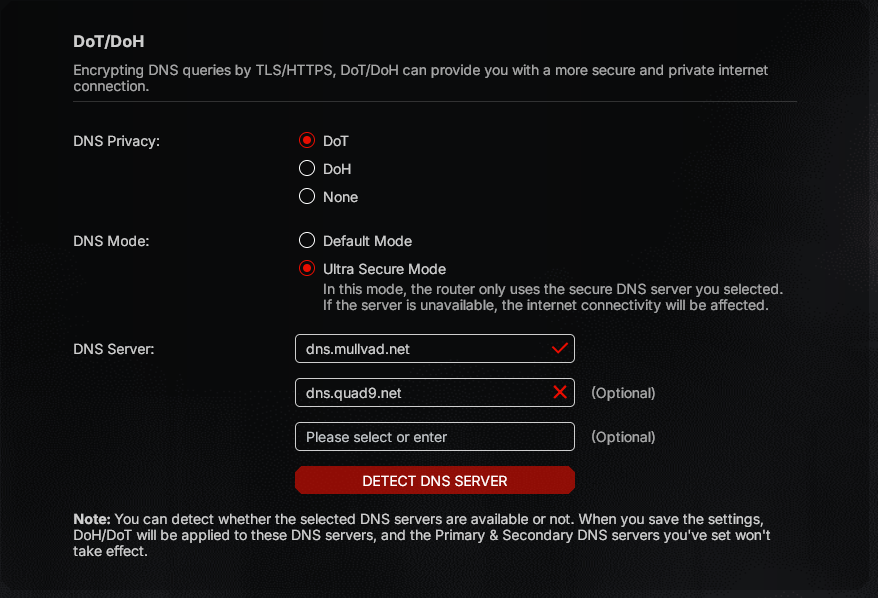
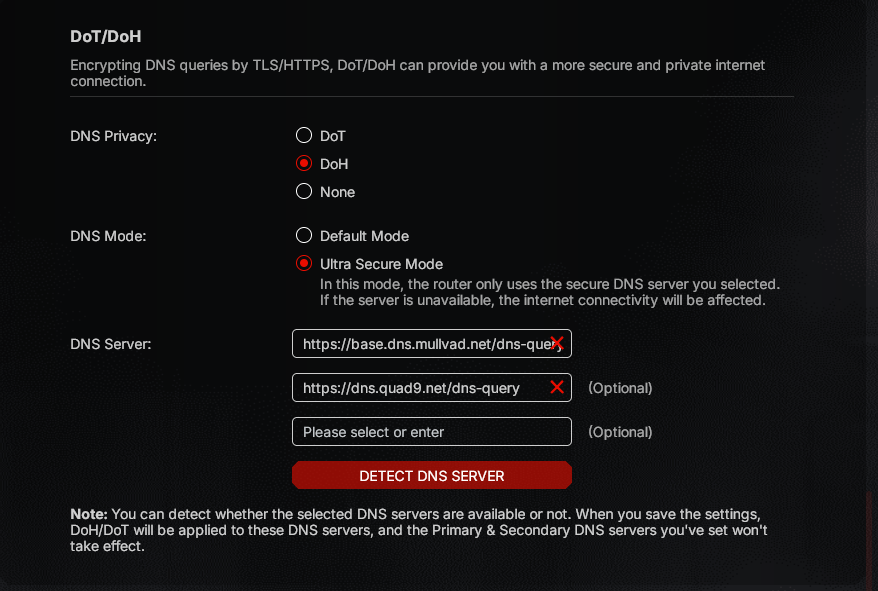
DOH and DOT are bugged, doing Check, it see X state but they are correct.
DOH with QUAD9, NEXTDNS and so on doesnt work.
Using DOT instead always X State but they work, but router cant connect to TPLINK ID because say is offline, but there is internet, internet work.
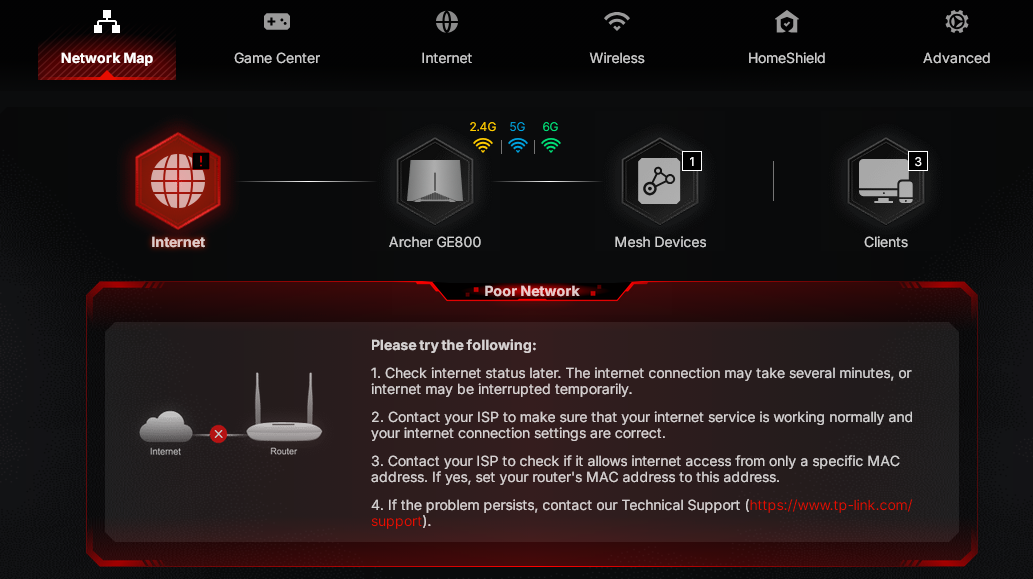
It network map it say also is offline, but i repeat internet work, i can navigate with WIFI and CABLE.
  0      
  0      
#1
Options
1 Reply
Re:ARCHER GE800 V1 BIG BUG (GIVE PRIORITY TO FIX)
9 hours ago

Hello @Toriga ,

Welcome to our community.


Here are some Troubleshooting steps that may help:

1. Try Default Mode instead of Ultra Secure Mode: In Advanced > Network > Internet > DoH/DoT section, if you're using "Ultra Secure Mode", try switching to "Default Mode". In Default Mode, the router will use your specified secure DNS servers first, but if these are unavailable, it will fall back to the default DNS server. 

2. Temporarily disable DoH/DoT: To verify this is causing the TP-Link ID connection issue, temporarily set the DoH/DoT option to "None" and check if the router can connect to TP-Link ID and shows online in Network Map.

3. Verify DNS server addresses:
   • For DoT, make sure you're using the correct server name format (e.g., "dns.quad9.net" or "dns.nextdns.io" with your configuration ID)
   • For DoH, verify the complete URL format (e.g., "https://dns.quad9.net/dns-query")

  0  
  0  
#2
Options