TP-Link Omada ER605 v2.20 Dual WAN - T-Mobile ODU/IDU, WAN1 offline

Hi, I am using a TP-Link Omada ER605 v2.20 configured via the cloud. I have configured WAN1 and WAN2 for failover, where WAN1 is supposed to be the primary connection and WAN2 acts as a backup in case of a failure.
The problem is that when I plug in both connections, the traffic immediately routes through WAN2 because Omada detects WAN1 as offline. In reality, both connections are working perfectly fine. Even when I unplug WAN2, traffic flows through WAN1 without any issues.
I suspect the issue lies within the router configuration. The router connected to WAN2 is set to bridge mode and works flawlessly. However, the router connected to WAN1 is a problematic ODU/IDU device from T-Mobile, and I cannot find an option to switch it into bridge mode. It seems like Omada doesn't recognize the connection to this router as active for some reason. It's difficult to troubleshoot because this ODU/IDU has a very limited configuration interface.
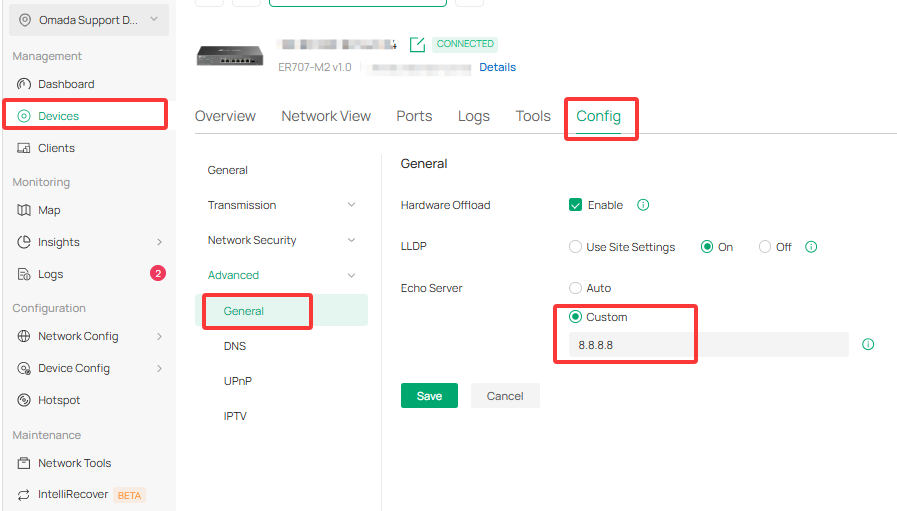
Furthermore, I can't find any option in Omada to change how it verifies the link status (Online Detection). I'm not sure if this feature is missing due to this specific hardware model or because it is being managed via the cloud controller.
Has anyone encountered a similar issue or have any ideas on how to resolve this?