
Official Release Deco X50/X55_V1_1.6.7 Optimized the Client Network Stability


This Article Applied to:
Deco X50/X55_V1_1.6.1/1.6.4
Modifications and Bug fixes:
- Supported EasyMesh
- Supported TSS_V2(TP-Link Simple Setup) function, which enables thed device to quickly discover and pair with TP-Link smart home and EasyMesh-compatible devices.
- Fixed the bugs of frequent client disconnections;
- Fixed the bug that clients cannot access the Internet after enabling the DoH server.
Download Link:
| Deco X50/X55_V1/V1.6 | 1.6.7_build20250314_Official |
Update Advice:
1. How to manually update the firmware via web UI- How to Update the Firmware of Deco.
2. The 1.6.7 could revert to the official 1.6.3/1.6.1 directly via web UI.
- Copy Link
- Subscribe
- Bookmark
- Report Inappropriate Content
Thank you very much . Please keep me updated on whether the network gets improved after disabling EasyMesh.
Best regards.
- Copy Link
- Report Inappropriate Content

@David-TP Hi David, I just installed the update for my X50 and can confirm that EasyMesh was enabled for me when checking. Is this unintended?
I had lots of connection issues before the update, and now also afterwards. I'll test and see how turning off EasyMesh works out.
- Copy Link
- Report Inappropriate Content

Why am I staying on 1.6.4 (official) when 1.6.7 is available? My Deco X50s tell me I'm up to date (via the app). I prefer not to do it manually.
- Copy Link
- Report Inappropriate Content
- Copy Link
- Report Inappropriate Content

Hi, I currently have firmware 1.6.7 Build 25031412 Rel. 48241 on my two X50s. Should I update to the official version, or are there no major changes?
- Copy Link
- Report Inappropriate Content

@David-TP just FYI, the EasyMesh option was defaulted to ON after the upgrade.
- Copy Link
- Report Inappropriate Content
Hi, thank you very much for the update.
As EasyMesh is disabled by default, I haven't seen much similar feedback like yours. Some users did mention the high CPU load, but it didn't start only from 1.6.7.
I also saw one user mention today that disabling "Beamforming" also reduces the CPU load.
https://community.tp-link.com/en/home/forum/topic/821930
I'll report to the engineer first for further testing. It's still too soon to say they are related, but these two are definitely recommended suggestions that are worth a try.
Best regards.
- Copy Link
- Report Inappropriate Content
- Copy Link
- Report Inappropriate Content

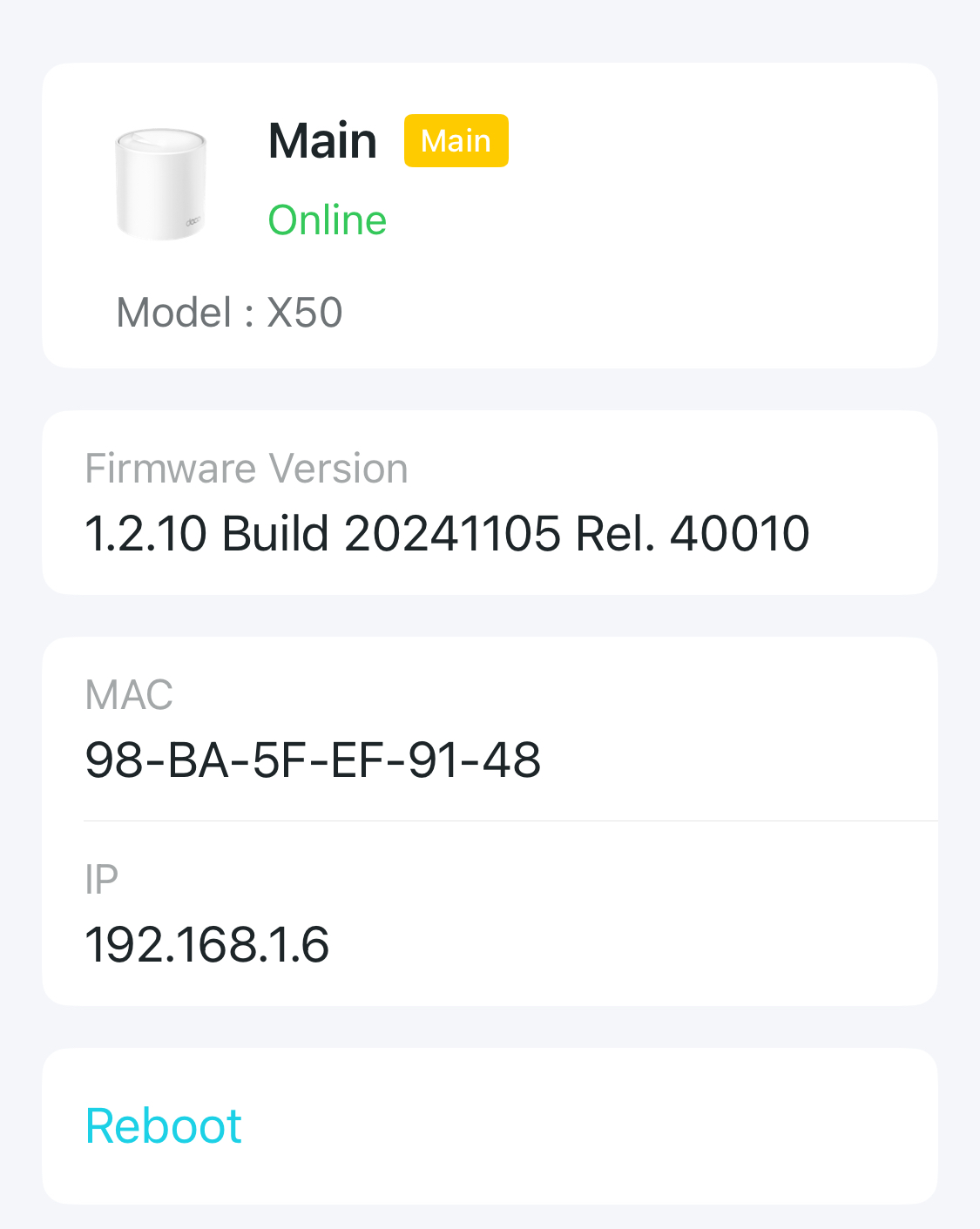 @David-TP hi, I have recently upgrated my network from M4 to X50 (set of 3). I am having very nightmarish experience since the upgrade. The 2.4 ghz band is refusing to stabilize, there are frequent disconnections and it is not at all stable. All my IoT devices and security camera have gone for a toss after the upgrade.
I have updated the latest firmware available through the Deco but still no respite.
request you to provide a solution at the earliest. I am using it in India so please provide a solution regarding to the DECO X50 sold in India.
Thanks in advance!!
A
- Copy Link
- Report Inappropriate Content
DaveSisko wrote
@David-TP Hello, ist this Firmware also compatible with the EU/German X55 V1 ?
@DaveSisko Yes, it is.
- Copy Link
- Report Inappropriate Content
Information
Helpful: 1
Views: 27592
Replies: 125
Voters 0
No one has voted for it yet.