
Powerline network only connecting one device at a time
 This thread has been locked for further replies. You can start a new thread to share your ideas or ask questions.
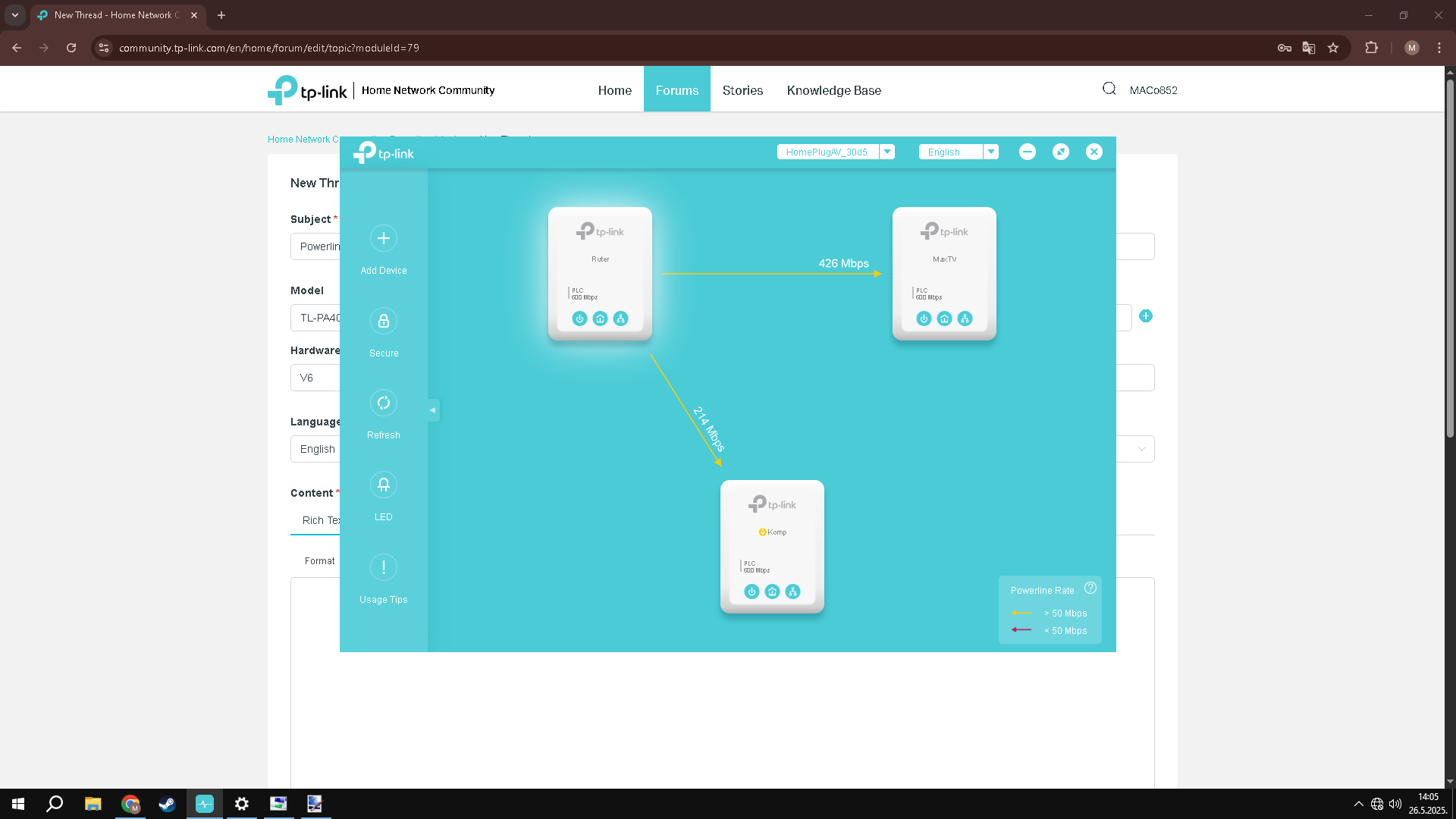
I have connected my TV and router via powerline about a month ago and I recently bought another one to connect my PC. I paired them all with a secure network and now it recognizes through the TP Link software that there is a router and 2 devices, but I only get a connection on the TV and I get connection on my PC when i plug the TV powerline out of the wall. When i run the ethernet troubleshooting in Windows it says that the adapter doesn't have a valid IP configuration.
- Copy Link
- Subscribe
- Bookmark
- Report Inappropriate Content


Hi@MACo852,
Thank you for your reply.
Your powerline network contains 1 adapter + 2 extenders, right?
Do you need to unplug a specific extender or any extender to restore the powerline network?
It is recommended that you swap the physical locations of the extenders to eliminate the possible influencing factors of fixed locations.
- Copy Link
- Report Inappropriate Content
@MACo852 I resolved it by reinstalling my ethernet drivers
- Copy Link
- Report Inappropriate Content
@MACo852 nvm it didn't work after all
- Copy Link
- Report Inappropriate Content
Hi@MACo852,
Thank you for contacting our community.
From the screenshot, both powerline extenders can get internet from the powerline adapter.
May I know, is the network working now? You mentioned that you have installed the firmware and the issue can be resolved.
If you have further questions, please feel free to contact us.
- Copy Link
- Report Inappropriate Content
@Joseph-TP Yes the firmware recognizes that there is a network of adapters but there is no internet connection as you can see in the bottom right of the picture. It only works when I plug out the other adapter in my house.
- Copy Link
- Report Inappropriate Content
Hi@MACo852,
Thank you for your reply.
Your powerline network contains 1 adapter + 2 extenders, right?
Do you need to unplug a specific extender or any extender to restore the powerline network?
It is recommended that you swap the physical locations of the extenders to eliminate the possible influencing factors of fixed locations.
- Copy Link
- Report Inappropriate Content
Information
Helpful: 0
Views: 666
Replies: 5
Voters 0
No one has voted for it yet.