
Solution Connecting to OpenVPN Server on the Archer AX53/AX55 may Cause Unstable Web Interface Logins


This Article Applied to:
Archer AX53_V1_1.5.1/1.5.2
Archer AX55_V1_1.4.1
Phenomenon:
Recently, we have received reports from some users that after upgrading the firmware on Archer AX53/Archer AX55, they are unable to access the web management interface stably when the OpenVPN server is enabled.
Users typically encounter an “operation failed” error message, though they can still access the router normally via the Tether App.
sperla first provided relevant details in this thread.
Available Solution:
We have identified the root cause of this unusual behavior. After testing, we found a temporary solution: Please export a new OpenVPN server configuration file and distribute this new file to clients again.
Go to VPN Server>OpenVPN, then click EXPORT.
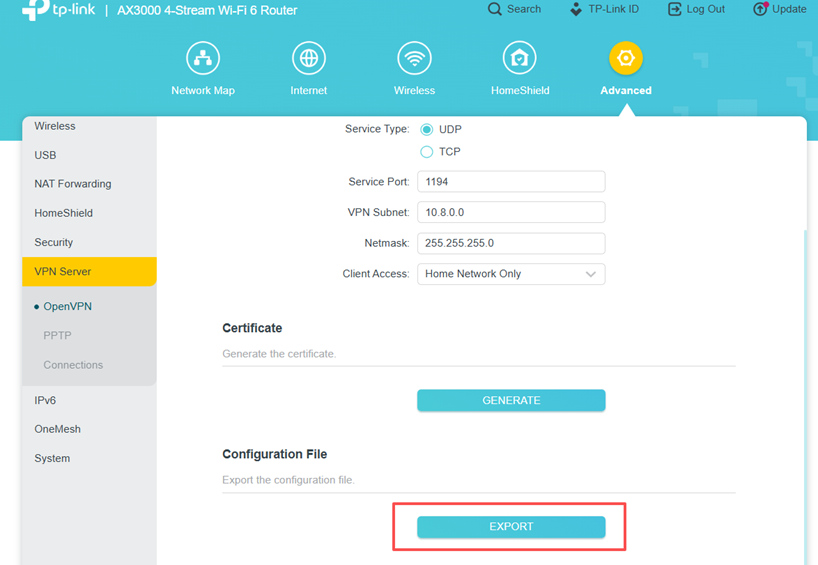
If you have other models experiencing a similar situation after updating the firmware, please try the above solution to see if it helps.
We welcome you to share other solutions or additional details at any time.
Thank you for your feedback and cooperation.
