
Regarding Easy Mesh Connection Issues and Device AP Binding

Hi TP-Link Support,
I’m experiencing issues related to AP binding and device connectivity. Some of my IoT devices tend to connect to mesh nodes that are farther away instead of the closest EasyMesh node.
I noticed there is an AP Binding option available, but I have one question and one suggestion.
Question: After setting AP Binding, why do some devices still connect to nodes that they are not bound to? Even after multiple reboots, the device sometimes connects to the correct node and sometimes does not.
Suggestion: Would it be possible to implement an EasyMesh AP mapping feature on the router based on MAC/IP? This would allow us to configure binding rules directly, instead of waiting for the device to connect before applying the mapping.
For example, I have bound the device 50-88-11-2B-E9-FB to GE550, but occasionally it still connects to GE800 instead. Even after rebooting both the device and the router, it sometimes continues connecting to the non-bound node.
The signal strength to GE550 is excellent (full bars), whereas the signal to GE800 is very weak (minimal). Despite this, the device still sometimes connects to GE800 instead of GE550.
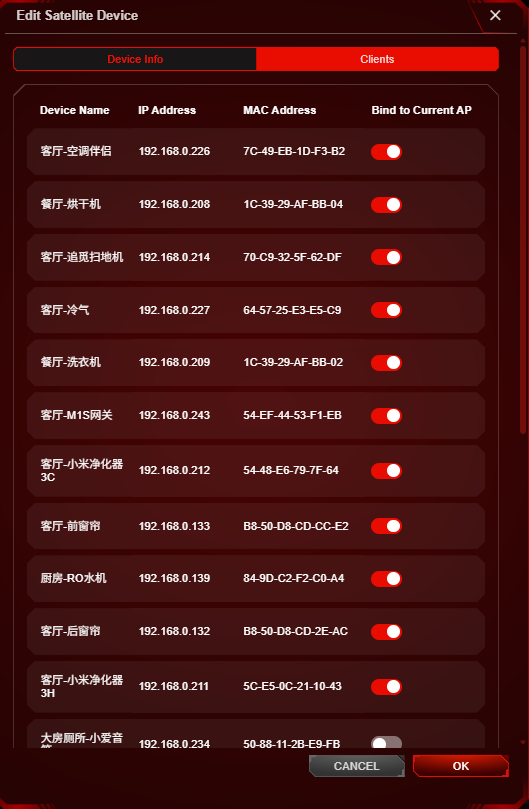
Kindly refer below for the firmware version of my mesh node and the topology.
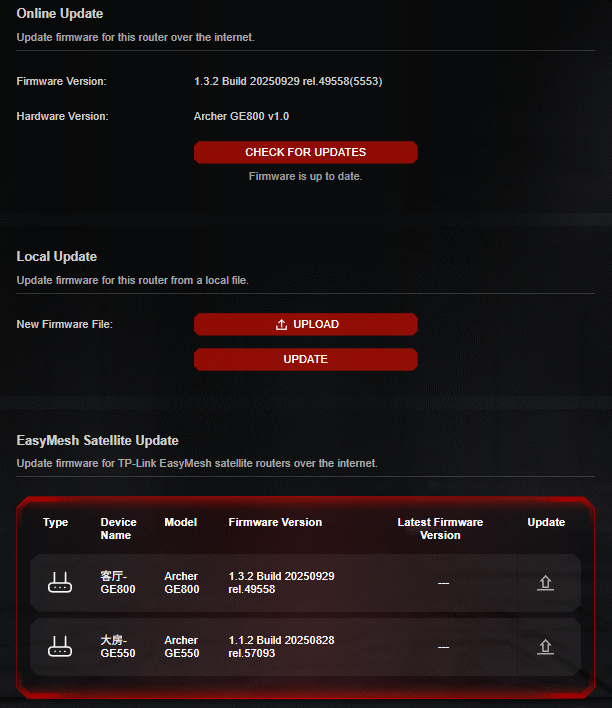
In addition to the issues mentioned above, I also noticed that my phone is sometimes not smart enough in selecting the best node. It occasionally connects to a node with weak signal instead of the one with full signal.
Thanks.
- Copy Link
- Subscribe
- Bookmark
- Report Inappropriate Content
Up my post.
- Copy Link
- Report Inappropriate Content

Hello @Jasson_Hong ,
Welcome to our community.
May I know if your network topology diagram is as follows:
Archer GE800—Archer GE550 )))((( client devices
(Note: — stands for wired connection,)))((( stands for wireless connection )
How many IoT devices do you have in total? Are they all connected to the IoT network?
As far as I know, no device currently supports expanding the IoT network when acting as a satellite node. This is likely why your IoT devices are connected to the main router GE800.
In addition, if the connection between the GE550 and GE800 is unstable, the client may prefer to connect to the main router. Please prioritize Ethernet backhaul, and try different locations for the Satellite GE550.
- Copy Link
- Report Inappropriate Content
Hi @Joseph-TP ,
My network topology is as follow. All node is connected via ethernet backhaul.
GE800 --LAN-- GE800 --LAN-- GE550
All of my IOT device is connected to the 2.4GHz Wireless AP instead of separate IOT Wireless Network.
Thanks.
- Copy Link
- Report Inappropriate Content
Hello @Jasson_Hong ,
Thanks for getting back to me.
So you have three routers, and the Main router is GE800, network topology is as below:
Archcer GE800───Archer GE550(satellite node)
└───Archer GE800(satellite node)
It seems some smart devices, even when bound with a fixed access point (AP), will automatically connect to other APs. Besides this unexpected behavior, are there any other difficulties or challenges in overall network usage?
If not, we suggest you keep your current settings. We appreciate your detailed feedback; perhaps this feature needs further optimization.
I will forward this to the relevant department and collect more similar cases, looking forward to future optimizations and improvements to this feature.
- Copy Link
- Report Inappropriate Content
Hi, due to the thick walls in my building, there are times when I open the door and the IoT sensor reconnects to an access point (AP) node that is farther away. When I close the door, the IoT device remains connected to that distant AP. This sometimes causes the IoT device to shut down or become unstable.
Being able to fix or lock the device to a specific AP node would greatly help, as some of my IoT devices can remain connected to a designated node until a reboot occurs. So optimization on this is a must for me.
In addition to the above issue, I recently purchased a 10GbE switch and found that I am unable to establish a stable EasyMesh network when the nodes are connected through this switch. I suspect this may be related to the loop detection feature on the switch, though I am not entirely certain. I would like to check if there is anything that can be done on your side to address this.
Additionally, LAN aggregation on the node’s LAN interface is another area that I believe could be implement.
Thanks.
- Copy Link
- Report Inappropriate Content

Hello @Jasson_Hong ,
Thanks for getting back to me.
I noticed you've started several new threads with different questions. To facilitate follow-up on your case, we suggest you reply here collectively. This will prevent any information omissions from hindering our case's progress. And, I may close your new threads.
In other threads, you mentioned your routers consist of three GE800s and two GE800s + one GE550. Could you please confirm this again?
What is the specific model of your newly purchased Switch? Is it also one of our TP-Link products?
Before adding the new Switch, were the router auto-reboot and bufferbloat already occurring after enabling QoS? Or did they only occur after you updated the firmware?
Do these expected behaviors occur on a single router unit or on all router units?
In the situations above, would removing the Switch resolve some of the anomalies?
By the way, after adding the new Switch, is your topology as follows:
ISP
│
▼ 10Gbps Switch (Core Switch)
├── Main GE800
├── Satellite GE800
└── Satellite GE550
If not, please feel free to correct it.
Is the main GE800 using Access Point mode or Wireless Router mode? Please note that if it's in Wireless Router mode, the Main GE800 needs to be directly connected to the ISP, and then the Switch needs to be connected to the GE800.
For wired backhaul in a Mesh network, please refer to Q2 of General questions about Ethernet Backhaul feature.
- Copy Link
- Report Inappropriate Content
Hi Joseph.
My network uses two TP-Link GE800 routers and one GE550. The switch is not a TP-Link product; it is a QNAP switch. I have ordered a new 10G switch,
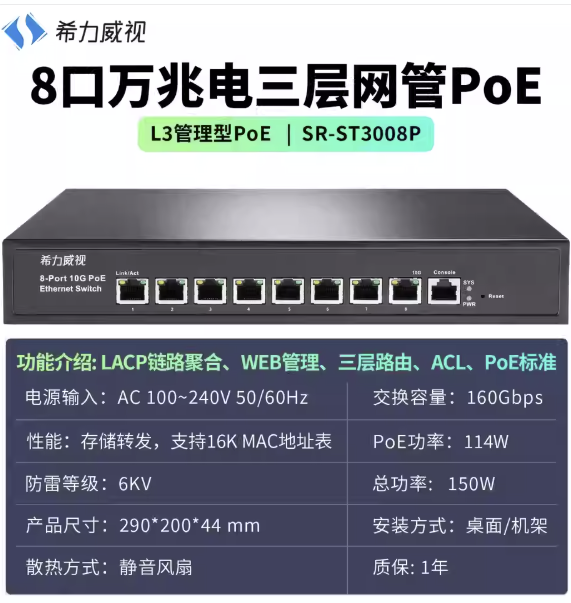
but I am not sure whether it will be supported. I do also try using TL-SG108E, but this issues will still occuring.
All routers are configured in router mode, not AP mode.
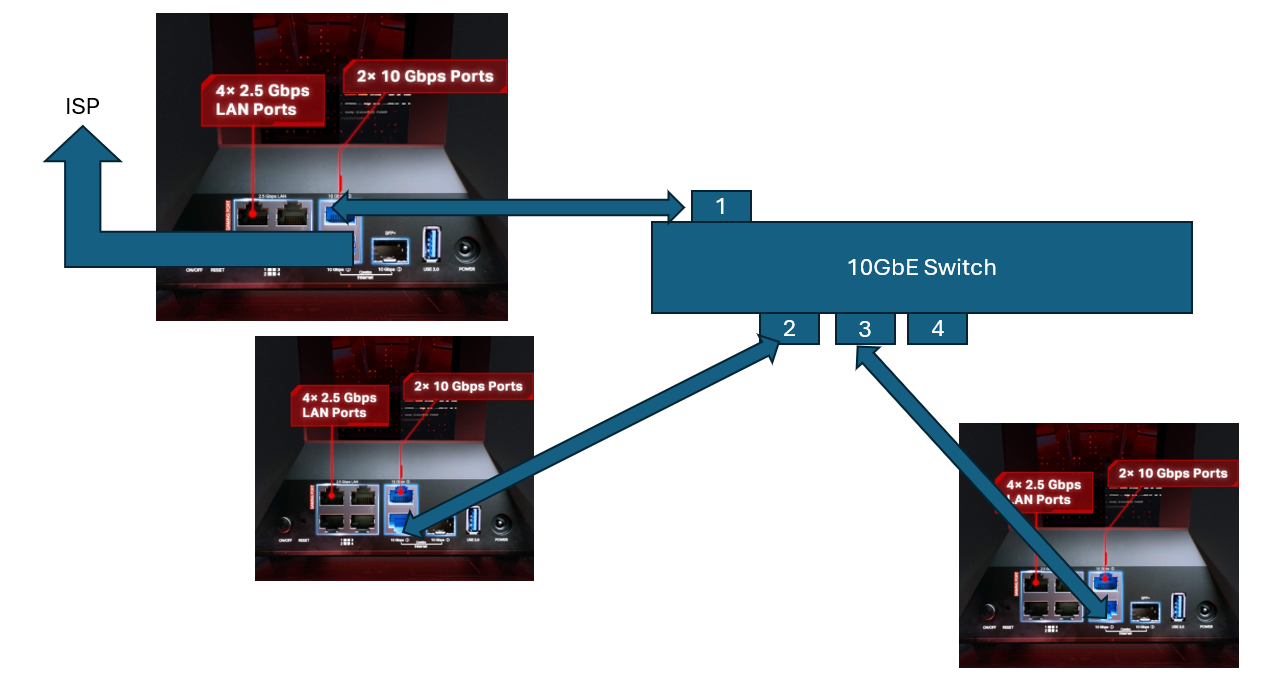
The planned setup is shown below, but this configuration appears to trigger loop detection. When I remove the satellite node from the switch, the network works perfectly. However, because the router only has two 10G LAN ports, I need additional 10G ports for my NAS. Therefore, it is not possible to avoid using a switch while still maintaining a 10G Ethernet wired backhaul. I believe I had seen few post before saying about this issues. Even when the switch was entablish at the first connection, after 24 hours, the network will be crash again.
Firmware Versions
GE800 (x2)
-
Firmware Version: 1.3.2 Build 20250929 rel.49558(5553)
-
Hardware Version: Archer GE800 v1.0
GE550 (x1)
-
Firmware Version: 1.1.2 Build 20250828 rel.57093(5553)
-
Hardware Version: Archer GE550 v1.0
Conclusion
-
Problems with AP binding
-
EasyMesh satellite node crashes when a switch is placed between the main router and the satellite node
-
Random reboots on the GE800
-
Bufferbloat occurring after enabling QoS
- Copy Link
- Report Inappropriate Content
Hello @Jasson_Hong ,
Thanks for getting back to me.
From this perspective, your topology should look like this:
[ISP]
│
▼
[GE800 Router] (main router)
│
▼
[QNAP switch] (L3 Manage Switch)
├──[GE550] (satellite node)
├──[GE800] (satellite node)
└──[NAS]
After adding the switch, are both satellite nodes (Satellite GE550 and Satellite GE800) experiencing unexpected crashes?
Based on your previous feedback, the crashes only started occurring after adding the switch.
If you temporarily disable the NAS, will the crashes stop?
The tech team has been made aware of your case; they will likely reach out to you via email to continue troubleshooting. Please check your email inbox and confirm.
- Copy Link
- Report Inappropriate Content
Hi,
If the switch is connect to the easymesh node, it will crash.
I had upload the information and video for your team reference.
Below attachment is the log from the router after the switch was connect to the node.
After I plug out the switch, everythings ok.

- Copy Link
- Report Inappropriate Content
Hi @Jasson_Hong ,
Thanks for your detailed reply.
As you said, "After I plug out the switch, everything is okay." Does that mean the EasyMesh Network crashes and Bufferbloat disappears after removing the Switch?
If so, have you consulted the Switch's Technical Support for advice?
Could you provide more details about the specific symptoms of the EasyMesh Network crash, including the status of the Satellite nodes' lights and the error messages displayed after the network disconnects?
Could you let me know if you mentioned an auto-reset anomaly on the GE800 in other posts? I also noticed that you previously reported a random-reboot anomaly on the GE800. Could you confirm which anomaly it was?
Also, regarding the AP binding anomaly you mentioned at the beginning, are the current clients now able to connect normally to their bound Satellite nodes?
To help you efficiently, I've forwarded your case to the TP-Link support engineers, who will reach out to you using your registered email address later. Please keep an eye on your email inbox for follow-up.
Jasson_Hong wrote
Hi,
If the switch is connect to the easymesh node, it will crash.
I had upload the information and video for your team reference.
Below attachment is the log from the router after the switch was connect to the node.
After I plug out the switch, everythings ok.
- Copy Link
- Report Inappropriate Content
Information
Helpful: 1
Views: 3326
Replies: 22
Voters 1