
Regarding Easy Mesh Connection Issues and Device AP Binding

Hi TP-Link Support,
I’m experiencing issues related to AP binding and device connectivity. Some of my IoT devices tend to connect to mesh nodes that are farther away instead of the closest EasyMesh node.
I noticed there is an AP Binding option available, but I have one question and one suggestion.
Question: After setting AP Binding, why do some devices still connect to nodes that they are not bound to? Even after multiple reboots, the device sometimes connects to the correct node and sometimes does not.
Suggestion: Would it be possible to implement an EasyMesh AP mapping feature on the router based on MAC/IP? This would allow us to configure binding rules directly, instead of waiting for the device to connect before applying the mapping.
For example, I have bound the device 50-88-11-2B-E9-FB to GE550, but occasionally it still connects to GE800 instead. Even after rebooting both the device and the router, it sometimes continues connecting to the non-bound node.
The signal strength to GE550 is excellent (full bars), whereas the signal to GE800 is very weak (minimal). Despite this, the device still sometimes connects to GE800 instead of GE550.
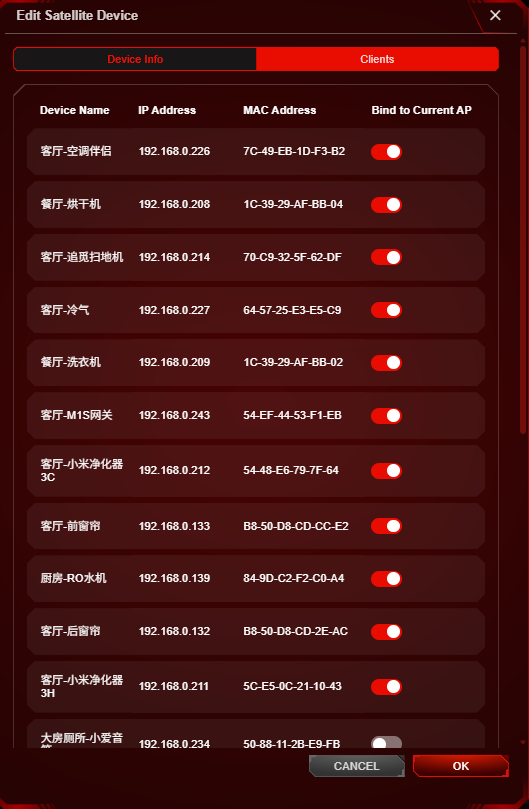
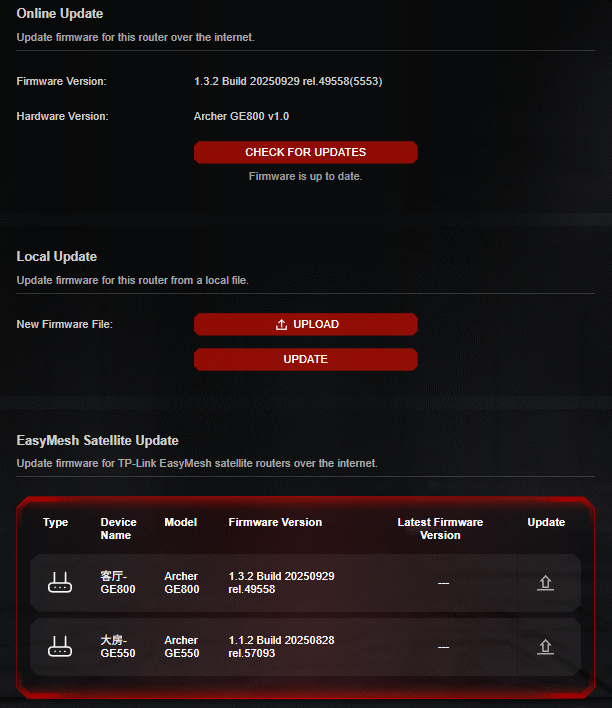
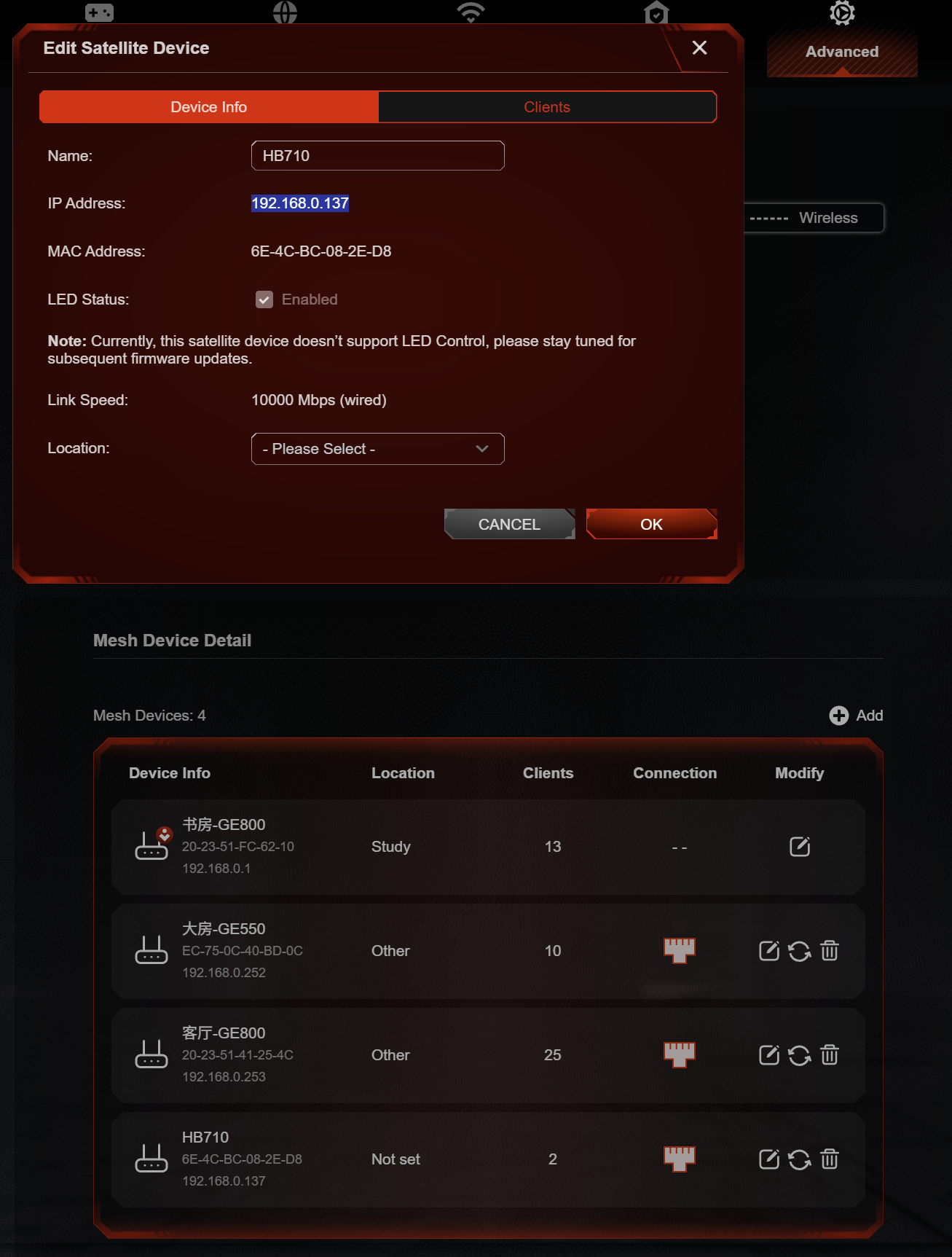
Kindly refer below for the firmware version of my mesh node and the topology.
In addition to the issues mentioned above, I also noticed that my phone is sometimes not smart enough in selecting the best node. It occasionally connects to a node with weak signal instead of the one with full signal.
Thanks.
- Copy Link
- Subscribe
- Bookmark
- Report Inappropriate Content
Hi, you can refer to this post.Gigabit Switch Crashes my Entire Network - Home Network Community
It's same issues. Even can have a temporary network, but it will crash after 1 days.
1. As you said, "After I plug out the switch, everything is okay," does that mean the EasyMesh Network crash disappears after removing the Switch?
Yes.
2. Have you consulted the Switch's Technical Support for advice?
Kindly refer to their reply.
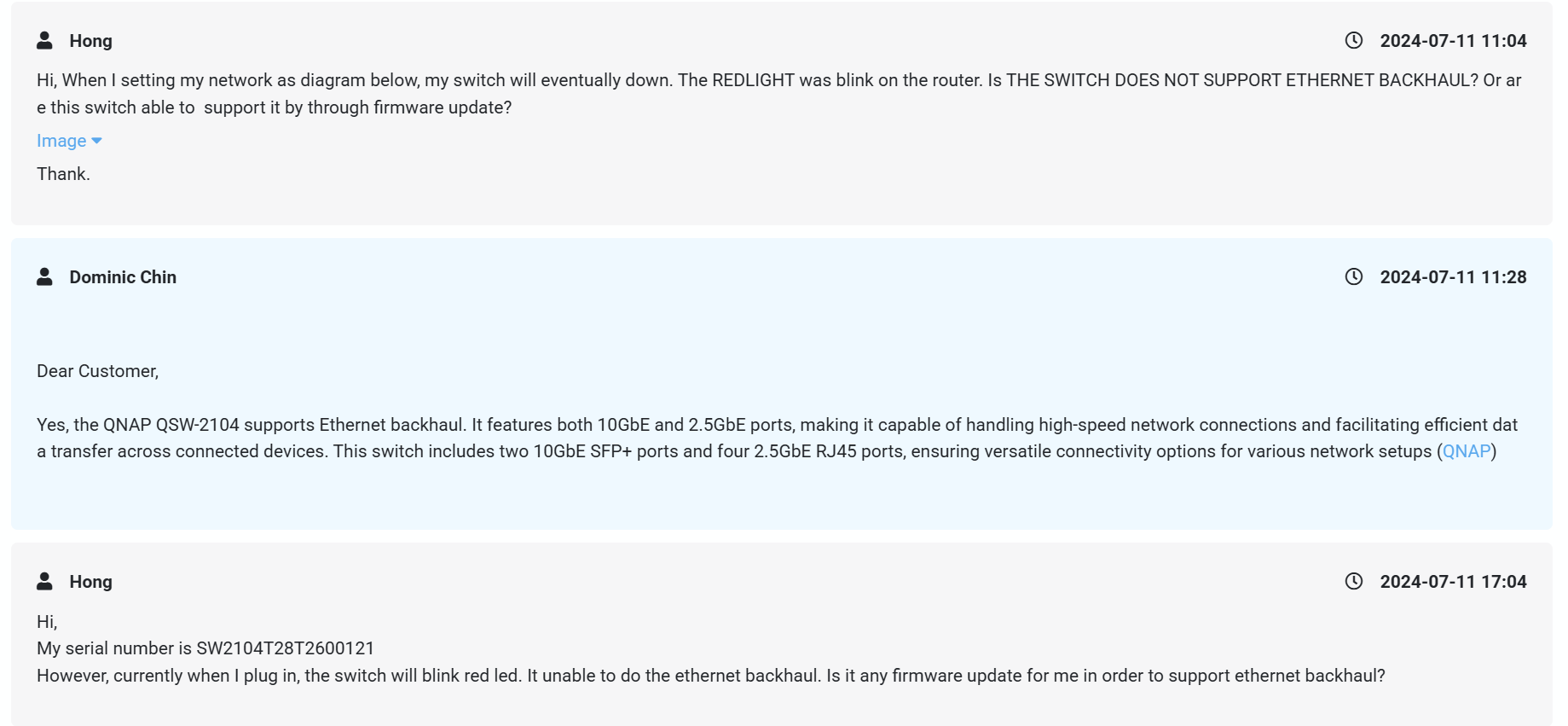
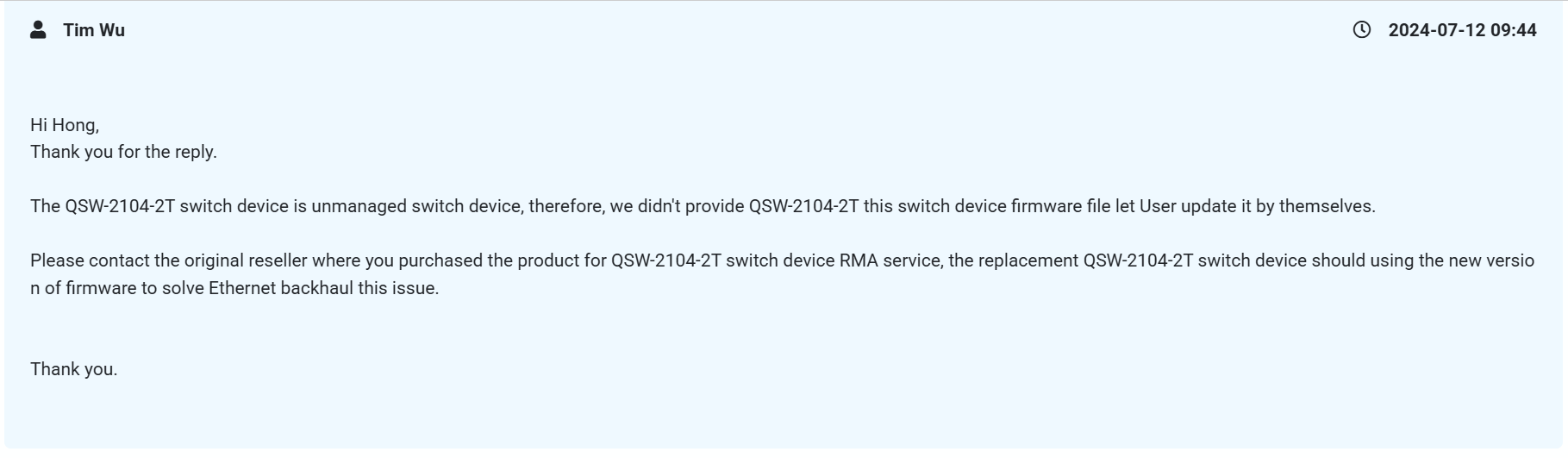
But I unable to sent back the switch for firmware update. AND i'm thinking whether able to do somethings on the router?
3. Could you provide more details about the specific symptoms of the EasyMesh Network crash, including the status of the Satellite nodes' lights and the error messages displayed after the network disconnects?
I had replied the email that your engineer ask. I also include the video for your reference. But take note that, when the crash happen, I unable to login the dashboard to capture the logs, and the node led was blinking. Im no sure what is the error message. But after i remove the switch, then I able to login to the dashboard and manage to capture the logs which i had sent on this thread and also the email.
4. Could you let me know if you mentioned an auto-reset anomaly on the GE800 in other posts?
For the reset, is just 1 times after thunder shock. Then I had to reconfigure every things.
5. I also noticed that you previously reported a random-reboot anomaly on the GE800. Could you confirm which anomaly it was?
For the random reboot, I'm unable to provide any logs on it. Bcz is random reboot and the logs will disappear after reboot. So no sure how your side can look into this? I'm no sure what is the root cause. But take noted, the random reboot is on below network topology, and it did not include any switch.
[ISP]
│
▼
[GE800 Router] (main router)
│
▼
├──[GE800] (satellite node)
│
▼
├──[GE550] (satellite node)
6. Also, regarding the AP binding anomaly you mentioned at the beginning, are the current clients able to connect normally to their bound Satellite nodes now?
No, is still connect to the node I don want. I'm no sure your side able to configure RSSI Value on the easymesh node? So if the IoT device is connected to the wrong node, it will be kick out from the node? Bcz I think the power of GE800 is too strong, the wireless signal able to pass thru the wall, but the connection is not stable.
Thanks for your patience and help on the issues. Appreciate it.
- Copy Link
- Report Inappropriate Content
Great news, I manage to form easy mesh network using another brand of 10gbe SirivisionSwitch. So may due to QNAP switch issues.
For auto reset, your support had give me the new firmware to upgrade. However, due to is beta, I don want to crash my entire network if bugs inside. So I will no proceed. Will waiting official version.
For AP binding issues, still waiting your side to remote in.
But just suggestion, since GE800 is a high end router, I hope can have KVR mesh support, ethernet and wireless dual mesh backhaul(Like deco), able to change the RSSI value of each node(AP management), and SQM features.
Thanks.
- Copy Link
- Report Inappropriate Content

Thank you for your attempt and feedback. I will share this information with the engineer.
Wishing you a Happy New Year~
- Copy Link
- Report Inappropriate Content
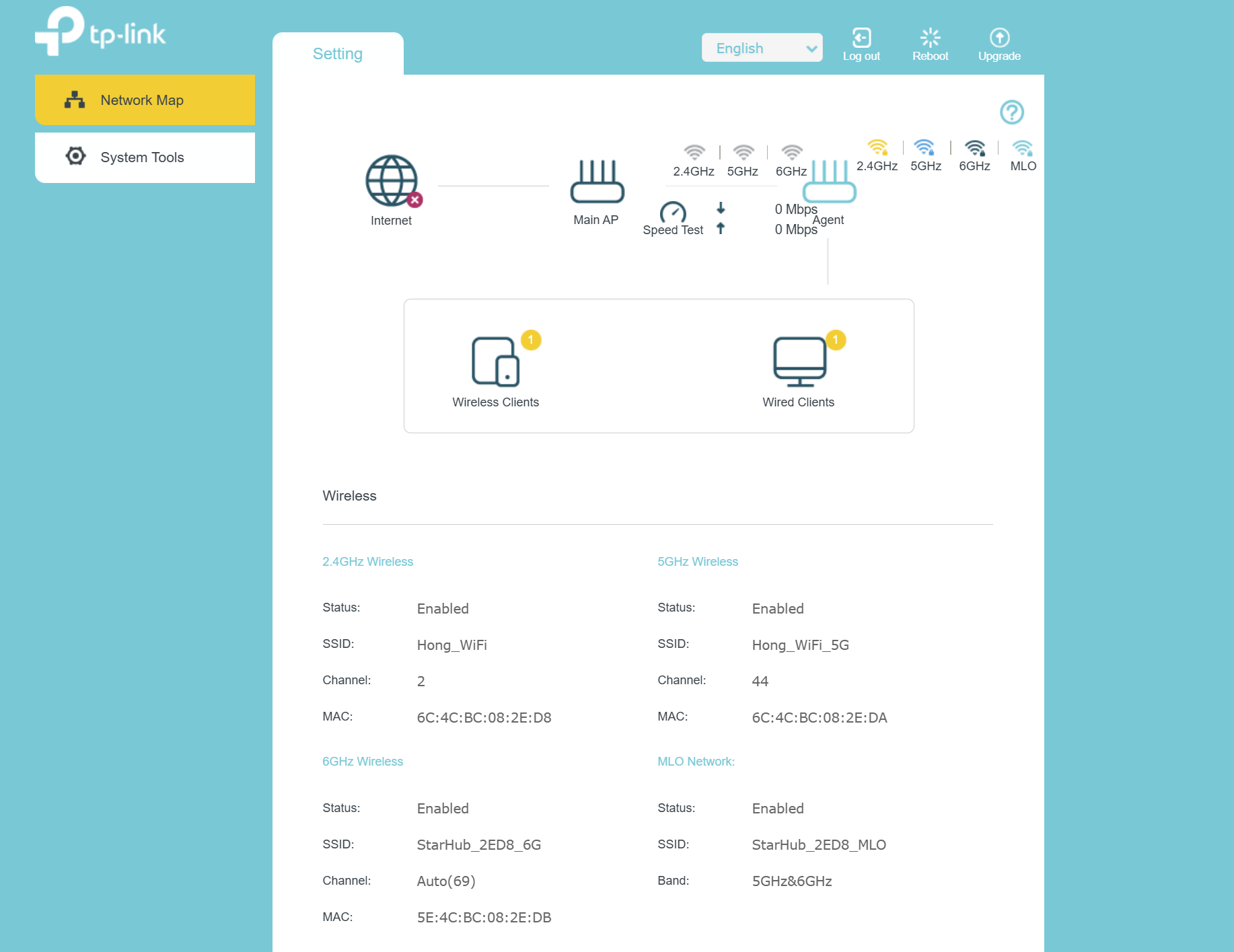
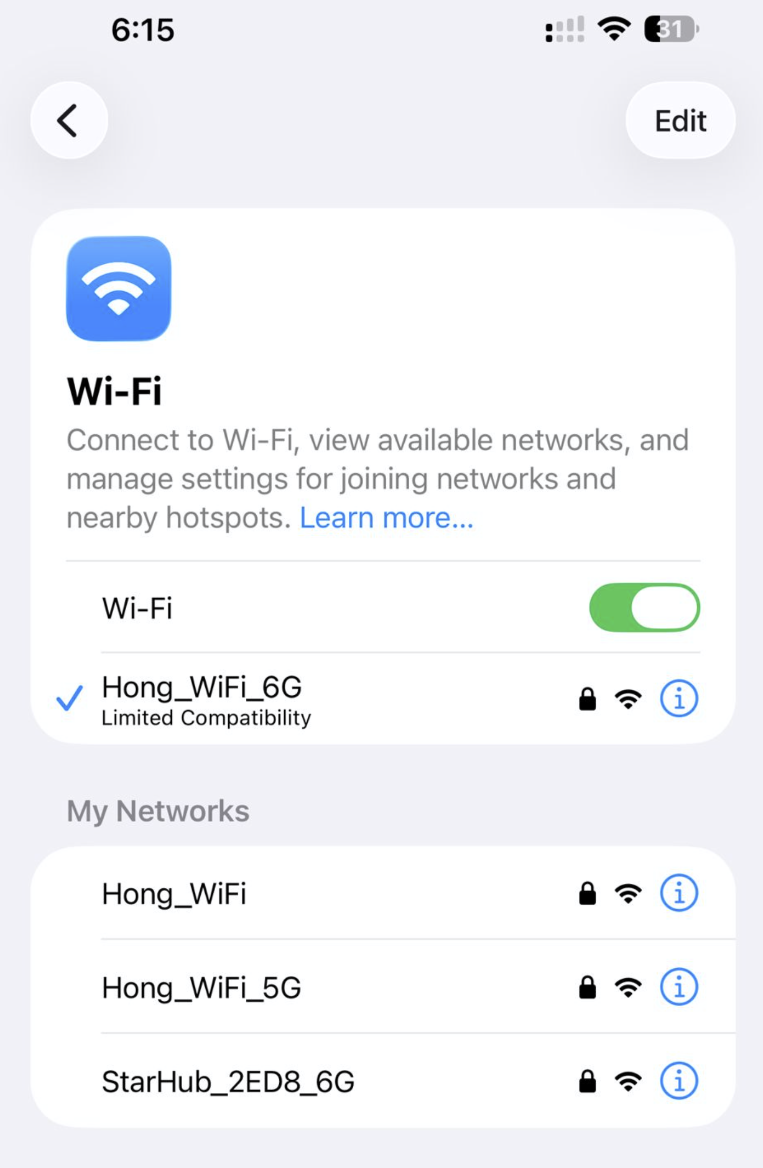
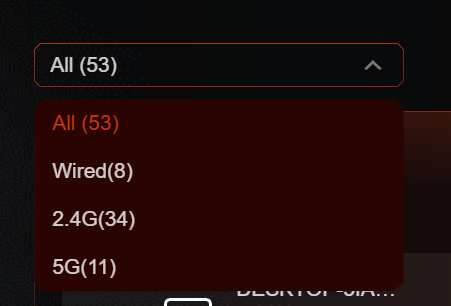
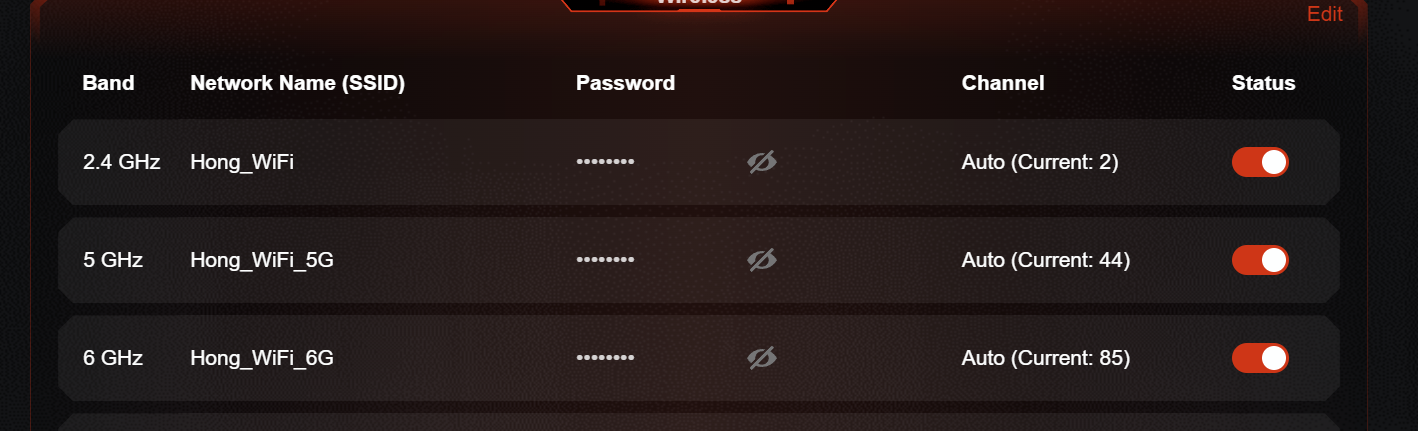
I got 1 more bugs/issues discover on the units. I just add a new mesh router HB710, I found out my 6GHz separate to 2. Which 1 is from my main node, and another 1 is my HB710 node. Then my main node unable to display 6GHz network information anymore. Understand this HB710 is telco units, did tplink able to provide support on this or even more like firmware update?
- Copy Link
- Report Inappropriate Content

Hello @Jasson_Hong ,
Thanks for contacting our community again.
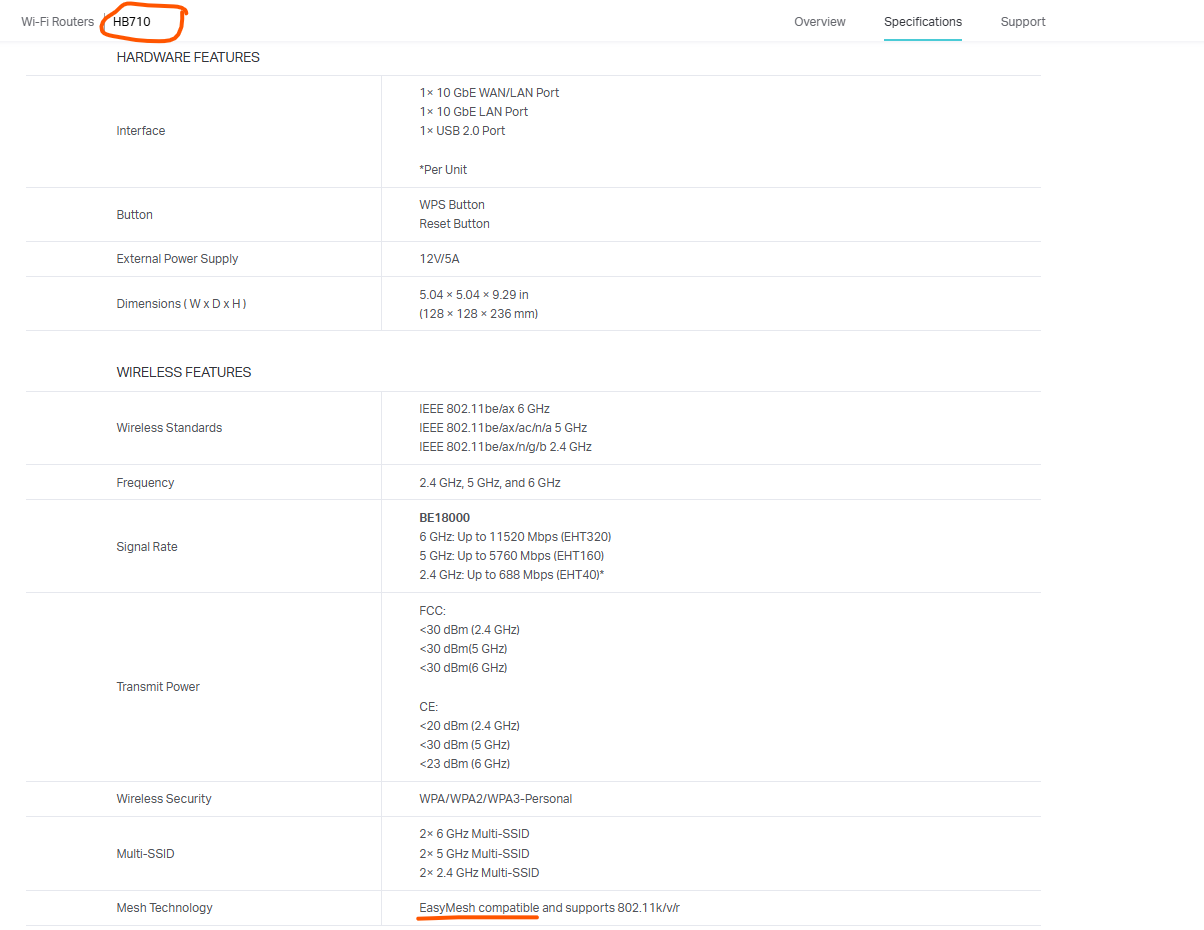
Thanks for the correction. It seems the HB710 does indeed support EasyMesh technology.
However, as you mentioned, the HB710 is a custom-designed model for ISPs, and its compatibility with regular Archer WiFi 7 routers still needs further verification.
I will reply here if there are any updates.
- Copy Link
- Report Inappropriate Content
Hi, HB710 support easymesh, I able to form the network, just the 6GHz bandwidth setting unable to sync. My phone able to find 2x 6GHz wireless signal, 1 is from my main router and another 1 is from HB710. So far I known, when easymesh network is form, the node router will follow the main router setting and user was unable to set difference ssid naming. So I suspect is firmware bug on HB710, can u check with your tech team on this? Note that the 2.4Ghz and 5Ghz are follow the main router setting, just 6Ghz is not and will cause my main router 6Ghz connection details missing(Still able to connect and use, just unable to discover the device).
Thanks.
- Copy Link
- Report Inappropriate Content
I have shared your information with the engineer, and you can stay in touch with the engineer via ticket.
You are also welcome to share here if there are any updates.
- Copy Link
- Report Inappropriate Content
Hi, @Joseph-TP
I’m just a bit curious about the product roadmap for the GE series. It appears that TP-Link is currently placing greater focus on the BE series rather than the GE series, even though the GE series is priced higher. Additionally, the frequency of firmware updates and the introduction of new features for the GE series seem to be significantly lower compared to the BE series.
I’ve noticed recent firmware updates for the BE550 V2 that introduce several features, which I believe would also be valuable for the GE series.
Hope your side can be improve on this.
Thanks.
- Copy Link
- Report Inappropriate Content
Hi, @Joseph-TP
Just an update for your awareness.
Your engineer remotely accessed the system and identified unexpected behavior related to AP Binding. However, there is currently no solution available. He mentioned that the next version of EasyMesh may potentially resolve this issue, as it will introduce a new EasyMesh protocol and UI implementation (as seen on the BE550 V2).
Regarding the HB710, he confirmed that the issue is firmware-related when operating in ISP mode. There is a plan to release a firmware update for all ISP models within this year, although no specific timeline has been confirmed.
Separately, I discovered an issue related to the MLO network recently. Since I am using a hybrid router setup (GE800 + GE550), enabling MLO backhaul with 2.4 GHz + 5 GHz + 6 GHz causes the entire network to crash, resulting in network outage, unstable and a reboot of the main router. This explains the issue encountered on the GE800. After disabling MLO, the network operates normally. Now I had swap to 5GHz + 6GHz, then everything working fine on the MLO Network. My network no crash anymore.
My thinking on this issues is cause by GE550 router, as the GE550’s 2.4 GHz band does not support BE protocol. And default settings of MLO network will be 2.4 GHz + 5 GHz + 6 GHz, so when open MLO feature, will cause the crash.
Below are a few suggestions that I hope you can help to escalate:
-
RSSI Threshold Configuration for EasyMesh Nodes
Allow users to define an RSSI threshold. If a client’s RSSI falls below the set value, the node will disconnect the client and steer it to a better node. (This feature is available on Xiaomi routers.) -
Persistent Log Storage
Enable saving logs to USB or internal eMMC for a defined period. Logs should remain available even after a reboot, allowing them to be exported for troubleshooting. Currently, the GE800 experiences random reboots, but the root cause cannot be identified as logs are cleared after reboot. -
Implement SMQ on GE800
-
Implement VPN Merge on GE800
-
Enable Roaming R Protocol on GE800
-
Enable Heat Map Scanning
This would help users identify coverage gaps and determine where additional nodes are required. -
Enable MLO Backhaul on GE800
8. Implement an automatic selection mechanism of MLO network band.
Thank you.
- Copy Link
- Report Inappropriate Content
Just an another update on this.
I had recently purchase GE800 to replace GE550 as it will cause my entire network crash due to protocol issues. Then my new GE800 experience some unexpected issues. The LED settings and fan settings is not sync to the new node. Then also my GE800 had an abnormal noise from fan. I'm quite disappointed on tplink product now.....
- Copy Link
- Report Inappropriate Content
Information
Helpful: 1
Views: 2332
Replies: 22
Voters 1