
Can't download latest firmware on Archer C80 v1.0

Can't download latest firmware on Archer C80 v1.0

Can't download latest firmware on Archer C80 v1.0
2 weeks ago - last edited 2 weeks ago
Model: Archer C80  
Hardware Version: V1
Firmware Version: 1.13.2 Build 230824 Rel.74702n(5553)

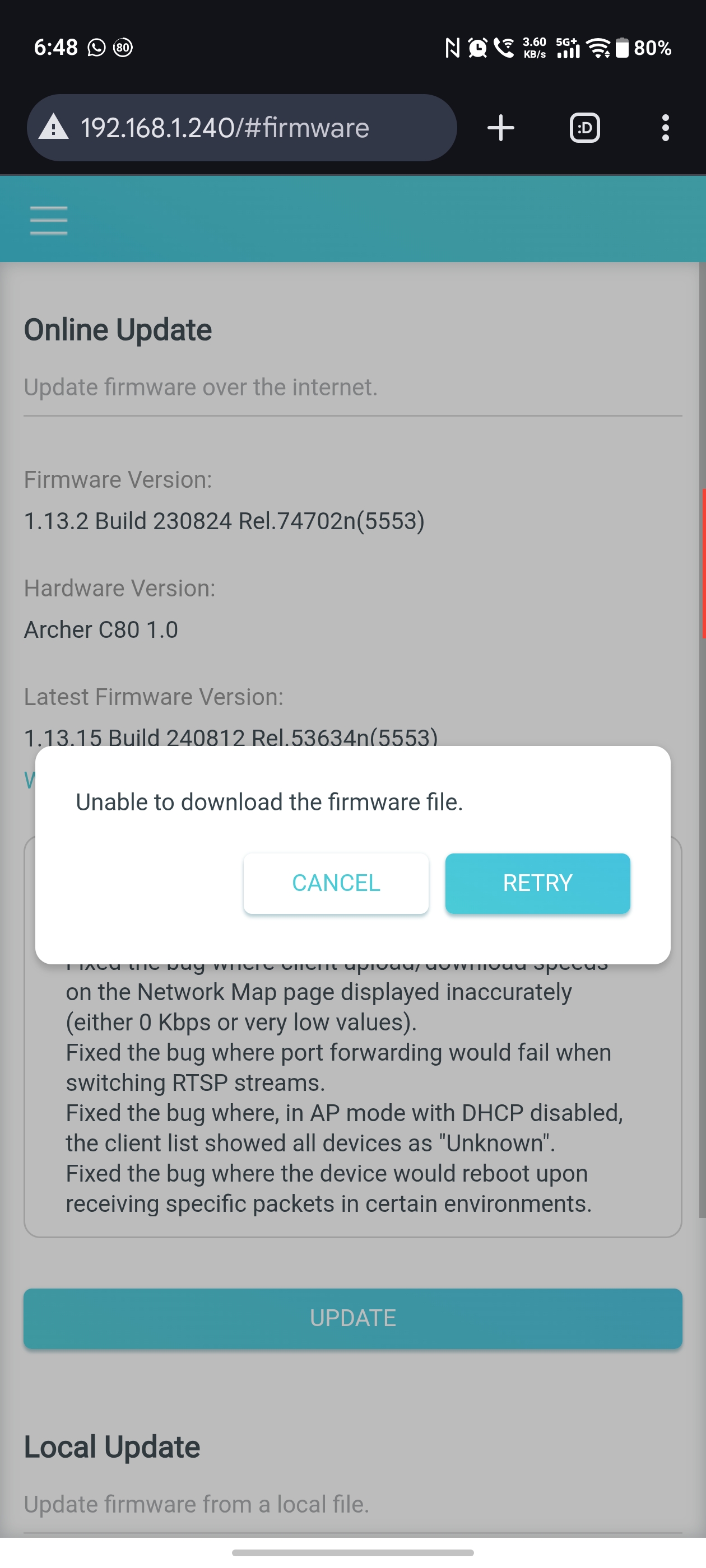
I'm running firmware 1.13.2 Build 230824 Rel.74702n(5553) on Archer C80 (hardware revision 1.0) and I can see that version 1.13.15 Build 240812 Rel.53634n(5553) is available on the firmware updates page but I can't download it or upgrade to it. It always fails to download it. 


How do I upgrade to the new firmware? I run C80 in AP mode and my MacBook constantly disconnects from WiFi every few minutes. This doesn't happen with Android devices or if the MacBook is connected over Ethernet. It's just over Wi-Fi and I would like to update to the latest firmware to see if that fixes things.



  0      
  0      
#1
Options
1 Accepted Solution
Re:Can't download latest firmware on Archer C80 v1.0-Solution
2 weeks ago - last edited 2 weeks ago

  @WantFirmware 


Hi,


If the "Online Update" fails for some reason, then you can resort to the "Local Update" method. (seen at the bottom of your screenshot)


Just manually download the firmware 1.13.15 from here: https://www.tp-link.com/us/support/download/archer-c80/v1/#Firmware

Make sure you extract the firmware *.bin file from the *.zip file that gets downloaded and then select that *.bin file for upload into the router.

Recommended Solution
  2  
  2  
#2
Options
2 Reply
Re:Can't download latest firmware on Archer C80 v1.0-Solution
2 weeks ago - last edited 2 weeks ago

  @WantFirmware 


Hi,


If the "Online Update" fails for some reason, then you can resort to the "Local Update" method. (seen at the bottom of your screenshot)


Just manually download the firmware 1.13.15 from here: https://www.tp-link.com/us/support/download/archer-c80/v1/#Firmware

Make sure you extract the firmware *.bin file from the *.zip file that gets downloaded and then select that *.bin file for upload into the router.

Recommended Solution
  2  
  2  
#2
Options
Re:Can't download latest firmware on Archer C80 v1.0
2 weeks ago

  @woozle 


I was able to update it offline as you suggested. I wasn't sure if I should since the router was purchased in India and the India support page for C80 didn't have that firmware version available.


I updated it from the US support page since the sticker at the bottom read Archer C80(US) Ver: 1.0 and it worked.


Thanks!

  0  
  0  
#3
Options
