
Connecting to ecovacs robot

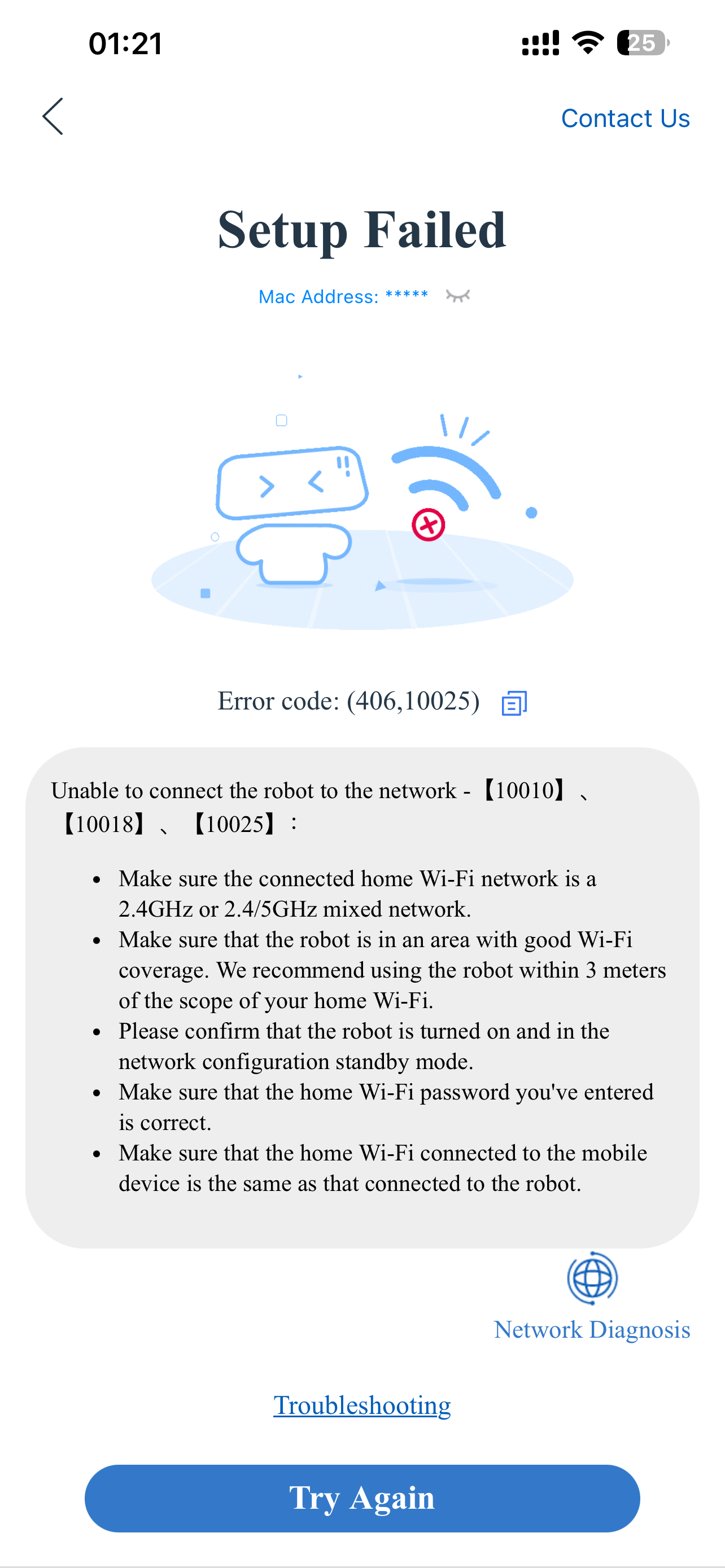 Hi everybody
i cannot connecting ecovacs cleaning robot to my wifi router !!!!
Please help me ????
i tried 2.4 g , turn off mesh but cannot connect!!!!
- Copy Link
- Subscribe
- Bookmark
- Report Inappropriate Content


Hello @EageEye ,
Welcome to our community.
Here are some troubleshooting steps that may help:
1) In the Tether app, go to MORE > Block List and make sure your robot is not accidentally blocked.
2) Log in to the router's web interface, go to Advanced > Wireless > Wireless Settings, and disable "Smart Connect" if it's enabled.
3) Change the Wi-Fi encryption method to "WPA2-PSK/WPA-PSK" for better compatibility with older or IoT devices.
4) For routers supporting Wi-Fi 7/6E/6, try switching the "Wireless Mode" to an older standard to improve compatibility.
5) Make sure your Ecovacs robot's firmware is up to date, and restart the robot before trying to connect again. Also, please contact Ecovacs' technical support for further assistance.
- Copy Link
- Report Inappropriate Content
Hello @EageEye ,
Welcome to our community.
Here are some troubleshooting steps that may help:
1) In the Tether app, go to MORE > Block List and make sure your robot is not accidentally blocked.
2) Log in to the router's web interface, go to Advanced > Wireless > Wireless Settings, and disable "Smart Connect" if it's enabled.
3) Change the Wi-Fi encryption method to "WPA2-PSK/WPA-PSK" for better compatibility with older or IoT devices.
4) For routers supporting Wi-Fi 7/6E/6, try switching the "Wireless Mode" to an older standard to improve compatibility.
5) Make sure your Ecovacs robot's firmware is up to date, and restart the robot before trying to connect again. Also, please contact Ecovacs' technical support for further assistance.
- Copy Link
- Report Inappropriate Content
Information
Helpful: 0
Views: 775
Replies: 1
Voters 0
No one has voted for it yet.