
Iphone connectivity issues deco mesh

I am having issues with my iphone 17 with Ios26 on the mesh network. Connection is very unstable between nodes. When moving the connection drops to mobile network. Sometimes while connected there is no internet, turning wifi on and off resumes service. Using 3cx on the WiFi is very j stable. None of thse problems exist with android devices.
- Copy Link
- Subscribe
- Bookmark
- Report Inappropriate Content

Hi, welcome to the community.
Is the iPhone 17 connected to the 6GHz network? Did you enable a single SSID for 2.4+5+6 GHz WiFi bands?
Can you also add some screenshots of the network map on the Deco APP, such as:
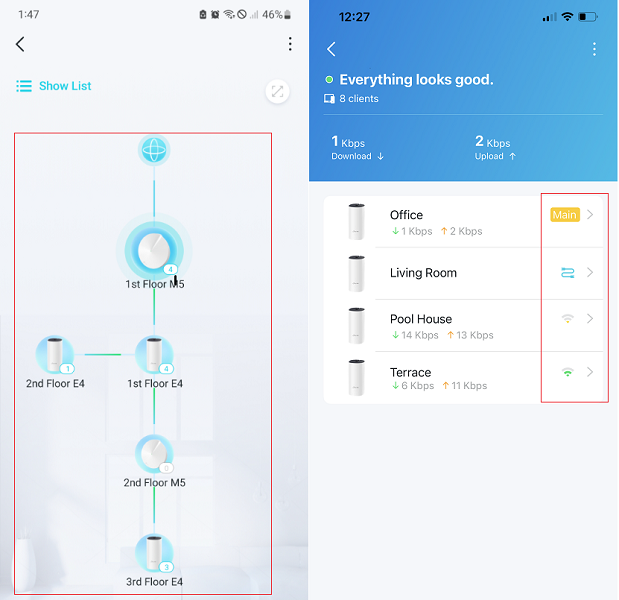
Wait for your reply.
Best regards.
- Copy Link
- Report Inappropriate Content
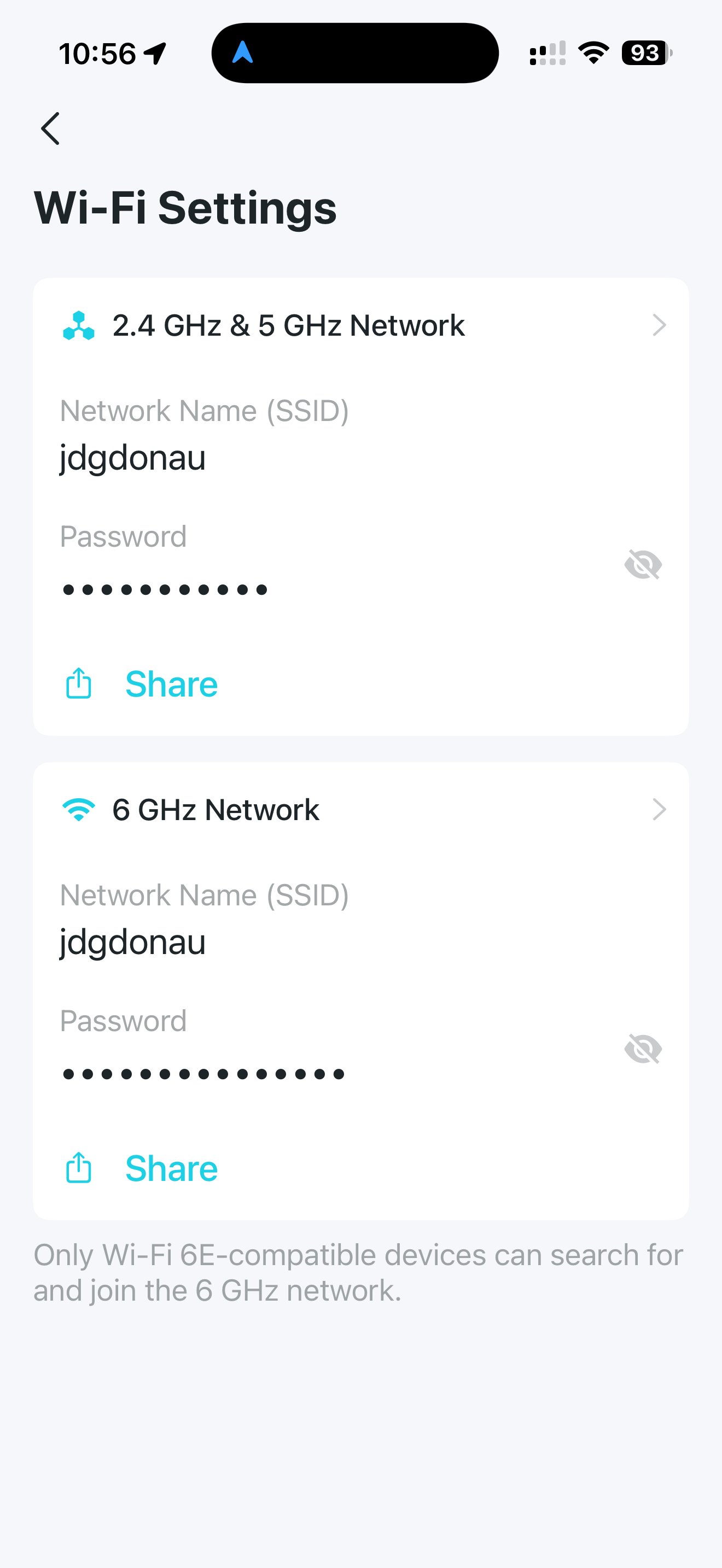
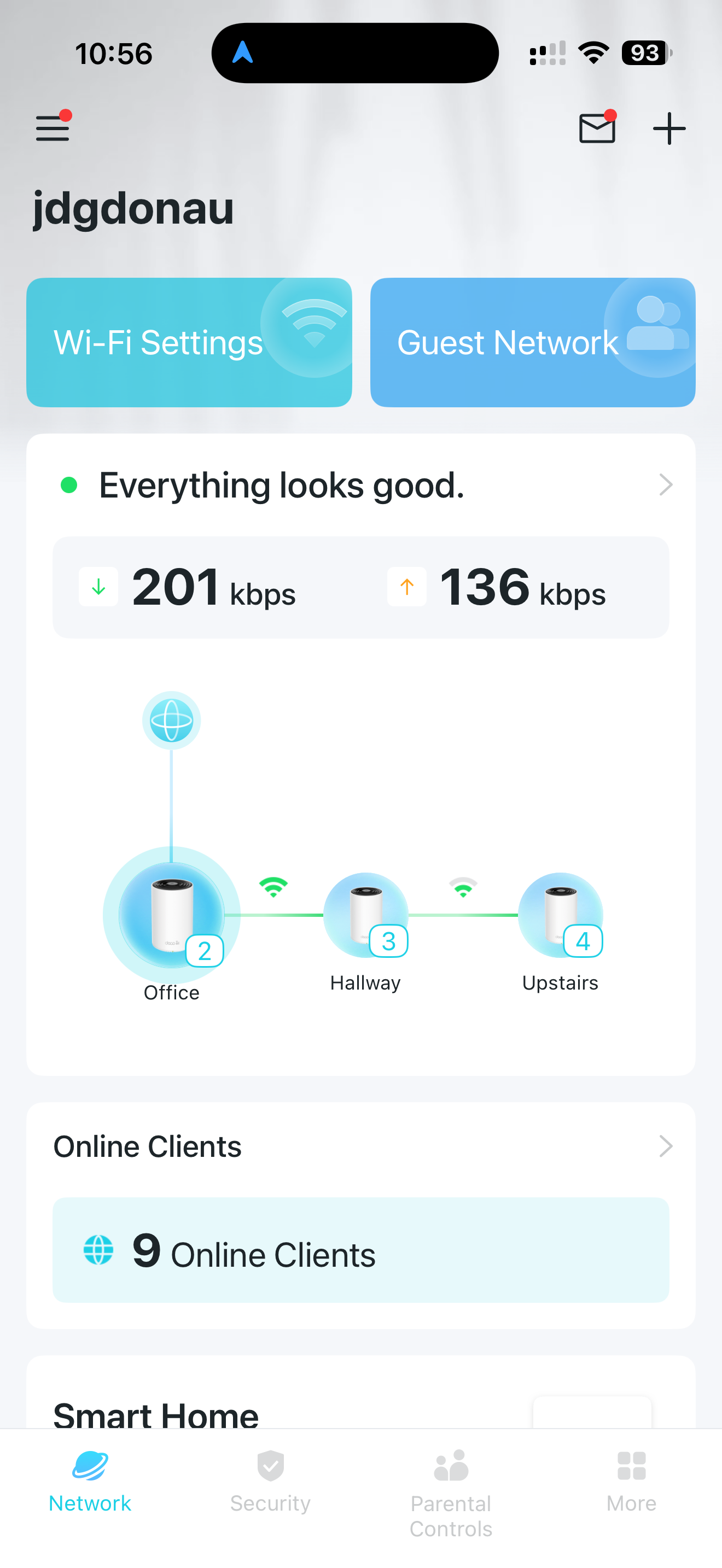
- Copy Link
- Report Inappropriate Content
Hi, thank you very much for your time and patience.
I've left a message with the 1.3.1 firmware version for Deco XE75 Pro_V2/V3, which is also going to be the next official version.
Please test whether it helps with the reported issue here.
Best regards.
- Copy Link
- Report Inappropriate Content

@JDGDonau Change the SSID for 6GHz network
- Copy Link
- Report Inappropriate Content
David-TP wrote
Hi, thank you very much for your time and patience.
I've left a message with the 1.3.1 firmware version for Deco XE75 Pro_V2/V3, which is also going to be the next official version.
Please test whether it helps with the reported issue here.
Best regards.
Thank you, how do i update the to the new version? where do i find it?
- Copy Link
- Report Inappropriate Content
Hi, you can find it in the messages:https://community.tp-link.com/en/home/uc/message/887426.
The manual firmware upgrade is via local update on the web UI:
How to upgrade the firmware of TP-Link Deco- Method two
- Copy Link
- Report Inappropriate Content

- Copy Link
- Report Inappropriate Content
Hi, thank you very much for the feedback.
The 1.3.1 firmware version was released last Friday, and you can find the download link:
https://www.tp-link.com/en/support/download/deco-xe75-pro/v3/#Firmware
(It suits both Deco XE75 Pro_V2 and V3)
Best regards.
- Copy Link
- Report Inappropriate Content

@JDGDonau I also am having ongoing problems with OIS 26 connectivity issues with my Deco XE75/XE75 Pro mesh system. The firmware update, 1.3.1, that you said has been released over a week ago still hasnt been released. I just checked again. The latest firmware update listed is 1.3.0 whicj is what I currently have installed.. Do you have an update on the firmware release date that will fix these IOS 26 connectivity issues?
Thanks
- Copy Link
- Report Inappropriate Content
Dear David, i am still having the same problems, on multiple occasions, i am not even connected to the network even though it shows me as connected. i have to toggle wifi on and off. This is really getting unacceptable, this upgrade doesnt seem to have solved the problem... of course going from one node to another switches me to mobile network and it wont reconnect unless i do it maually. this is even worse that it was before the upgrade!
- Copy Link
- Report Inappropriate Content
Information
Helpful: 2
Views: 1243
Replies: 10
Voters 2

