
Regarding GE800 Easymesh no working on switch

Regarding GE800 Easymesh no working on switch

Regarding GE800 Easymesh no working on switch
Thursday
Model: Archer GE800  
Hardware Version: V1
Firmware Version:

Hi,


I had encounter some issues regarding easy mesh setup on 3 GE800 with a 10gbe 8 port L2 switch.

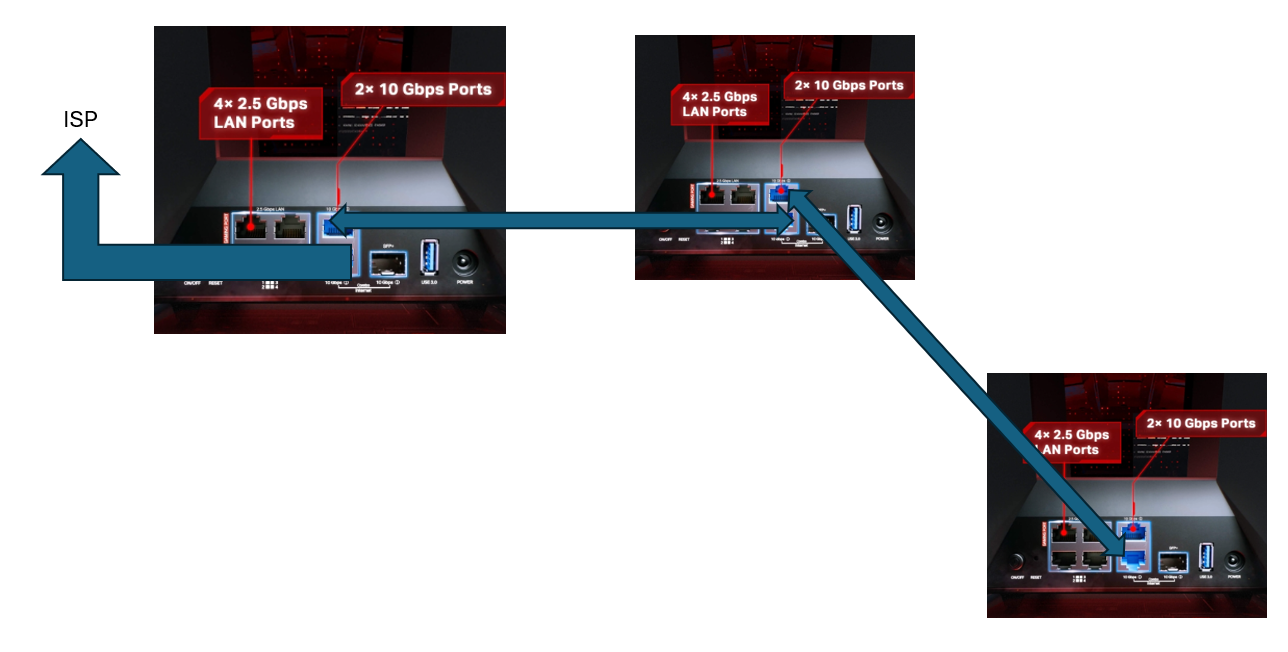
My current configuration like below is able to establish a easy mesh network connectivity between 3 nodes.
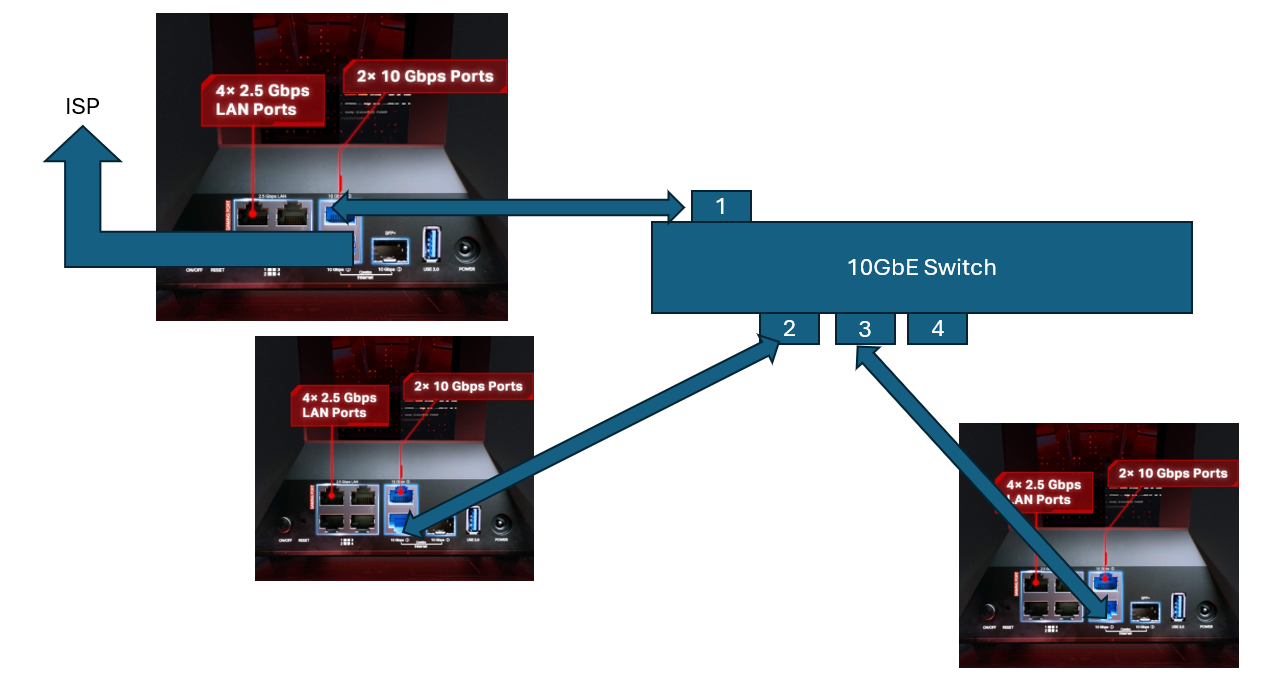
However, since I want to connect to my 10GbE Nas, I add on 1 10gbE switch on my main node. I found out the router unable to login to the dashboard and the network is crash. And my switch light pop out some issues, likely is loop detection? 
Anyway that TPLink can support on this?


Thanks.

  0      
  0      
#1
Options
1 Reply
Re:Regarding GE800 Easymesh no working on switch
Yesterday

 @Jasson_Hong ,

Thank you for your inquiry.

To facilitate follow-up on your case, please reply to this thread: Regarding Easy Mesh Connection Issues and Device AP Binding.

We may lock this case later.

Nice to Meet You in Our TP-Link Community. Check Out the Latest Posts: △Pre-release Firmware for Archer AX50 Introduces New Parental Control Features and Enhancements △Introducing AI QoS: Elevate Your Gaming Experience on the Archer GE800 Gaming Router △Connect TP-Link Archer BE550 to Germany's DS-Lite (Dual Stack Lite) Internet via WAN △Tether KidShield Test Recruitment - Safeguarding Children's Online Experience If you found the post or response helpful, please click Helpful. If an answer solves your problem, click "Recommended Solution" so that others can benefit from it.
  0  
  0  
#2
Options
