
When enabling qos the loaded latency increase

I’m using the TP-Link Archer AX53 Indian Version (Hardware V1.8) and noticed that the WebUI does not include any QoS settings, even though QoS is available in the TP-Link Tether app. When I enable QoS through the app, the connection becomes unstable — my loaded latency jumps from the usual 40 to 60 ms but when i enable qos the loaded latency goesto 120–225 ms, making it unusable for gaming and other real-time tasks. Without QoS, the router performs normally. Since QoS is an important feature for managing bandwidth and ensuring stable latency, please add full QoS controls directly to the WebUI and improve its stability on the AX53 Indian variant. This would greatly enhance usability and performance for many users. I have a archer c6 that have better loaded latencyof 5ms
i am sharing the results too in link
https://drive.google.com/drive/folders/1dRKABRvPSo46ISY1eZPJnb2bnNksIT7D
https://drive.google.com/file/d/1NHfNZqD2gB6dUmfZnR7RQ3kr4QknGrgR/view?usp=drivesdk
https://drive.google.com/file/d/19-6gRzzMU7DK0G9WDWD2t9oEtWuQTNBS/view?usp=drivesdk
- Copy Link
- Subscribe
- Bookmark
- Report Inappropriate Content

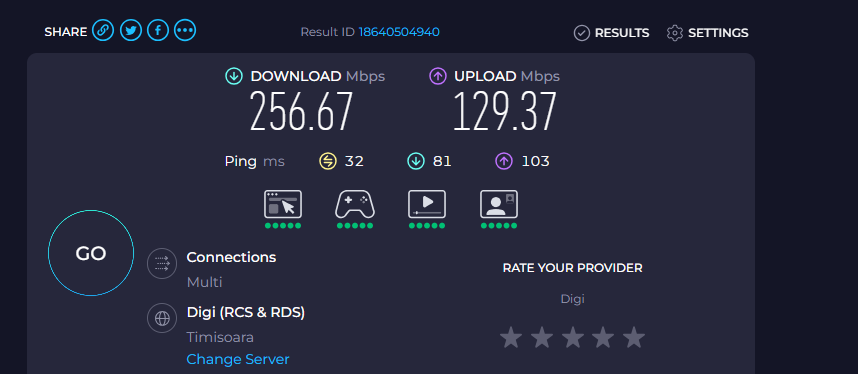
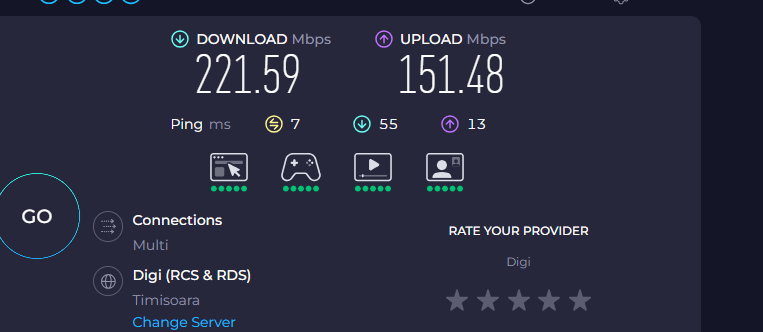
@Joseph-TP I have v1.0 of the archer ax53, with firmware version v1.5.4. And here are the screenshots with qos and without qos. The difference is huge. I am on a 300 mbps download and 150 mbps upload plan btw, and I also use FTTH.
this is with qos enabled:
this is without qos(peak hours rn, so that's why the 55 ms for downloading):
- Copy Link
- Report Inappropriate Content
@Joseph-TP btw, my network is this one: isp modem -> wireless router -> devices
- Copy Link
- Report Inappropriate Content


Hi @Harutolist & @Pankajuuuuu
I have reported your situation to the relevant departments. I will update this post if there are any developments.
- Copy Link
- Report Inappropriate Content
Hi @Pankajuuuuu & @Harutolist
We have released the Beta firmware for Archer AX53-v1:Archer AX53_V1_1.5.4 Build 20251230(Beta Firmware)
Please try installing it and let us know if it can help. For more details, you can refer to What Can I Do If QoS Enabled Causes BufferBloat and High Latency on My Router After Firmware Update?
- Copy Link
- Report Inappropriate Content
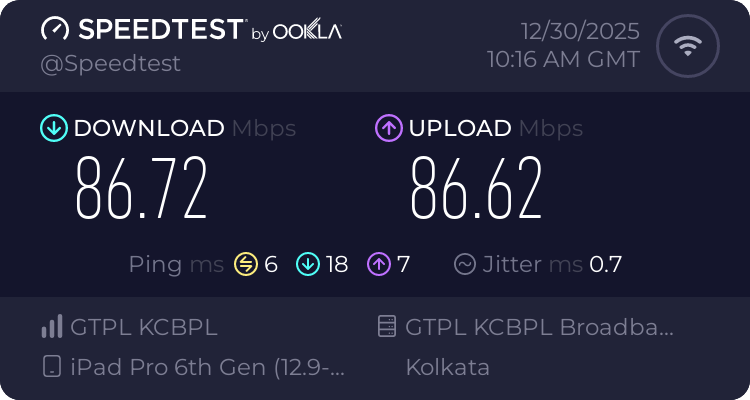
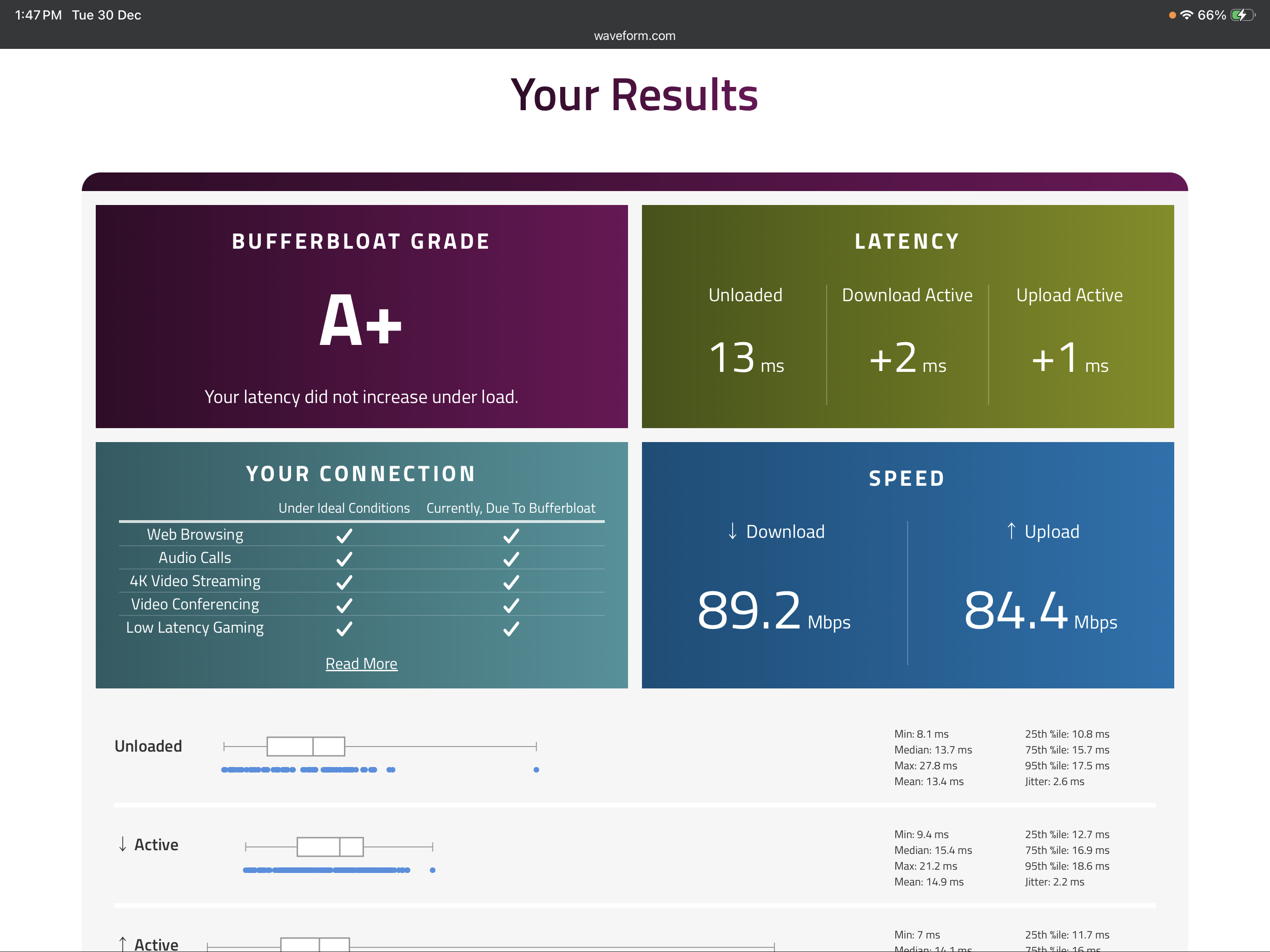
would like to sincerely thank the TP-Link teamespecially the administrator, for sharing the beta firmware to address the bufferbloat issue I was experiencing. After installing the beta version, the issue has been resolved, and the router performance particularly latency under load has significantly improved. You can see in the pic . I appreciate the timely support and effort from the team. I hope this fix can be considered for inclusion in a future stable firmware release, as it would be highly beneficial for users facing similar issues.
Thank you once again for the excellent support
- Copy Link
- Report Inappropriate Content
Hi @Pankajuuuuu ,
Yes, we anticipate fixing it in a future official firmware update.
Thank you for your continued feedback and support.
Wishing you a Happy New Year in advance!
- Copy Link
- Report Inappropriate Content
@Joseph-TP Will this work if I've upgraded to the latest official firmware that is available on the website for the EU version, v1.5.5?
- Copy Link
- Report Inappropriate Content
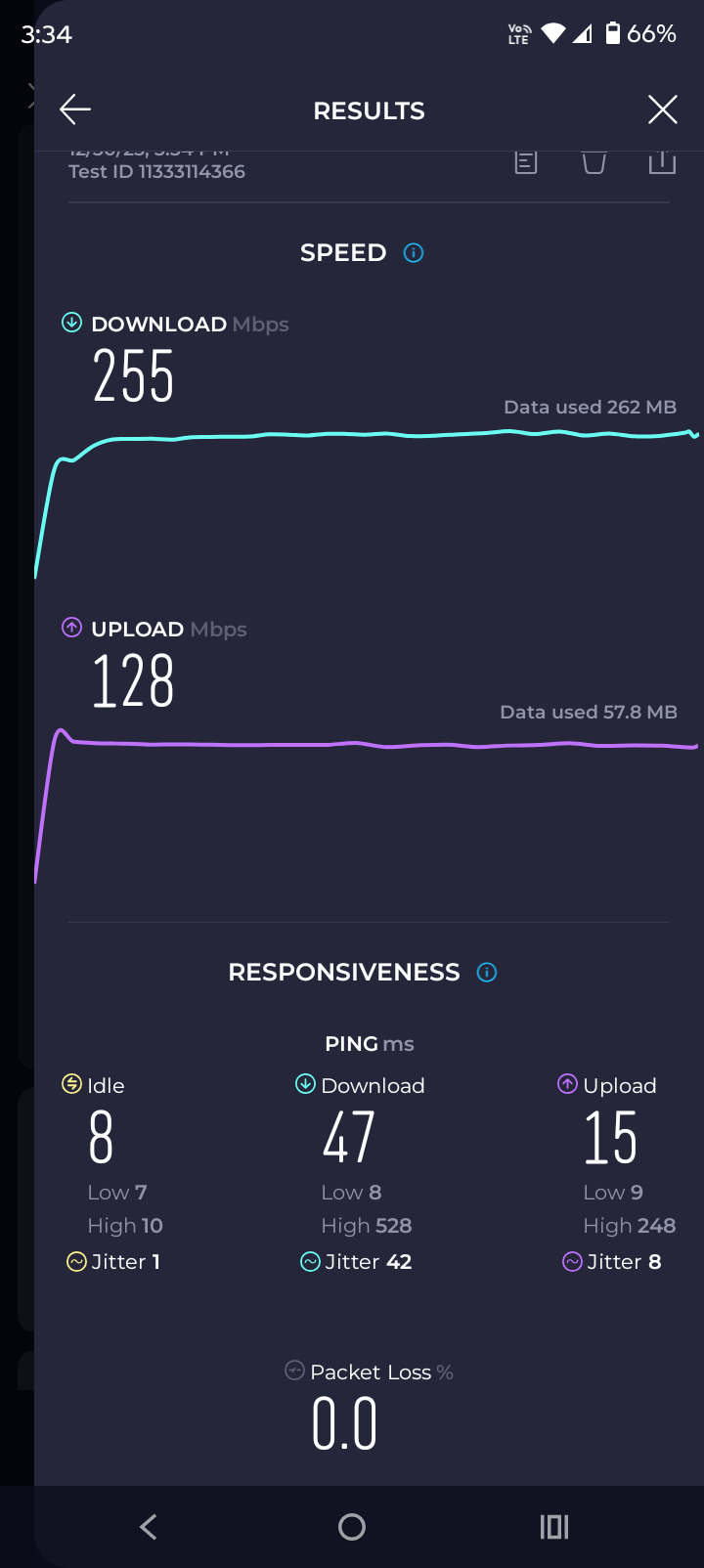
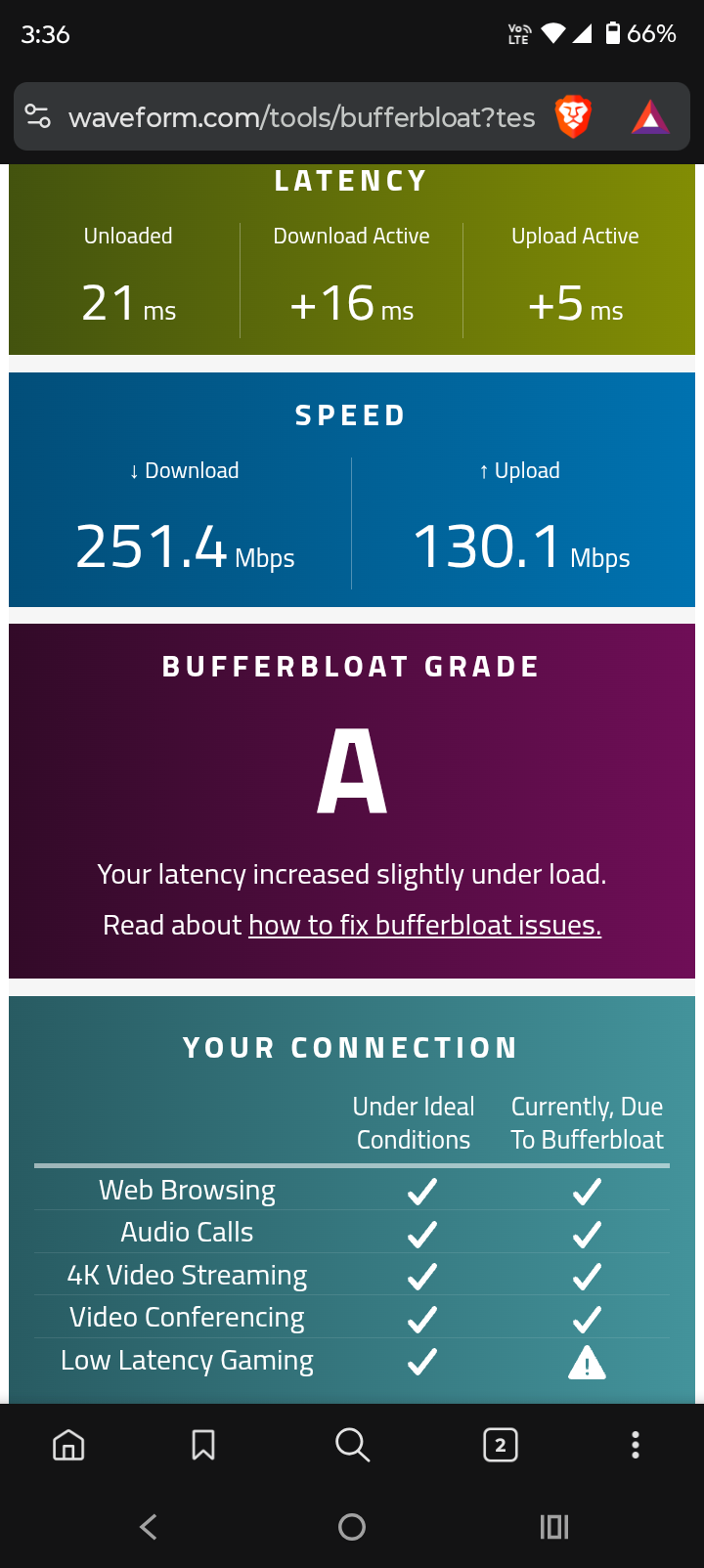
@Joseph-TP Well, i installed the beta firmware and these are the results- Qos set to 300 mbps down and 150 mbps up(since that's my actual bandwidth from isp), not sure what I'm doing wrong..
- Copy Link
- Report Inappropriate Content
- Copy Link
- Report Inappropriate Content
@Harutolist now you have to set the speed or bandwidth that you pay for in your case its [300 mbps down and 150 up ] in qos setting which you can find in the tether app then prirotise the device you are testing
- Copy Link
- Report Inappropriate Content
Information
Helpful: 2
Views: 3591
Replies: 42
Voters 1