
Solution Reported Issue and Workaround: Unable to Export OpenVPN Configuration File on Deco
Solution Reported Issue and Workaround: Unable to Export OpenVPN Configuration File on Deco


This Article Applies to:
Deco models that support OpenVPN Server
Phenomenon Description:
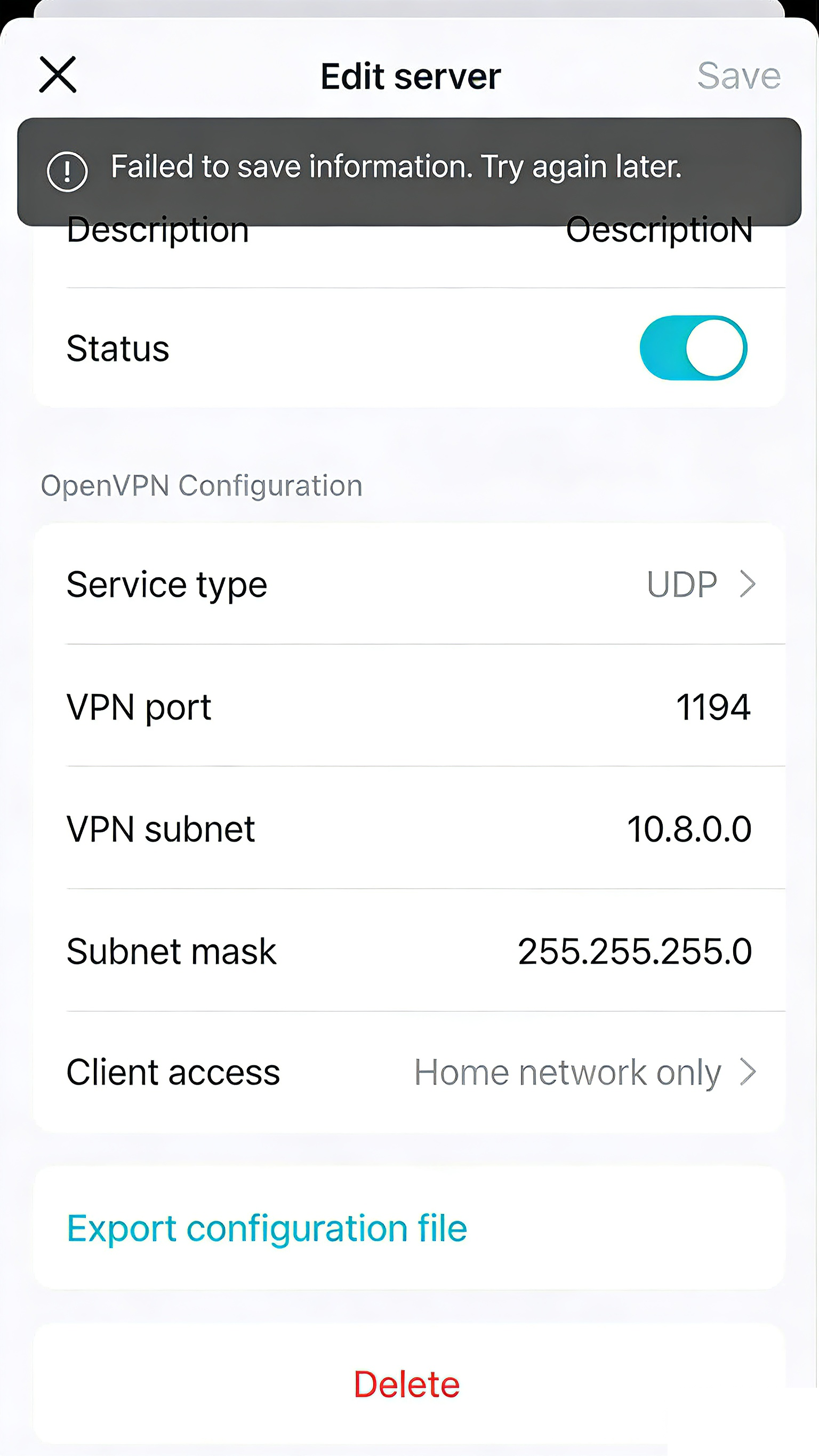
When configuring a VPN Server with OpenVPN on the Deco, users reported that whenever trying to export the config file, an error message popped up: "Failed to save the information. Please try again later".
It typically occurs in mixed-model Deco mesh networks where the Main Deco unit and one or more Satellite Deco units have differing support for the VPN Client Kill Switch feature.
A similar feedback can be found in #847706 and #846504.
Possible Solution:
- A new firmware will be released in the future to ensure smooth configuration export in all network setups. We will provide updates as the firmware becomes available.
- Currently, it is recommended to temporarily power off all Satellite Deco units first. Once the file is saved/exported, power back on the Satellite Deco units to restore the mesh network.
- Copy Link
- Subscribe
- Bookmark
- Report Inappropriate Content
Hi, sorry for the inconvenience.
I saw that one of the Deco XE75 Pros is on 1.3.1, while the other is on 1.4.999?
-Did you already downgrade one of them? Or did this one never get updated to 1.4.999 beta?
The firmware upgrade needs to be implemented via firmware recovery here:
How to use firmware recovery if the Deco become brick
And the 1.3.1 Build 20251023 firmware bin file can be found here:
https://www.tp-link.com/en/support/download/deco-xe75-pro/#Firmware
Best regards.
- Copy Link
- Report Inappropriate Content
Information
Helpful: 0
Views: 601
Replies: 11
Voters 0
No one has voted for it yet.