
Can you do a switch off of a p110 plug

Is it possible on the app to switch off all of the schedules. I have an electric radiator on the smart plug that is running through 7 on & off schedules in a week. If I want to be able to just "pause" all these schedules for eg summer, can this done on the app?
Thanks for any help
- Copy Link
- Subscribe
- Bookmark
- Report Inappropriate Content


If any users share the same need -- to enable or disable multiple schedules for smart plugs in bulk, please vote for this feature request post, ability to turn off a set of schedules en mass, and leave a comment describing your use case. For example: what smart devices you own, how many of them, how many schedules you’ve created, how often you need to toggle schedules in bulk, and why you need this function (e.g., for business trips, vacations, etc.), etc.
Our product team will review the feature requests regularly, hot topics with detailed background information (e.g., use scenarios, reasons why you want or don't want a particular feature, etc) will be prioritized for evaluation.
- Copy Link
- Report Inappropriate Content

You just go into the app, select the device, select schedule and just tap off all the existing schedule with the button down the right hand side? Should only take a few seconds... Sorry, if I am missing something here.
- Copy Link
- Report Inappropriate Content
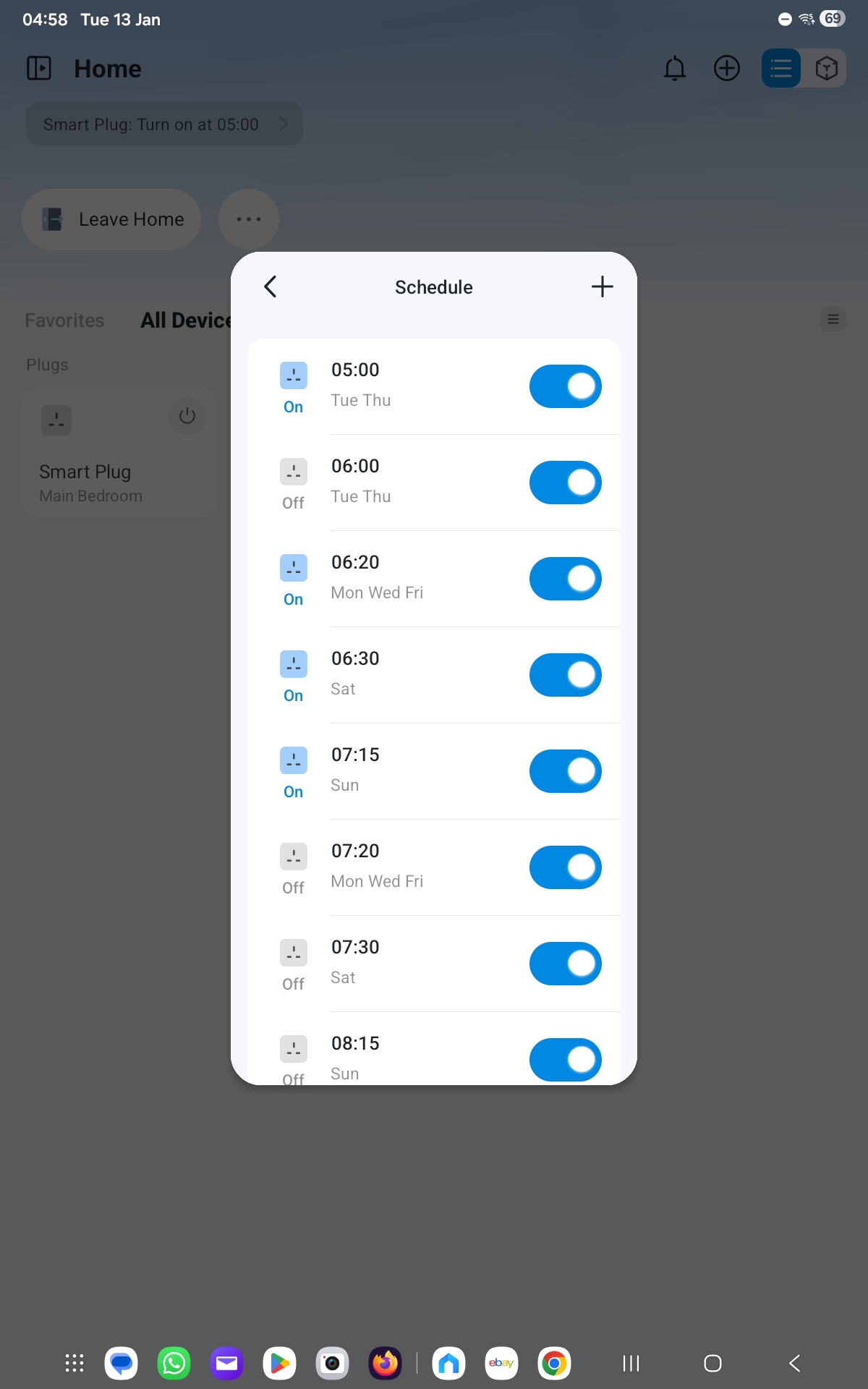 this is what i have
- Copy Link
- Report Inappropriate Content
Hi
Thanks for the info
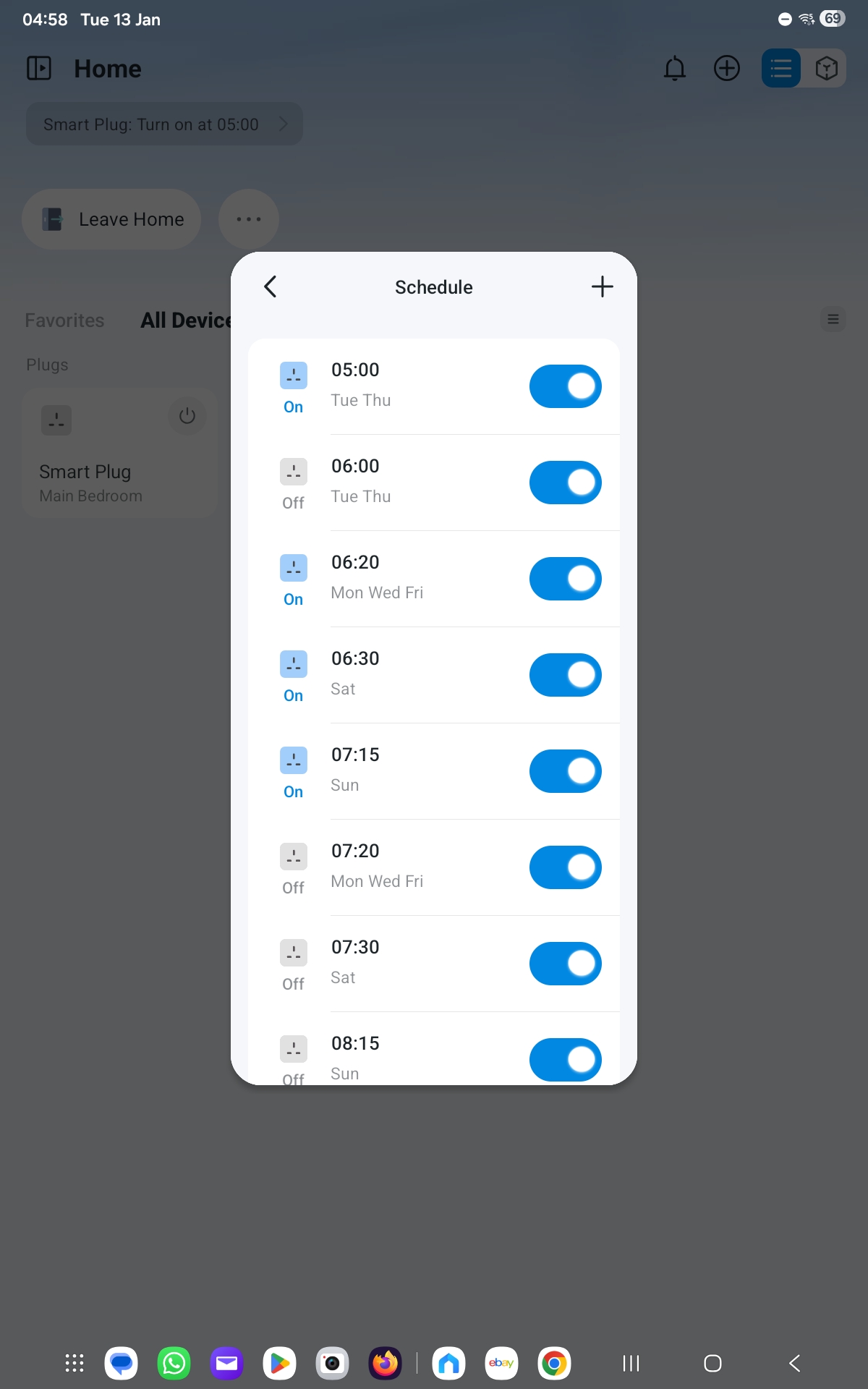
What I'd like to do is to be able to toggle all of the "On" and "Off" schedules in one go rather than have to do them individually (see image). Kind of like if all the schedules could be put in a folder and the folder could be toggled on and off activating or deactivating all of the schedules within the folder?
Does that make sense?
Thanks
Shaun
- Copy Link
- Report Inappropriate Content
If any users share the same need -- to enable or disable multiple schedules for smart plugs in bulk, please vote for this feature request post, ability to turn off a set of schedules en mass, and leave a comment describing your use case. For example: what smart devices you own, how many of them, how many schedules you’ve created, how often you need to toggle schedules in bulk, and why you need this function (e.g., for business trips, vacations, etc.), etc.
Our product team will review the feature requests regularly, hot topics with detailed background information (e.g., use scenarios, reasons why you want or don't want a particular feature, etc) will be prioritized for evaluation.
- Copy Link
- Report Inappropriate Content
Information
Helpful: 0
Views: 606
Replies: 4
Voters 0
No one has voted for it yet.