
Archer BE 550 wire guard with iphone client not able to connect remotely

Hello All,
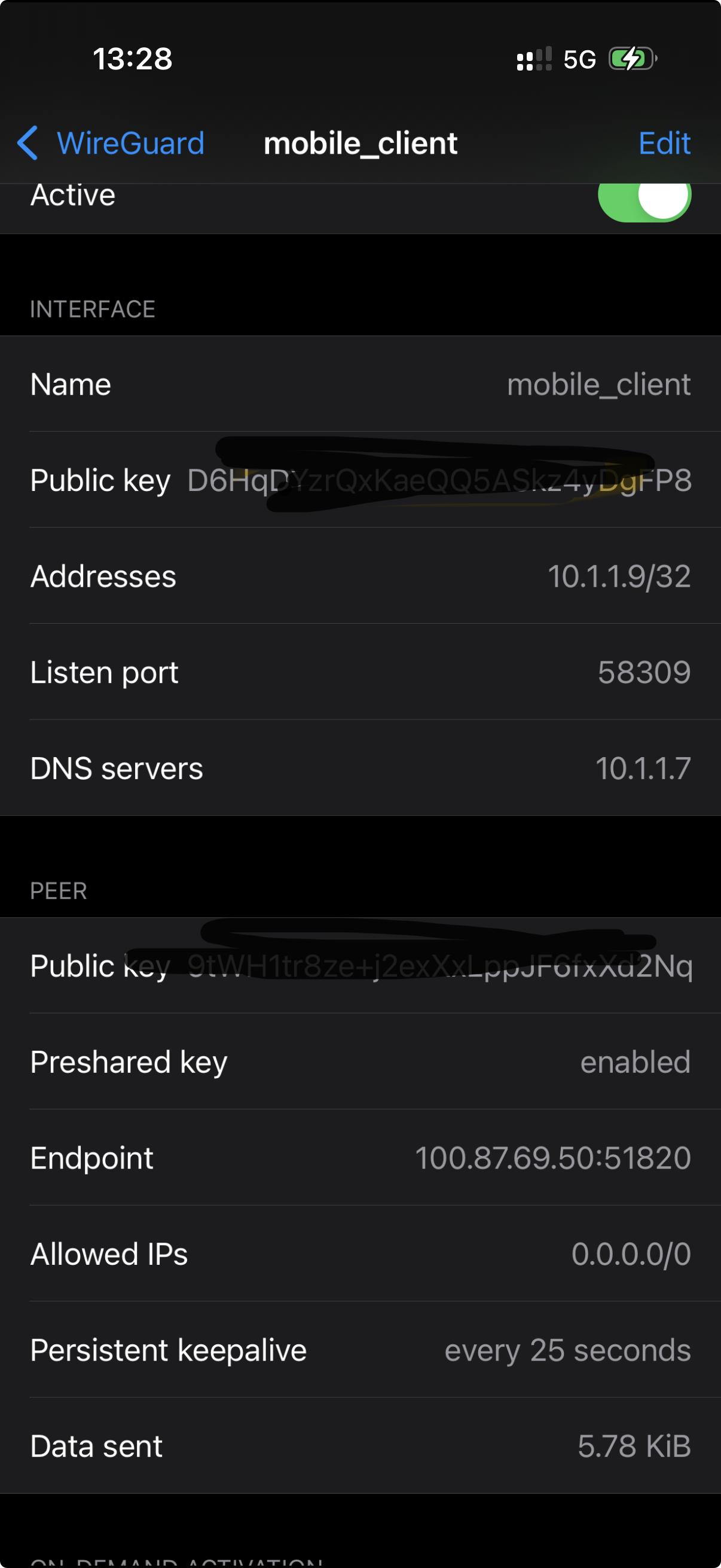
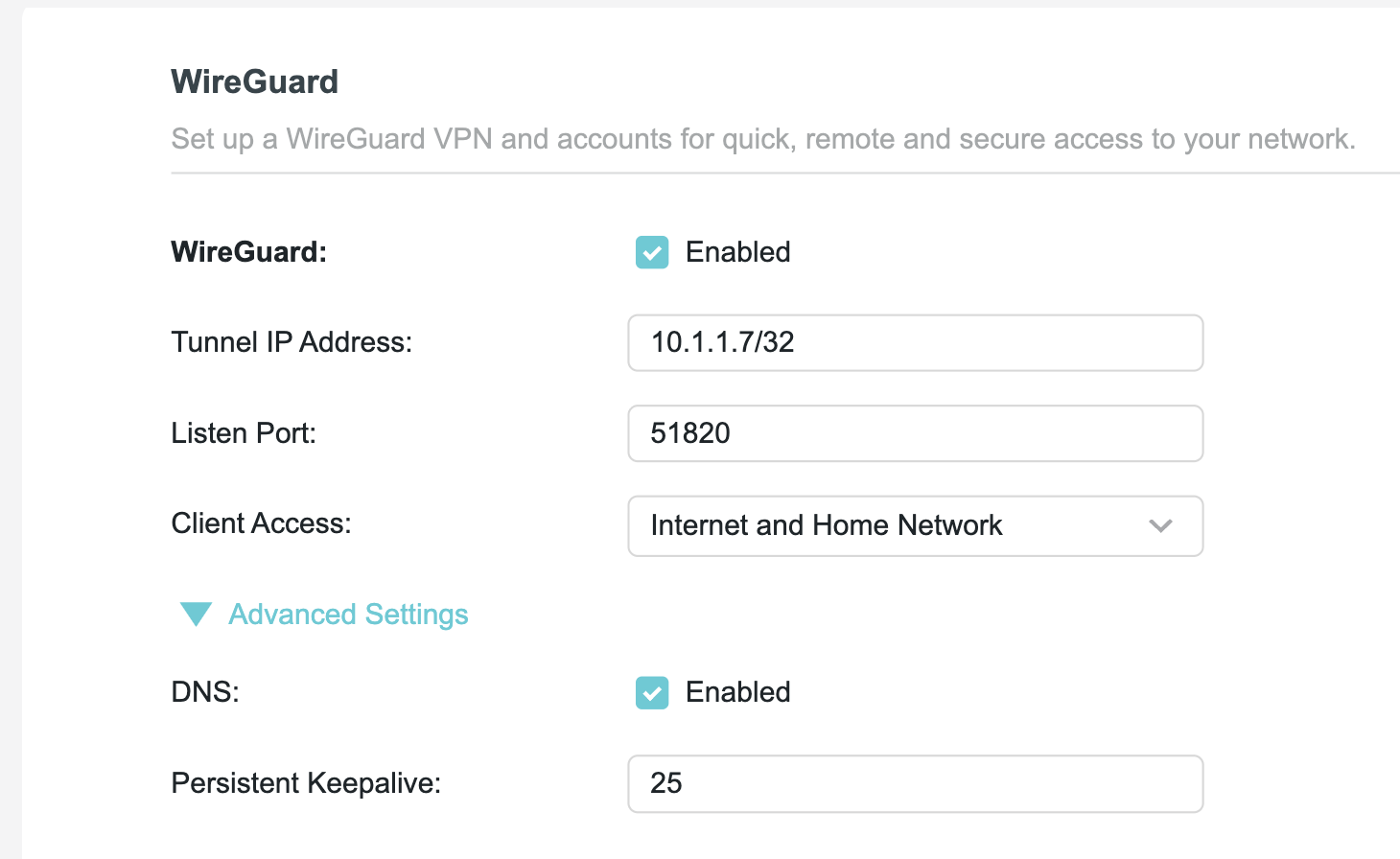
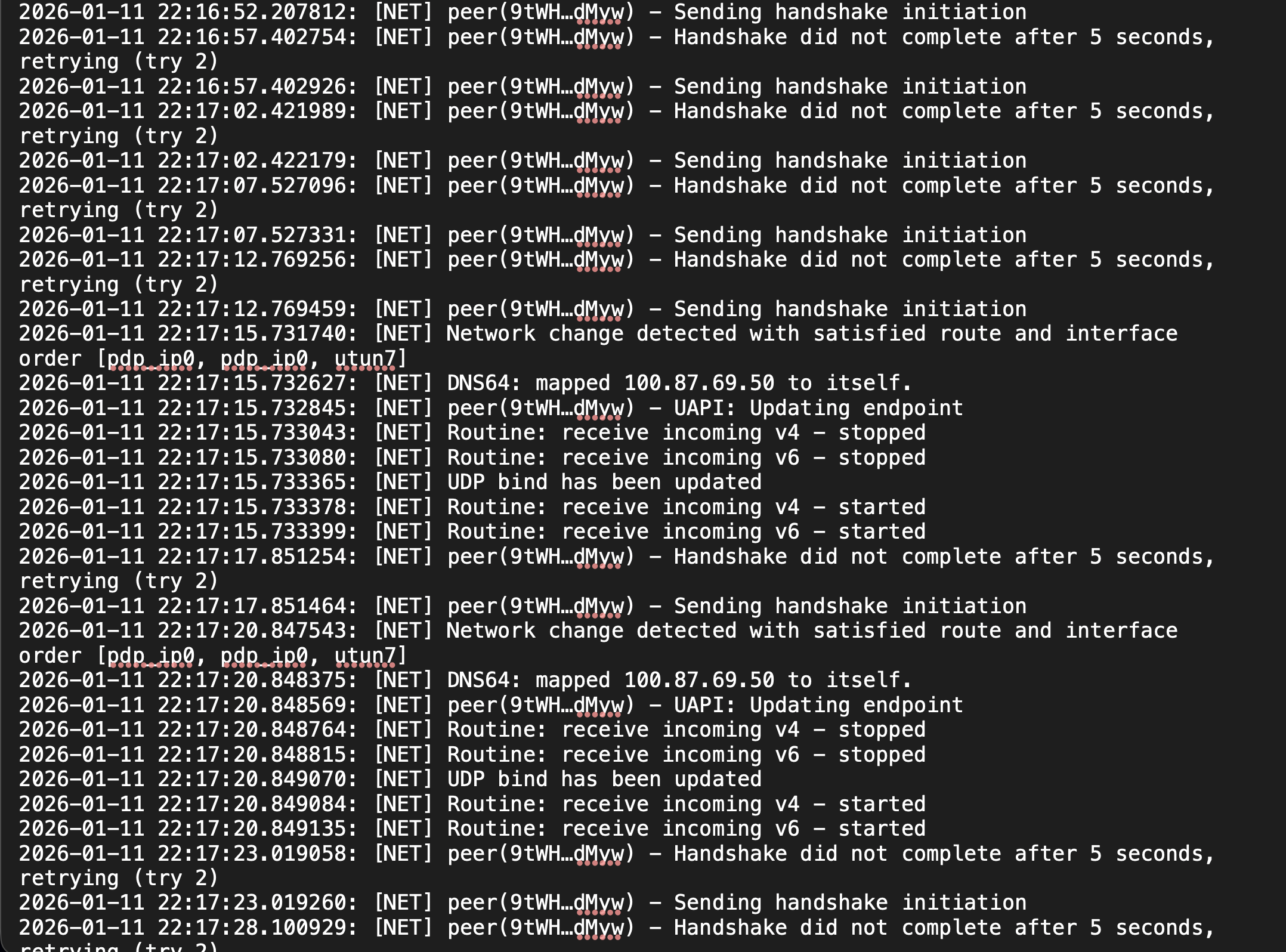
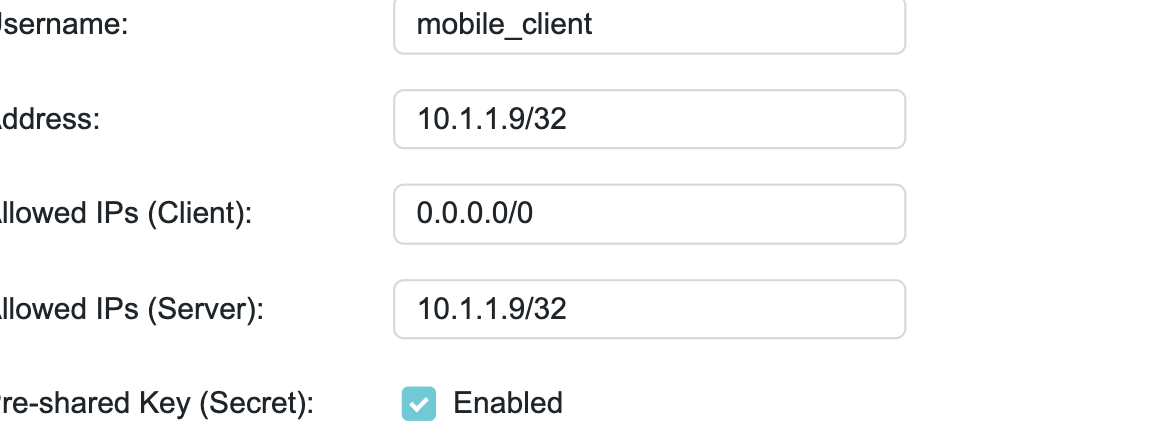
i recently bought BE 550 router , configured the wireguard server to access my local home network. my interent provider is you fiber , using DHCP i reserved all the local devices with static ip address, enabled DDNS using TP link cloud. i planned to use full tunnel approach. but i currenly the peer failed to connecting with router. The error reporting that handshake failed.
please help ? i attached all the configuration and logs. multiple tilmes i have created preivate key and piblic key. still i cant connect from my mobile client.
- Copy Link
- Subscribe
- Bookmark
- Report Inappropriate Content

The issue is not related to PPPoE or DHCP.
If your VPN server worked well with BT, then they must have given you a public IP address. It couldn't have worked without.
The DDNS service queries your Internet connection from the Internet side, hence it sees a public IP address, like the one you show (88.97....).
However, this 88.97.... IP address will be used by YouFibre for many of their customers at the same time. If you try to connect to that 88.97.... address, then YouFibre won't know who you are trying to reach and they will just ignore it.
- Copy Link
- Report Inappropriate Content
Hi,
Your "Endpoint" IP address of 100.87.69.50 is not a public IP address. The address range 100.64.0.0 - 100.127.255.255 is being used by Internet Service Providers for CG-NAT.
These IP addresses are not routed through the Internet, hence your WireGuard client cannot make a handshake with your BE550 router.
If you need to make this work, then your only chance is to contact your ISP and ask them to assign a public IP address to your BE550.
- Copy Link
- Report Inappropriate Content
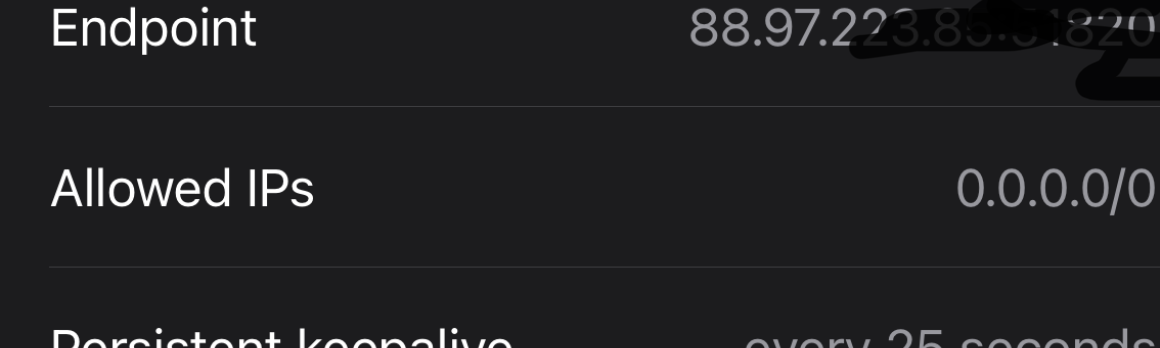
hello mate, I have subscribed with DDNS Even I try with that configuration I can't make any connection with WG server. But if we you use DDNS will that solve the public address issue .isn't it?
- Copy Link
- Report Inappropriate Content
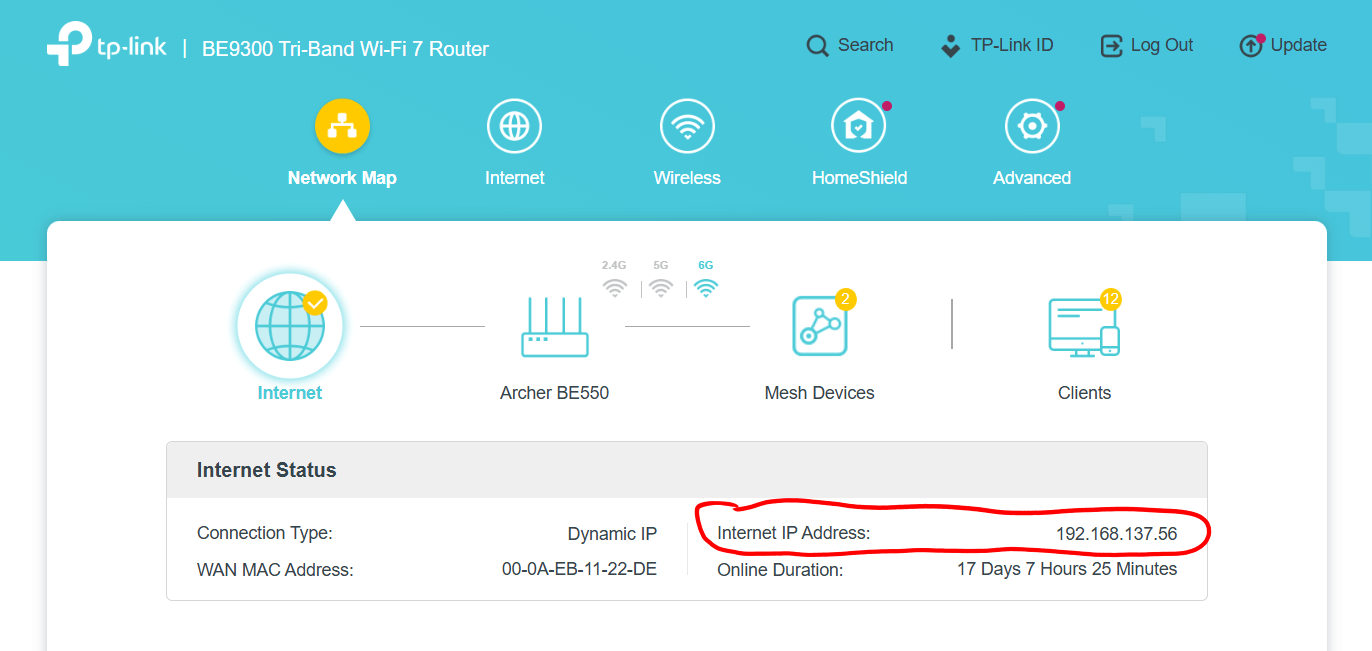
Please check the "Internet IP Address" of your BE550.
If it is within
100.64.0.0 - 100.127.255.255
or 10.0.0.0 - 10.255.255.255
or 172.16.0.0 - 172.31.255.255
or 192.168.0.0 - 192.168.255.255
then you cannot reach the BE550 via IPv4 from the Internet.
- Copy Link
- Report Inappropriate Content
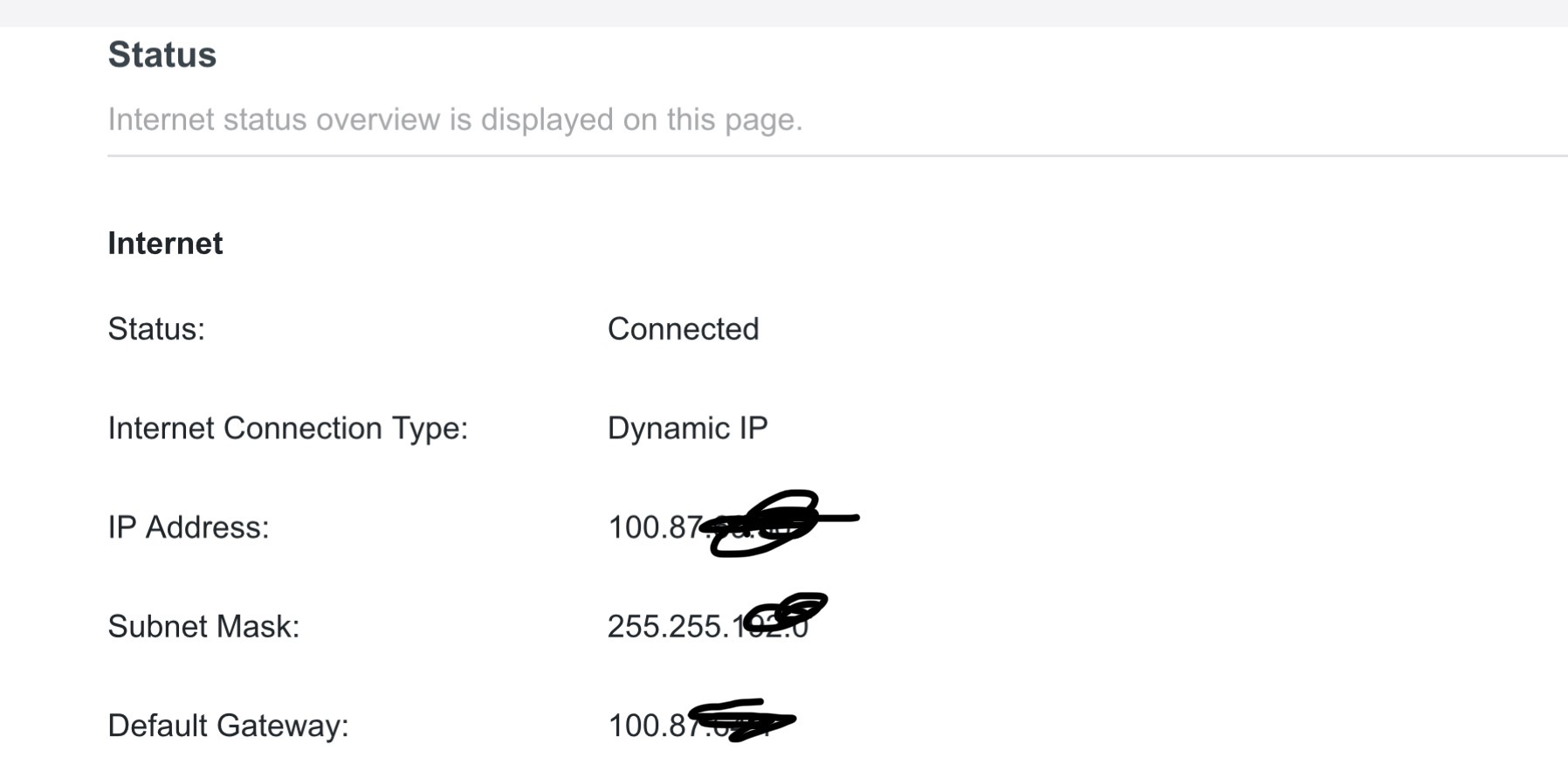
hello mate, I agre with your point. But I am using DDNS , that will help dynamic up changes . I am not an expert, but from research , I can see many of them don't have the staic Ip or public ip, they all solved by DDNS . I am using the same approach. Many of them don't have staic or public ip and still they able to achieve the expected results.
earlier I used BT Internet they have used PPOE , it's worked well, even they don't gave me public ip. Now I move to you fibre, they are using DHCP, after that I am started facing issue
- Copy Link
- Report Inappropriate Content
The issue is not related to PPPoE or DHCP.
If your VPN server worked well with BT, then they must have given you a public IP address. It couldn't have worked without.
The DDNS service queries your Internet connection from the Internet side, hence it sees a public IP address, like the one you show (88.97....).
However, this 88.97.... IP address will be used by YouFibre for many of their customers at the same time. If you try to connect to that 88.97.... address, then YouFibre won't know who you are trying to reach and they will just ignore it.
- Copy Link
- Report Inappropriate Content
Information
Helpful: 0
Views: 784
Replies: 5
Voters 0
No one has voted for it yet.