
Setting up

Hi,
I successfully set up my new DECO, then wanted to move it in a different location and the following happened:
1) green light became red (PS there is no power switch -the only way to switch it off if to remove the plug correct?)
2) after a few attempts (reset button and restart s) still no luck. In some case the light became blinking blue but the app showed no connection
3) tried to remove the device from the app amd re-installed. It worked but as soon as I switched it off amd restarted same issue appeared
PS o check the signal "of the sim"...It's strong everywhere
Can you please revert with suggestion?
Is the device defected and to be returned or something I should do?
Kind regards
- Copy Link
- Subscribe
- Bookmark
- Report Inappropriate Content


Hi, welcome to the community.
May I know your mobile service provider?
How about the current firmware version of the Deco X50-5G?
-It is recommended to test whether the beta firmware here helps:https://community.tp-link.com/en/home/forum/topic/825868
However, if the issue continued, when it turned red again after powering off/on, can you save the following screenshots on the web interface, such as:
- A screenshot of the Internet status page
- A copy of the web system log
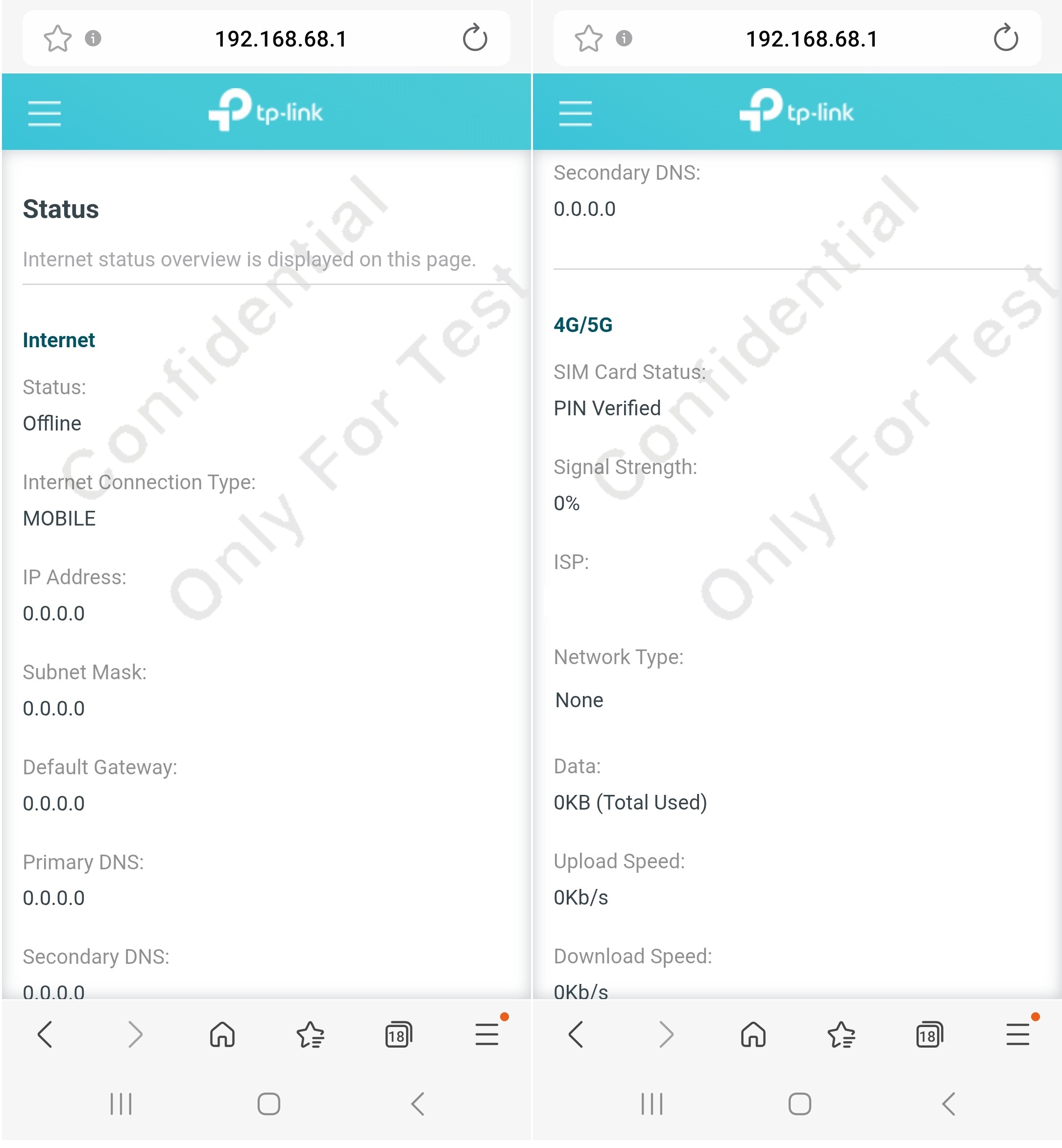
Wait for your reply.
Best regards.
- Copy Link
- Report Inappropriate Content
Hi, welcome to the community.
May I know your mobile service provider?
How about the current firmware version of the Deco X50-5G?
-It is recommended to test whether the beta firmware here helps:https://community.tp-link.com/en/home/forum/topic/825868
However, if the issue continued, when it turned red again after powering off/on, can you save the following screenshots on the web interface, such as:
- A screenshot of the Internet status page
- A copy of the web system log
Wait for your reply.
Best regards.
- Copy Link
- Report Inappropriate Content
Hello,
Service provided is: Sunrise
Firmware version is: 1.1.1 Built20250922 Rel. 17577
I have actually found a way to at least have the Deco working for the time being...
After switching off and moving position at home, the light becomes solid green and the red.
I then reset (reset button), remove the Deco (in the app), and re-install it completely (net name, password,...).
It then works quite ok....
I understand this behaviour is not normal (as the user manual states:" TP-Link Deco X50-5G to a new location is a simple process. The main consideration is ensuring the best possible 5G signal reception at the new spot . Moving the Unit 1. Unplug the Deco: . 2. Move to the new location: 3. Plug it back in: Reconnect the power and the SIM card. The unit will power up and should automatically reconnect to your network using the existing settings. Your devices should automatically reconnect once the router is back online.").
Is this a software issue or something else? Is your recondensation to return the DECO to the seller and get it replaced or is there a software update that can fix the issue?
Best
- Copy Link
- Report Inappropriate Content
Hi, thank you very much for the feedback.
I don't think the Deco is already broken. But you can test to install the firmware here for Deco X50-5G_V2 to see whether it helps to improve the network performance:
Enhance the Overall 5G network stability for Deco X50-5G/Archer NX200/NX500/NX600
Best regards.
- Copy Link
- Report Inappropriate Content
Hi,
many thanks.
Can I install the firmware from the app?
could you pls explain to me how to do it?
kind regards
- Copy Link
- Report Inappropriate Content
Hi, it needs to be installed via the local web UI: How to upgrade the firmware of TP-Link Deco- method 2 via web UI.
Best regards.
- Copy Link
- Report Inappropriate Content
Information
Helpful: 1
Views: 356
Replies: 5
Voters 1