
Early Access Unlock Full Home Coverage with Deco Heatmap. All Deco models are available!



This Article Applies to:
All Deco models
Stop Wrestling with Dead Zones & Buffering! The Deco App’s Wi-Fi Heatmap turns your home into a vibrant, color-coded battlefield map—exposing exactly where your Wi-Fi shines and where it struggles. It transforms complex network data into an intuitive visualization of your wireless environment.
Unleash the Power of Wi-Fi Heatmap
The key features supported on the Heatmap
-
Placement Simulation:
Drag-and-drop Deco units onto your floor plan to simulate different layouts. Instantly see how moving a device affects coverage, identify interference sources (e.g., thick walls), and optimize bandwidth allocation.
-
Real vs. Simulated Data Comparison:
Compare AI-generated predictions with actual signal tests to validate accuracy. This dual approach captures real-world variables like furniture or neighboring networks, ensuring recommendations are actionable.
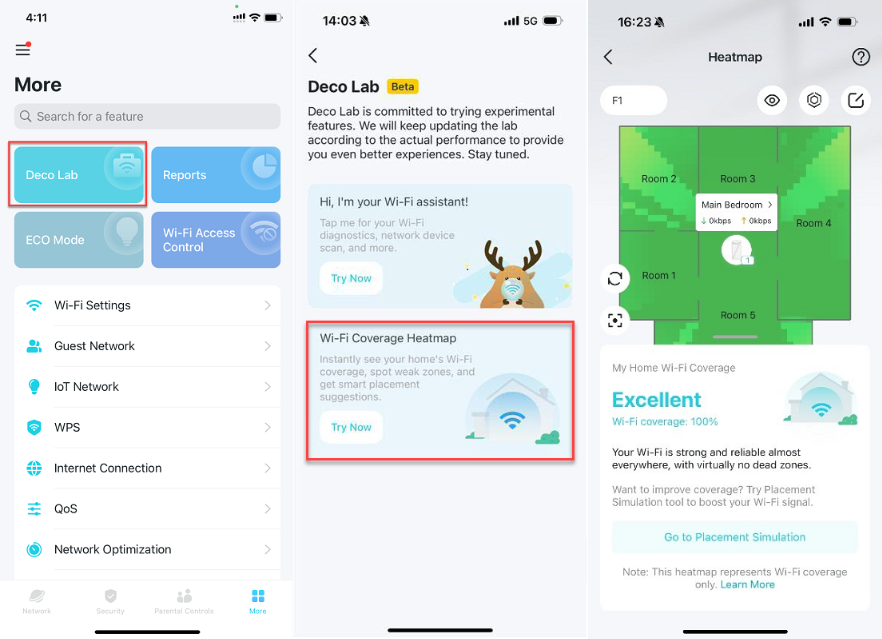
How to Create a Wi-Fi Heatmap
Ready to take your home Wi-Fi experience to the next level? Discover how the Deco Heatmap feature can transform your network by showing you exactly where your signal is strongest, and where it could use a boost. With just a few taps, you can create a custom floor plan, place your devices, and instantly see coverage throughout every room. Say goodbye to dead zones and hello to seamless surfing, streaming, and smart home connectivity!
Follow these steps to generate your personalized heatmap:
***It's better to configure the Heatmap when the mobile phone is connected to the Deco WiFi.
***Deco needs to be online and connected to the internet when configuring the Heatmap.
-
Import & Customize Your Floor Plan: Upload a scaled floor map (hand-drawn or digital).
-
Add structural details: Floors, rooms, doors, and walls for precise signal penetration analysis
-
Define Key Areas: Highlight critical zones (home office, gaming room) for targeted coverage analysis.
-
Place Deco Units: Position your Deco devices on the map. The app suggests ideal spots based on AI-driven mesh algorithms
-
Run Live Signal Tests: Predictions can’t account for dynamic factors like moving people or interference from appliances. Walk through each room while the app measures real-time signal strength. This step is crucial for accuracy—revealing true dead zones and overlap areas
How to Read Your Wi-Fi Heatmap
- Multi-Floor and Room Insights: Switch between floors/rooms to spot weak signals everywhere.
- Detailed Signal Metrics: Hover over areas to see signal strength and speed metrics.
- Color Key for Quick Interpretation: Green zones= Strong signal (ideal for 4K streaming). Orange/Red zones=Poor connectivity (needs Deco repositioning or an extra unit).
Optimize with Confidence. We Want Your Feedback!
Please install the following beta Deco App versions:
- Deco App Versions
| IOS |
|
| Android OS |
Notice:
- Please be sure you have read the Beta Test Agreement before upgrading the Pre-release firmware!
- The Beta Apps currently support English only.
- How to exit the Beta Test:
Android OS: Please delete the Beta App and download the Official version from the Google Play Store.
IOS: Go to Test Flight and tap “Stop Testing,” then delete the Beta App and install the Official version from the App Store.
The Deco Heatmap isn’t just a tool—it’s your network’s blueprint for perfection. Test it now and share your feedback, such as:
- Did it help you find a pesky dead zone?
- Did moving a Deco based on the heatmap actually improve your signal?
- What features would make it even better?
- Copy Link
- Subscribe
- Bookmark
- Report Inappropriate Content
Hi, I think it is probably due to too many Deco units in the Mesh network.
You can find the IP address of each Deco BE11000 on the Deco App.
If possible, you can pick one satellite Deco and log into this unit directly to its individual web UI to upload the beta firmware to see how it works.
Thank you very much.
Best regards.
- Copy Link
- Report Inappropriate Content

@David-TP and BE85 ??? 
- Copy Link
- Report Inappropriate Content

@David-TP if I have the newer version of the app from the play store (but beta version) and I have the latest firmware installed 24761 on devices, any idea why I'm not seeing heat map under labs?

- Copy Link
- Report Inappropriate Content
Hi, the latest official Deco App version hasn't added the Heatmap module. This feature needs to cooperate with a specific Deco App version.
- Deco App Versions
| IOS |
|
| Android OS |
Will update later! |
Best regards.
- Copy Link
- Report Inappropriate Content
Hi All, excellent news!👏🏻👏🏻👏🏻
Now, the Deco heatmap is open for all Deco models as long as the Deco App has been updated to 3.10.245 on IOS or 3.10.103 on Android.
Feel free to comment below on how it works.
Best regards.
- Copy Link
- Report Inappropriate Content

@David-TP Yes we Android users are waiting for the Deco App update.
- Copy Link
- Report Inappropriate Content
Hi, nice to see you again.
You came at just the right time . I've uploaded the beta App 3.10.103 for Android OS.
Best regards.
- Copy Link
- Report Inappropriate Content
@David-TP Showing little bit wrong between Ground and First floor room names. I think because i choose duplicate? Because my house has 2 floors with same rooms position.
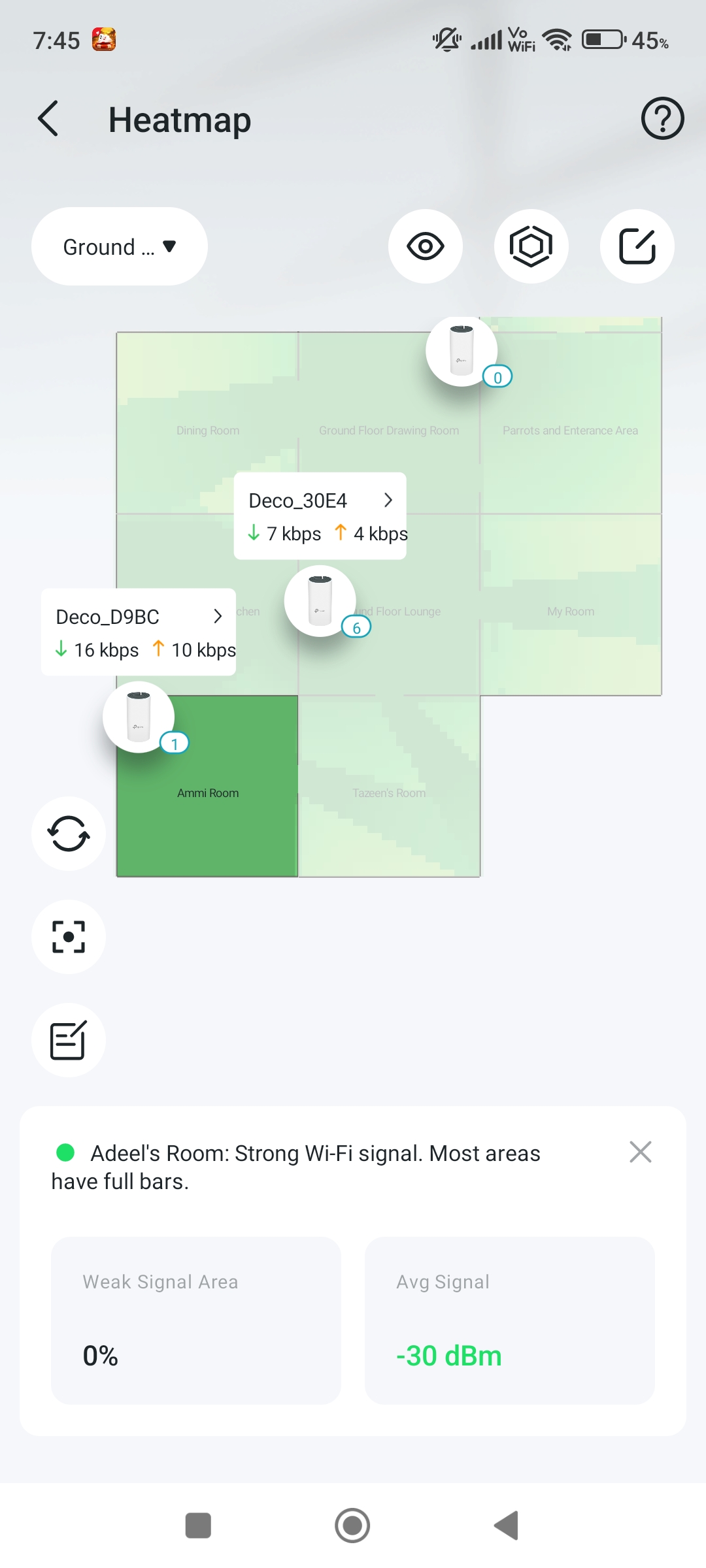
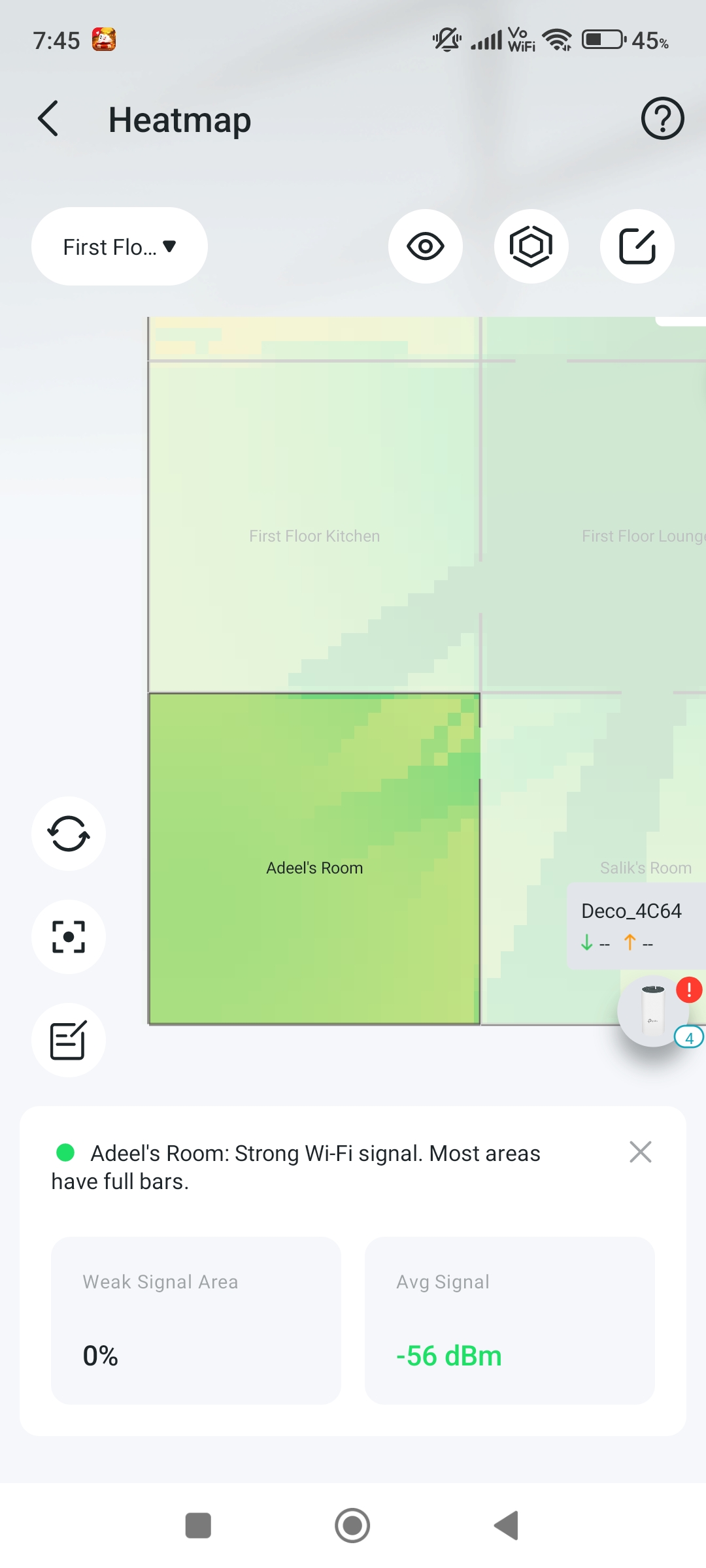
- Copy Link
- Report Inappropriate Content
Hi, for the "wrong room names", do you refer to the bottom signal strength notification:
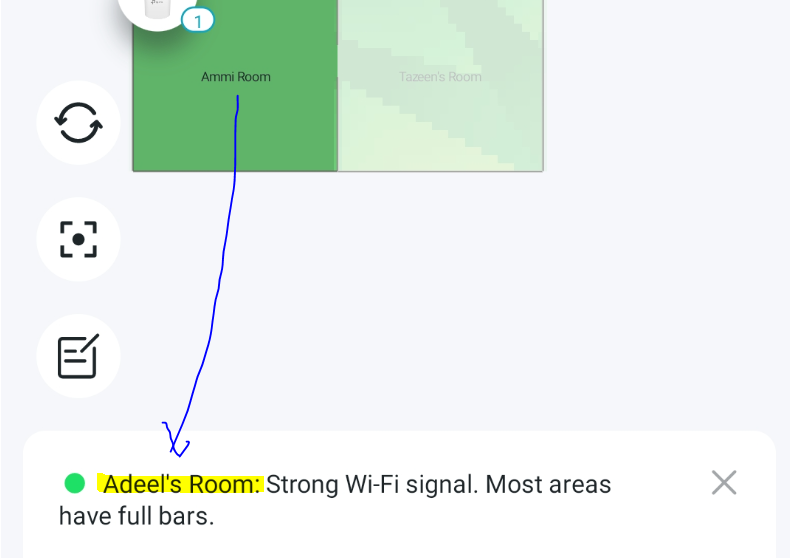
Best regards.
- Copy Link
- Report Inappropriate Content
@David-TP How? 🧐
- Copy Link
- Report Inappropriate Content
Information
Helpful: 0
Views: 16258
Replies: 56
Voters 0
No one has voted for it yet.