Wireless Network Mode - Issue with X50 Pro

Wireless Network Mode - Issue with X50 Pro

Wireless Network Mode - Issue with X50 Pro
21 hours ago - last edited 21 hours ago
Model: Deco X50 Pro  
Hardware Version: V1
Firmware Version: 1.5.0

HI Team,

I have a 3x X50 and 3x X50 Pro in very large home. 
X50 is set as Main with 2x X50 Pro connected with LAN.  Another three have wireless backhaul.
I tried to set the Wireless Network Mode for High Capacity to limit the 2.4G interference but seems I found again some limitation for X50 pro unit or compatibility between X50 and x50PRO:
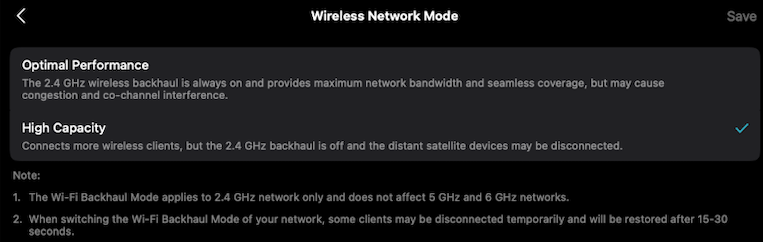

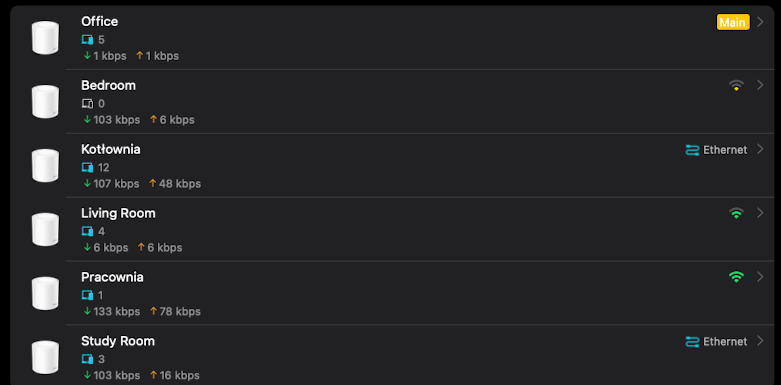
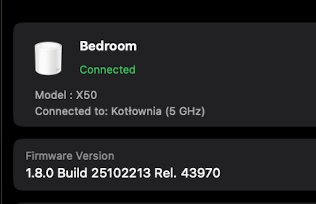
IN that mode my X50 successfully switched to 5Ghz backhaul only:


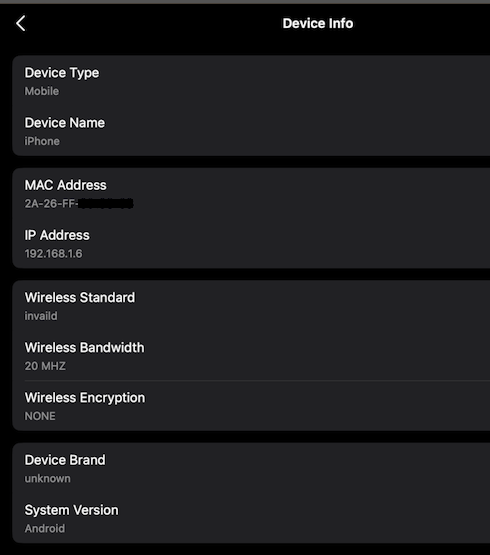
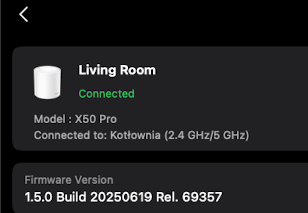
But X50 Pro is still at 2.4/5 Ghz - despite being much closer to the source unit with lan connection:


Once again, this is an example of limited compatibility between devices of the same series.(eg.: https://community.tp-link.com/en/home/forum/topic/849880 )
The X50 Pro is a newer device, but it seems that TP-Link is not paying much attention to it at the moment – for example, compared to the standard X50, which has many more improvements, one would think that the Pro version should be even better. 

@David-TP I would be grateful if you could report this issue as a potential bug to the relevant team – thank you in advance. 

  1      
  1      
#1
Options
2 Reply
Re:Wireless Network Mode - Issue with X50 Pro
2 hours ago

  @JouJek 

Hi, nice to see you again.

"X50 is set as Main with 2x X50 Pro connected with LAN.  Another three have wireless backhaul."

-Are these two satellite X50 Pros directly connected to the main Deco via LAN cables, or via Network switches?

-If there is a switch, can I have the model number of the switch?


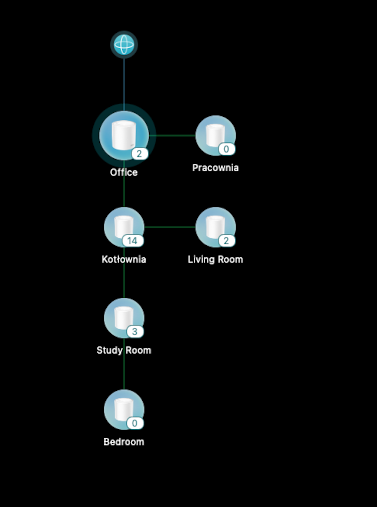
Can I have some screenshots of the network maps on the Deco App, such as:

Wait for your reply.

Best regards.

  0  
  0  
#2
Options
Re:Wireless Network Mode - Issue with X50 Pro
2 hours ago - last edited 2 hours ago

  @David-TP - thanks for reply 
I am keep waiting for internet backup option on X50Pro, then the main deco will be switched to PRO to have 2,5G backhaul and 2G ISP - but at this moment I need to stay with X50 as main and PRO as satellites.

Office (main) X50 is connected to Kotlownia X50 PRO directly with lan cable and using internal deco ethernet port.  
Kotlownia second port is connected to switch TP-LINK TL-SG108 (Gigabit for rest devices).
Study room (PRO) connected to that switch.


Living room (x50) connected 5Ghz only to Kotlownia (PRO) - as expected fine

But Bedroom(PRO) sometimes connects to Kotlownia(PRO) /sometimes to Study Room(PRO) but always with both bands 2.4/5 which is not expected 


I run another test - I set the Living Room (X50) as preffered for Bedroom (PRO) , then only 5Ghz was connected - but the signal was not  strength enough to stay. 

Seems that X50 PRO devices does not fully support "High Capacity" Mode (as a "client " connected to source unit) and keep both band wireless backhaul. 

  0  
  0  
#3
Options