
Double-clicking a file in a shared USB opens in a new Edge tab, cannot access the file

I have the same issue as discussed in this closed thread: https://community.tp-link.com/en/home/forum/topic/659462?
This is a brand-new Archer BE230, just installed and replacing a Linksys WRT1900ACS which has provided my USB drive shared hosting for going on nearly 10 years now. I installed the new BE230 today and the internet and network across various devices (iPhones, iPad, Win PC notebook, Brother printer) is working perfectly.
I unmounted and then moved my shared/network USB drive over from the Linksys to the BE230 and can (in Win 11 Pro) see all the folders and files in that drive when accessing via the FTP function. But when I double-click on any file, the only thing that opens up is the default Home Page in the Edge browser (my default web browser is Chrome on this notebook computer). The files themselves (e.g. jpg or .pdf) do not open -- as you would instead expect -- using the Windows "filetype" defaults.
If I turn off the FTP access to USB in the TP-link admin software, and instead turn on SMB(Samba) and try to access the files within the drive starting at \\192.168.0.1, I get a "cannot access drive error"
In accordance with the prior troubleshooing thread I linked to above, I have also turned on "SMB Direct" in Windows Features but that had no apparent effect.
Not sure where to go from here. Any suggestions would be greatly appreciated -- thanks.
- Copy Link
- Subscribe
- Bookmark
- Report Inappropriate Content

Gary_F wrote
Should "Secure Sharing" be ON or OFF in the router ? (I would prefer to leave it OFF to make access locally as simple as possible.)
It's up to your own preference.
If set to ON you need to supply username and password to be able to access the USB storage.
If set to OFF you can access the USB storage without credentials. However, note that Microsoft has disabled anonymous access to network shares in newer versions of Windows by default! In case you haven't already done so, then you need to change this setting like described in this article:
https://learn.microsoft.com/en-us/windows-server/storage/file-server/enable-insecure-guest-logons-smb2-and-smb3?tabs=powershell
Gary_F wrote
When I try to access the folder using SMB url \\192.168.0.1, I then get a Windows Security prompt for credentials.
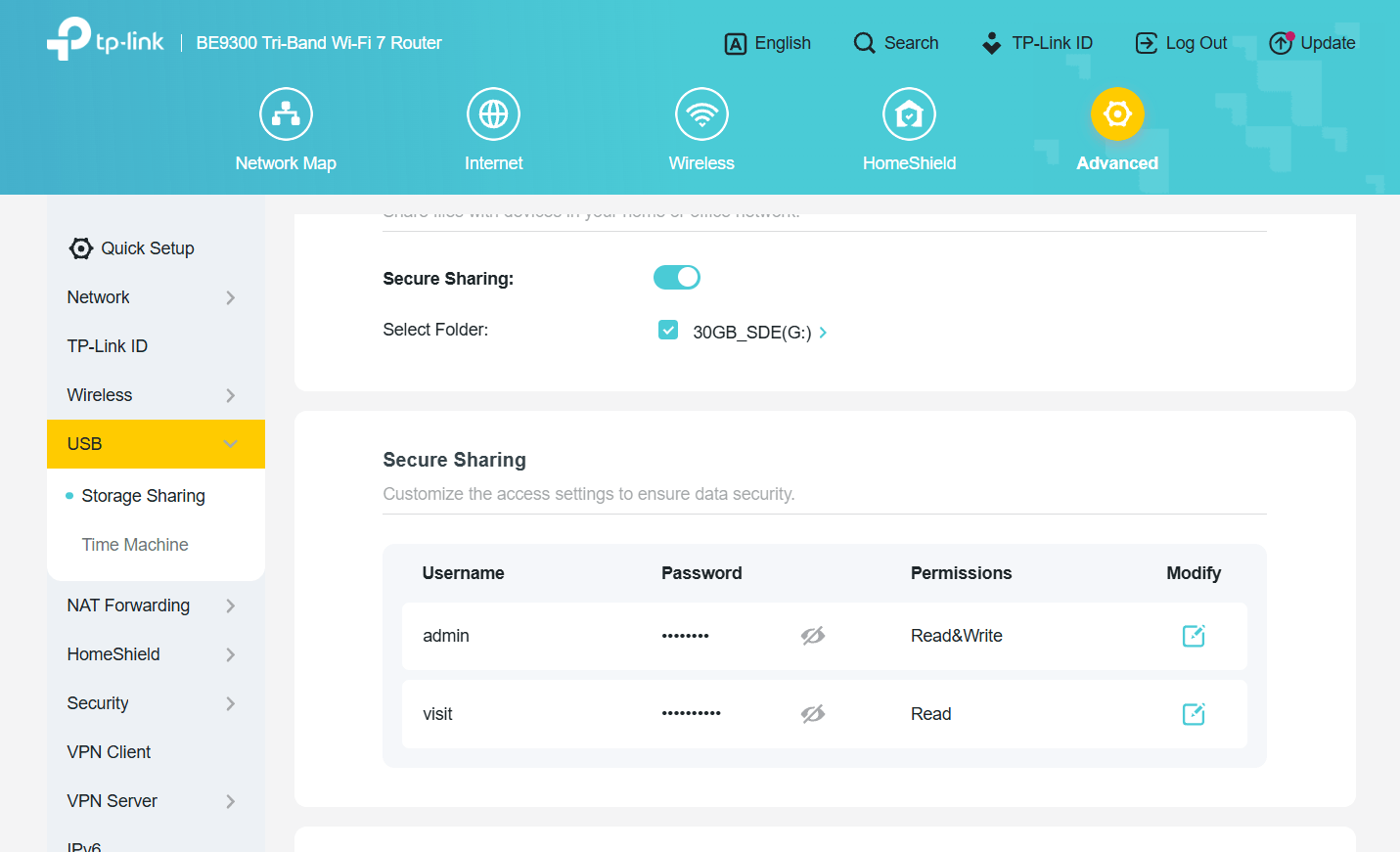
That is the correct behavior if "Secure Sharing" is ON in the BE230. The username(s) and password(s) for the "Secure Sharing" should be listed right below the activation slider, like shown in this screenshot.
- Copy Link
- Report Inappropriate Content
Gary_F wrote
I unmounted and then moved my shared/network USB drive over from the Linksys to the BE230 and can (in Win 11 Pro) see all the folders and files in that drive when accessing via the FTP function. But when I double-click on any file, the only thing that opens up is the default Home Page in the Edge browser (my default web browser is Chrome on this notebook computer). The files themselves (e.g. jpg or .pdf) do not open -- as you would instead expect -- using the Windows "filetype" defaults.
What you mention about ftp is the standard behavior in Windows 11. It's the same for everyone.
If you want to use ftp in a file-manager-like style, then it would be best to look for a good third-party ftp software.
As for SMB (Samba). This is what most people use.
Can you please tell if you have "Secure Sharing" switched on or off?
Also, sometimes it has been necessary to disable "SMB signing" in Windows 11 to get it to connect to a router's SMB share.
https://learn.microsoft.com/en-us/windows-server/storage/file-server/smb-signing?tabs=group-policy#disable-smb-signing
- Copy Link
- Report Inappropriate Content
@woozle Thanks for engaging and trying to help here. Very much appreciated:
Responding to your suggestions, here are some screenshots showing how things are set up and the current result from trying to open a file within SMB/Samba:
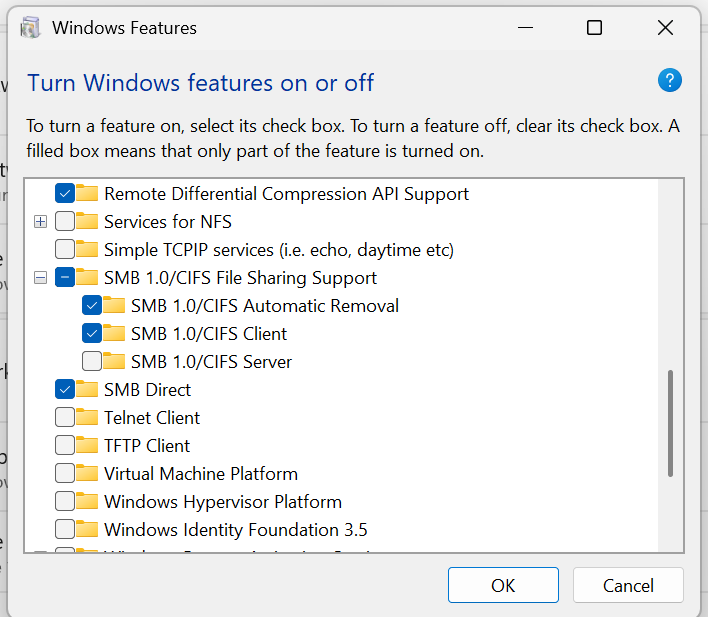
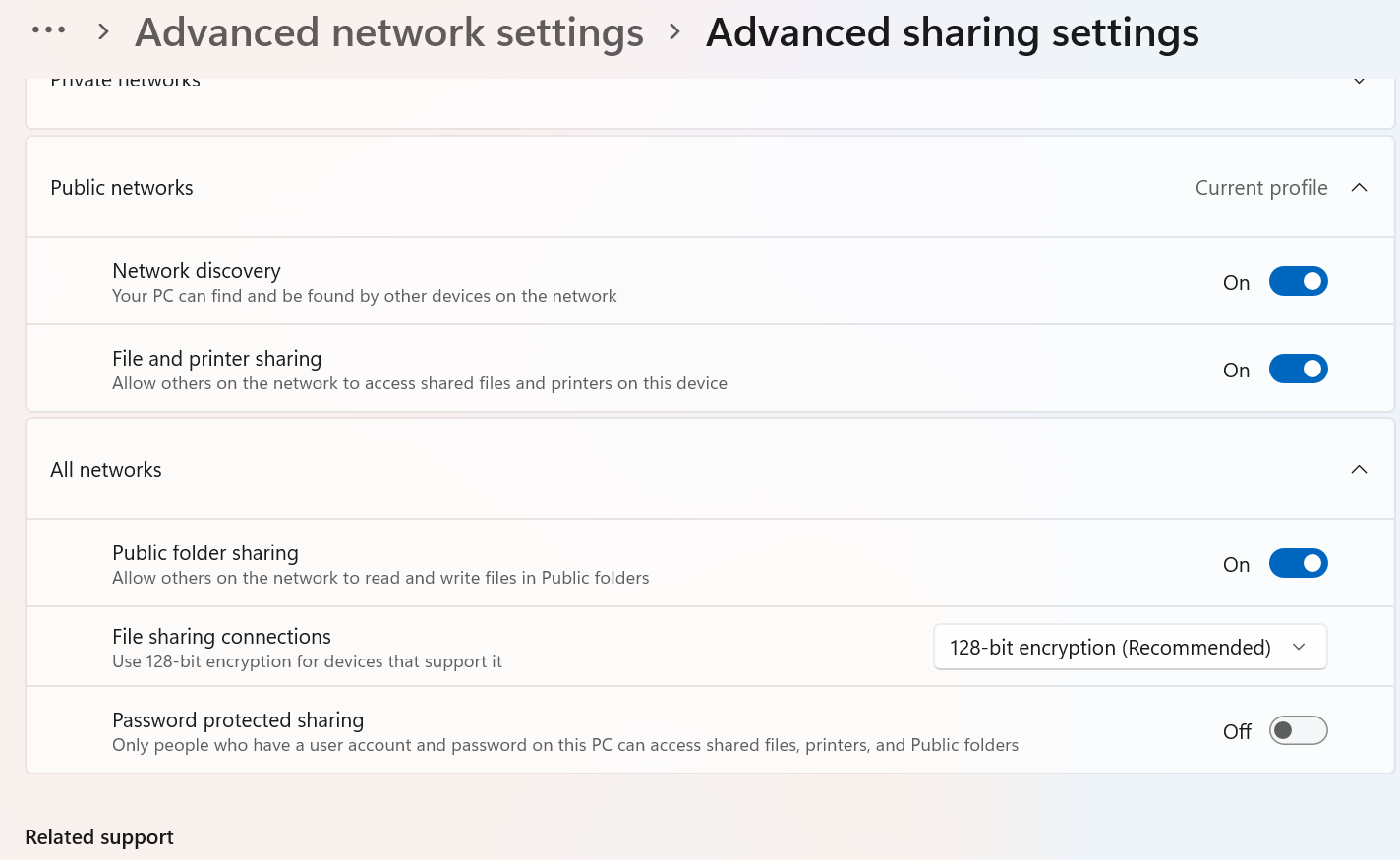
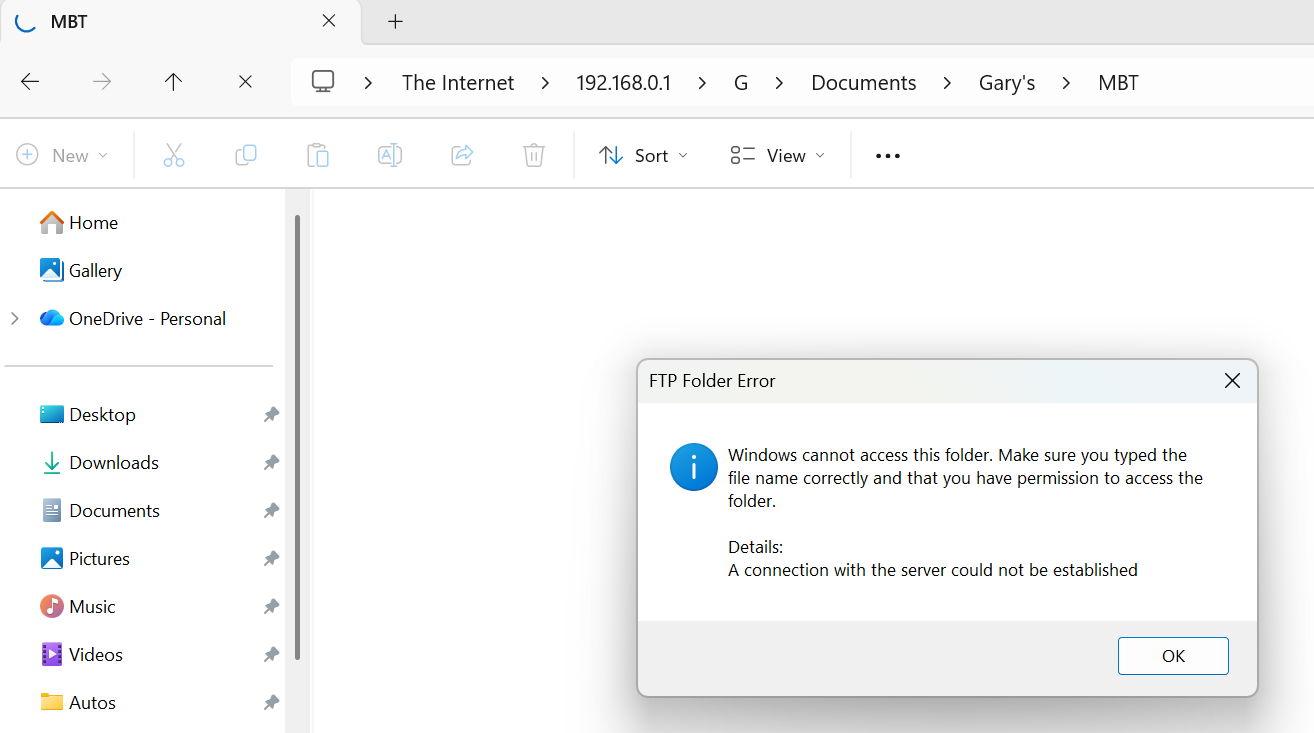
This last error message is what pops up when I click on an actual filename (like a .jpg file) that is seen in one of the folders under the SMB/Samba access configuration. All the folders are visible, but cannot open a file.
- Copy Link
- Report Inappropriate Content
Activating SMB 1.0 in Windows is not required for modern router models like the Archer BE230, because they use SMB 2 or higher.
The screenshot of the Windows file explorer appears to show you trying to access the storage via FTP.
A SMB connection should be shown as "□ > Network > 192.168.0.1 > G > ...", but not "□ > The Internet > 192.168.0.1 > G > ...".
Make sure you are typing \\192.168.0.1 in the address bar for access via SMB.
By the way, the "Secure Sharing" I mentioned in my previous post refers to a setting in the BE230. (menu Advanced -> USB -> Storage Sharing)
- Copy Link
- Report Inappropriate Content


- Copy Link
- Report Inappropriate Content
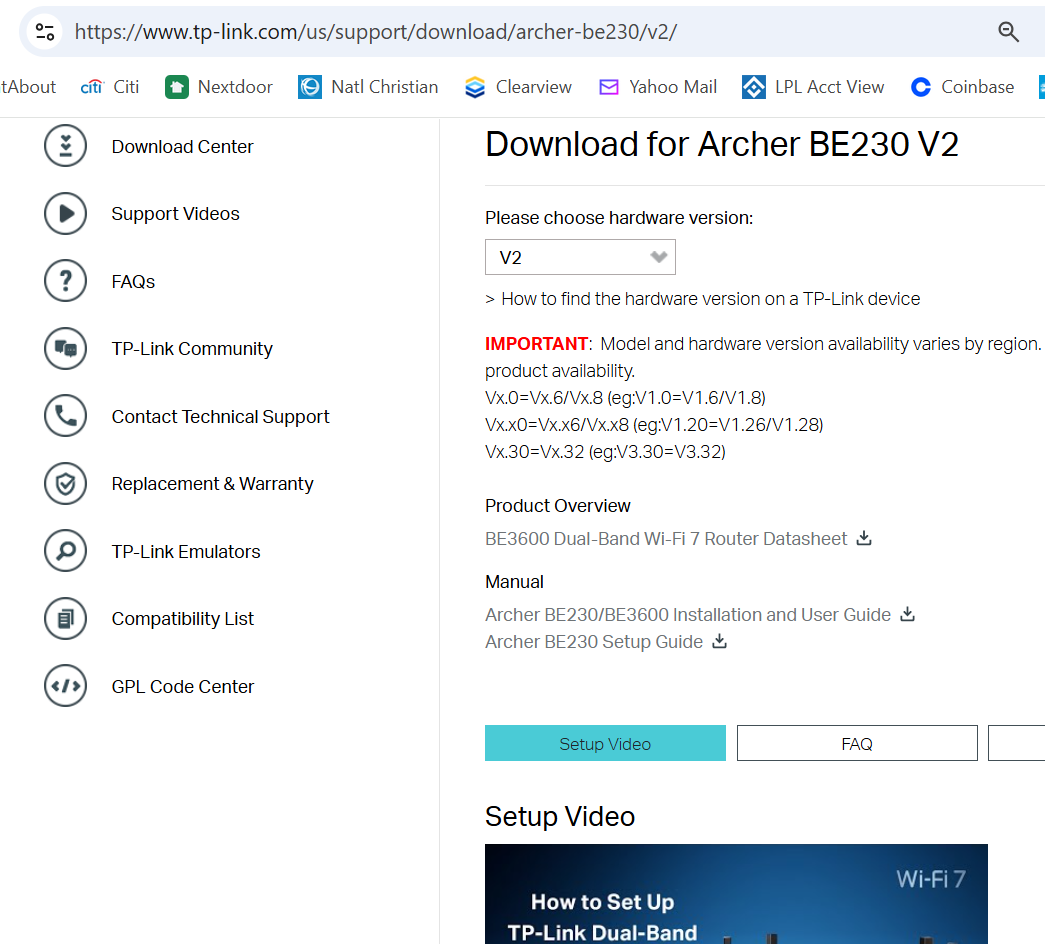
@Joseph-TP Thanks for your help. I cannot see any firmware download available at the link you provided. The device shows current firmware is "up to date".
- Copy Link
- Report Inappropriate Content
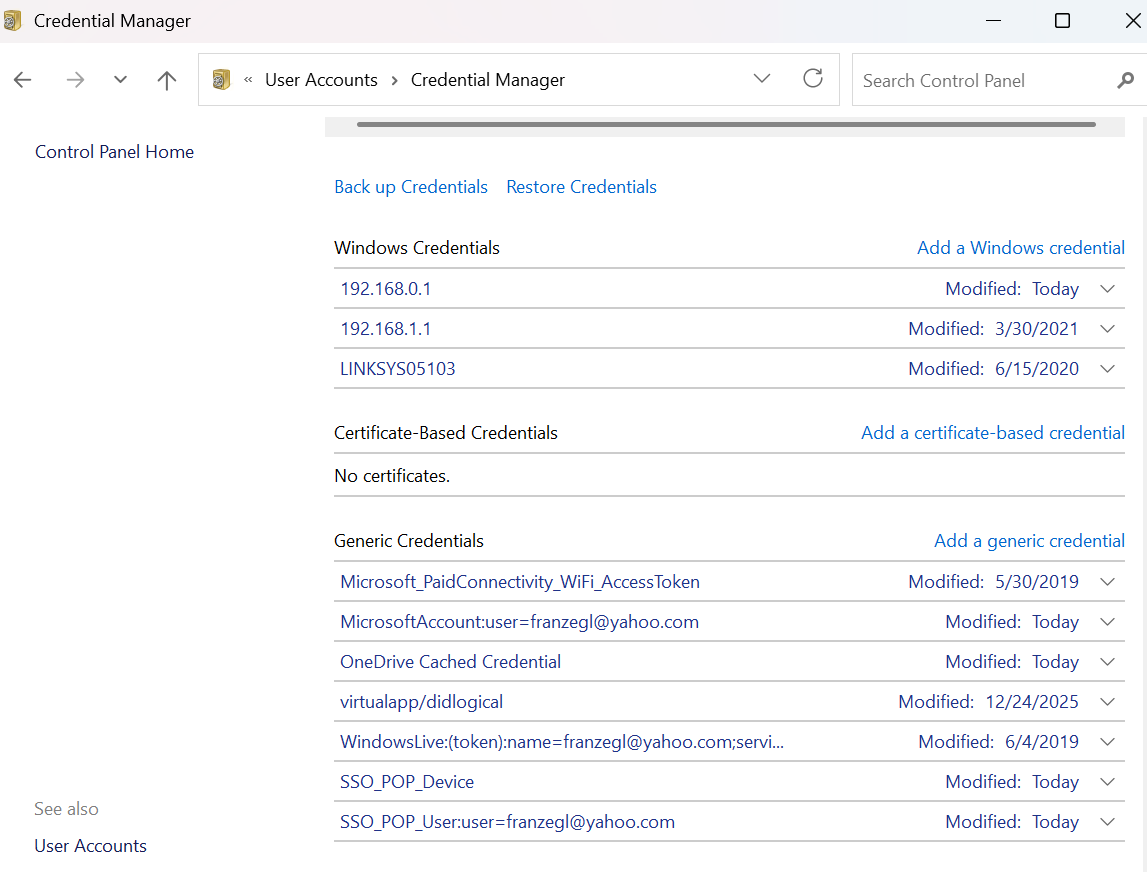
@woozle Should "Secure Sharing" be ON or OFF in the router ? (I would prefer to leave it OFF to make access locally as simple as possible.) It was OFF, but now I turned it ON. When I try to access the folder using SMB url \\192.168.0.1, I then get a Windows Security prompt for credentials. I don't specifically recall which Microsoft or Windows "username" and "password" applies for this particular prompt. The Credential Manager shows the following are in use:
- Copy Link
- Report Inappropriate Content
Gary_F wrote
Should "Secure Sharing" be ON or OFF in the router ? (I would prefer to leave it OFF to make access locally as simple as possible.)
It's up to your own preference.
If set to ON you need to supply username and password to be able to access the USB storage.
If set to OFF you can access the USB storage without credentials. However, note that Microsoft has disabled anonymous access to network shares in newer versions of Windows by default! In case you haven't already done so, then you need to change this setting like described in this article:
https://learn.microsoft.com/en-us/windows-server/storage/file-server/enable-insecure-guest-logons-smb2-and-smb3?tabs=powershell
Gary_F wrote
When I try to access the folder using SMB url \\192.168.0.1, I then get a Windows Security prompt for credentials.
That is the correct behavior if "Secure Sharing" is ON in the BE230. The username(s) and password(s) for the "Secure Sharing" should be listed right below the activation slider, like shown in this screenshot.
- Copy Link
- Report Inappropriate Content
@woozle I turned Secure Share OFF in the router config. Trying to keep all this as simple as possible as I am the only one using it.
Then I "Enable[d] insecure guest logons" using the option for Edit Group Policy instructions at the link you provided:
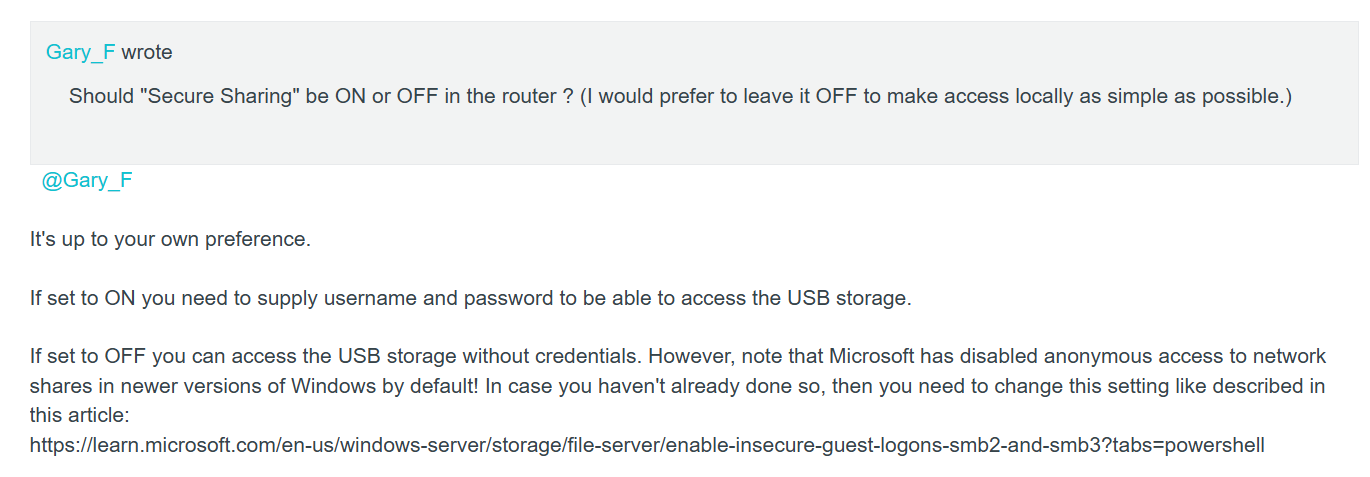
And that seems to have completely fixed the problem. Amazing. Thanks SO much for the help here !!
- Copy Link
- Report Inappropriate Content
Information
Helpful: 0
Views: 925
Replies: 8
Voters 0
No one has voted for it yet.