Deco X20 completely unusable after recent firmware update - NRD infinite loop destroying network

Deco X20 system worked perfectly for 3 years. Recent firmware update has caused complete network collapse. System now generates 784 NRD errors per hour and IoT devices cannot connect. TP-Link support has been unable to resolve after multiple weeks and configuration attempts. Network is completely unusable.
---
## System Information
**Hardware:** Deco X20 (3-pack)
**Purchase date:** November 19, 2022
**Working perfectly until:** Early Dec 2025
**Problem started:** After automatic firmware update
**Current status:** Completely unusable
**TKT**: TKID260132024
**Firmware Version**: 1.7.1 Build 25080612 Rel. 70421
---
## The Problem
After a recent firmware update, the Deco system entered a progressive failure state that has made the network completely unusable. The primary issue is the NRD (Network Resource Daemon) getting stuck in an infinite loop attempting 802.11k measurements on IoT devices that do not fully support this protocol.
---
## Evidence from System Logs
I have been documenting this issue with system logs over multiple weeks. The deterioration is measurable and progressive:
**February 3, 2026:**
- Approximately 50 NRD errors in logs
- Some IoT disconnections beginning
**February 10, 2026:**
- Approximately 100 NRD errors in logs
- More frequent disconnections
**February 13, 2026:**
- 415 NRD errors over 6 hours (69 per hour)
- Multiple devices in constant reconnection loops
**February 17, 2026:**
- 132 NRD errors in 1 hour (132 per hour)
- Full system reboot performed - no improvement
**February 18, 2026:**
- 784 NRD errors in 86 minutes (560 per hour)
- System completely collapsed
- 4 of 7 IoT devices cannot connect at all
- Remaining 3 connect only to disconnect immediately
---
## Log Evidence
The logs show a clear infinite loop pattern:
```
estimatorPerformMeasurement: Do 11k measurement for [device]
Invalid beacon report for [device]
Can't find local reported BSS
Failed to get uplink rssi for [device]
AP-STA-DISCONNECTED [device]
Station trying to disassociate, but it is not associated
[device reconnects]
[Loop repeats every few seconds]
```
This pattern occurs continuously, overwhelming the system and degrading performance for all WiFi devices, not just IoT.
---
## Affected Devices
**IoT devices (completely unusable):**
- Smart switches (eWeLink/Sonoff)
- Smart lights (Tapo)
- Smart plugs
- Various 2.4GHz-only devices
**All other devices (degraded performance):**
- Laptops showing slower connections
- Mobile phones with reduced WiFi performance
- Security cameras buffering and failing to load
- Streaming devices having issues
The entire network is affected, though IoT devices are the most measurable symptom.
---
## Configuration Attempts (All Failed)
Working with TP-Link support over multiple weeks, I have tried every suggested configuration:
1. **Connection Preference configured:**
- Set all IoT devices to "prefer current connection"
- Set all IoT devices to "2.4GHz only"
- Configured to connect to strongest signal Deco
2. **Disabled features:**
- Fast Roaming: OFF
- Beamforming: OFF
- Band Steering: Not controllable from UI
3. **Network settings:**
- 2.4GHz channel set to fixed (not auto)
- Channel width set to 20MHz
- Address reservation enabled for all IoT devices
4. **System actions:**
- Full reboot of all 3 Deco units (multiple times)
- Factory reset and reconfiguration
- Firmware update check (already on latest)
**None of these had any effect on the underlying NRD behavior.**
---
## Root Cause Analysis
The logs clearly show that NRD is ignoring all UI configuration settings. Despite having:
- Connection Preference set to prevent roaming
- Fast Roaming disabled
- Beamforming disabled
- Devices configured as 2.4GHz only
The NRD daemon continues to:
1. Attempt 802.11k measurements on IoT devices
2. Receive invalid responses (devices don't support 802.11k properly)
3. Assume poor signal quality
4. Force disconnect the device
5. Device reconnects
6. Loop repeats infinitely
This is consuming system resources and creating a cascade failure affecting all devices.
---
## Additional Firmware Issue Discovered
The logs also revealed that upon system reboot, the Deco starts with an incorrect system clock (6 months in the past) and takes several minutes to establish network connectivity and sync via NTP. This suggests the firmware has multiple issues with network initialization during boot.
---
## TP-Link Support Response
I have been working with TP-Link support for several weeks. Their suggestions have been:
1. Configure Connection Preference (done - no effect)
2. Disable Fast Roaming (done - no effect)
3. Connect devices to nearest Deco (done - no effect)
4. Reboot system (done multiple times - no effect)
The support responses indicate they are not reviewing the detailed log evidence provided and continue to suggest configuration changes that logs prove are being ignored by the NRD daemon.
---
## Impact
This is not a minor inconvenience. The network is completely unusable for:
- Home automation (switches, lights unresponsive)
- Security cameras (cannot load or stream)
- Smart home routines (all broken)
- General WiFi for all devices (degraded performance)
- Work from home (video calls dropping, poor connectivity)
I have been without a functional network for weeks while documenting this issue.
---
## Timeline Context
This Deco X20 system worked flawlessly for 3 years (November 2022 - Dec 2025). The degradation began immediately after a recent firmware update. This is not:
- Hardware failure (worked for 3 years)
- Environmental interference (nothing changed in environment)
- Configuration error (tried all recommended settings)
- User error (system worked perfectly until firmware update)
This is a firmware regression that has destroyed a previously functional network.
---
## Question to Community
Has anyone else experienced this issue after recent firmware updates?
Has anyone found a workaround that actually stops the NRD infinite loop?
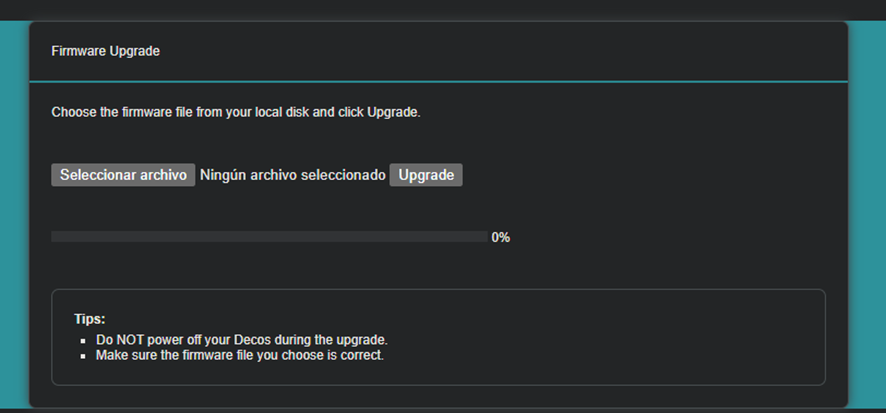
Has anyone successfully downgraded Deco X20 firmware or disabled NRD?
Is there any custom firmware (OpenWRT, etc.) that works with Deco X20?
---