
Deco x50 outdoor

There are deco x50, x20, x50 outdoor devices connected via mesh wifi in AP mode. When the device switches the connection from Deco x20, x50 to X50 outdoor, the speed obtained from x50 outdoor will decrease from 100mbps to about 35-40 mbps and when switching the connection to x20 or x50, the speed is normal. The problem occurs only with the time of connecting to x50 outdoor, the speed will decrease. Even if the test distance is only 2 meters, I have tried to connect via LAN cable to x50 outdoor, the speed is still the same.
- Copy Link
- Subscribe
- Bookmark
- Report Inappropriate Content


Hi, thank you very much for your update.
I don't have any other suggestions so far, and would like to follow up on your case via email.
Please check your email later for more suggestions.
Thanks a lot.
Best regards.
- Copy Link
- Report Inappropriate Content
@Krissada Hi, welcome to the community.
Can I have some screenshots of the current network map and Mesh Backhaul type on the Deco App, such as:
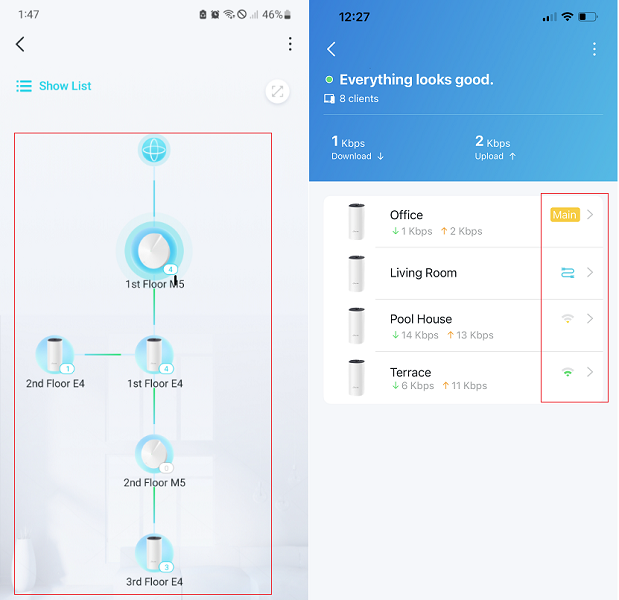
Can you consistently reproduce the following issue on certain mobile devices when Deco X50-outdoor is connected via Ethernet Backhaul:
When the device switches the connection from Deco x20, x50 to X50 outdoor, the speed obtained from x50 outdoor will decrease from 100mbps to about 35-40 mbps and when switching the connection to x20 or x50, the speed is normal.
Wait for your reply.
Best regards.
- Copy Link
- Report Inappropriate Content
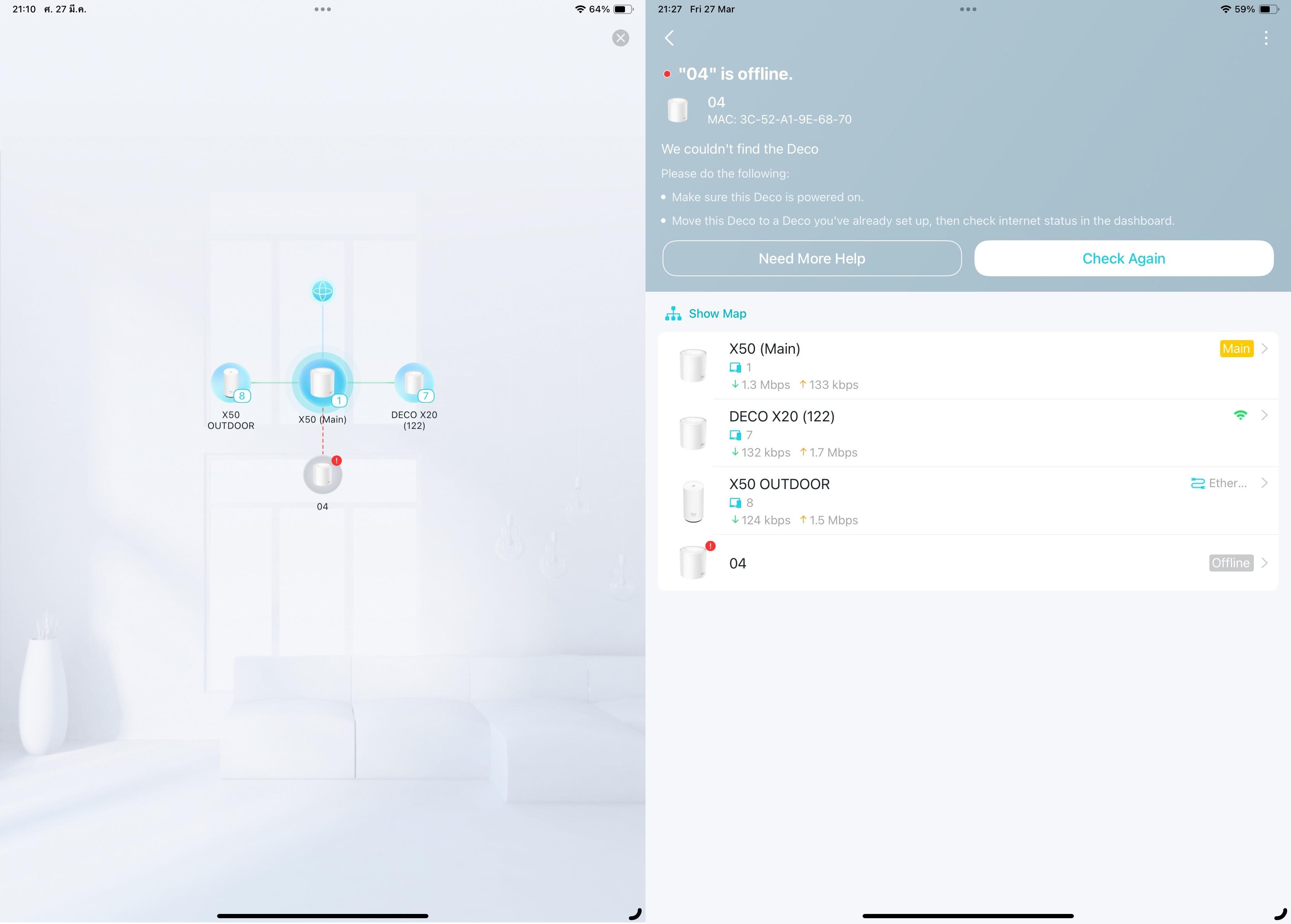 @David-TP
Hi,
I am experiencing an issue with my network.
Every time my iPad or iPhone connects to the X50 Outdoor, the speed drops from around 100 Mbps to about 35–40 Mbps.
During testing, I was standing within 2 meters of the X50 Outdoor. I tested both scenarios:
- Mesh with wireless backhaul
- Mesh with Ethernet backhaul
However, the speed results are the same in both cases.
I’m not sure how to fix this issue. Could you please help me?
- Copy Link
- Report Inappropriate Content
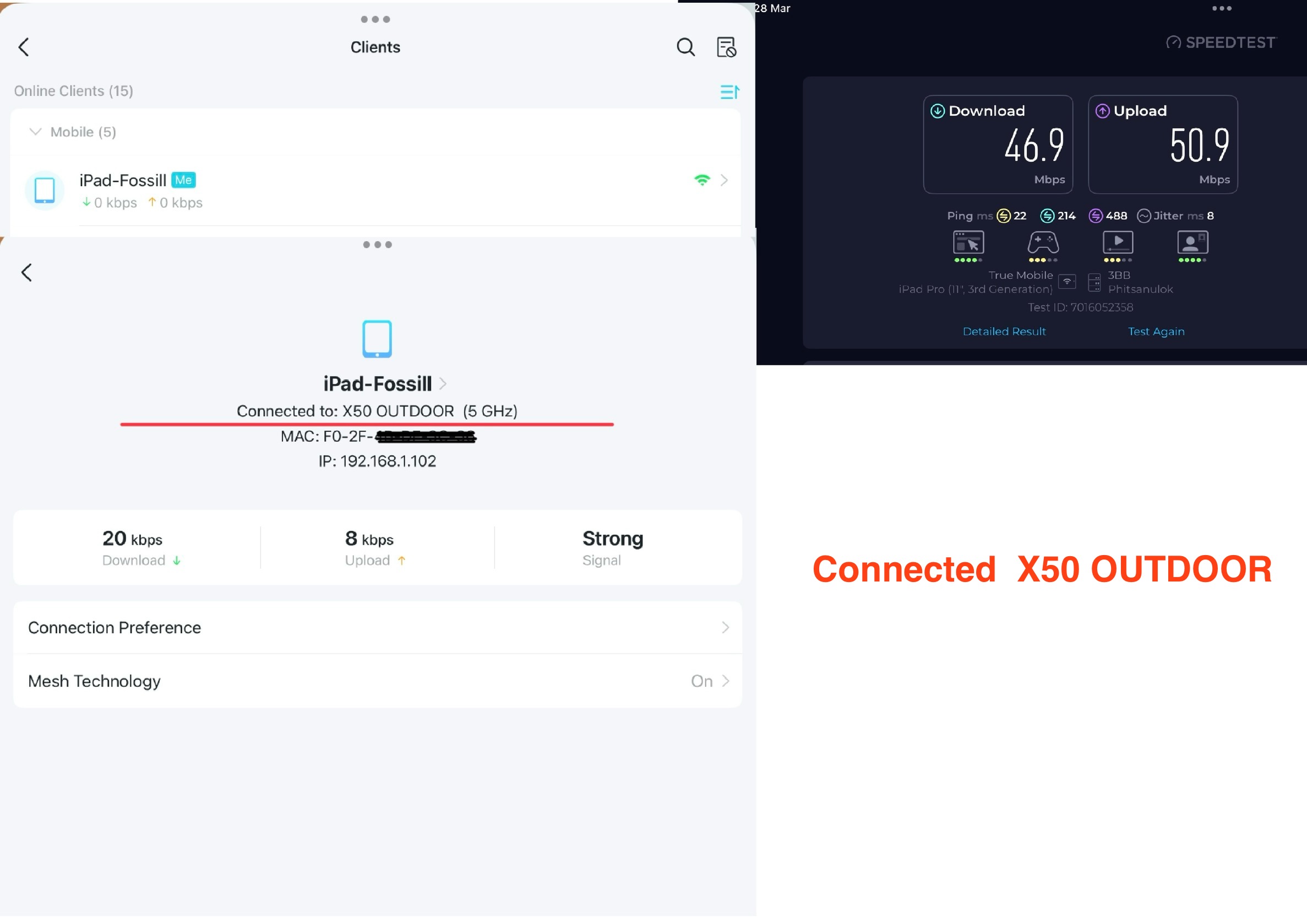
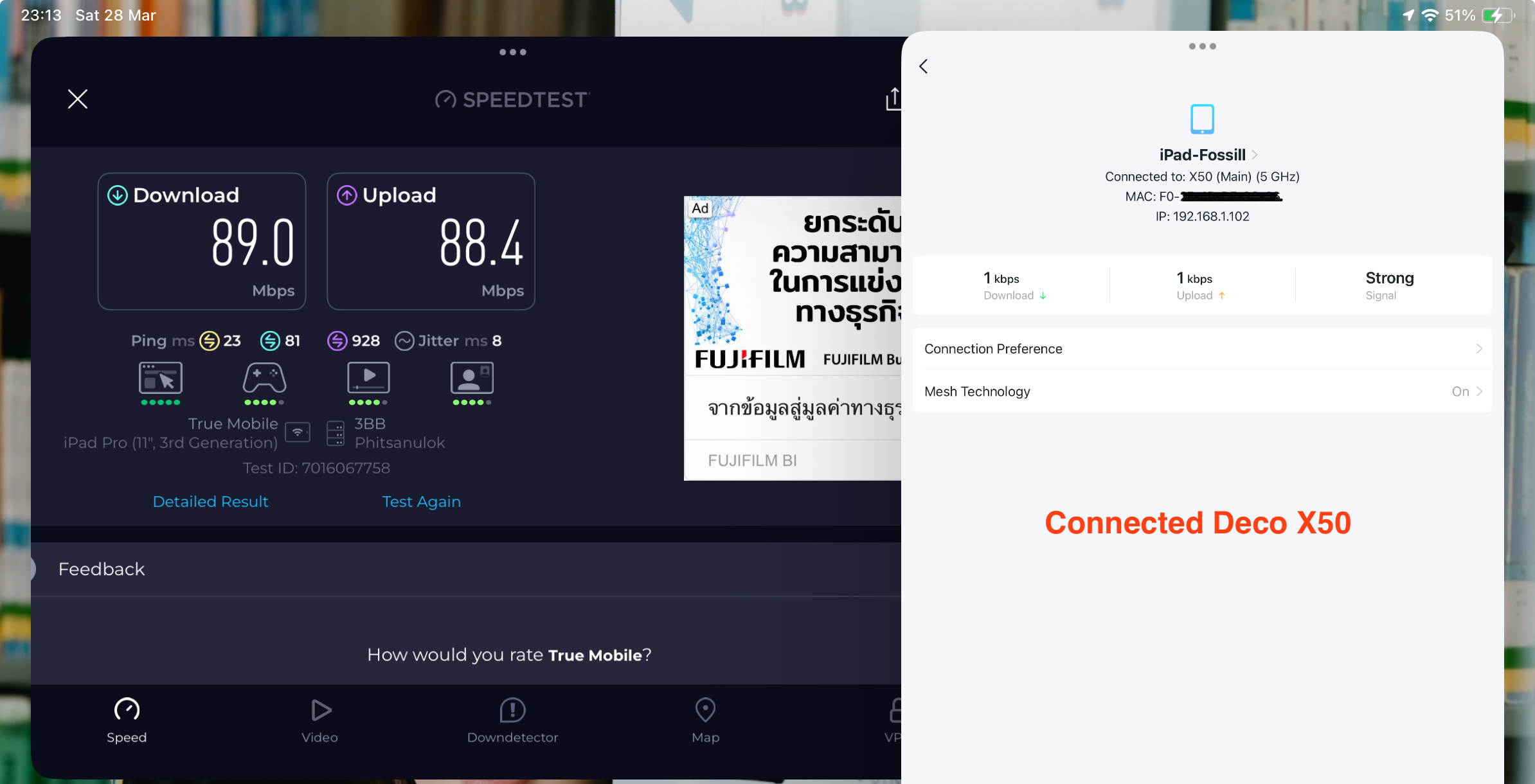
Here are the test results for the connection between the X50 and X50 Outdoor. The testing distance was very close—both routers were within 2–3 meters of my position.
- Copy Link
- Report Inappropriate Content
Hi, thank you very much for your update.
I don't have any other suggestions so far, and would like to follow up on your case via email.
Please check your email later for more suggestions.
Thanks a lot.
Best regards.
- Copy Link
- Report Inappropriate Content
Information
Helpful: 0
Views: 463
Replies: 4
Voters 0
No one has voted for it yet.