
BE230 V2 firmware upload error
BE230 V2 firmware upload error

My 1 BE230 V2 is on 1.3.1 Build 20260106 rel.39388(4555) fw, there is two newly dated but oddly versioned firmware at your website:
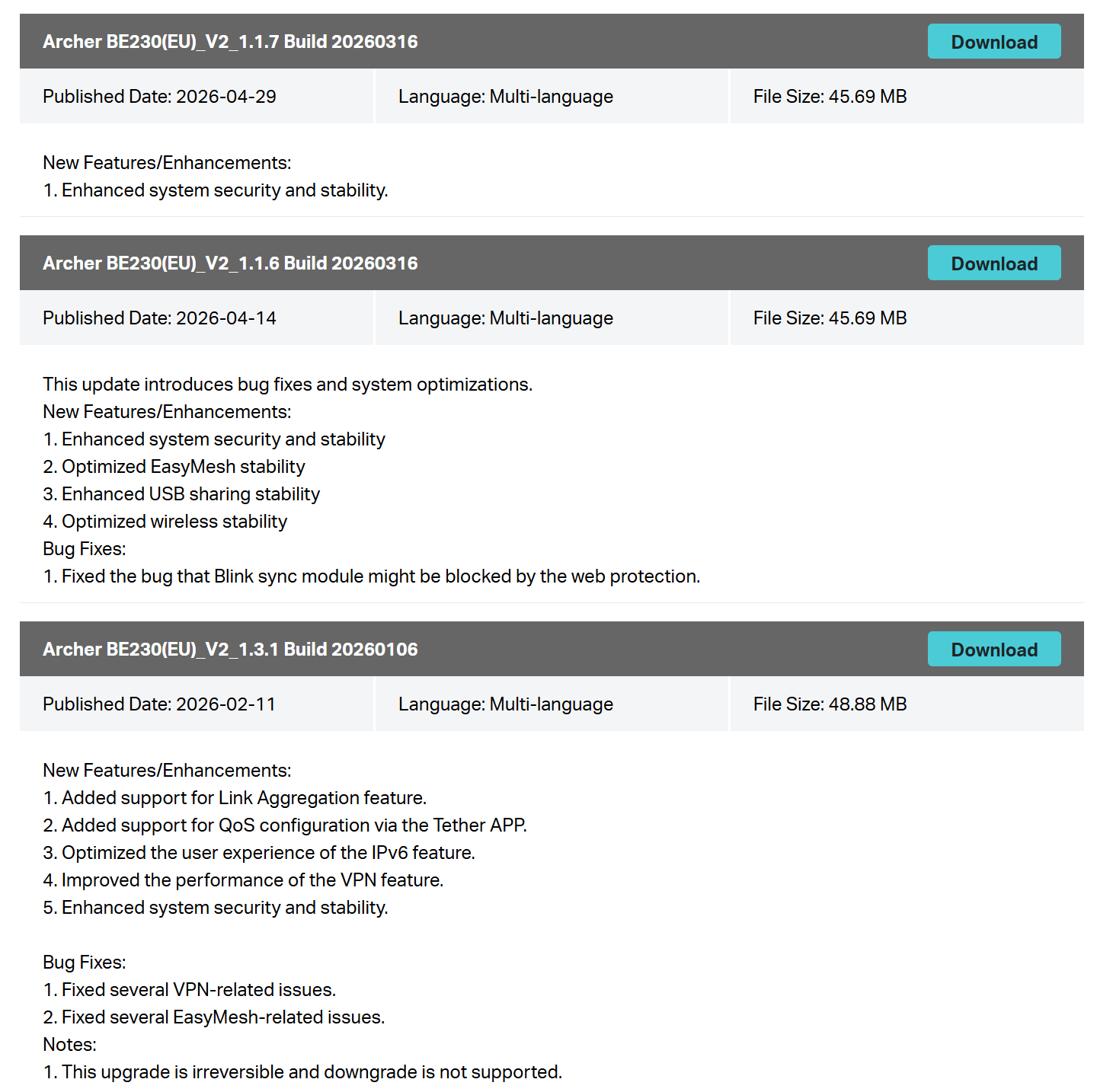
1.1.6 and 1.1.7, both released after 1.3.1, and both gave me "Upload error." when I try to manually update to them. "Check for updates" button doesn't find new fw. May you fix this issue? fw 1.1.3 falsely named as 1.3.1, i think.
Also I'm repeating my 802.11r fast roaming feature support via EasyMesh for both BE230 V1 and V2 versions.
- Copy Link
- Subscribe
- Bookmark
- Report Inappropriate Content


Hello All,
Please be advised that firmware v1.3.1 is an early-release version that already incorporates the features available in the v1.1.x series, as well as new functionalities planned for future releases. Since v1.3.1 is strategically positioned ahead of the v1.1.x series in terms of feature integration, there is no need to transition between these separate tracks.
We are preparing a unified firmware update that will synchronize all devices onto the same version path in the future.
Thank you.
- Copy Link
- Report Inappropriate Content
Hello @Fixx ,
May I know if your router is working again now?
Fixx wrote
I tried many times, power LED begins to flicker, I setup IPs as in the guide, but cannot get into the router interface. Hope TP-Link solves this fw issue quickly and packed with new features
: https://community.tp-link.com/en/home/forum/topic/862778?moduleId=147
- Copy Link
- Report Inappropriate Content

- Copy Link
- Report Inappropriate Content
My router always works at 1.3.1 from the purchase, at that post you mentioned, I tried to enter recovery mode to flash 1.1.7 fw but can't do it. Today I checked fw webpage and see that you deleted 1.1.6 and 1.1.7 from V2, only 1.3.1 left at latest.
I'm waiting for a new fw with advanced EasyMesh features, like 802.11r Fast Roaming.
- Copy Link
- Report Inappropriate Content
Information
Helpful: 1
Views: 1015
Replies: 14
Voters 1
