
mr600v3 || India all Sim(Airtel,Jio & VI) not working || No service

Hi,
Location: India
I have been using the MR600 V3 router for the past 4 years without any issues. However, for the last 3 days, I have been facing a problem with the router.
Recently, the router was upgraded to firmware version 250915. After the upgrade, it worked fine for a few days, but suddenly it started showing “No Service.”
I have already tried the following troubleshooting steps:
-
Tested multiple SIM cards (Airtel, Jio, and VI)
-
Verified that the same SIM cards work properly on mobile phones
-
Downgraded the firmware version to 240716.
-
Changed APN settings
-
Changed LAN DNS settings to 8.8.8.8
Unfortunately, none of these steps resolved the issue, and the router still shows “No Service.”
Please help me identify the problem and provide a solution.
Thank you.
- Copy Link
- Subscribe
- Bookmark
- Report Inappropriate Content


Hi,
Typically, you can refer to the instructions below to troubleshoot when the router has no internet connection.
No internet service on LTE Gateway Router
In your situation, please provide the following information for further analysis.
1. What network type does your SIM card support?
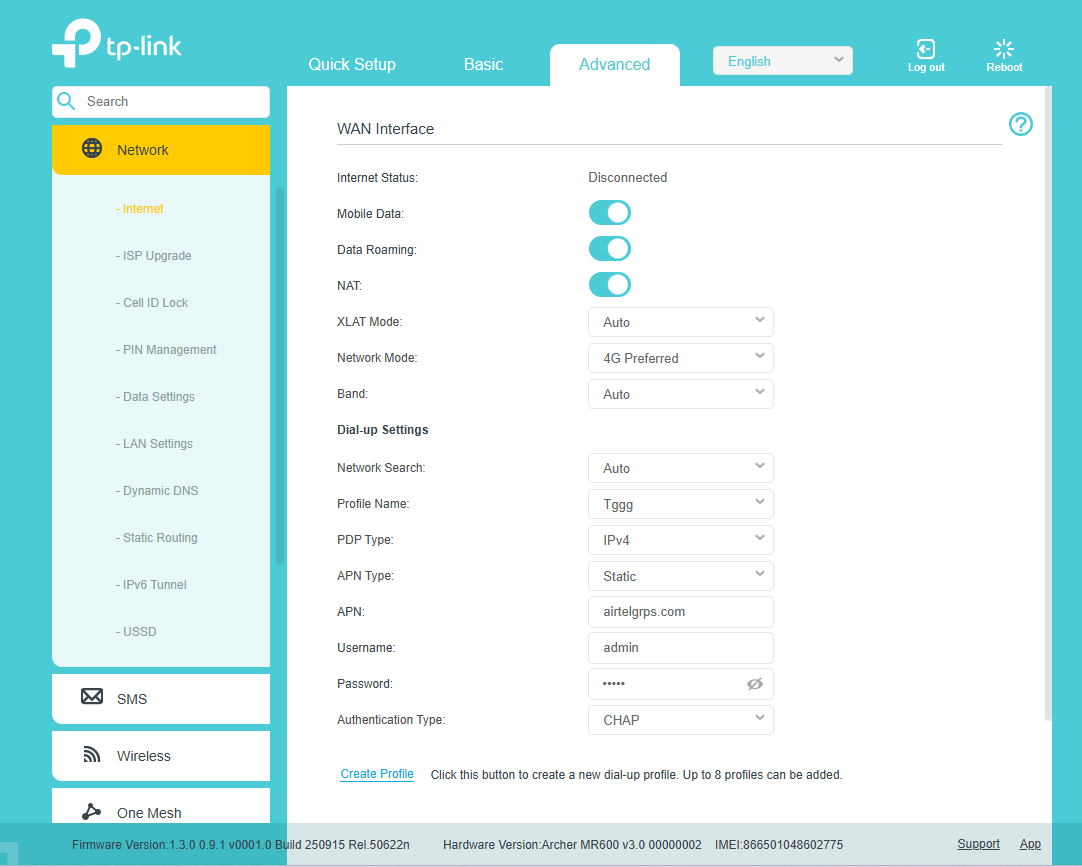
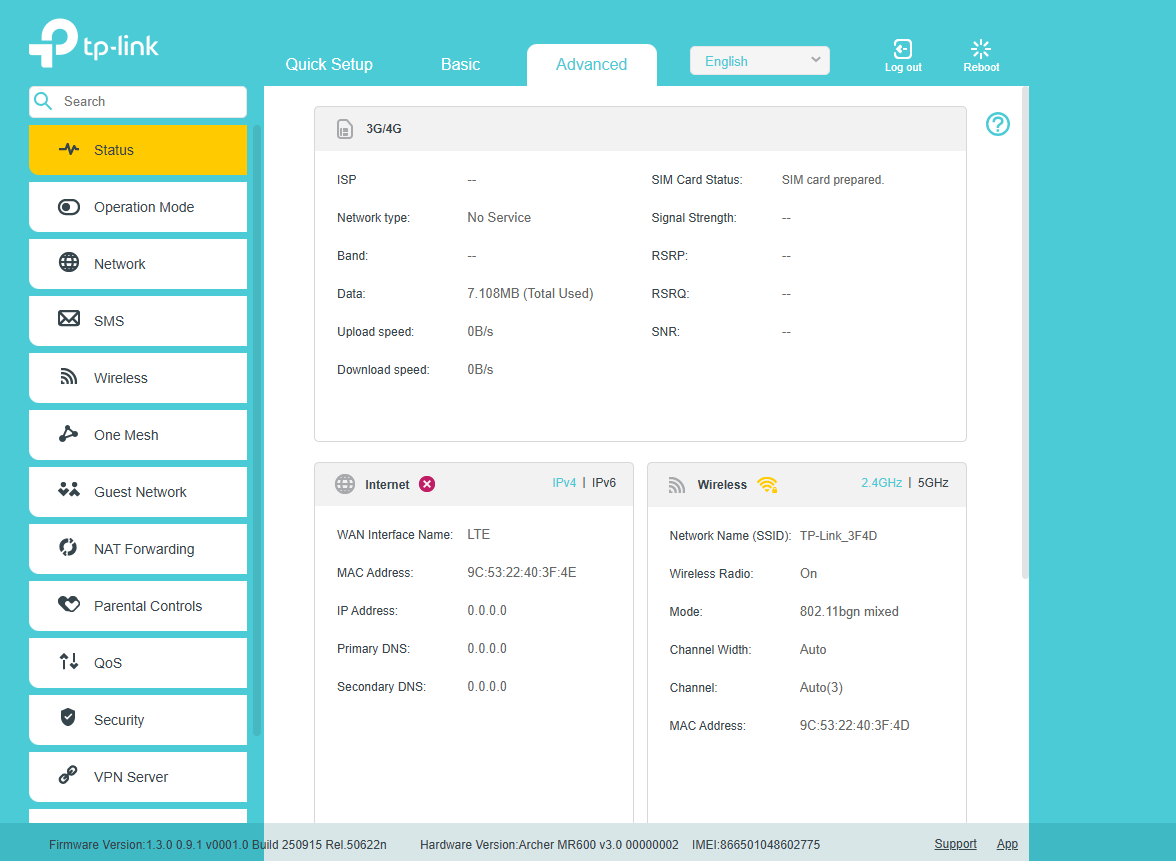
2. Please log in to the router's web UI > Advanced > Status page and the Advanced > Network > Internet page, then send us the screenshots of these pages.
Best Regards
- Copy Link
- Report Inappropriate Content
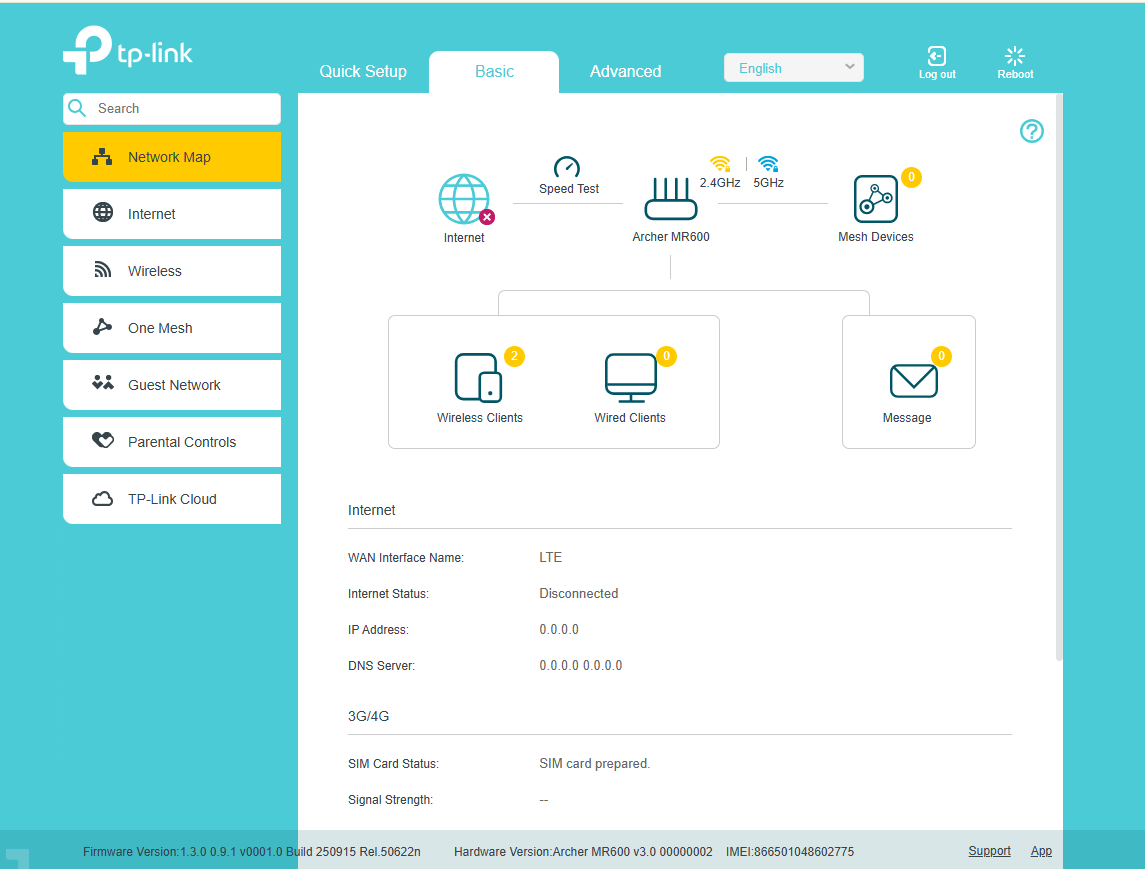
I have already mentioned all the troubleshooting steps I tried, but none of them fixed the issue. Please find the screenshot for your reference.
Currently im inserted Airtel 4g Sim.
I have already tried the following troubleshooting steps:
-
Tested multiple SIM cards (Airtel, Jio, and VI)
-
Verified that the same SIM cards work properly on mobile phones
-
Downgraded the firmware version to 240716 and factory reset, Now again moved to new Version 250915.
-
Changed APN settings
-
Changed LAN DNS settings to 8.8.8.8
Unfortunately, none of these steps resolved the issue, and the router still shows “No Service.”
- Copy Link
- Report Inappropriate Content

@RajeshRaghav i am having similar issue but mine is v2
- Copy Link
- Report Inappropriate Content
Have you recently update Firmware ?
- Copy Link
- Report Inappropriate Content
Hi,
Take the Airtel 4G SIM card as an example. Please contact the SIM card provider and confirm which network types and bands the SIM card supports.
Best Regards
- Copy Link
- Report Inappropriate Content
Hi,
Please refer to this post for troubleshooting if you have a similar issue with the Archer MR600 V2.
Best Regards
- Copy Link
- Report Inappropriate Content
The TP-Link support team confirmed that it appears to be a hardware issue. The device has been handed over to the service center, and I'm waiting for a replacement.
- Copy Link
- Report Inappropriate Content
Hi,
Thank you for your update. If you have any questions when getting a replacement, you can contact the support team for assistance.
Best Regards
- Copy Link
- Report Inappropriate Content
Information
Helpful: 0
Views: 196
Replies: 8
Voters 0
No one has voted for it yet.