
BE230 V2 firmware upload error

BE230 V2 firmware upload error

BE230 V2 firmware upload error
Yesterday - last edited 9 hours ago
Model: Archer BE230  
Hardware Version: V2
Firmware Version: 1.3.1 Build 20260106 rel.39388(4555)

My 1 BE230 V2 is on 1.3.1 Build 20260106 rel.39388(4555) fw, there is two newly dated but oddly versioned firmware at your website:
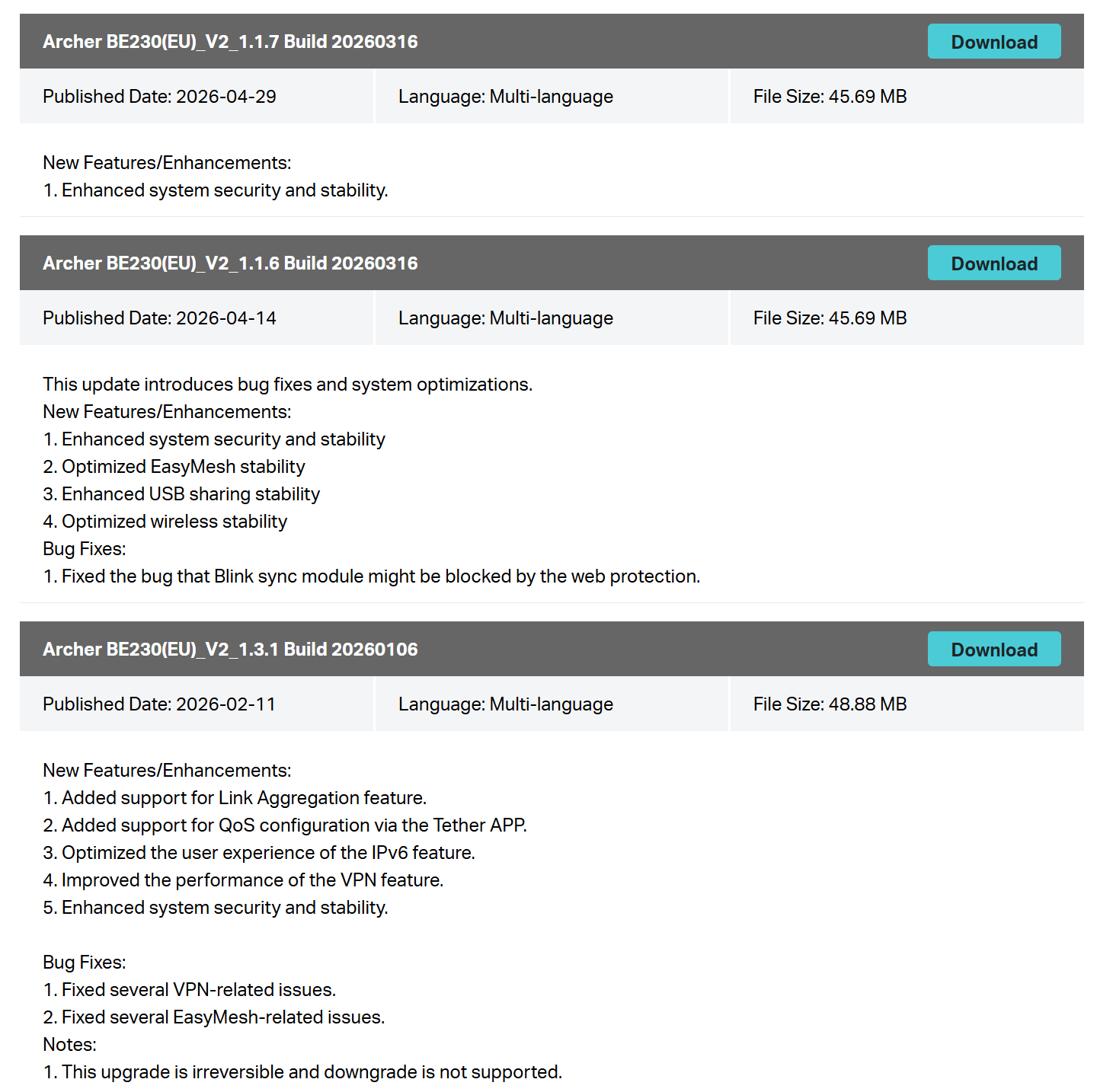
 

1.1.6 and 1.1.7, both released after 1.3.1, and both gave me "Upload error." when I try to manually update to them. "Check for updates" button doesn't find new fw. May you fix this issue? fw 1.1.3 falsely named as 1.3.1, i think.


Also I'm repeating my 802.11r fast roaming feature support via EasyMesh for both BE230 V1 and V2 versions.

1
1
#1
2 Reply
Re:BE230 V2 firmware upload error
22 hours ago - last edited 22 hours ago

  @Fixx 


Hi,


TP-Link's firmware upgrade mechanism only cares about the version number. The build date of the firmware is irrelevant.


Basically, what the note "This upgrade is irreversible and downgrade is not supported" means is that after upgrading to firmware version 1.3.1 it is not possible install a firmware with a version number lower than 1.3.1 via the regular web interface.

1
1
#2
Re:BE230 V2 firmware upload error
9 hours ago

  @Fixx 

Yes, actual 1.1.3 fw falsely named and released as 1.3.1, i think.

0
0
#3

Information

Helpful: 1

Views: 103

Replies: 2