
Schedule day/night (IR) mode

I'd like to be able to set a schedule for the day/night (IR) mode on my cameras.
As of today I can only choose between AUTO, DAY or NIGHT in the Tapo app.
Under some conditions the cameras don't switch to NIGHT mode because there is a bright light somewhere in the frame. Although the picture is good in DAY
mode even in dim conditions, I've noticed that the image quality increases substantially when forced to NIGHT mode.
Im running the latest updates for the app and the cameras.
- Copy Link
- Subscribe
- Bookmark
- Report Inappropriate Content
- Copy Link
- Report Inappropriate Content
I started this thread in 2023, you are correct. They just don't care...
- Copy Link
- Report Inappropriate Content

@Solla-topee Good morning, is it possible to get an update on the status of this request? Will it be taken into consideration? Many of us are waiting for a response.
Thanks to the entire TP-Link support team.
- Copy Link
- Report Inappropriate Content
- Copy Link
- Report Inappropriate Content
I have TAPO TC65, I need to know if I can buy more of these cameras or should look for other vendors
pan_ivan wrote
I would like to request a scheduled Day/Night mode feature. Currently, AUTO mode does not work correctly in real-world conditions with artificial lighting (e.g. street lamps). In my case, the camera switches to Night Mode too early, causing overexposed (white) image, while Day Mode provides a much clearer picture until the lights turn off. Disabling Night Mode is not a solution, because it is still needed later at night. Please add the ability to define a custom schedule (e.g. Day Mode until midnight, then Night Mode). This would significantly improve usability and solve multiple real-world scenarios.
- Copy Link
- Report Inappropriate Content
@Lauda
Did you find a replacement for Tapo camera that supports Schedule DAY / NIGHT function
Lauda wrote
+1 Yes! I have a light source near my camera that causes reflection which doesn’t allow camera to prpoperly switch to night mode. Since it’s been 2 years this feature request was suggested and still no updates, I am already looking for a replacement (not tapo!) camera for my use case.
?
- Copy Link
- Report Inappropriate Content


pan_ivan wrote
I have TAPO TC65, I need to know if I can buy more of these cameras or should look for other vendors
pan_ivan wrote
I would like to request a scheduled Day/Night mode feature. Currently, AUTO mode does not work correctly in real-world conditions with artificial lighting (e.g. street lamps). In my case, the camera switches to Night Mode too early, causing overexposed (white) image, while Day Mode provides a much clearer picture until the lights turn off. Disabling Night Mode is not a solution, because it is still needed later at night. Please add the ability to define a custom schedule (e.g. Day Mode until midnight, then Night Mode). This would significantly improve usability and solve multiple real-world scenarios.
Hi,
Thank you very much for your feedback. For the schedule day/night mode request, while we don't have specific details on whether this feature can be added to the product or when it might be, we'll keep logging the feature request and pass it along to the relevant team for evaluation.
Here's how you can check for product availability and purchase options:
1. Check Product Availability:
Visit your local TP-Link website and search for the model you want:
• If the model is listed, it's either already released or will be soon
• If it's labeled as "Coming Soon", it indicates a planned release in your country/region
• If you can't find it, there are no near-term plans for release in your area
2. Where to Buy:
Visit "https://www.tp-link.com/where-to-buy/" to find our authorized retailers
Please note that product inventory availability varies between retailers based on their sales plans for different models.
Best Regards
- Copy Link
- Report Inappropriate Content
@스크래첸
I bought this thinking it had this feature, but it doesn't.
I already returned it. Don't buy this kind of fake/fraud device, guys.
- Copy Link
- Report Inappropriate Content
I also miss this feature on the C530WS
Hello, I would like to request a firmware (app) update to control the IR illumination. The issue is that the system does not switch to IR mode at night, as there is a streetlight in the camera’s field of view that illuminates the wall of the monitored building. As a result, the area next to the building is not clearly visible. The ideal solution would be to add the option to set a time range for turning the "NIGHT MODE" on and off. Currently, the only options are DAY MODE/NIGHT MODE/AUTO MODE, and there is no option to select a specific time. Believe me, I really miss this feature. Best regards, Petr_H
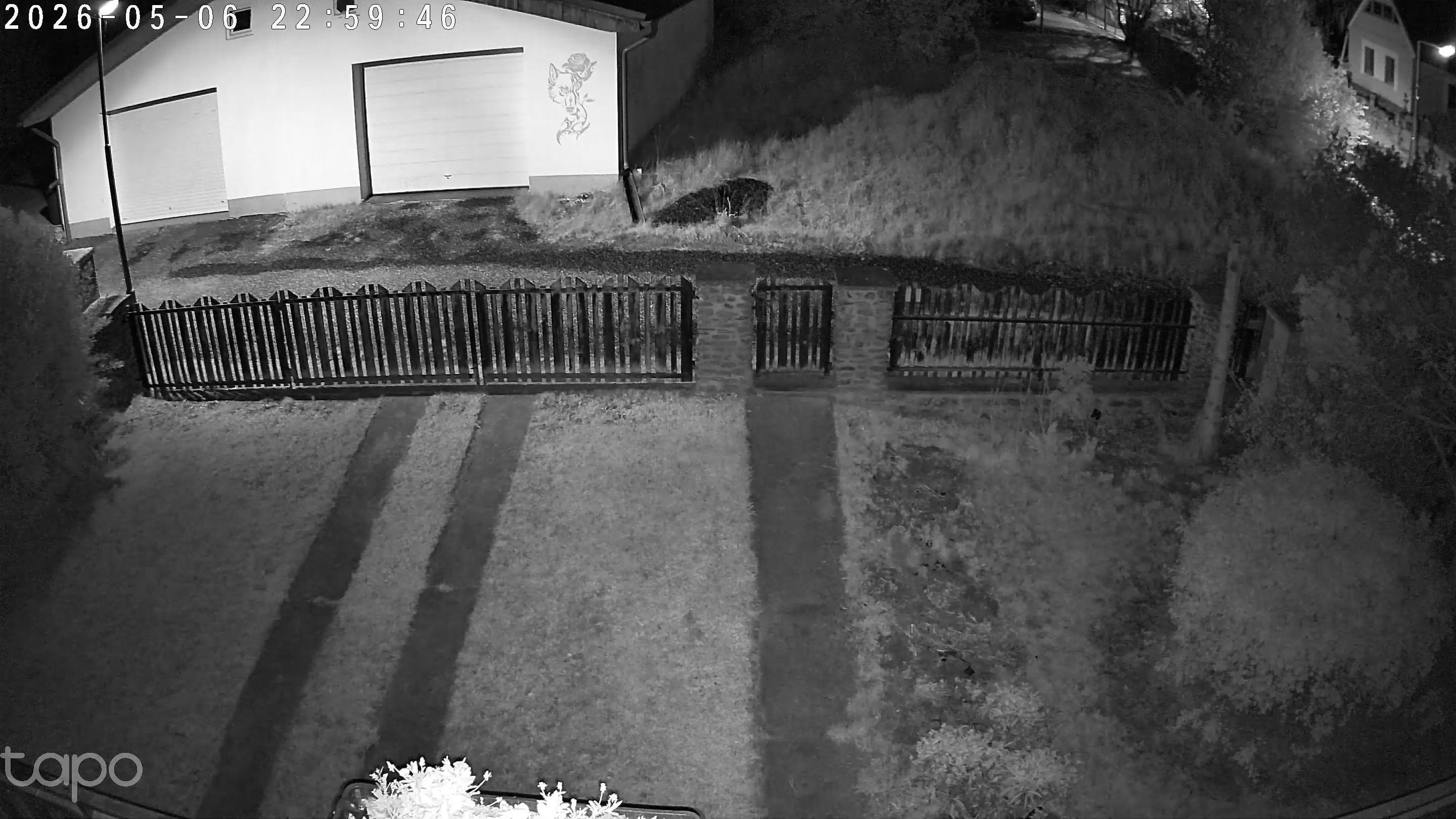 IR mode in night
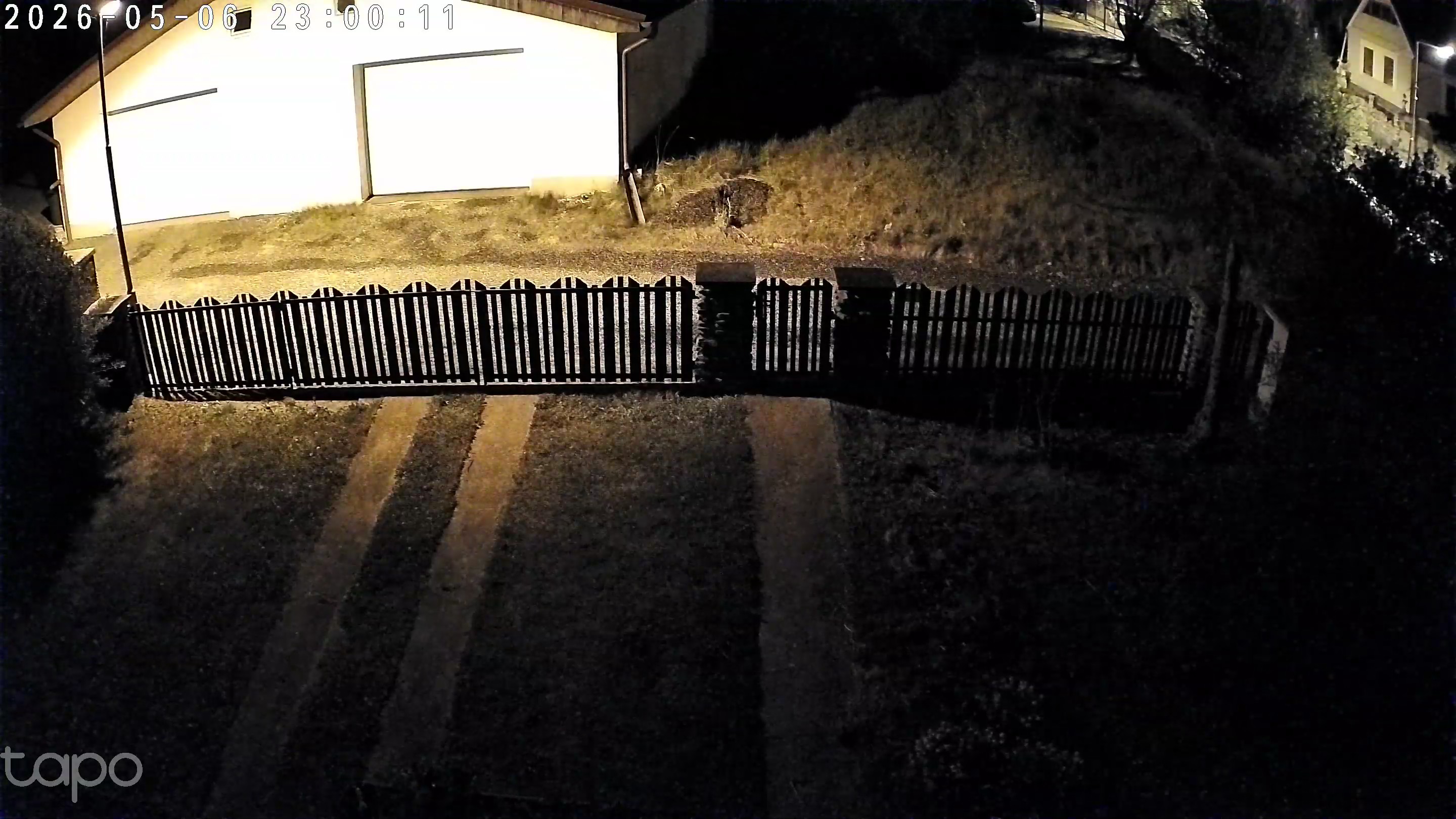 AUTO mode in night
- Copy Link
- Report Inappropriate Content
Just forget it guys, they will never implement it :D
- Copy Link
- Report Inappropriate Content
Information
Helpful: 50
Views: 18326
Replies: 71
Voters 50
























