
Abnormal battery discharge - C410
 This thread has been locked for further replies. You can start a new thread to share your ideas or ask questions.
Hi,
I recently updated 4 tapo C410 cameras to the latest available firmware 1.0.24 (proposed by the app). After the update the battery charge lasts a week at most without even enabling recordings.
Am I the only one with this problem?- Copy Link
- Subscribe
- Bookmark
- Report Inappropriate Content


Check the suggestions here. What to do if the battery drains quickly on my Tapo battery-powered camera/doorbell?
- Copy Link
- Report Inappropriate Content
Check the suggestions here. What to do if the battery drains quickly on my Tapo battery-powered camera/doorbell?
- Copy Link
- Report Inappropriate Content
Hi Wayne-TP thanks for the support.
The cameras are practically never activated. They do not record, do not detect and do not sound any alarm. The abnormal discharge started to appear after the update
- Copy Link
- Report Inappropriate Content
Can you share some screenshots of the camera's battery status page? What router do you use?
- Copy Link
- Report Inappropriate Content

Same problem after last update 1.0.24 battery go down!
i see in the app the battery is changing but the value go down, now around 49% start % was 100%
with a lot a sun every day.
(The preview version there was a wifi good connection problem. now it's better in this version)
Best regards
- Copy Link
- Report Inappropriate Content
You may refer to the article above in the Recommended Solution for troubleshooting. Check whether the camera has abnormal wake-up times, excessive wake-ups can accelerate battery consumption.
If you notice the camera wakes up many times but few or no recorded events, this may be normal as the camera has an AI filtering mechanism that can filter out some invalid events to prevent excessive false detection events (notifications and recordings), such as the events triggered by lighting changes, flying insects, plants swaying in the wind.
- Copy Link
- Report Inappropriate Content
@Wayne-TP I have already look to this options, it's the last update that make this camera bad, if you can tell me how to force the deinstall the update, so
i can use this camera again,Or there is a serieus battery problem. So i have to know because it still under warranty. It's like the zones or abnormally detect this outside the marked fields. But there are not so many wake ups or false detections
- Copy Link
- Report Inappropriate Content
So far, there isn't a definitive conclusion regarding this issue. Although these two events occurring simultaneously may seem suspicious, this is insufficient to justify inferring a cause for the problem. Further follow-up and analysis are needed to pinpoint the specific cause.
Firmware downgrade is not supported. If you prefer a different solution like a replacement instead of continuing with troubleshooting, that is certainly an option. However, please note that if the issue is not caused by the product itself, replacing it may still result in the same problem. For warranty assistance, you may contact the seller.
- Copy Link
- Report Inappropriate Content
sorry for the delay in responding.
In attached are the screenshots of the battery status that I also sent to the Italian TP-Link support
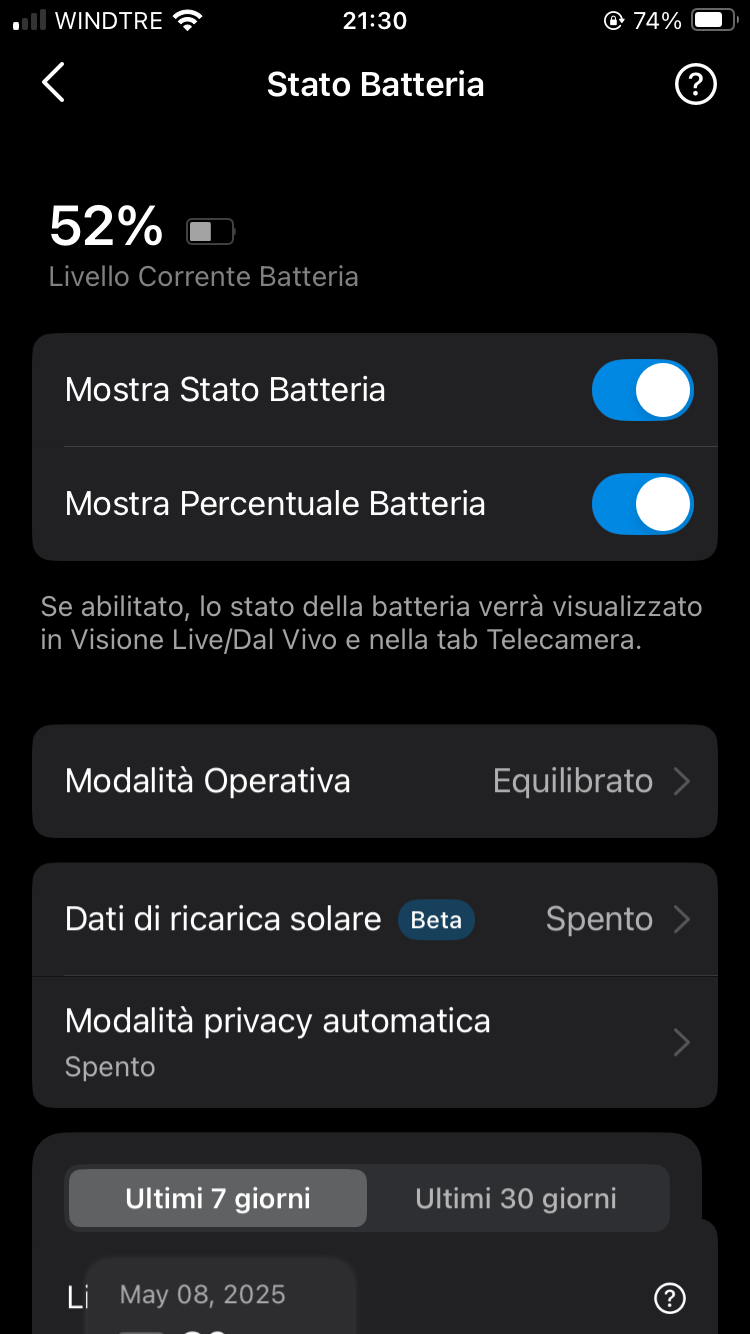
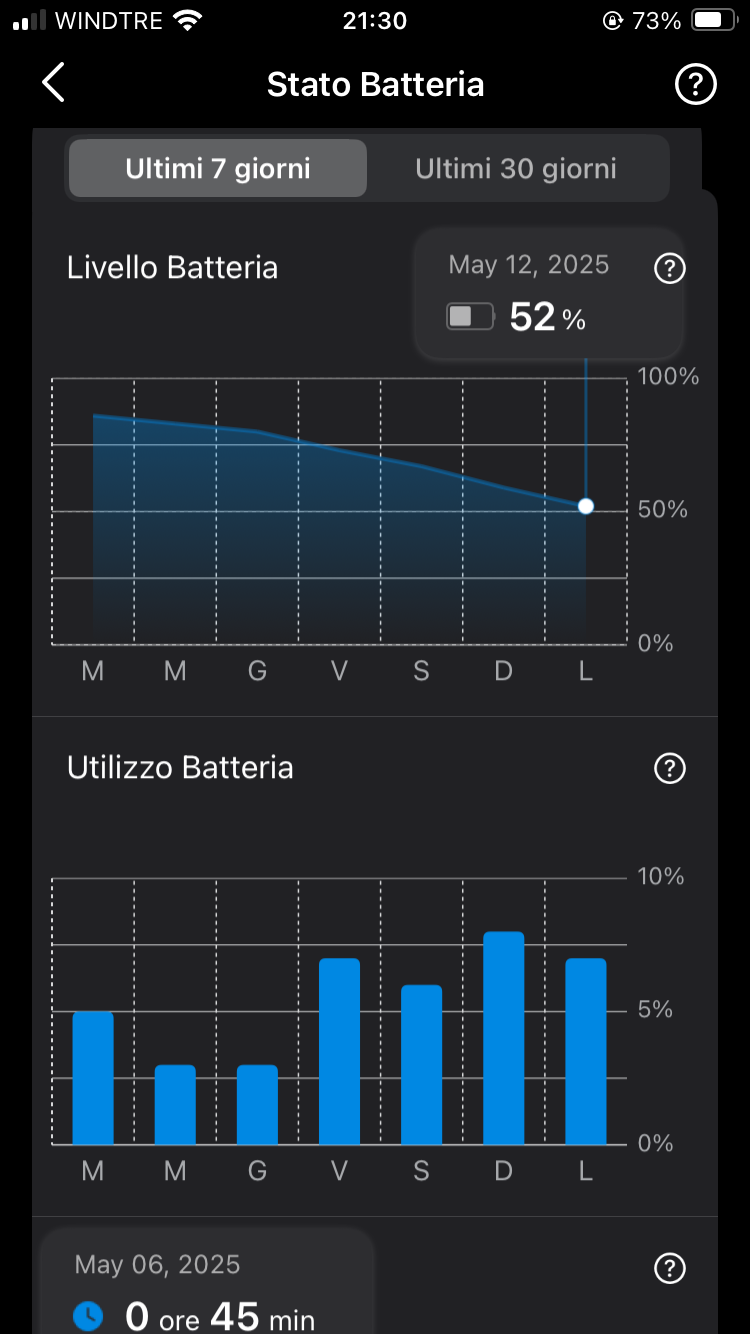
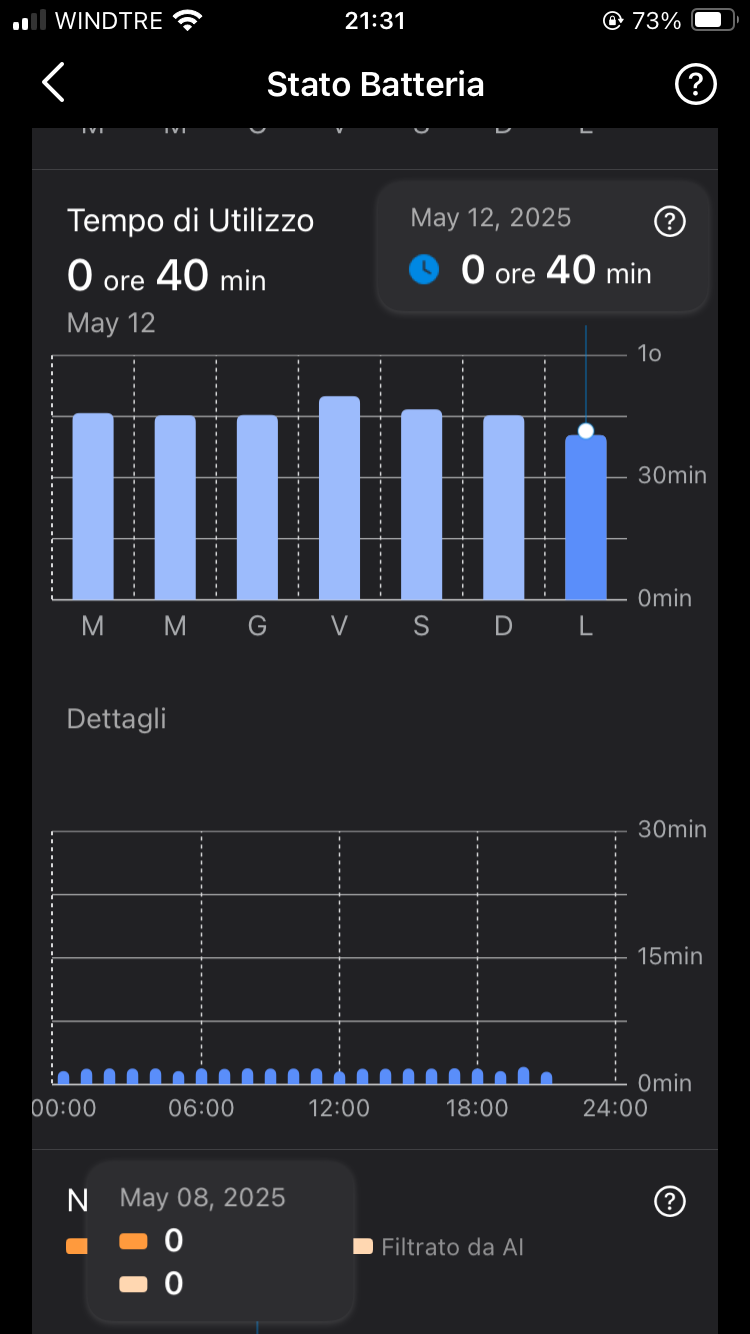
- Copy Link
- Report Inappropriate Content
My router is a Frtizbox 7590 and I would like to integrate the cameras into home assistant that runs on raspberry.
In this case the cameras run out of power quickly when only in standby, they do not record or detect movements.
- Copy Link
- Report Inappropriate Content
toniliga wrote
My router is a Frtizbox 7590 and I would like to integrate the cameras into home assistant that runs on raspberry.
In this case the cameras run out of power quickly when only in standby, they do not record or detect movements.
Home assistant might be the reason that draining camera's battery. You may try to disconnect it then monitor the battery consumption.
- Copy Link
- Report Inappropriate Content
Information
Helpful: 0
Views: 1359
Replies: 10
Voters 0
No one has voted for it yet.