
D210 keeps showing offline

Hi,
I have had the TP-Link D210 for a few days now and it keeps showing as offline in the Tapo app several times a day at random times. These usually last for a few minutes. Apart from this it is doing everything else as it should be.
When this happens, I check the doorbell and there are no error LED’s showing on the unit, and it in fact records me and I can view the clip when it shows as back online a few minutes later.
I have rebooted a few times but this hasn’t helped and I regularly check the wifi connection which is usually between -58 and -61 RSSI.
Based on browsing the forum, it seems to be a common issue amongst different models so I am guessing a firmware issue?
Any help would be appreciated.
Side note: I also have the C200 a few metres away and it has never shown as offline.
- Copy Link
- Subscribe
- Bookmark
- Report Inappropriate Content


This thread addresses a specific issue where the Tapo D210 doorbell may appear offline in the app but continues to send detection notifications, and triggers a “Battery Empty” error when attempting to access the live stream. If your Tapo D210 exhibits both of these exact symptoms, please contact our support team directly for assistance. Contact Technical Support
For issues with other device models or different symptoms, please verify what type of disconnection issue your smart device is experiencing. There are three types in general:
- Cloud disconnection: the camera has disconnected from the cloud, it cannot be controlled remotely anymore, but it is still online and manageable in the Tapo app when the mobile device connects to the same local wifi. Camera led usually turns solid orange in this state. *The information indicated by the LED status lights may vary between different device models. For details, refer to the product User Guide. TP-Link Download Center
- WiFi disconnection: the camera has disconnected from the router wifi, this is usually caused by to weak or unstable wifi signal.
- App display issue: The camera always shows offline in the app while the LED remains in the normal state -solid green, and you can still receive detection notifications.
☆ Cloud & WiFi Connectivity Issues
Follow the corresponding suggestions outlined in this article. Cannot use the Tapo app to control my smart devices
*For the wifi disconnection issue, this article also helps. How to check and improve the network connection stability of Tapo smart devices
☆ App Display Issue
a. Ensure the Tapo app is updated. Try to delete and reinstall the app.
b. Make sure the phone has stable internet access. Try using a different network. Disable VPN, ad-blocker app, and other related apps if any.
c. Reload the app homepage. Force-close the app then re-open it.
d. Make tests with different mobile devices, check whether the problem is related to a specific mobile device
- Copy Link
- Report Inappropriate Content
Check the troubleshooting suggestions here. What should I do if my Tapo smart devices keeps losing connection or going offline?
What router do you use? If your router can display the connection times of client devices, please monitor whether the doorbell's connection time has been reset, such as if it is much shorter than the connection times of other devices.
When using the Tapo app, do not turn on VPN or any relevant apps.
Do you also experience this problem when the phone connects to the local WiFi network?
- Copy Link
- Report Inappropriate Content
The router is a sky ER115. If I go to the router settings, I can see attached devices but not how long they have been connected.
I don't have any VPN running on my phone.
I don't experience this problem when the phone connects to the WiFi.
- Copy Link
- Report Inappropriate Content
Can you send the Mac address of your doorbell to me through a private message. Our support team can help to check it.
- Copy Link
- Report Inappropriate Content

@Wayne-TP same problem here. tplink deco showing connected wifi. but d210 keep dropping every now and then. reset 1 time ..works about a day then tmrw not connected
- Copy Link
- Report Inappropriate Content
Arave wrote
@Wayne-TP same problem here. tplink deco showing connected wifi. but d210 keep dropping every now and then. reset 1 time ..works about a day then tmrw not connected
Check the troubleshooting suggestions here. What should I do if my Tapo smart devices keeps losing connection or going offline?
- Copy Link
- Report Inappropriate Content

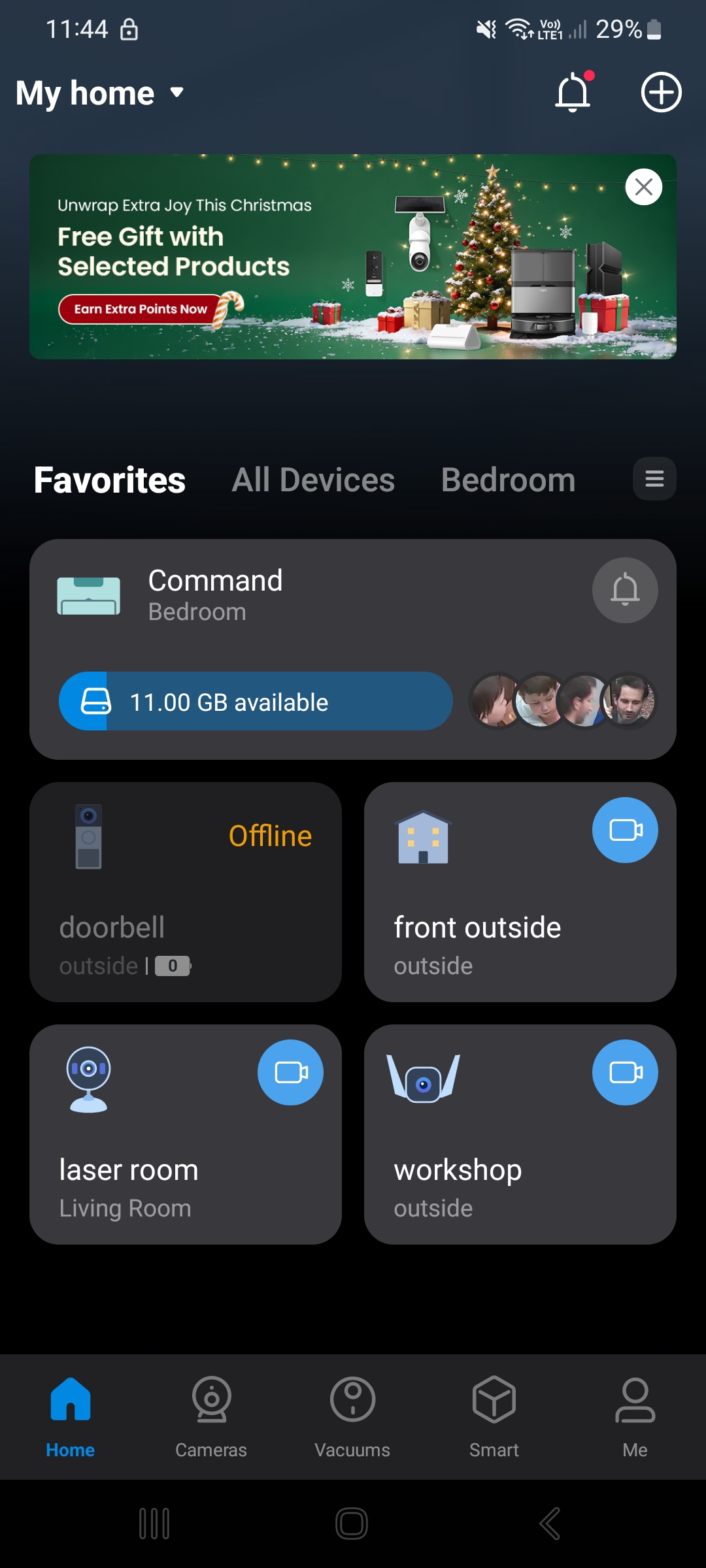
I have a d210... works fully charged too.
In app shows offline, so can't access .
I have re booted it , and re synced it to the app, still shows offline after I have a firmware update recently
I'm guessing it says battery 0% because it thinks it's not connected .
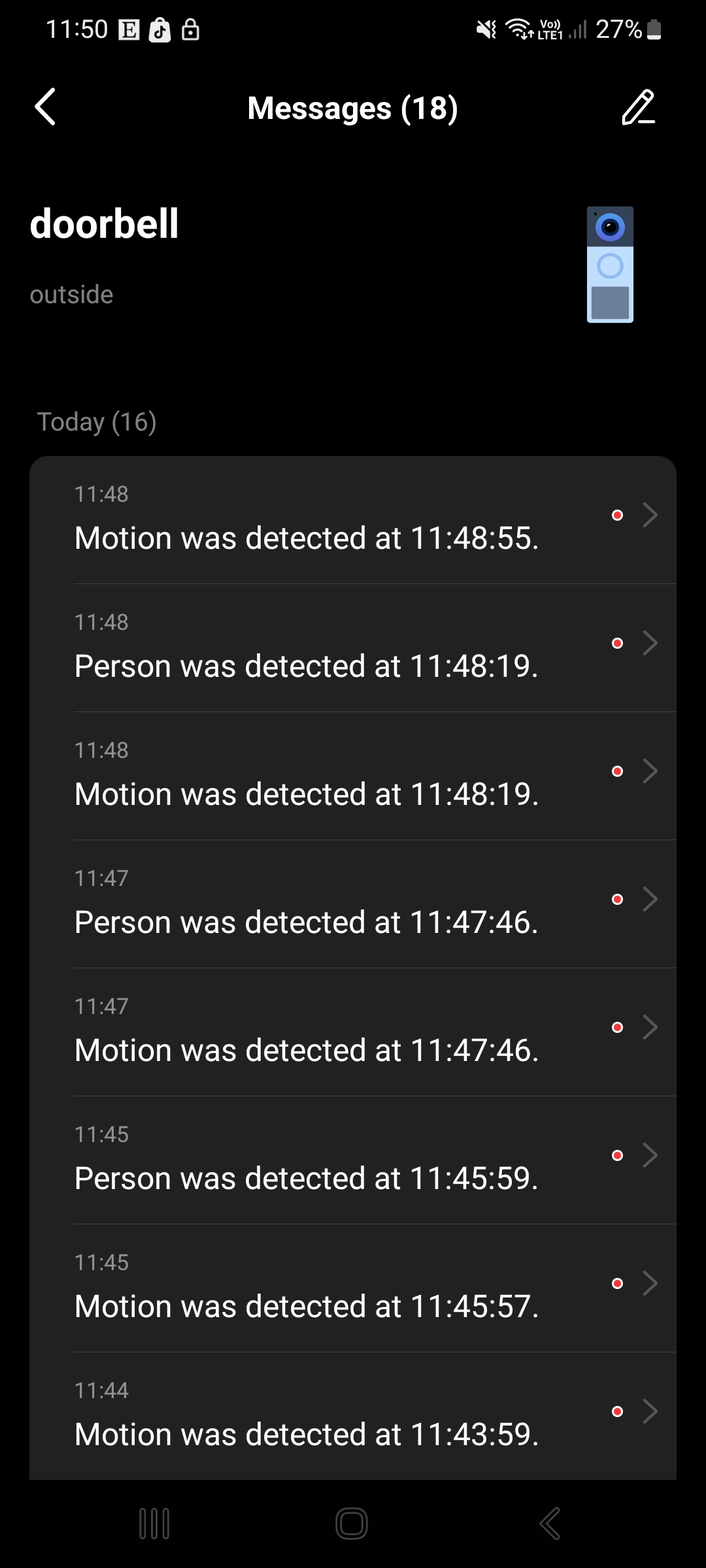
What's worse is .. when you walk past the doorbell .. it picks it up in the app. ( even though it shows offline )
Which you can see here
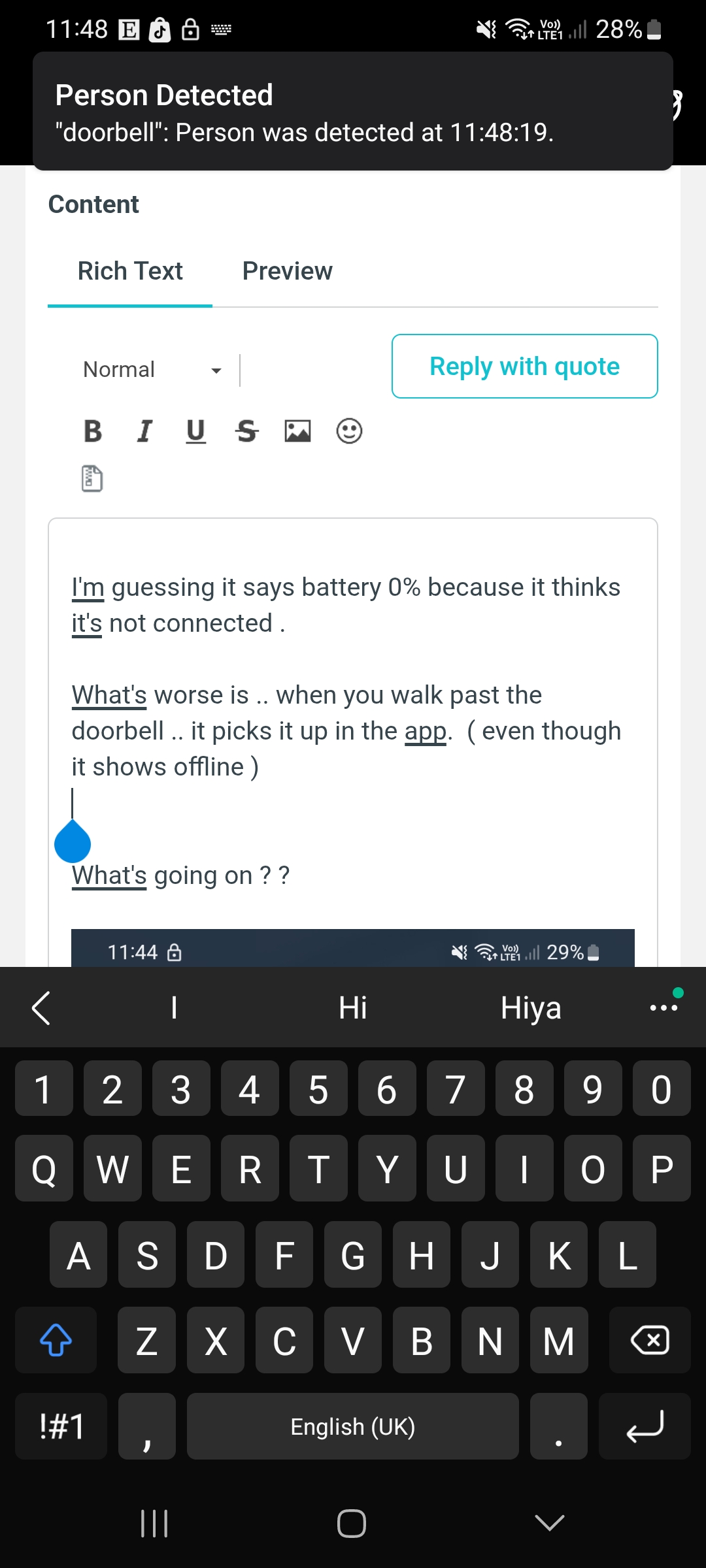
What's going on ? ?
- Copy Link
- Report Inappropriate Content
- Copy Link
- Report Inappropriate Content
- Copy Link
- Report Inappropriate Content
What's the version of your Tapo app? Have you tried to reinstall the app?
To assist with this case, a specialist will help to follow it up through email. Please check your inbox later to confirm.
If the email you used to register for the TP-Link community is not your contact email or you cannot access it, please send me your contact email through private message.
- Copy Link
- Report Inappropriate Content
@Wayne-TP 3.15.117 ( android )
- Copy Link
- Report Inappropriate Content
Information
Helpful: 0
Views: 3579
Replies: 28
Voters 0
No one has voted for it yet.